Bilal Siddiqui
Key takeaways
It is a Feature, Not a New Marketplace: The Amazon Business selling program operates as a layer on top of an existing Professional selling account, drawing from the same FBA inventory pool rather than requiring a completely separate B2B catalog.
Product Fit is About Replenishment: Success in Amazon B2B hinges heavily on buyer behavior rather than the specific product category. The model works best for items that organizations consume, standardize, and reorder on a regular cycle, as opposed to one-time considered purchases.
Volume Pricing Requires Rigorous Math: Sellers can set distinct business prices and up to five quantity discount tiers. However, sellers must carefully calculate the per-unit contribution at the absolute deepest discount tier to ensure they aren't simply trading away margin on orders that would have happened anyway.
B2B Does Not Mean Wholesale: Utilizing Amazon's B2B pricing features does not require restructuring into a traditional wholesale business, negotiating distributor agreements, or building an outbound sales team.
Most sellers discover Amazon B2B by accident. An order arrives for forty units of a product that normally sells one or two at a time, the order shows a business buyer label, and the seller starts wondering whether there is a whole customer segment they have been ignoring.
There is. Amazon Business is Amazon's purchasing environment built for organizations rather than individual shoppers, and the selling features attached to it are already sitting inside most Professional selling accounts. What is less obvious is whether those features are worth using for your specific catalog, because business pricing and quantity discounts do exactly what they sound like: they lower your per-unit price in exchange for larger orders. Whether that trade works depends on your margin structure, your fulfillment costs, and how your products are actually consumed.
This guide covers Amazon B2B from the seller side. It explains what Amazon Business is, who buys there, how business prices and quantity discounts function, which products tend to fit, how fulfillment and fees behave on larger orders, and how to decide whether the channel is worth configuring at all.
What Amazon B2B Means in a Seller Context
Amazon B2B is the shorthand sellers use for selling to business customers through Amazon Business, Amazon's dedicated store for organizations buying products to run their operations.
The distinction that trips people up is between the buyer side and the seller side, so it is worth being precise.
Amazon Business is the buyer-facing environment. Organizations register a business account, get verified, and shop in a store that looks familiar but adds procurement features: purchase orders, invoice payments, multi-user accounts with approval workflows, spend reporting, and tax exemption on qualified purchases through the Amazon Tax Exemption Program. Business Prime is a separate paid membership layer that some of those buyers subscribe to. None of this requires anything from you as a seller.
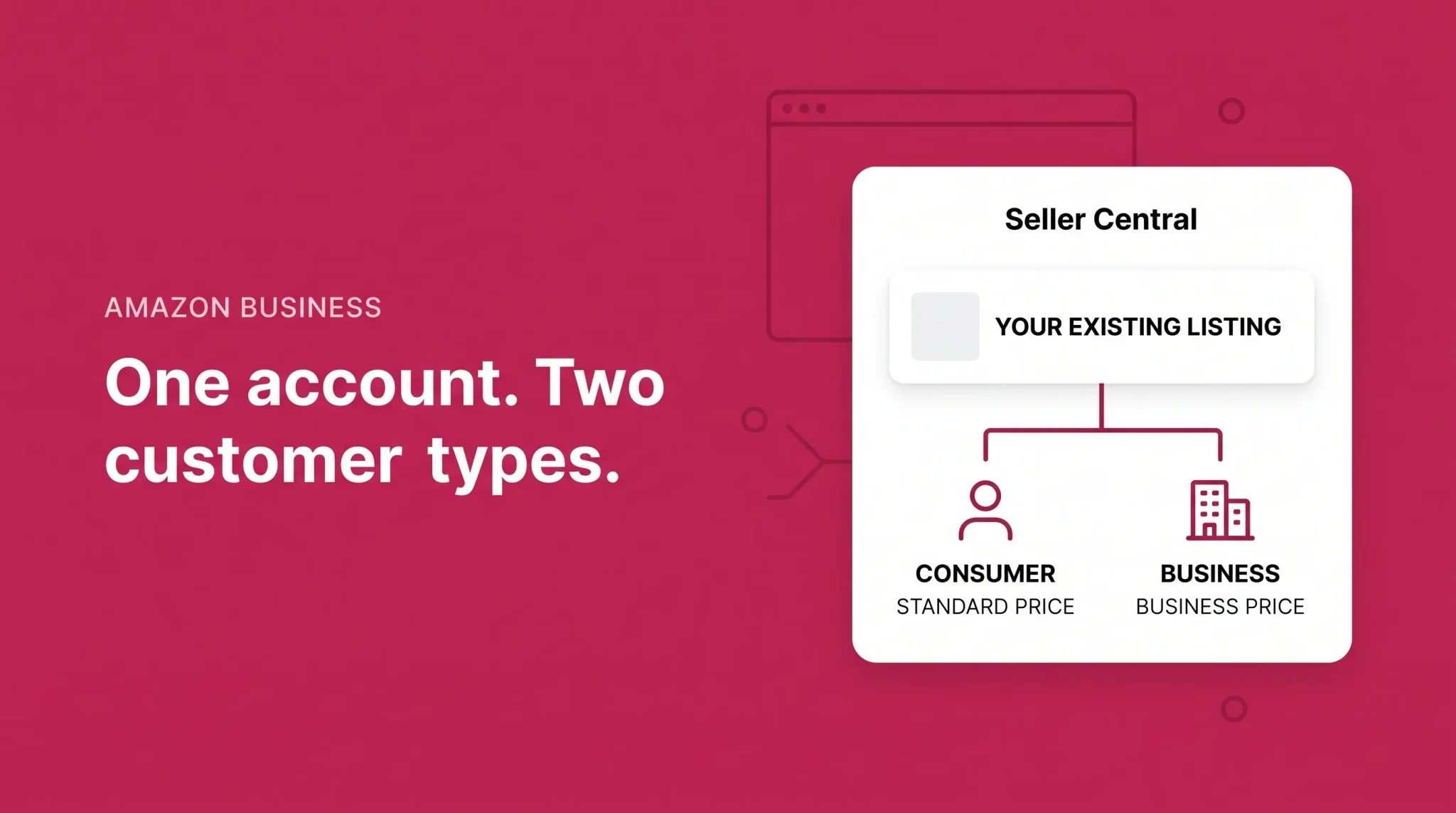
The Amazon Business selling program is the seller side. It is not a separate account and it is not a separate marketplace you list into. It is a set of B2B features that attach to your existing Amazon selling account, managed through a section of Seller Central called B2B Central. Amazon's seller-facing documentation describes the entry point as signing in and selecting B2B, then B2B Central, from the main menu.
That single point resolves most of the confusion around this topic. You do not build a second catalog. You do not maintain a second inventory pool. You take listings you already have and decide which of them should carry a business price, a quantity discount, or a business-only offer.
Amazon reports that Amazon Business drives roughly $35 billion in annualized sales and serves around eight million organizations globally, including 97 of the Fortune 100. Those figures come from Amazon's own program materials and are worth reading as scale indicators rather than as a forecast for any individual seller. Amazon Business currently operates in a defined set of countries, including the United States, Canada, Mexico, the United Kingdom, France, Germany, Italy, Spain, Japan, and India. Feature availability differs between them, so verify what applies to your marketplace before assuming the US experience transfers.
Who Amazon Business Customers Actually Are
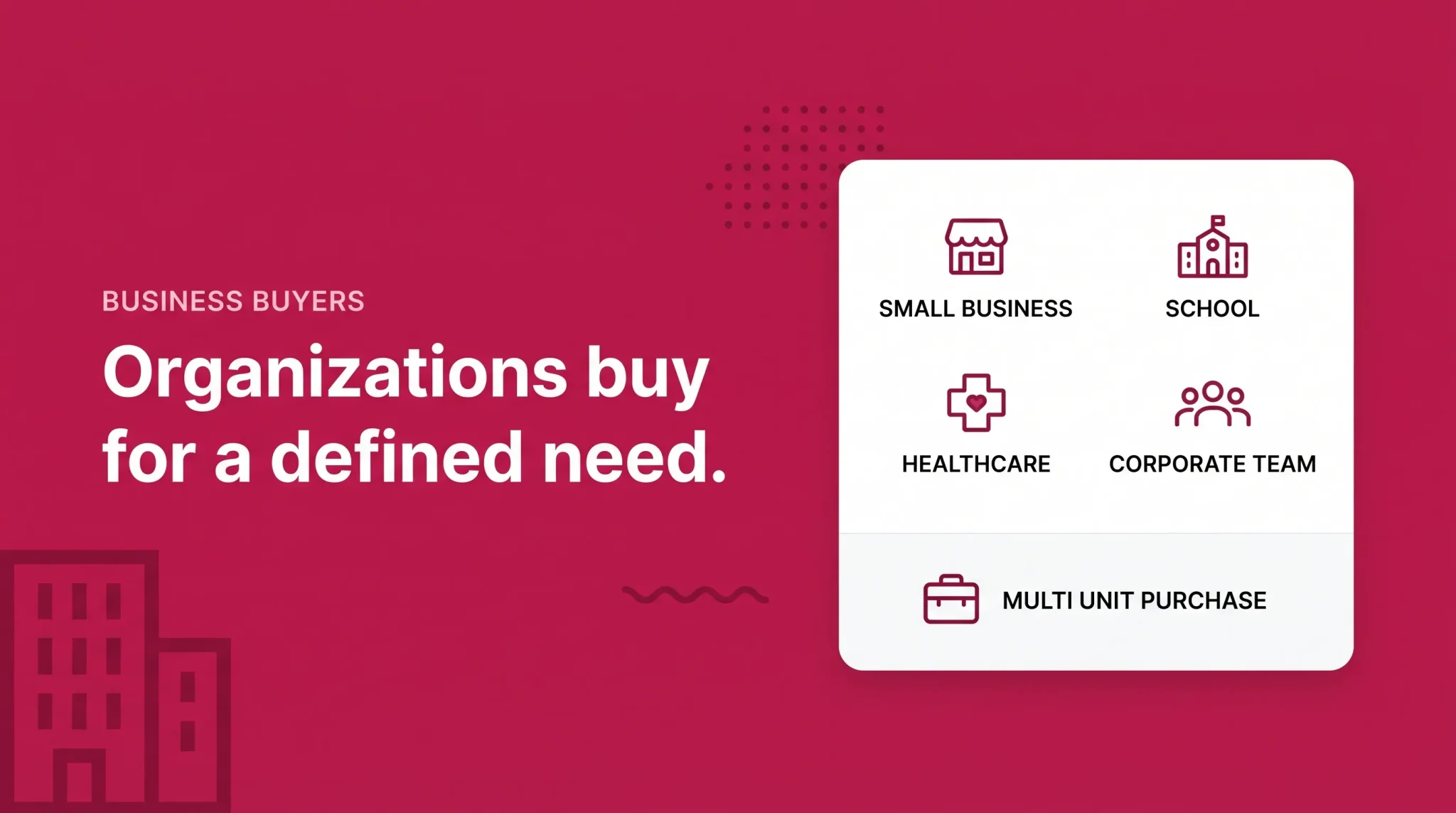
Business customers on Amazon are not a single audience. They range from a two-person contractor buying supplies on a company card to a procurement team operating under approval thresholds and quarterly budget cycles.
The organizations commonly served include small and mid-sized businesses, corporate procurement departments, schools and universities, healthcare organizations, government and public sector buyers where the program supports them, nonprofits, and independent professionals purchasing for their work rather than their household.
What matters operationally is not the label on the organization but how it buys. Three behaviors show up consistently and each has a direct consequence for sellers.
Business buyers usually arrive with a defined need rather than browsing intent, which tends to compress the decision. They frequently buy for replenishment rather than novelty, which means a first order can turn into a purchasing pattern. And they often buy multiple units at once because they are stocking a location, a department, or a job, which is the entire reason quantity discounts exist as a feature.
Amazon publishes internal data indicating that business orders contain meaningfully more units than consumer orders and that business customers return items less often. Amazon's figures for these differences vary between reports and reporting years, so treat the direction as reliable and the specific percentages as something to confirm against current Amazon materials rather than quote as fixed.
There is also a delivery expectation worth noting. Business addresses are often loading docks, mail rooms, and offices that are staffed during working hours. Amazon surfaces business hour delivery as a seller-side consideration for exactly this reason.
How Amazon B2B Works for Sellers, Step by Step
The seller-side flow is straightforward once the account-versus-program distinction is clear.
1. You hold an eligible Amazon selling account. Amazon's current documentation ties B2B selling features to the Professional selling plan. Sellers on an Individual plan can upgrade from Seller Central account settings.
2. Your products go into the catalog through the normal listing process. There is no separate B2B catalog upload. Amazon does suggest supporting bulk demand by listing products as case packs and pallets and connecting them through package hierarchies, so a business buyer who wants a case is not forced to add twenty-four single units to a cart.
3. You configure the B2B features you want. This is where business prices, quantity discounts, business-only offers, seller certifications, and your business profile get set.
4. Business customers discover and buy eligible offers. Your listings are visible in the Amazon Business store, and offers carrying competitive business pricing can gain additional visibility through Amazon's business savings badging.
5. You fulfill through whichever method that product already uses. FBA, merchant fulfillment, or a mix by product.
6. You manage the account through normal seller operations, with B2B Central providing the reporting layer that separates business sales from consumer sales.
Amazon updates the interface and the tool names in this workflow regularly. Confirm the current navigation path and feature set in Seller Central before following any written instructions, including these.
Seller Eligibility and Setup
Eligibility is the area where outdated information circulates most widely, so it is worth separating what Amazon currently publishes from what older third-party articles still repeat.
Amazon's current seller-facing guidance frames access simply: sign up for a Professional selling account or log in to an existing one, then access B2B features through B2B Central. There is no separate subscription fee for the B2B features themselves. The Professional plan carries its own monthly cost plus standard selling fees, and that plan is the prerequisite.
A number of third-party guides still describe an application and approval process with stricter performance thresholds than standard selling requires, quoting specific order defect, cancellation, and late shipment ceilings for B2B participation. Those figures reflect how the program was documented in earlier years and are not what Amazon's current program page describes. Your general account health obligations continue to apply, and account health problems affect your ability to sell to anyone. Confirm the current requirements in Seller Central rather than relying on any secondary source, including this one, for that specific point.
Marketplace differences are real and should not be assumed away. Some Amazon marketplaces auto-enroll new sellers into the B2B program, apply local tax invoicing rules, or attach fee benefits that do not exist elsewhere. If you sell across multiple countries, check each marketplace separately.
If you are still deciding whether to open a selling account at all, the account structure and plan decision is covered in our guide to setting up an Amazon seller account, and the day-to-day account interface is covered in our Seller Central dashboard guide. This article assumes you already have an account and are evaluating the B2B layer on top of it.
Amazon Business Pricing: Standard Price, Business Price, Quantity Discounts
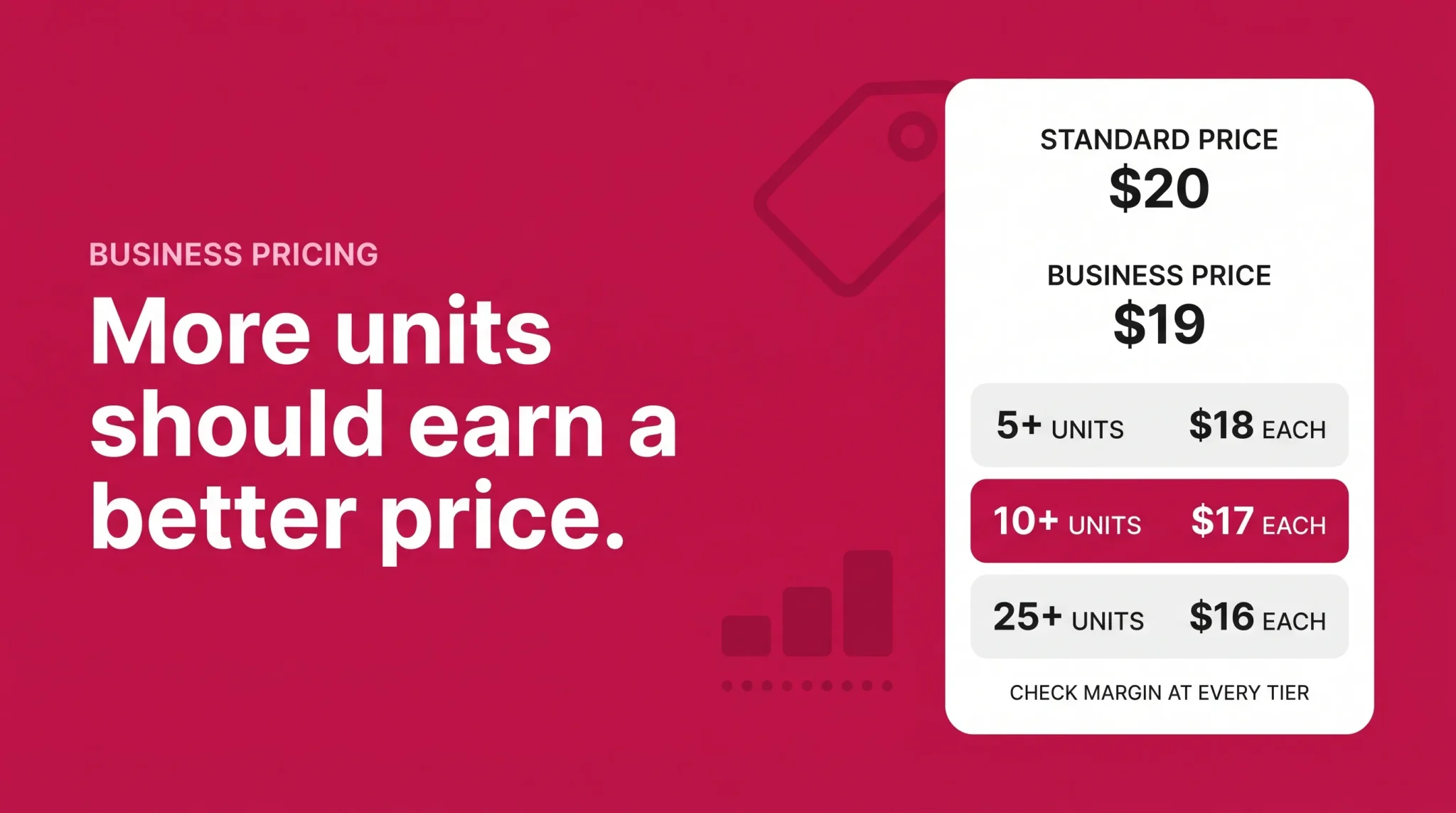
Pricing is where Amazon B2B either works for your business or quietly erodes it, so this section deserves the most attention.
There are three price concepts and they stack.
Standard price is what every shopper sees. Nothing about B2B changes it.
Business price is a per-unit price visible only to verified Amazon Business customers. It sits below your standard price. If a case of gloves is $32 to a consumer, you might set $29 as the business price. A business customer who buys a single unit pays the business price. A consumer never sees it. Business price cannot exceed standard price, and if you set no business price, business customers simply pay the standard price.
Quantity discounts reward volume on top of the business price. Amazon supports two formats. A percent off discount applies a percentage reduction once a minimum quantity is met. A fixed price discount sets a specific per-unit price at that threshold instead. Business customers see the resulting tiers as a table on the product detail page.
Amazon allows up to five quantity discount tiers per item, and each successive tier must deliver a lower per-unit price than the one before it. A tier that offers a smaller discount at a higher quantity is not shown to customers, which is why sellers sometimes configure five tiers and see four.
Here is what a tier structure looks like in practice. The numbers below are illustrative only and are not a recommendation for any category.
Tier | Minimum quantity | Percent off format | Fixed price format at a $20 business price |
|---|---|---|---|
1 | 5 units | 5% off | $19.00 per unit |
2 | 10 units | 10% off | $18.00 per unit |
3 | 25 units | 15% off | $17.00 per unit |
4 | 50 units | 20% off | $16.00 per unit |
5 | 100 units | 25% off | $15.00 per unit |
Both formats can be set individually from the inventory management screen or in bulk through a business price and quantity feed file for larger catalogs. Amazon also offers automated business pricing rules that derive business prices from standard prices, adjust at the SKU level, or compete for the business featured offer position. Automation is useful at scale and risky without oversight, because a rule that keeps discounting against a competitor does not know where your margin floor sits.
Two behaviors are worth knowing before you automate anything. Promotions and coupons applied to your standard price do not flow through to business prices managed by pricing rules. Deal prices do interact, with percentage discounts calculating against the deal price during the deal window. And if a standard price drops below the minimum price threshold you set, the rule pauses for that SKU.
Business-only offers
You can also create offers that exist exclusively for business customers by listing a product with a business price and no standard price. This is useful for case packs, professional-grade variants, or selection you do not want in your consumer-facing catalog at all.
Visibility from competitive business pricing
Amazon attaches additional visibility to offers that discount meaningfully for business buyers, currently through a business savings badge. Amazon's published eligibility criteria include a minimum discount off standard price for single-unit business prices, a smaller minimum discount on the first quantity tier, and a minimum star rating on the product. The specific thresholds are set by Amazon and have changed before, so pull the current numbers from Seller Central rather than from any article.
Working out whether a tier is survivable
Before setting any tier, run the per-unit economics at the discounted price rather than at the standard price. The calculation is simple and it is the only one that matters:
Contribution per unit = discounted business price - referral fee - fulfillment cost per unit - landed product cost
Multiply that by the tier's minimum quantity and you have the contribution from a single order at that tier. If contribution per unit is thin but positive, the tier can still be worth running when order size is genuinely larger and the buyer is likely to reorder. If contribution per unit goes negative at tier three, tier three should not exist. Discount depth is a decision about how much margin you are willing to convert into volume, not a growth setting.
Amazon B2B Products and Product Fit
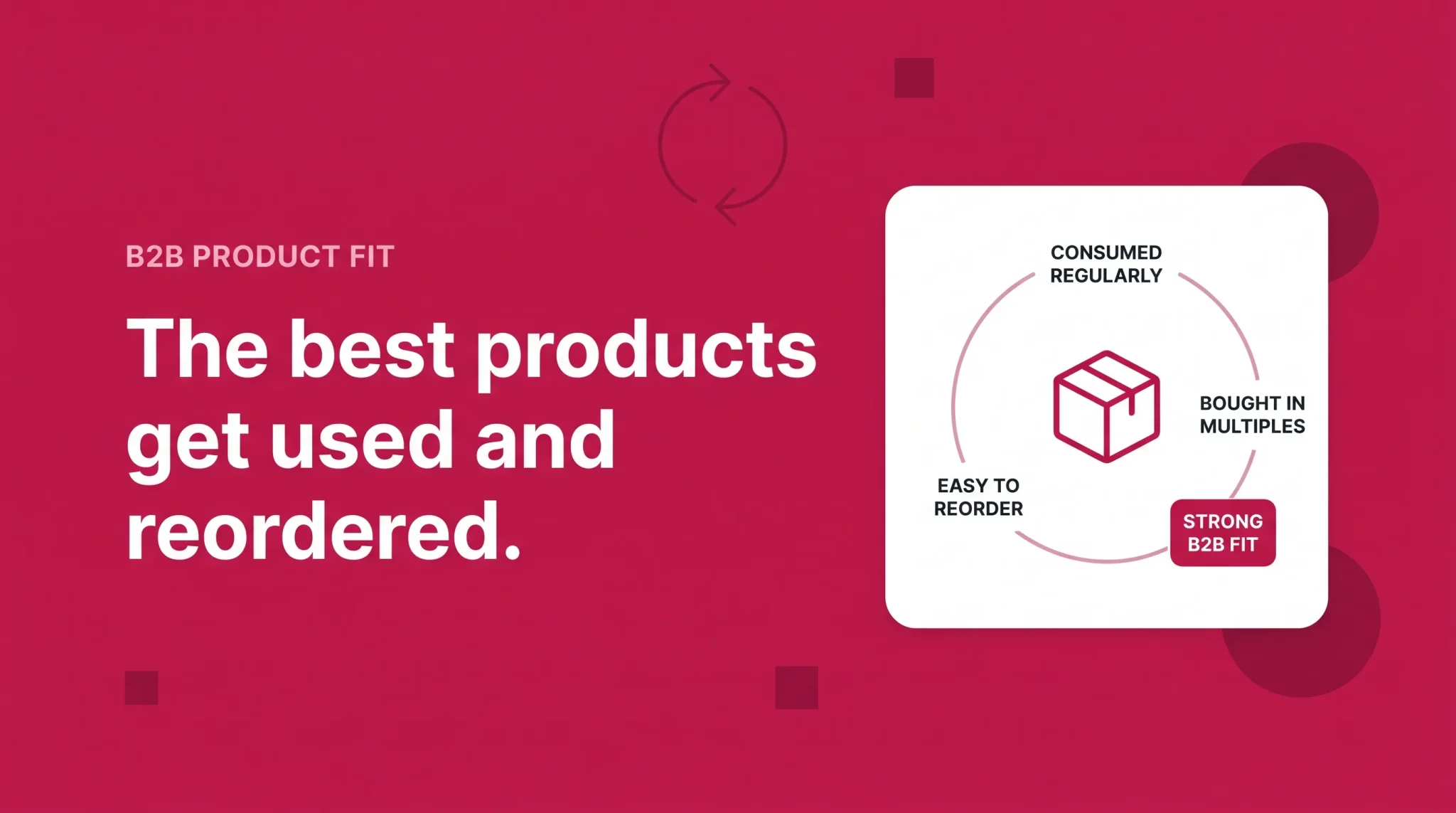
The most common misconception about Amazon B2B is that it is a channel for office supplies and industrial parts. Those categories are well represented, but the actual qualifier is behavioral rather than categorical.
Products tend to perform with business customers when they are consumed rather than owned. Something that gets used up, worn out, handed to staff, installed on a job, or stocked in a supply closet creates a replenishment cycle, and replenishment is what makes a business customer valuable over time. A cleaning product used across twelve locations, a consumable used per patient, a component installed per unit built, a supply distributed per employee: each of these creates a reason to reorder that has nothing to do with marketing.
Standardization helps for the same reason. Business buyers reorder the exact item they bought last time because switching means re-testing and re-approving. That is a durable position if you hold it and a hard one to take from a competitor who already holds it.
None of this excludes ordinary consumer categories. Kitchen goods sell to restaurants and offices. Apparel sells to uniformed staff. Furniture sells to facilities teams. Electronics accessories sell to IT departments. If your product has a plausible workplace use, it has a plausible business buyer.
When assessing your own catalog, work through a short list of questions per product. What is the natural purchase quantity for an organization rather than a household? Is there a genuine reason to reorder, or is this a one-time purchase? Does the margin have room for a business price and at least two discount tiers? Can the product ship economically in multiples, or does packaging and dimensional weight punish larger orders? Can you hold enough inventory to fill a large order without stocking out of your consumer demand?
That last question is the one sellers most often skip, and it is the one that causes problems.
Amazon provides selection and discount recommendation tools inside B2B Central that surface products with business demand signals, including items business customers have requested that are not yet listed. These are useful as inputs. They are not a substitute for running your own margin math, because the tools optimize for B2B sales lift rather than for your contribution margin.
Amazon Business FBA and Fulfillment Considerations
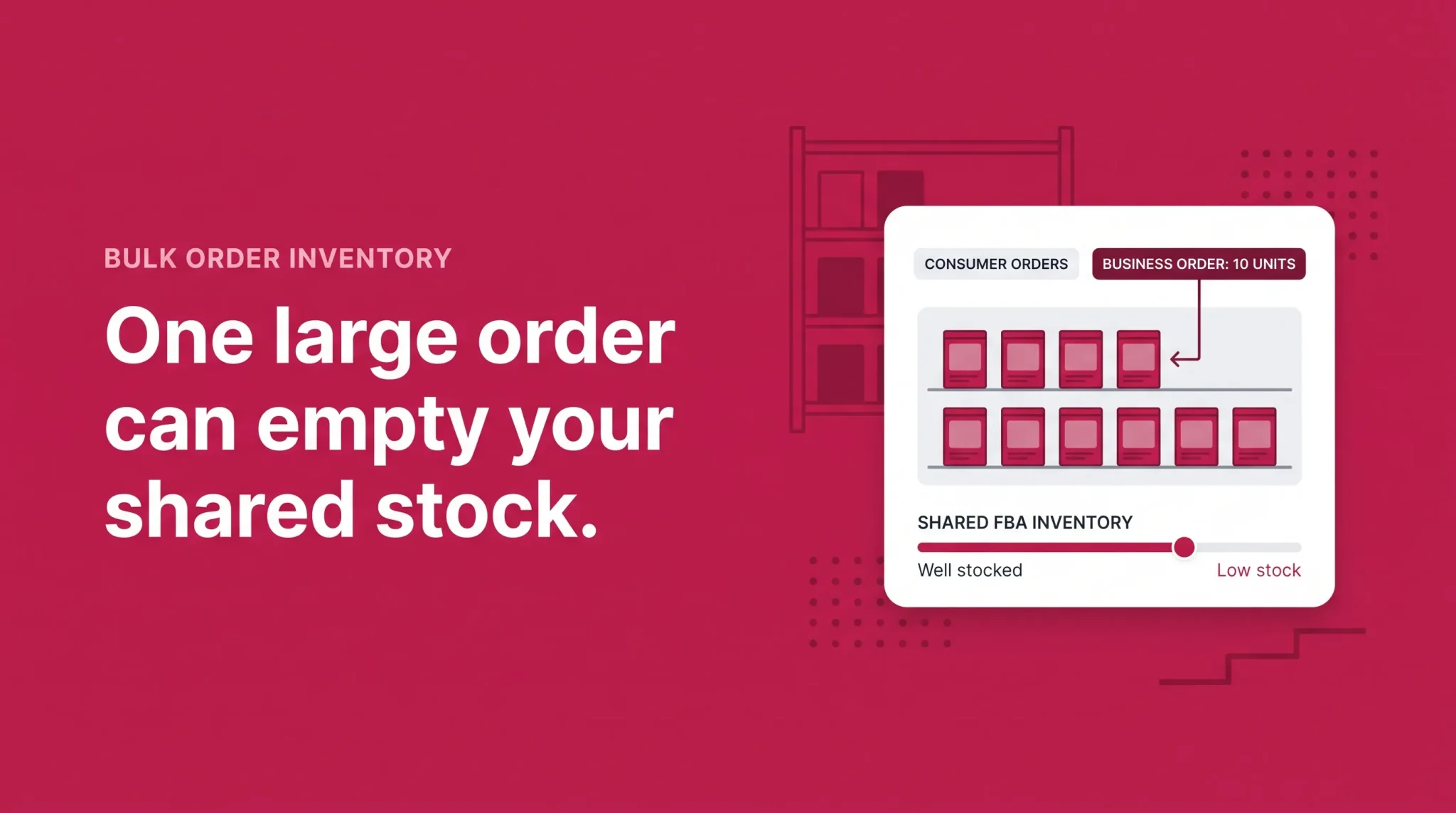
Amazon B2B does not require a particular fulfillment method. Amazon's own guidance states that sellers have the same fulfillment options for business orders as for consumer orders: fulfill directly, use FBA, or use both on a per-product basis.
Where FBA helps is the same place it helps in consumer selling. Amazon handles storage, pick and pack, shipping, and customer service, and the fast delivery promise that comes with FBA carries weight with buyers who need something on site before a job starts. For small and mid-sized business orders that need to move quickly, this is often the practical choice.
The mechanic worth understanding is inventory pooling. If you use FBA, business orders are fulfilled from the same inventory pool as your consumer orders, minus anything effectively reserved through business-only offers. A large business order does not draw from a separate reserve. It draws from the units that were also going to serve your consumer demand, which is why a single unexpected bulk order can create a stockout on your best-selling ASIN.
Merchant fulfillment tends to make more sense for orders that FBA handles awkwardly: palletized shipments, oversized or heavy goods, items needing special handling, or arrangements where a business customer wants delivery coordinated to a specific window. Many sellers end up running both, with FBA on fast-moving standard-size selection and self-fulfillment on bulk configurations.
Fulfillment costs behave differently on B2B orders in ways that cut both directions. Larger orders can consolidate shipping efficiently, and Amazon offers fulfillment fee benefits on qualifying multi-unit business orders. At the same time, case packs and pallets sit in higher size tiers, and holding deeper inventory to support bulk demand raises storage costs and aged inventory exposure. Model both effects rather than assuming volume automatically improves unit economics.
For the mechanics of how FBA inventory moves through Amazon's network and what that means for delivery speed, see our guide to Amazon fulfillment centers.
Amazon B2B vs Regular Amazon Selling
The features change less than the operating rhythm does.
Dimension | Standard consumer selling | Selling to Amazon Business customers |
|---|---|---|
Customer | Individual buying for personal use | Organization buying for operational use |
Typical order size | One to a few units | Frequently multi-unit, sometimes case or pallet quantities |
Pricing | Single standard price for everyone | Standard price plus business price plus up to five quantity tiers |
Purchase pattern | Often one-time or seasonal | Often replenishment on a recurring cycle |
Purchase process | Individual decision at checkout | May involve approval workflows, purchase orders, invoice payments, tax exemption |
Returns | Higher return rates typical | Amazon reports lower return rates from business customers |
Fulfillment expectations | Home delivery, any time | Often business address, business hours, sometimes scheduled |
Margin profile | Full margin per unit | Lower margin per unit, potentially higher contribution per order |
Reporting | Standard sales reporting | Separate B2B reporting through B2B Central |
The strategic difference sits in the last two rows. You are trading per-unit margin for order size and reorder probability. That trade is favorable when the order size is genuinely larger and the reorder actually happens. It is unfavorable when you discount a product that business customers were going to buy in single units anyway, in which case you have simply lowered your price for a segment of your existing demand.
This is the single most common way sellers lose money on Amazon B2B, and it is entirely avoidable. Check your B2B reporting to see whether discounted SKUs are actually generating larger orders before deepening any tier.
Amazon B2B and Wholesale Are Not the Same Thing
These terms get used interchangeably and they should not be.
B2B describes who you are selling to: another business rather than an individual consumer. Wholesale describes how you are selling: larger quantities at lower per-unit pricing, typically to a buyer who intends to resell.
They overlap because a lot of B2B selling involves volume pricing. They are not identical because most Amazon Business customers are buying for their own use rather than for resale, and because you can operate a full B2B pricing strategy on Amazon without doing anything a wholesaler would recognize as wholesale.
The practical implication for sellers is that offering business prices and quantity discounts does not require restructuring your business into a wholesale operation, negotiating distributor agreements, or building a sales team. It requires configuring pricing on listings you already have. Wholesale sourcing and wholesale business models are a separate subject with their own economics.
Fees and Profitability on B2B Orders
There is no additional program fee to use Amazon Business selling features. The cost structure is the standard one: your Professional selling plan, referral fees by category, fulfillment costs, storage if you use FBA, returns costs, and advertising if you run it.
Two fee mechanics work in sellers' favor on larger business orders. Amazon applies reduced referral fee rates on qualifying high-value business orders of a single product, with the rate stepping down as order value increases. Amazon also offers fulfillment fee benefits on qualifying multi-unit business orders through FBA. Both have thresholds and conditions attached, and both have been adjusted before. Pull current rates and qualifying conditions from Amazon's fee schedule and your Seller Central fee reporting rather than from any published figure, including any you find in secondary sources.
What none of this changes is the underlying arithmetic. A larger order at a deep discount can generate less contribution than a smaller order at full price. Larger orders are attractive because they spread fixed costs across more units and because they often signal a customer who will buy again, not because volume by itself creates margin.
Three cost effects deserve specific attention when you model B2B profitability. Deeper tiers compound with referral fees, because a lower price reduces the fee but reduces your revenue faster. Bulk configurations often move products into higher fulfillment size tiers, so per-unit fulfillment savings are smaller than expected. And holding inventory deep enough to serve bulk demand increases storage cost and aged inventory risk if the demand does not materialize on schedule.
Run the contribution calculation at every tier you set. Not the top tier, not the average, every tier.
Benefits Sellers Can Realistically Expect
Used carefully, Amazon B2B can add several things to a seller's business.
It provides access to a buyer segment that is already inside Amazon and already searching, without requiring outbound sales effort, a separate storefront, or a distribution agreement. It can raise average order size where quantity discounts are matched to how organizations genuinely buy. It can produce repeat purchasing on consumable and replenishable products, which is more predictable revenue than consumer demand tends to be. It offers pricing tools that let you serve two customer types from one catalog at different price points, which is difficult to do on most channels. And it can diversify revenue so that a soft consumer quarter is not the whole picture.
Each of these is conditional. Business customers exist in your category or they do not. Your product supports a reorder cycle or it does not. Your margin has room for tiered discounting or it does not. The features are available to most Professional sellers, which also means the competitive advantage sits in execution rather than in access.
Challenges and Limitations
The honest constraints are worth stating plainly.
Business pricing lowers your per-unit price by design, and quantity discounts lower it further. On products already running thin margins, there may be no room to participate meaningfully. Larger orders create inventory exposure, both from stockouts when a bulk order clears your FBA pool and from overstock when you buy deep for demand that arrives slower than planned. Bulk configurations bring operational work: case pack listings, package hierarchies, and sometimes handling that FBA does not suit.
Demand is also less smooth than the replenishment framing suggests. Organizational purchasing follows budget cycles, fiscal year ends, and seasonal operational needs, which means B2B demand can arrive in concentrated bursts rather than steady weekly volume.
Competition is real. B2B features are available to essentially every Professional seller, and price-driven competition for the business featured offer position behaves much like it does on the consumer side. Account health requirements continue to apply throughout. And program features, fee benefits, and marketplace availability differ between countries, so a strategy built for one marketplace may not transfer.
Is Amazon B2B Worth It?
There is no universal answer, and any article that gives one is guessing about your margin structure.
The channel tends to be a stronger fit when your product is consumed rather than kept, when there is a natural reason for an organization to buy several units at once, when your margin can absorb tiered discounting and still return positive contribution at the deepest tier you set, and when you can hold inventory deep enough to fill a large order without harming your consumer availability.
It tends to be a weaker fit when margins are already tight before any discount, when inventory is constrained, when the product is a one-time consumer purchase with no workplace analog, or when the only way to make a tier attractive is to price it below what the order actually costs you to fulfill.
Three illustrative situations show how the same decision resolves differently. These are constructed examples, not case studies.
Scenario one: a mid-margin consumable. A seller offers a cleaning concentrate with reasonable margin, already selling in twos and threes to consumers. Adding a modest business price plus two conservative tiers at ten and twenty-five units is low risk. The tiers reward buying behavior that offices and facilities teams already have, and the deepest tier still returns positive contribution. Worth configuring.
Scenario two: a thin-margin commodity. A seller competes on price in a crowded category where contribution per unit is already small. A five percent business price alone consumes a meaningful share of it, and tier three would go negative. Here the correct move is either to skip discounting on this SKU and simply be available to business buyers at standard price, or to build a case pack configuration where the fulfillment economics change enough to create room. Not worth deep discounting as configured.
Scenario three: a considered one-time purchase. A seller offers a durable item most households buy once. Business demand exists but arrives in single units for individual workspaces, not in bulk. Adding tiers here would discount orders that were already going to be single-unit purchases. A business price without aggressive tiers may be defensible for visibility. Deep quantity discounting is not.
The general principle: configure B2B pricing where it changes buyer behavior, not where it simply lowers your price for buyers who were coming anyway.
Amazon B2B Seller Setup Checklist
Confirm your account is on a Professional selling plan and check what B2B features are available in your specific marketplace.
Review your catalog and identify which products have a plausible workplace use and a genuine reorder cycle.
Open B2B Central and review any existing business sales data before assuming you have no B2B demand.
Calculate contribution per unit at every discount level you are considering, including the deepest tier.
Set business prices on the SKUs where the math works, then add quantity tiers matched to realistic order sizes rather than round numbers.
Confirm inventory depth and fulfillment capacity can support the order sizes your tiers invite.
Complete your business profile and add any quality or diversity certifications your organization genuinely holds.
Review B2B reporting on a set schedule and adjust tiers based on which ones actually get used.
Working out whether Amazon B2B fits your catalog is a margin question before it is a configuration question. If you want a second opinion on which SKUs can carry business pricing without eroding contribution, book a 30 minute call with our team.
Frequently asked questions
Amazon B2B refers to selling to business customers through Amazon Business, Amazon's store for organizations buying products for operational use. Sellers access B2B features such as business pricing and quantity discounts through their existing Amazon selling account.