Bilal Siddiqui
Key takeaways
An Amazon fulfillment center stores eligible inventory and fulfills customer orders through picking, packing, and shipping. Receive centers, sortation centers, delivery stations, and AWD facilities perform different roles within the logistics network.
The first Amazon facility that receives an FBA shipment is not necessarily where the inventory will remain. Amazon may cross-dock or transfer units to other fulfillment centers based on expected demand, capacity, and delivery requirements.
Receiving and FC Transfer are separate stages. Receiving means Amazon is processing the delivered units, while FC Transfer means received inventory is being repositioned and may remain available for purchase during the move.
Amazon assigns inbound destinations through the FBA shipment workflow. Sellers should always use the address and labels generated for that shipment instead of relying on public fulfillment center maps or address directories.
Amazon facility codes such as PHX6 are site identifiers, not instructions that reveal a facility's product category, capabilities, or eligibility to receive a seller's inventory.
You create an FBA shipment, send it to the address Amazon gives you, and then visibility drops. A few days later the inventory shows as received. A week after that, some of it is sitting three states from where the truck unloaded.
Most confusion about Amazon fulfillment centers traces back to one assumption: that every Amazon logistics building is a fulfillment center, and that the building your shipment arrives at is where your units stay until a customer buys them. Neither is true. Amazon runs several facility formats, each with a different job, and inventory moves between them based on where Amazon expects demand.
This guide covers what a fulfillment center does, which buildings sit around it, and what facility locations and site codes mean when you plan a shipment.
What an Amazon Fulfillment Center Actually Is
An Amazon fulfillment center is a building designed around two jobs at once: holding eligible inventory in a retrievable state, and completing individual customer orders from it. Both halves matter. A building that only stores products is not a fulfillment center, and neither is one that only handles packages after they have been packed.
Inside one, inventory arrives on inbound shipments, gets checked in and received, is stowed, and waits in a fulfillable state. When a customer orders, Amazon identifies a unit that can satisfy it, the unit is picked, the order moves through the applicable packing workflow, and the package leaves with shipping and routing information applied.
For sellers using Fulfillment by Amazon, that is the operational core of the arrangement. Amazon can store eligible inventory and handle applicable picking, packing, shipping, customer service and returns workflows for orders fulfilled from it. Applicable FBA storage, fulfillment and inventory-related fees can apply, and current rates should be checked in Amazon's fee documentation. The same network also supports Multi-Channel Fulfillment for eligible orders placed on channels other than Amazon.
Amazon's Network Includes Several Types of Buildings
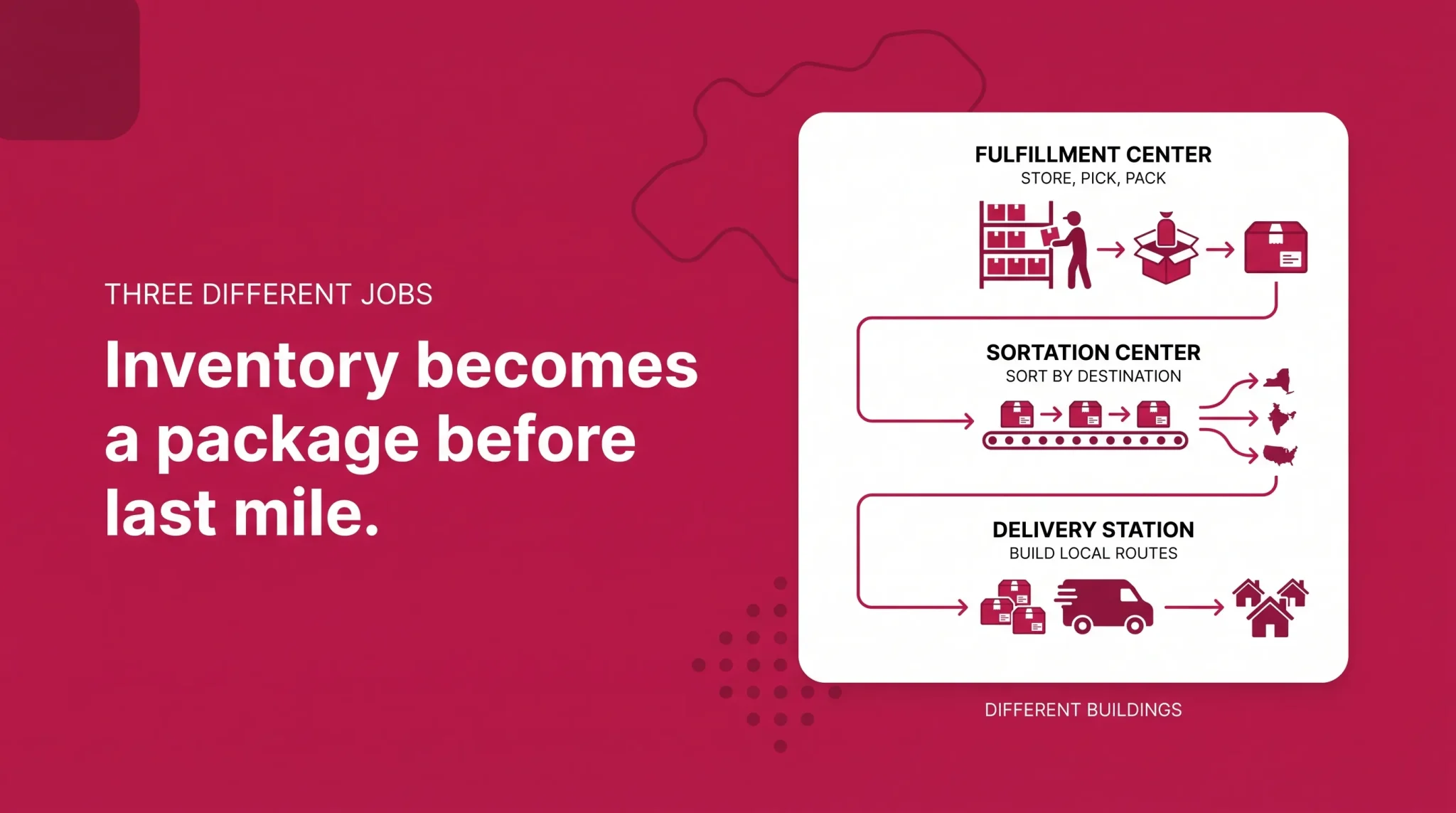
Warehouse is a broad industry term for a building that holds goods. An Amazon fulfillment center is narrower: a facility built around storing eligible inventory and completing customer orders from it. Around those buildings sit upstream distribution, receiving and cross-dock facilities, plus downstream buildings handling packages after fulfillment finishes. It is worth resisting the tidy comparisons that circulate here, since plenty of non-Amazon warehouses run heavy automation and pick customer orders. The distinction is not automation or speed, but the job the building performs inside a specific network.
Facility type | Main role | Seller inventory role | Where it sits in the flow |
|---|---|---|---|
Sortable fulfillment center | Fulfills orders for smaller standard items | Holds units in a fulfillable state | Fulfillment |
Non-sortable fulfillment center | Fulfills orders for larger or bulkier items | Holds units in a fulfillable state | Fulfillment |
Same-Day fulfillment center | Fulfills and dispatches a narrow high-demand selection locally | Holds a limited selection | Fulfillment plus local dispatch |
Receive center or inbound cross dock | Takes in inbound inventory and allocates it onward | In transit, not for customer picking | Upstream, before fulfillment |
Sortation center | Sorts packed customer packages by destination | None | Outbound, after fulfillment |
Delivery station | Organizes packages onto local delivery routes | None | Last mile |
AWD facility | Upstream bulk storage that can replenish FBA | Bulk inventory upstream of FBA | Before fulfillment |
Sortable and Non-Sortable Fulfillment Centers
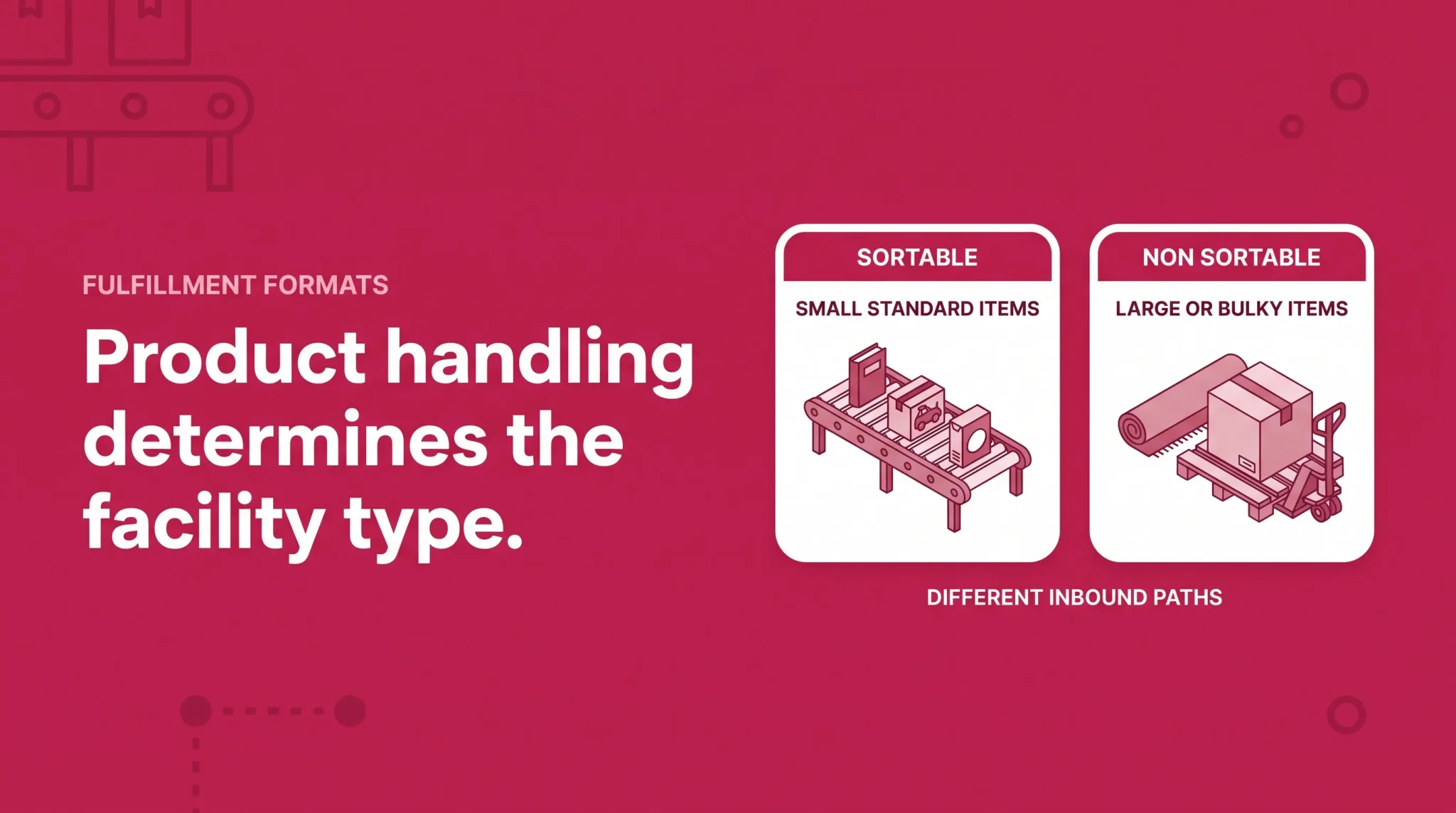
Amazon's two main fulfillment center formats split along how products physically handle, not how they sell.
Sortable fulfillment centers handle smaller, standard consumer items, with Amazon citing books, toys and housewares as examples. These run around 800,000 square feet, staffed by well over a thousand full-time associates who pick, pack and ship customer orders, often working alongside Amazon Robotics systems.
Non-sortable fulfillment centers handle larger or bulkier products such as patio furniture, outdoor equipment and rugs. These range from roughly 600,000 square feet to over a million, and Amazon has also used XL non-sortable terminology for heavy and bulky operations. The naming varies between seller-facing and operations-facing material, so do not read much into which label appears where.
The practical consequence is worth stating plainly. If you sell a compact standard item and a bulky one, those products can move through different facility formats, arrive at different inbound destinations, and follow different outbound paths. That is a handling decision, not a judgment about the product, but it does mean the inbound experience will differ between them.
Amazon also operates specialty facilities handling particular categories or brought into service during peak periods, described at a high level rather than as a fixed public list.
Same-Day Fulfillment Centers
The clearest recent change in the network is the growth of Same-Day fulfillment centers, often shortened to SSDs. These are a streamlined format positioned close to customer demand, carrying a narrow selection so orders can be fulfilled and dispatched within hours rather than days.
In Amazon's 2025 Letter to Shareholders, published in 2026, CEO Andy Jassy states that Amazon has built more than 85 Same-Day fulfillment centers across the United States, carrying roughly its top 90,000 SKUs. As of 2026 that is the one facility count Amazon states directly, and it covers a single format rather than the network as a whole.
Two things follow. SSDs are a facility format rather than a program you enroll in, so there is no seller action attached. And the narrow selection is the point: a site carrying roughly 90,000 SKUs holds a small slice of the catalog, so most FBA products are not candidates for placement in one. The directional takeaway is that Amazon keeps moving capacity closer to where orders originate.
Receive Centers and Inbound Cross Docks
Not every building that receives your shipment fulfills orders from it.
Amazon describes receive centers as facilities that take in large quantities of inventory the network expects to move quickly, then allocate it to fulfillment centers. These run around 600,000 square feet, but customers never order from them.
Amazon also operates inbound cross-dock facilities, which receive and consolidate inbound inventory before redistributing it into fulfillment centers. Amazon's own announcements describe these sites as receiving large orders of inventory and redistributing products to fulfillment centers across its operations network. The acronym matters less than the function: these are upstream nodes moving inventory toward fulfillment buildings rather than fulfilling anything.
This is the most useful thing to understand about the inbound side. The first Amazon building your carrier delivers to is not necessarily the fulfillment center where those units sit when a customer buys one. Further upstream still is Amazon Warehousing and Distribution, which handles bulk storage that can replenish FBA.
Fulfillment Center vs Sortation Center vs Delivery Station
These three get conflated constantly. The difference is easiest to hold onto by asking what state your product is in when it enters the building.
A fulfillment center receives and stores inventory, then fulfills customer orders through storage, picking and packing. Units enter as inventory and leave as packed customer packages.
A sortation center primarily receives customer packages already through the outbound fulfillment flow, then sorts or consolidates them by destination for the middle-mile network. Nothing arrives here as pickable seller inventory. If a package is in a sortation center, it was picked and packed elsewhere and is already addressed to a customer.
A delivery station is a last-mile node. Packages arrive after earlier fulfillment and transportation stages, and the building organizes them onto local routes. Delivery stations are not inventory storage, not a fulfillment center substitute, and never a seller inbound destination.
This matters because tracking and public facility information often use the word warehouse for all three. Knowing which building type you are looking at tells you whether you have inventory not yet received, inventory already fulfilled and in transit, or a package out for delivery.
How FBA Inventory Enters Amazon's Network
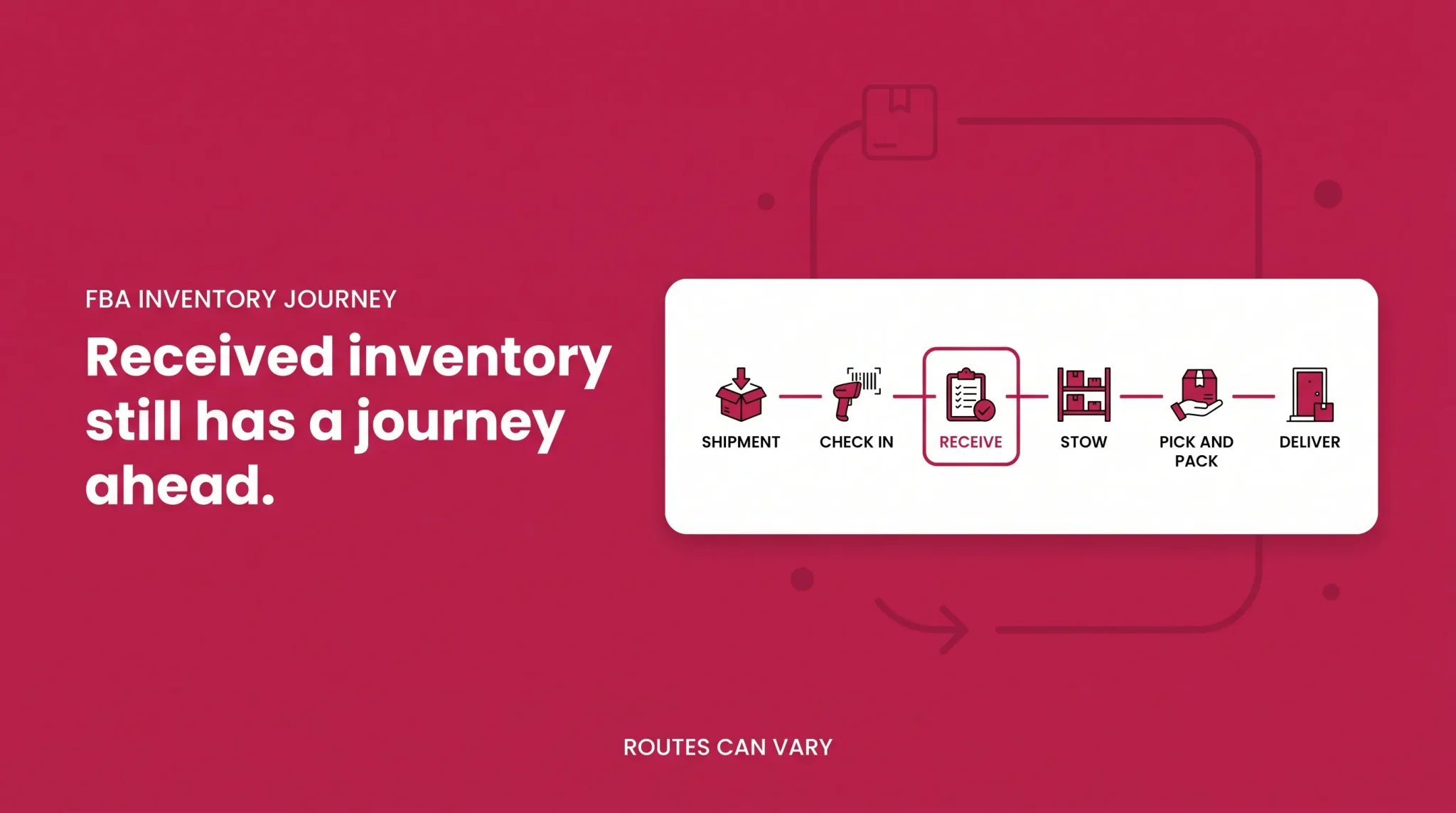
The journey from your warehouse to a customer's door runs roughly like this:
You create an FBA shipment in the current shipment workflow.
Amazon provides the eligible inbound destination or destinations.
Your carrier transports the shipment there.
Amazon checks the shipment into its receiving process.
Units are received into Amazon's inventory systems.
Inventory may be stored locally, cross-docked, distributed or transferred deeper into the network.
A customer places an order.
Amazon identifies an appropriate fulfillable unit.
The unit is picked.
The order moves through the applicable packing workflow.
The package enters outbound transportation.
Depending on the route, it may pass through a sortation center, Amazon Air, another transportation node, or move directly toward last mile.
A delivery station or carrier partner handles local delivery.
The customer receives the order.
Not every Amazon order follows the same physical route. The path varies with the product, the customer's location, where inventory is positioned, the service level, the carrier and network capacity. Treat this as the general shape, not a fixed itinerary. One requirement applies regardless of route: inventory must meet Amazon's applicable preparation, packaging and labeling requirements before or during the inbound workflow, covered in the FBA packaging requirements guide.
Check-In and Receiving
Receiving is where sellers most often expect more than Amazon performs. When a shipment reaches its inbound building, Amazon checks it in, then processes the units and quantities against the shipment information you submitted. As processing completes, inventory status updates and units become available. What does not happen is a full product-quality inspection of every unit. Amazon is reconciling what arrived against what you said would arrive, not evaluating each item's condition.
Receiving is also neither instantaneous nor uniform. Processing time varies with facility volume, shipment size, packing and network conditions, particularly around peak. Discrepancies happen too: quantities that do not match, units damaged in transit, or shipments that sit partially received.
Carry one distinction forward. A receiving delay and an inventory transfer are different events at different points in the journey, and conflating them is a common reason sellers misdiagnose where a shipment is.
Storage and Stow
Once received, units are stowed into a storage location. Amazon Robotics systems handle a meaningful share of this work across the network, moving storage units to associates rather than sending associates walking to fixed shelving.
Precision matters here, because plenty of writing on this topic implies one universal system. Facility design and material-handling setups vary. Some sites run extensive robotic storage and retrieval. Others use different combinations of conveyance, storage, automation and manual handling, shaped by the building's format and the products it holds. That variation is part of why processing times differ between destinations.
Picking and Packing
When an order comes in, Amazon identifies a fulfillable unit and retrieves it from storage. The order proceeds through the applicable packing workflow, shipping and routing information is applied, and the package leaves the fulfillment operation.
Some products ship in their own packaging rather than an additional Amazon box, through the Ships in Product Packaging workflow. Whether a product qualifies is a packaging and certification question rather than a fulfillment center one, and it sits in the packaging guide linked above.
How Packages Leave the Fulfillment Center
A common outbound route runs from the fulfillment center into a sortation center, then to a delivery station, then out on a local route. That path is real and frequent, but it is not mandatory.
Amazon operates multiple outbound paths. Some packages move through air hubs and Amazon Air rather than ground sortation, some are handed to carrier partners earlier, and some skip sortation entirely depending on volume and destination density. Same-Day fulfillment centers compress more of this into one local site.
This matters because outbound path affects delivery promise, and delivery promise is one of the inputs Amazon uses when deciding where to position inventory.
Why Amazon Transfers Inventory Between Fulfillment Centers
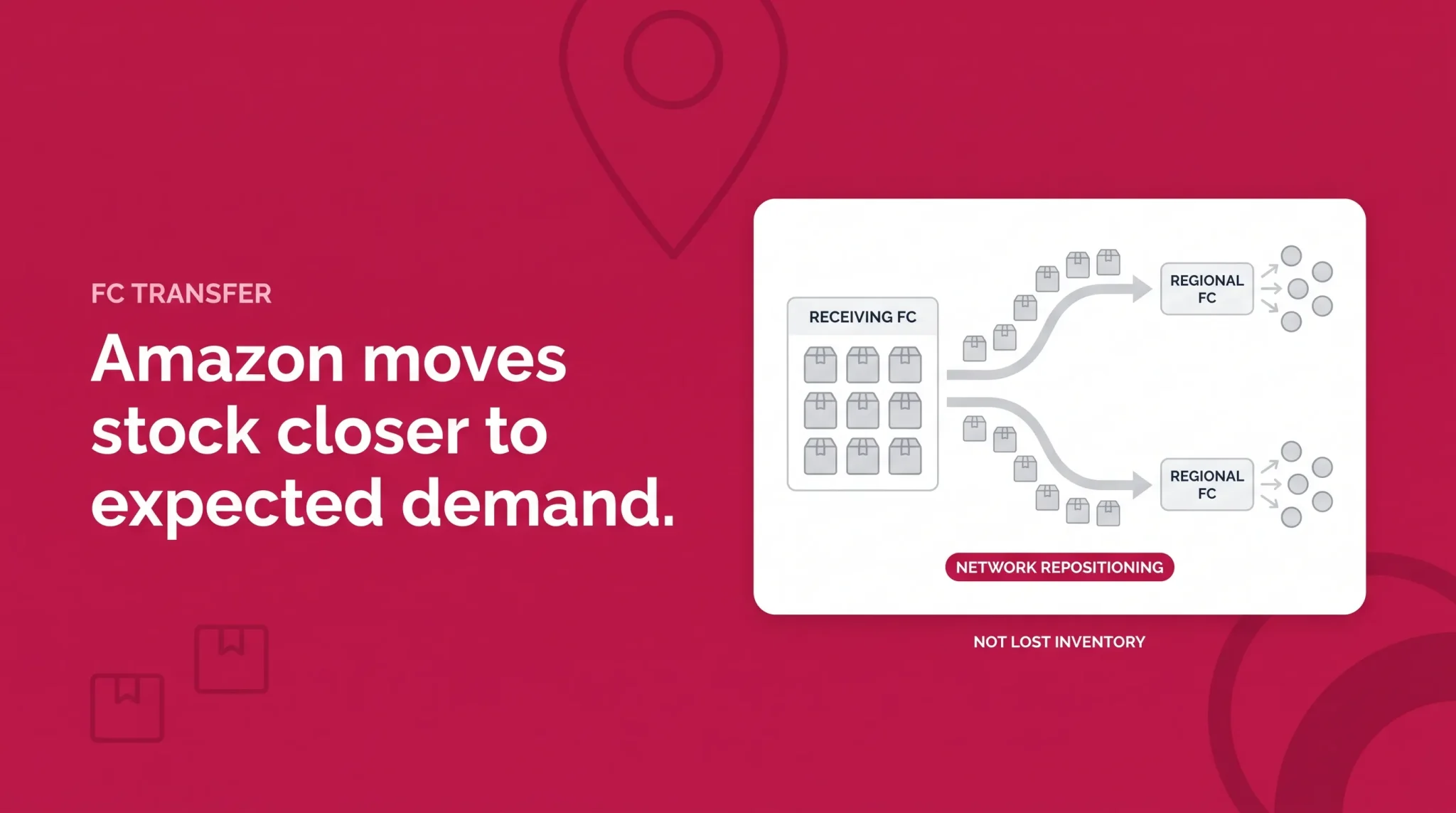
FC Transfer generates the most seller confusion and has a straightforward explanation. It means Amazon is moving units between fulfillment centers so inventory sits closer to expected customer demand. It is a network optimization, not an error, a loss, or a sign that something went wrong.
Current Amazon guidance is that units in FC Transfer can remain available for customers to buy while the move is underway. What can change is the delivery promise: if no immediately fulfillable units are positioned near a customer, that customer may see a future ship date rather than the fastest option. Amazon moderator guidance has indicated transfers can run in the region of 22 to 25 days and sometimes longer, though timing is operational and can change, so treat any duration as current guidance rather than a fixed rule.
That reframes the whole inbound process. The fulfillment center your shipment arrived at is not your inventory's permanent home. Amazon redistributes units after receiving them, so sending ten cartons to one inbound building does not mean those units stay there.
The planning side of that sits in the Amazon inventory management guide.
Scenario: received, then transferred. A seller ships 400 units into one assigned destination. Two weeks later, roughly half show FC Transfer. Nothing has gone missing. Amazon received the shipment, then began redistributing part of it toward regions where it expects those units to sell. Seeing the second stage does not mean the first failed.
How Amazon Determines Inbound Destinations
Your shipment destination is assigned through the FBA shipment workflow, not chosen by you from a list.
Amazon can base available destinations on factors including the products being shipped, your ship-from location, how the shipment is configured, and current inventory and capacity conditions across the network. Because those conditions change, two shipments of the same product from the same origin can route differently a month apart.
That is also why a shipment sometimes gets assigned to multiple destinations, or to a facility much farther away than the one down the highway. The assignment reflects where Amazon wants that inventory positioned, a demand and capacity calculation rather than a distance one.
Follow the destination and labels Amazon generates for that specific shipment. How many destinations you are offered, and what each option costs, is covered in the guide to Amazon inbound placement fees.
Scenario: the destination surprise. A seller in Ohio creates a shipment expecting the nearby fulfillment center they used last time. The workflow assigns two destinations instead, one in another region. Nothing is broken. Amazon has decided where those units should sit, and the job is to ship to the destinations provided.
Where Amazon Fulfillment Centers Are Located
Amazon operates fulfillment and logistics facilities across major United States markets and its international marketplaces, generally clustered near large population centers and transportation corridors. For an FBA seller, though, the relevant location is narrower: the destination Amazon assigns during shipment creation for the shipment in front of you. Nothing else has any bearing on where your units should go.
This is why published fulfillment center directories, maps and address lists are worth ignoring even when they look authoritative. Facilities open, expand, change role and close, and codes get reassigned. A list that was accurate last year can send a shipment somewhere Amazon is not expecting, and that takes time to unwind.
What Amazon Fulfillment Center Codes Mean
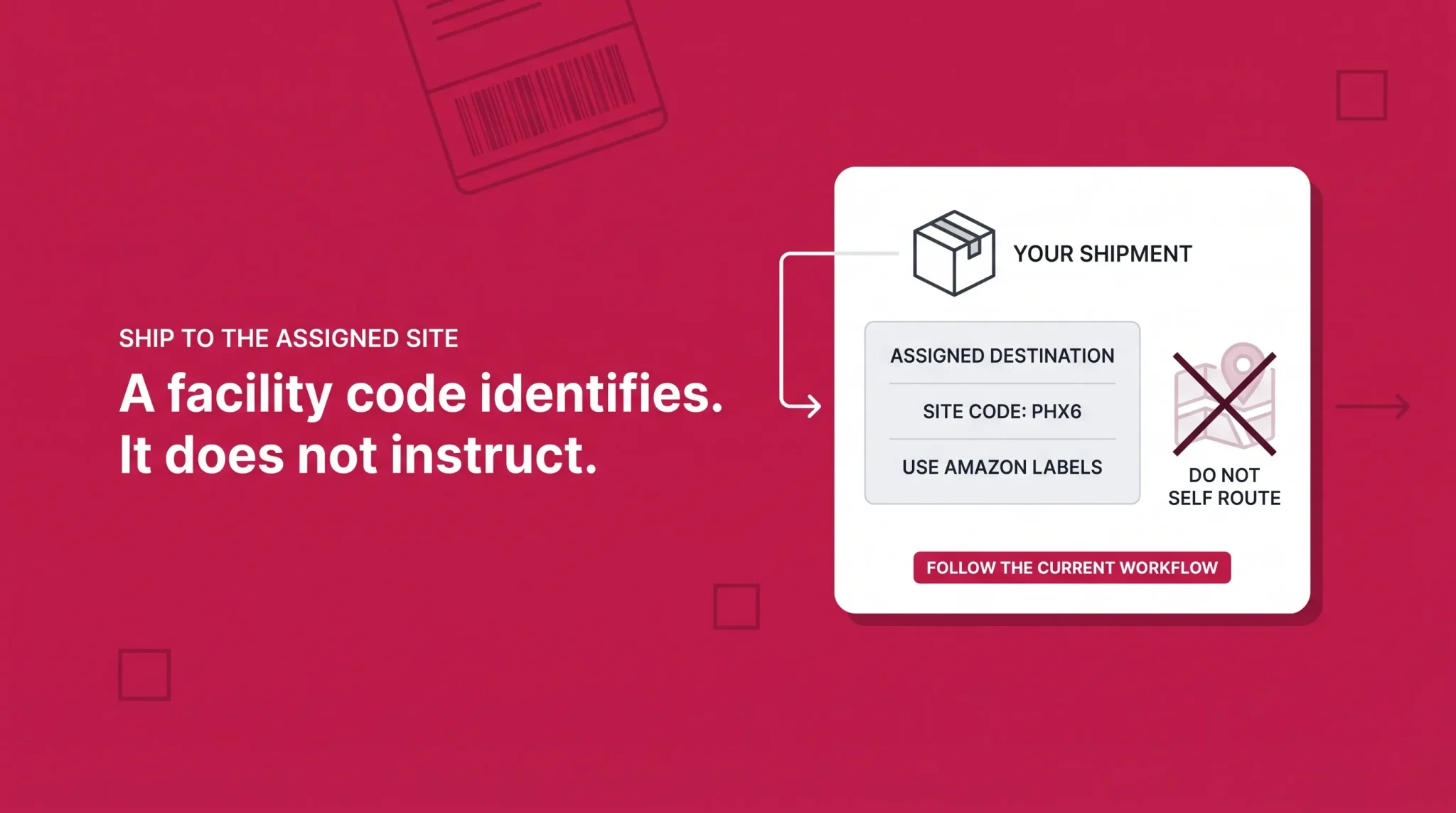
Amazon uses site identifiers such as PHX6 to distinguish individual operations facilities. You will see these codes in shipment details, on labels and in tracking information.
What you cannot do is decode them. There is no public seller-facing rule that turns a facility code into meaningful information. The letters do not reliably indicate product categories or handling capabilities, the number does not indicate a building generation, and the code does not tell you whether the site accepts your inventory.
Treat the code as what it is: an identifier for a site in Amazon's operations network, useful for recording where a shipment went and tracing a unit's location. It is not a substitute for the shipment destination Amazon provides.
The FBA Inventory Journey at a Glance
Stage | What Amazon is doing | What the seller should understand |
|---|---|---|
Shipment created | Assigning eligible inbound destinations | The destination is assigned, not chosen |
In transit | Awaiting arrival at the assigned building | Keep carrier tracking separate from Amazon's status |
Check-in | Logging the shipment into receiving | Arrival and receiving are not the same event |
Receiving | Processing units and quantities against shipment data | No full quality inspection, and timing varies |
Stored and fulfillable | Holding units in a pickable state | Units are now sellable and countable |
FC Transfer | Repositioning units toward expected demand | Units usually stay buyable, but delivery promise may shift |
Pick and pack | Retrieving and packing for an order | The unit may ship from a different building than it arrived at |
Outbound transportation | Routing the package toward the customer | Routes vary, and sortation is common but not universal |
Last mile | Delivering via a delivery station or carrier partner | No seller inventory sits here |
What Amazon's Network Design Means for FBA Sellers
Your inbound destination is not necessarily your inventory's final location. Plan on the basis that Amazon may redistribute units after receiving them, and do not build forecasting around stock staying where it landed.
Receiving and FC Transfer are different stages. When inventory looks stuck, work out which one you are seeing before opening a case. Each needs a different response.
A public warehouse directory is not a shipping instruction. Facility lists and maps found online have no authority over your shipment. The only address that matters is the one Amazon generated.
Standard and bulky products move through different facility formats. If your catalog spans both, expect different inbound destinations, processing behavior and outbound routes rather than one pattern.
Inventory placement is a network decision. Amazon positions inventory to serve delivery promises, regional demand and facility capacity. Your preference is not an input.
Assigned destinations affect inbound transportation planning. Where Amazon sends a shipment changes what it costs to get it there, which makes placement a logistics variable worth watching rather than an afterthought.
Network Awareness Checklist
Shipment created through the current FBA shipment workflow
Amazon-provided destinations used without substitution
Amazon-generated shipping labels checked before dispatch
Carrier tracking kept separate from Amazon's shipment status
Check-in and receiving progress monitored after carrier delivery
FC Transfer distinguished from a receiving discrepancy before escalating
Facility code recorded where it helps trace a shipment
Public address directories not used to reroute inventory
Packaging and prep requirements confirmed in the packaging guide
Placement options and restock planning handled in the sibling guides
Understanding where inventory sits in Amazon's network is usually the difference between fixing a stalled shipment quickly and spending weeks in the wrong support queue. If you are working out why units are held in receiving, why inventory keeps moving between facilities, or why inbound destinations changed, Flairox works with sellers on FBA operations and inbound troubleshooting. Book a call to talk it through.
Unit-level labels used in return and exception workflows are covered separately in Flairox's Amazon LPN Number Guide.
Frequently asked questions
A facility that stores eligible inventory and completes individual customer orders from it, handling receiving, storage, picking, packing and dispatch in one building.