 Raahim Sheikh
Key takeaways
The Amazon Message Center is your inbox; Buyer-Seller Messaging is the system behind it. Amazon routes everything through anonymised addresses so neither side sees real contact details.
Buyer messages aren't switched on for every seller. FBM accounts get them by default; many FBA sellers have notifications turned off and never realise.
Amazon expects a reply within 24 hours, weekends and holidays included. Auto-responders don't count as a response.
Your inbox is now an action queue, not just a mailbox. Since mid-2026, Amazon's own customer service team routes seller follow-ups through Buyer-Seller Messages rather than email.
Proactive messages have hard rules: within 30 days of order completion, include the order ID, write in the buyer's language, and include no external links or promotional content.
The
[Important]subject-line workaround is dead. It was deprecated in April 2025, and using it won't reach opted-out buyers.Message threads are evidence. A clear, timestamped record is what wins A-to-z and SAFE-T decisions later.
Response time is an operational problem, not a discipline problem. Cover, ownership, and templates fix it; trying harder doesn't.
A buyer messages you at 7pm on a Saturday. Their order was due Thursday, the tracking hasn't updated, and they want to know what's happening. Nobody sees it. On Monday morning, it's still sitting there unopened, and by Tuesday it's an A-to-z claim on your account.
That sequence is one of the most common and most preventable ways sellers damage their metrics. It almost never starts with a bad product or a failed delivery. It starts with an inbox nobody owned.
The Amazon Message Center is where that inbox lives. Most guides will show you where to click and stop there. This one covers the rest: which messages actually require action, what you're allowed to say, what Amazon changed in 2026, and how to build a response system that protects your account instead of quietly eroding it.
What is the Amazon Message Center?
The Amazon Message Center is the inbox where order-related communication between buyers and sellers lives. It's the visible front end of a system Amazon calls Buyer-Seller Messaging, and the two names get used interchangeably, which causes a lot of confusion.
It helps to separate three things that sellers routinely mix up.
Message Center vs Buyer-Seller Messaging vs Case Log
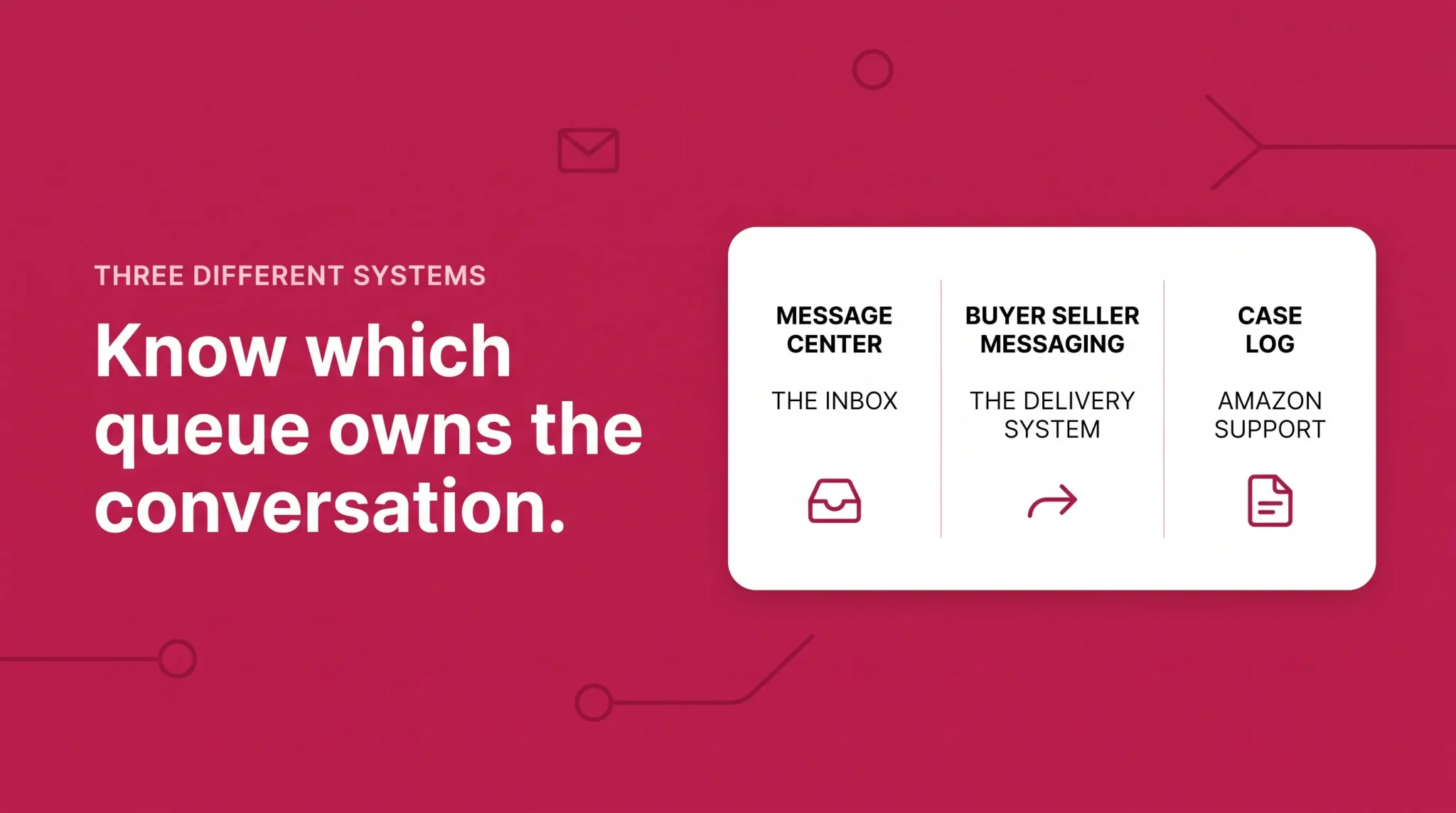
Message Center is the inbox itself. Buyers reach it through their Amazon account; sellers reach it through Seller Central. It holds buyer messages, your replies, and a range of automated Amazon notifications.
Buyer-Seller Messaging is the service that carries those messages. It handles the routing, the anonymisation, the filtering, and the policy enforcement. When people talk about "messaging rules," they mean this system's rules.
Case Log is something different again. It's your support history with Amazon, not with customers. If Amazon Seller Support needs information from you, it lands there, not in your Message Center. Plenty of sellers watch one queue diligently and never check the other.
Treat them as three separate inboxes with three separate owners on your team. Each one has its own clock.
How the Amazon buyer-seller messaging service works
When a buyer contacts you, Amazon doesn't hand over their email address. Both sides get an anonymised relay address managed by Amazon, and messages pass through it in both directions.
That design does three things:
It protects contact details. Even if you forward the email, the buyer's real address isn't in it.
It filters content. Amazon scans messages and strips or blocks email addresses, phone numbers, and links to sites it doesn't trust.
It creates a record. Amazon keeps a copy of the correspondence, and that copy is used as supporting evidence in A-to-z Guarantee claims.
The third point matters more than most sellers realise. Every reply you write is a document that may be read later by someone deciding whether to charge a claim against your account.
The system also prevents a common form of policy violation: buyers or sellers trying to move a transaction off Amazon. If you've ever wondered why a message you sent arrived with a chunk missing, this is usually why.
Where is the Amazon Message Center in Seller Central?
Amazon moves its navigation around regularly, so there's rarely a single permanent route. As of 2026, these are the reliable paths.
How to get to the Amazon Message Center in Seller Central
Log in to Seller Central (sellercentral.amazon.co.uk for UK accounts).
Look for the envelope / messaging icon in the top navigation bar.
Click it to open your buyer-seller messages inbox.
If the icon isn't showing, use the main menu and navigate to Performance → Buyer-Seller Messaging. Both routes land in the same place.
Bookmark whichever one works. When you're chasing a 24-hour clock, hunting through a menu that was redesigned last quarter is wasted time.
How to access your Amazon seller messages inbox
Once you're in, the inbox behaves like a standard mail client with a few Amazon-specific quirks:
Filter by buyer/seller messages to hide automated Amazon notifications and see only genuine customer contact.
Search by order ID to pull the full thread for a specific order. Essential when preparing a claim response.
Check Sent to confirm a message actually went out. Blocked messages don't always announce themselves clearly.
Use the "No Response Needed" button on messages that genuinely don't require a reply. More on this below, because it's widely misused.
There's a second route worth knowing. From Orders → Manage Orders, open a specific order and use the Contact Buyer button. This is how you start a new conversation rather than reply to one, and it's where Amazon's approved templates live.
Amazon Message Center login problems
If you can reach Seller Central but the messaging page won't load, the cause is usually one of three things:
User permissions. Secondary users need messaging permissions granted explicitly by the account admin. It's a common reason a new customer service hire "can't find" the inbox.
Marketplace switching. A multi-country account shows messages per marketplace. If you're logged into the UK store, you won't see the German inbox.
Session or browser issues. A logged-out session in another tab, aggressive ad blockers, or cached credentials will break the page. Clear the cache and log in fresh before assuming it's an Amazon outage.
Amazon Message Center on the app
Mobile access is where most sellers actually save their response time, because buyer messages don't respect office hours.
Amazon Seller app (for sellers)
Open the Amazon Seller app and sign in.
Tap the messaging icon to open buyer messages.
Read, reply, and attach files directly from your phone.
Two things to set up immediately:
Turn on push notifications in the app settings. Email alone is unreliable. It gets filtered, buried, or sent to someone who left the business. A push notification is the difference between answering in twenty minutes and answering in twenty hours.
Confirm it syncs. Replies sent from the app appear in Seller Central and count identically toward your performance metrics. There's no penalty for handling messages on mobile.
Where is Message Center in the Amazon app (for buyers)
If you're using the standard Amazon shopping app rather than the Seller app:
Tap the menu (☰).
Go to Your Account.
Under the communication or messages section, open Message Center.
Select the Buyer/Seller Messages tab.
Sellers should know this route too. When a customer insists they never received your reply, walking them through where to look resolves the issue far more often than resending.
Where to find Amazon messages from a seller
A quick note for buyers, since this is one of the most searched questions on the topic.
On the desktop, go to Account & Lists → Your Account → Message Center, then open the Buyer/Seller Messages tab. Everything a seller has sent you about an order sits there, alongside your own replies.
You can reply either inside the Message Center or directly to the notification email. Both land in the same thread.
Amazon's guidance to buyers is that sellers typically respond within 48 hours. If a seller hasn't responded in that window, the order may be eligible for the A-to-z Guarantee.
That last line is worth reading twice if you're a seller. Amazon has publicly told your customers that silence for 48 hours is grounds for escalation.
Turning on Amazon seller messages and notifications
Here's the failure that catches new sellers hardest: buyer messages aren't enabled for every account by default.
If you're FBM (Fulfilled by Merchant), buyer-seller messaging is switched on automatically, because you're handling customer service yourself.
If you're FBA, Amazon handles a large share of customer contact, but not all of it. Product questions, pre-purchase enquiries, and issues Amazon can't resolve still come to you. Many FBA sellers have never enabled the notifications and only discover the backlog when a metric drops.
To enable buyer messages:
In Seller Central, go to Settings → Notification Preferences.
Find the Messaging section and select Edit.
Tick Buyer Messages.
Add the email address that should receive alerts.
Save.
Three recommendations on setup:
Use a shared mailbox, not a personal one. customerservice@yourbrand.com survives staff changes. An individual's inbox doesn't.
Add a second recipient. One person on holiday should never mean a silent inbox.
Test it. Place a test order or ask a colleague to send a message, and confirm the alert arrives where you expect. Assumed notification routing is one of the quietest ways to lose a week of messages.
Which Amazon seller messages require action
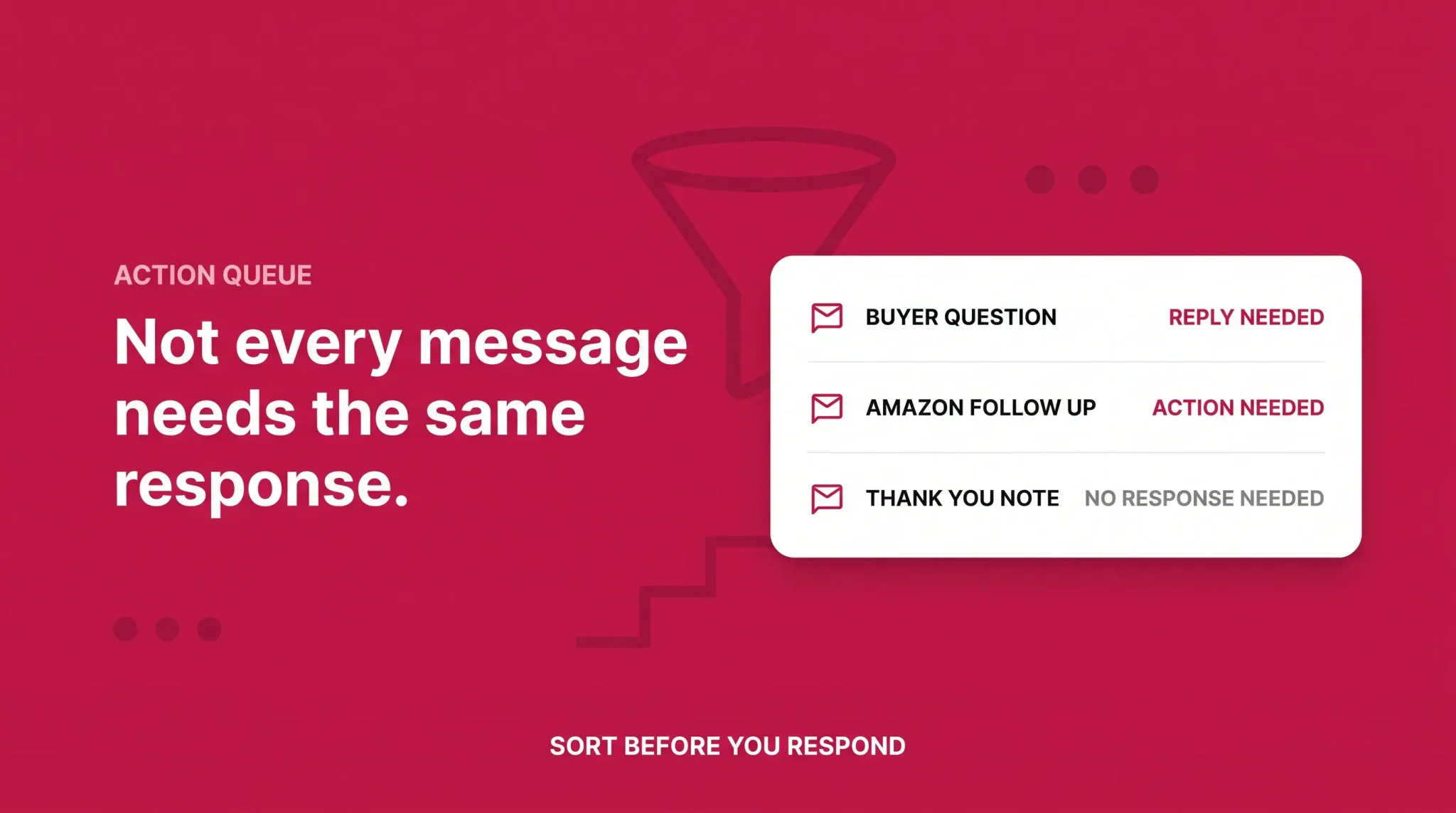
Not everything in your Message Center needs a reply, and not everything that needs a reply arrives from a buyer. Sorting the queue properly is the single biggest improvement most sellers can make.
Message type | Deadline | Risk if ignored |
|---|---|---|
Buyer order question | 24 hours | Negative feedback, A-to-z claim, lost sale |
Pre-purchase product question | 24 hours (practically: same day) | Lost conversion to a faster competitor |
Return-related message | 24 hours | Return grievance, claim escalation |
Customer Service by Amazon follow-up | 24 hours | Return-less refund, SAFE-T exposure |
A-to-z claim information request | As stated in the request | Claim decided against you by default |
Chargeback evidence request | As stated in the request | Automatic loss, funds withheld |
Performance notification | Varies, often 72 hours | Listing suppression, account deactivation |
Thank-you notes, confirmations, spam | None | Skews your response metric if left open |
The 2026 change most sellers have missed
In its mid-2026 update to Customer Service by Amazon, Amazon began alerting sellers to follow up on customer contacts through Buyer-Seller Messages instead of email. The same update introduced AI-generated contact reasons that summarise the customer's concern, and daily contacts-per-unit monitoring.
The practical effect: your Message Center is no longer just a place buyers write to you. It's now a queue Amazon uses to request action from you. If Amazon has answered a customer but needs shipping, refund, product, or policy context from your side, that request arrives in the same inbox as everything else.
If nobody owns that queue, those requests age quietly alongside the thank-you notes.
Worth knowing alongside it: Customer Service by Amazon is free for the first 90 days, and stays free if you keep contacts-per-unit below 3%. Amazon also removed the 95% valid tracking rate requirement, and made the programme free for low-volume sellers with fewer than 30 orders per quarter.
Amazon buyer-seller messaging rules: what you can and can't send
Most messaging violations aren't written by sellers trying to break rules. They come from templates copied years ago that still carry a company logo, a website link, or a cheerful "if you're happy, please leave us five stars."
Amazon's Communication Guidelines govern every message you send a buyer. Here's what they actually permit.
Permitted Messages and Proactive Permitted Messages
Amazon defines Permitted Messages as communications necessary to complete an order or to respond to a customer service enquiry. You can contact buyers for those reasons, and not for marketing or promotion, through any channel.
Responses to buyer-initiated messages are always allowed. If a customer writes to you, you can write back.
Proactive Permitted Messages are ones you start. Amazon allows these for a defined list of reasons:
Resolving an issue with order fulfilment
Requesting additional information needed to complete the order
Asking a return-related question
Sending an invoice
Requesting a product review or seller feedback
Scheduling delivery of a heavy or bulky item
Scheduling a Home Services appointment
Verifying a custom design
Any other reason where contact is required for the buyer to receive their purchase
Proactive messages carry three non-negotiable format rules:
Send within 30 days of order completion.
Include the 17-digit order ID.
Write in the buyer's preferred language.
Messages that break any of these may be blocked automatically, often without a clear warning that it happened.
You can send proactive messages through the Contact Buyer page in Seller Central, the Request a Review button, the Selling Partner API, or an approved third-party app from the Amazon Marketplace Appstore.
What's prohibited
Keep these out of every message:
External links, other than links to Amazon domains required to complete the order
Marketing or promotional content of any kind, including cross-sells and discount codes
Phone numbers, email addresses, or off-Amazon contact details
Incentives for reviews or feedback: discounts, gift cards, free products, refunds
Review steering, such as asking happy customers for public reviews and unhappy ones to contact you privately
Repeated or chasing messages on the same matter
Logos and images used for branding rather than order resolution
Amazon scans both automated and manual messages for prohibited content. Violations range from silent message suppression to warnings on your account health dashboard, and repeated or severe breaches can lead to suspension.
The [Important] tag no longer works
This one still circulates in seller forums as live advice. It isn't.
Sellers used to be able to add [Important] to a subject line to bypass a buyer's opt-out and guarantee delivery of urgent order messages. Amazon deprecated the tag on 25 April 2025.
To reach a buyer who has opted out of unsolicited seller messages, you now have to use Amazon's templated messaging through the Contact Buyer page. Templates exist for order issues, returns, and address clarification.
And a limit worth understanding clearly: once a buyer has opted out, proactive contact is off the table, however friendly your intent. What remains permitted is replying to their own enquiries, and messages strictly required to complete the order.
Compliant review requests
You can ask for a review. The rules are about how.
The safest route is the Request a Review button on the order details page. Amazon writes the message, sends it in the buyer's language, and handles compliance for you. There's nothing to get wrong.
Custom review requests are permitted but must meet every proactive message requirement and must not manipulate, incentivise, or selectively target satisfied buyers.
A risky example: "If you love it, please leave a 5-star review! If there's a problem, contact us first and we'll make it right."
That's a review manipulation violation. It steers negative feedback away from public view and asks for a specific star rating. A compliant version simply invites feedback, without conditions and without a target rating.
Product inserts follow the same rules
Inserts feel separate because they're physical. Amazon's review and communication policies still apply.
A card offering a gift card for a review, or directing buyers to an off-Amazon form, creates the same exposure as a non-compliant email. Keep inserts to product instructions, safety information, and legitimate warranty terms.
Amazon seller message templates that stay compliant
Templates are how you hit a 24-hour response time without a bigger team. These are structured to stay inside Amazon's rules: no links, no promotional content, no review asks, order ID included.
Shipping delay
Hello, thank you for your order (Order ID: 000-0000000-0000000). Your delivery is running later than expected. The carrier currently estimates arrival by [date]. We're monitoring it and will update you if that changes. If it hasn't arrived by [date], reply here and we'll resolve it straight away.
Damaged item
Hello, thank you for letting us know about the condition of your order (Order ID: 000-0000000-0000000). We're sorry it arrived this way. We can arrange a replacement or a full refund. Just reply with your preference and we'll process it today. If you're able to include a photo, it helps us fix the issue at our end.
Missing item from a multi-item order
Hello, thank you for contacting us about Order ID: 000-0000000-0000000. We've checked the packing record for your order. We can send the missing item today or refund that portion. Let us know which you'd prefer and we'll action it immediately.
Address clarification
Hello, we're preparing your order (Order ID: 000-0000000-0000000) for dispatch and need to confirm one detail on the delivery address before it ships: [specific detail]. Please reply with confirmation and we'll send it out the same day.
Pre-purchase product question
Hello, thanks for your question. [Direct answer to the question, including dimensions, compatibility, or materials as relevant.] If there's anything else you'd like to check before ordering, just reply here.
Holding reply (when you need time)
Hello, thank you for contacting us about Order ID: 000-0000000-0000000. We've received your message and are looking into it now. We'll come back to you with a full answer within 24 hours.
That last one is the most useful template in the set, and the next section explains why.
The 24-hour response rule: what's true and what isn't
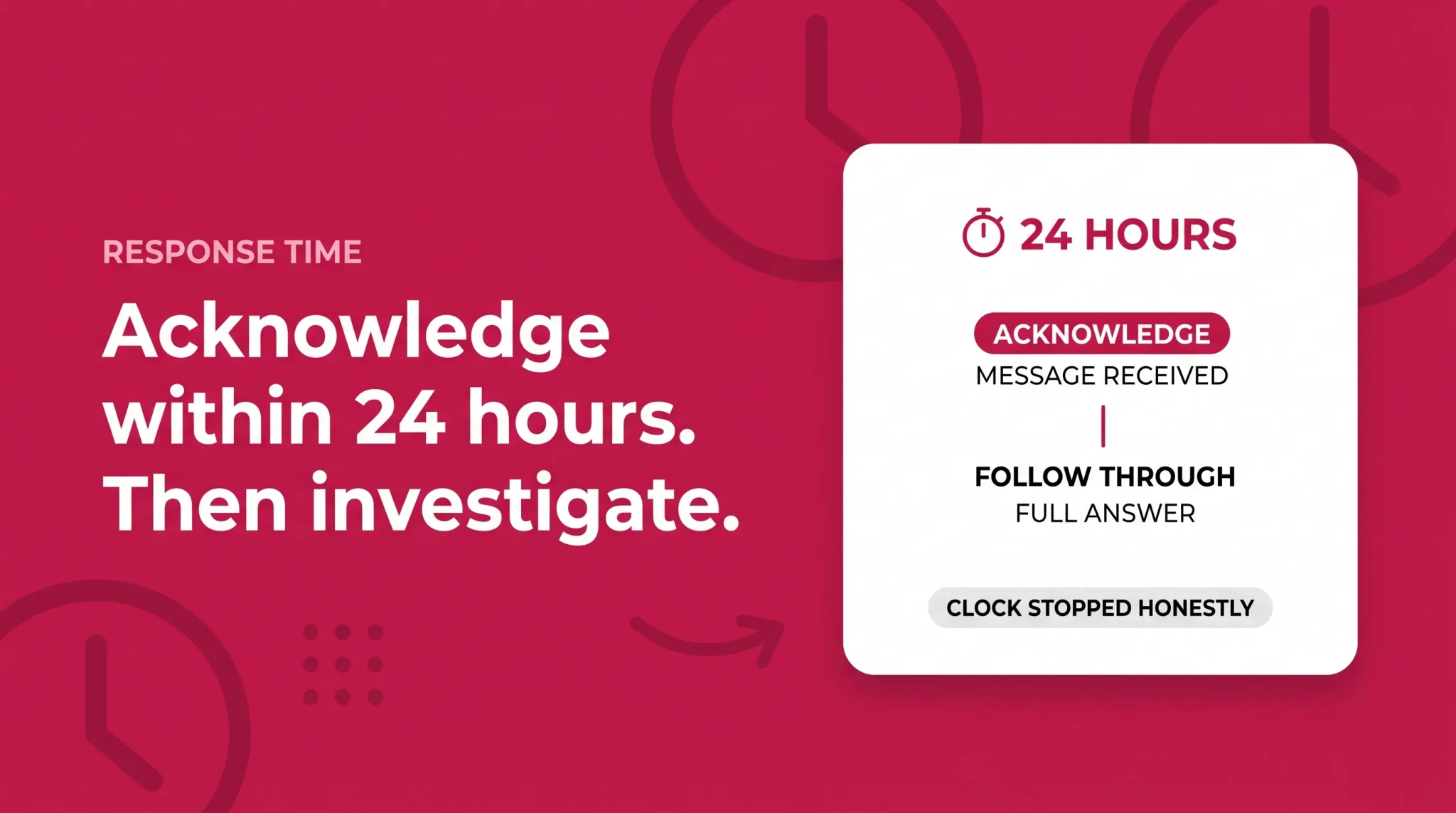
There's a lot of confident misinformation on this topic. Here's the accurate version.
What Amazon asks for: respond to buyer messages within 24 hours, weekends and holidays included. Amazon states plainly that auto-responders don't count as valid responses.
What Amazon measures: your Contact Response Time, visible in the account health dashboard under Customer Service Performance.
Where the confusion sits: many blogs claim late replies directly inflate your Order Defect Rate. Amazon has stated in its own seller forums that account health metrics aren't penalised purely for responding after 24 hours. That's a narrower position than the internet generally reports.
But treating that as permission to be slow misreads the situation entirely. Slow responses cause the things that definitely damage your account:
A-to-z Guarantee claims, which follow a predictable pattern of delay, seller silence, then escalation
Negative seller feedback
Chargebacks
All three feed directly into your Order Defect Rate, which Amazon requires you to keep below 1%. The metric may not punish you for the delay itself. The consequences of the delay absolutely will.
Using "No Response Needed" honestly
Amazon provides a No Response Needed button beneath each message, plus a matching link in the notification email. Either one stops that message counting against your response metric.
It exists for genuine non-replies: thank-you notes, "all sorted now" confirmations, spam.
It's a tool, not a loophole. Using it to bury awkward questions keeps your metric tidy while the underlying problem turns into feedback and claims. Use it honestly and it reflects reality; abuse it and it hides exactly the information you need.
Stop the clock legitimately
If a question needs real investigation, such as checking with a supplier or tracing a shipment, a brief acknowledgement inside 24 hours counts as your response.
Send the holding reply, then follow through. It's honest, it's compliant, and it buys you the time to give a proper answer instead of a rushed one.
Amazon Message Center not working? Common problems and fixes
Your inbox is empty. Buyer messages probably aren't enabled. Go to Settings → Notification Preferences → Messaging and tick Buyer Messages.
Messages are missing. Check your filter isn't set to a single category, confirm you're in the right marketplace, and search by order ID rather than scrolling. Multi-country sellers lose more messages to marketplace switching than to any technical fault.
Notifications aren't arriving. Verify the notification email address is current, check spam and quarantine filters, and confirm someone still monitors that mailbox. Amazon notification emails are a frequent casualty of corporate spam rules.
Your message was blocked or suppressed. Amazon's filters strip or block content that breaches the Communication Guidelines. The usual culprits are links, contact details, and promotional language carried over from an old template. Rewrite it plainly and resend.
The buyer has opted out. Proactive contact isn't available. Use Amazon's templated messaging through the Contact Buyer page, and remember the [Important] tag workaround no longer functions.
Attachments won't send. Supported types are PDF, JPG, JPEG, PNG and XML, and the total message including attachments can't exceed 10 MB. Amazon also reserves the right to remove attachments it considers inappropriate.
A buyer says they never got your reply. Check Sent to confirm it left. If it did, walk them through finding Message Center → Buyer/Seller Messages in their account. Non-delivery is far rarer than not knowing where to look.
Managing Amazon seller messages without damaging account health
Most sellers who breach response expectations aren't careless. They're running marketplace customer service on tools that weren't designed for it.
Cover the hours you're not working
Amazon's clock runs continuously. For many sellers the biggest gap is overnight and across weekends, precisely when nobody is watching.
Solo sellers: Seller app push notifications plus a set of templates. Two minutes on a phone beats an unanswered message.
Small teams: a shared inbox and a published rota, including weekends. Ownership must be explicit, not assumed.
Larger operations: a helpdesk with SLA timers that surface the messages closest to breaching, rather than the newest ones.
Give the inbox an owner
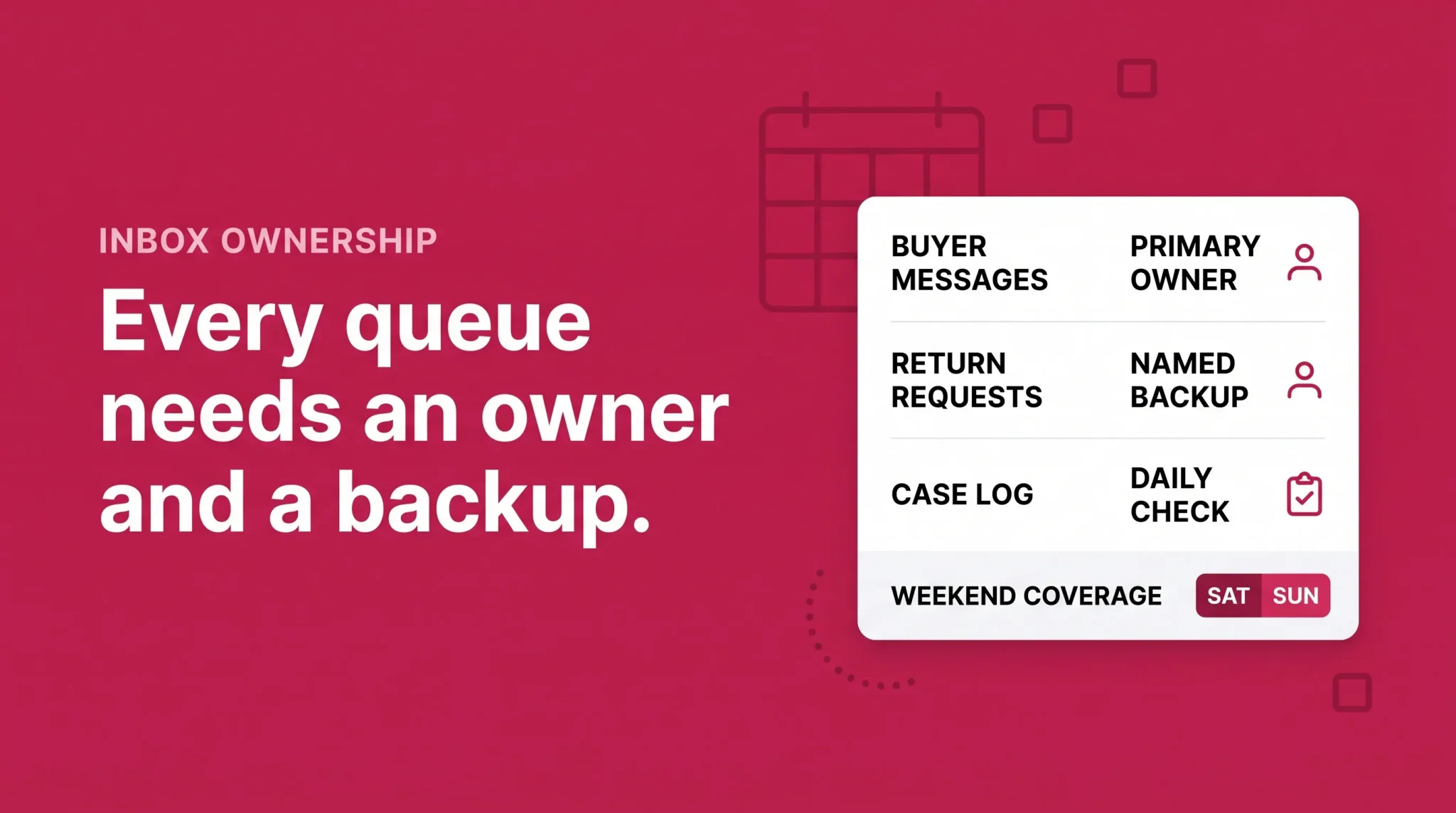
The most reliable predictor of response failure is ambiguity about whose job it is. Name one owner per queue (buyer messages, return requests, Case Log) and one named backup. Grant messaging permissions properly so the owner isn't dependent on someone else's login.
Plan for volume spikes
Message volume can double or triple around Prime Day, Black Friday, and Q4. A 95% response rate can become 87% in a single weekend, and rebuilding a rolling metric takes far longer than damaging it. Staff for the spike before it arrives.
Treat every thread as evidence
When an A-to-z or SAFE-T decision is made, someone reviews the conversation. A strong thread shows:
A timestamped response inside 24 hours
A clear statement of what you offered and when
Order details, tracking, and any photos in one place
A professional tone throughout, even when the buyer's wasn't
That record is often the entire difference between a claim absorbed by Amazon and one charged to your account. Write every reply as though it will be read by a claims assessor, because it might be.
Make your Amazon Message Center work for your account health
The Amazon Message Center looks like an admin. It functions as a control panel for the metrics that decide whether your account keeps selling.
Sellers who treat it as a queue with an owner, a clock, and a set of compliant templates see fewer claims, less negative feedback, and a steadier Order Defect Rate. Sellers who treat it as something to catch up on eventually discover how quickly a quiet inbox turns into an account health problem.
The fix isn't complicated. Enable the notifications properly. Sort the messages that require action from the ones that don't. Reply inside 24 hours, even if the reply is only an acknowledgement. Keep every message inside Amazon's Communication Guidelines. And make sure someone is watching the queue on a Saturday night.
Flairox manages exactly this for brands selling on Amazon. Our Amazon marketplace management service covers customer communication, response times, and account health monitoring, so your inbox strengthens your account performance instead of quietly undermining it.
If you're unsure where your messaging currently stands, we'll review your response times, messaging compliance, and Order Defect Rate exposure, and show you what needs fixing first. Get in touch with the Flairox team.
Frequently asked questions
Messages including attachments can't exceed 10 MB. Supported file types are PDF, JPG, JPEG, PNG and XML.