Bilal Siddiqui
Key takeaways
An open order is any order that has been placed but not yet shipped, delivered, or cancelled. It's a lifecycle stage, not a formal Seller Central status label.
Pending and Unshipped are the two states most sellers confuse. Pending orders are non-actionable. Unshipped orders are your responsibility and clock is running.
Pending orders reserve your inventory but don't appear in your Orders report or Unshipped Orders report.
Never ship a pending order, even if the buyer asks you to.
Your handling of unshipped orders feeds directly into Late Shipment Rate, Pre-Fulfillment Cancel Rate, and Order Defect Rate.
You open Seller Central, glance at Manage Orders, and see a number that doesn't match what you expected. Some orders are greyed out. Some have a ship-by date counting down. Some vanished from your reports entirely.
That gap between "an order exists" and "I can actually do something about it" is what the term open order describes. And misreading it is one of the fastest ways to ship something you shouldn't have, or fail to ship something you should have.
This guide walks through what an Amazon open order is, what each status in the order lifecycle actually means, and the daily workflow that keeps orders moving without damaging your account health.
What an Amazon Open Order Actually Means
An open order on Amazon is an order that has entered the system but hasn't reached a final resting state. It hasn't shipped, hasn't been delivered, and hasn't been cancelled.
The word "open" comes from the buyer side of the platform. In older versions of Your Orders, shoppers could filter to a view labelled open orders to see everything not yet dispatched, including pre-orders placed months earlier. Amazon has since folded that into "Not Yet Shipped."
Sellers picked up the same vocabulary but apply it differently. When a seller says open orders, they usually mean the working queue: everything sitting in Manage Orders that hasn't been confirmed as shipped yet.
That distinction matters because Seller Central has no tab labelled "Open." There are four statuses — Pending, Unshipped, Shipped, and Cancelled — and "open" is shorthand covering the first two.
Buyer view vs. seller view
Buyers and sellers are looking at the same order through different windows, which is why customer messages about open orders so often talk past the seller.
What the buyer sees | What the seller sees | |
|---|---|---|
Order just placed | "Not Yet Shipped" in Your Orders | Pending — greyed out, no address, no action buttons |
Payment cleared | Still "Not Yet Shipped," cancel button may still show | Unshipped — full address, ship-by date, action buttons live |
Being packed | "Preparing for Shipment" — cancel usually gone | Unshipped, seller working on it |
Dispatched | "Shipped" with tracking | Shipped — confirmation submitted |
One consequence of this: buyers are often charged nothing while their order sits open. Amazon authorises the payment method at checkout but typically completes the charge when the item ships. That's why a customer can see an open order on their account with no corresponding charge on their card and assume something has gone wrong.
The Four Order Statuses, Explained
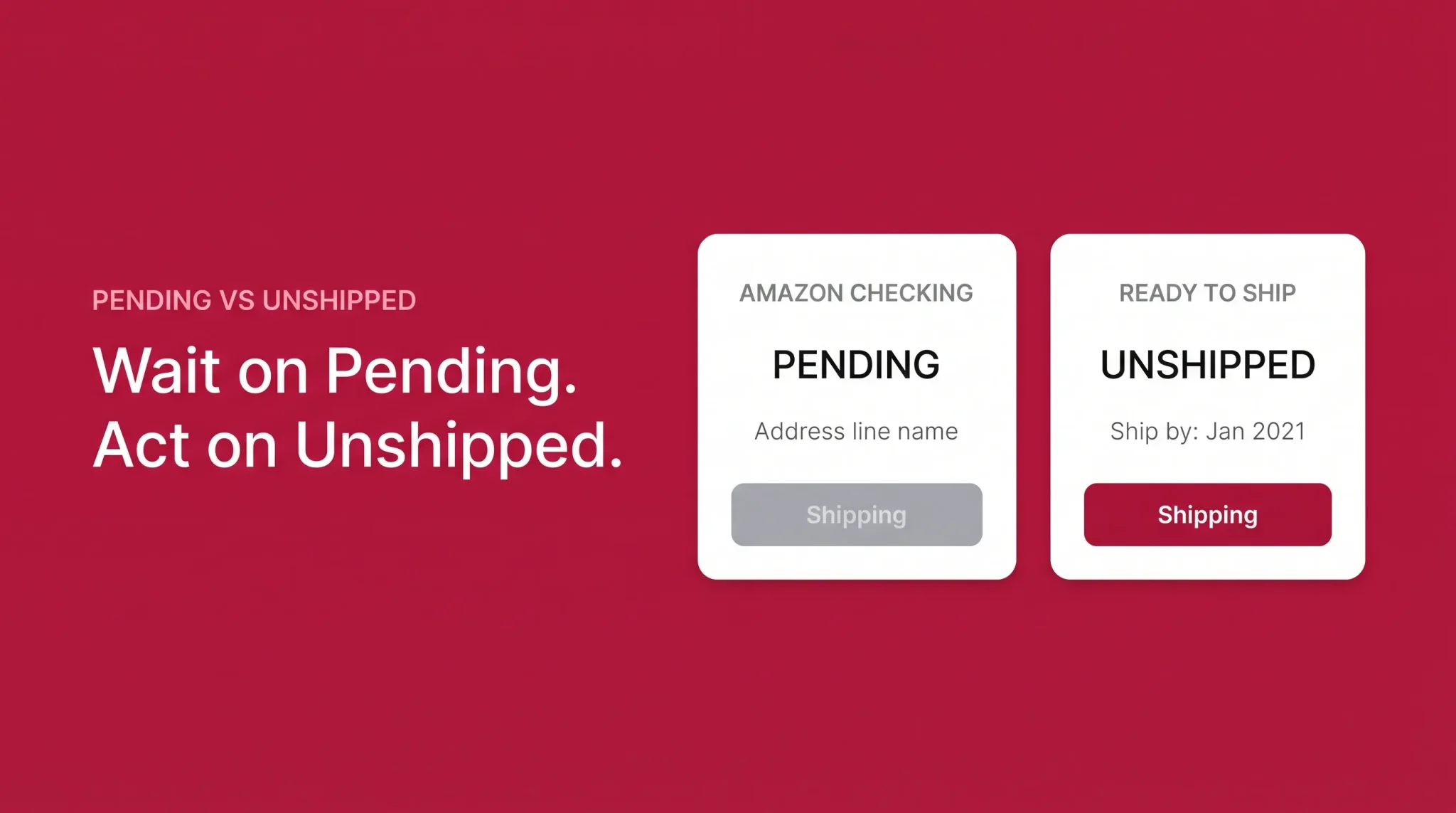
Every order in Manage Orders carries one of four statuses. Reading them correctly tells you whether an order is yours to act on or Amazon's to resolve.
Status | What it means | Can you act? |
|---|---|---|
Pending | Payment authorisation or order validation is incomplete. Amazon hasn't released the order. | No. Buttons are disabled and the shipping address is hidden. |
Unshipped | Order is released and ready for fulfilment, with a ship-by date attached. | Yes. This is your active queue. |
Shipped | Shipment confirmation has been submitted with carrier and tracking details. | Only for post-ship issues and returns. |
Cancelled | Cancelled by buyer, seller, or Amazon. Appears greyed out. | No, beyond reconciling inventory. |
Pending and Unshipped are both "open." That's the whole source of the confusion. They look similar in a list view but represent opposite obligations.
Pending vs. Unshipped: The Difference That Costs Sellers Money
This is the single most useful thing to understand about order status on Amazon.
Pending means Amazon is still deciding. The buyer has checked out, but the transaction hasn't been validated. Amazon holds it — commonly around 30 minutes — while it verifies the payment method and gives the buyer a short window to change their mind.
Unshipped means Amazon has handed the order to you. Payment is confirmed, the shipping address is visible, and a ship-by date is attached. From this moment your fulfilment metrics are exposed.
Treating a pending order as if it were unshipped is where sellers get into trouble.
Why orders go pending
Pending status has more than one cause, and the cause determines how long it lasts:
Payment authorisation failed or is still processing. The most common reason. Amazon couldn't get authorisation on the buyer's card, or is still waiting on a response.
The 30-minute buyer window. A routine hold after checkout that lets buyers cancel or edit before anything moves.
FBA order consolidation. The buyer qualified for free shipping and Amazon is gathering all items in the order before releasing it.
Partial stock on a multi-item FBA order. If one item in the order is out of stock, the whole order can sit pending even when Amazon splits the shipment.
Extended verification. Digital purchases and orders flagged by internal checks go through longer validation.
Alternative payment methods. In some marketplaces, convenience-store payment is offered and the order stays pending until the buyer completes it in person.
Sellers don't get a reason code. Manage Orders shows the status, not the cause, which is why guessing is a waste of time.
How long pending lasts
Most pending orders clear in minutes. If one is still pending after an hour, the payment method is usually the reason, and the buyer needs to fix it — not you.
Amazon gives buyers a genuinely long runway to resolve payment issues. Sellers commonly report orders sitting pending for several days, and Amazon's own Pending Orders documentation acknowledges the status can persist for up to 21 days before the order either releases or lapses.
If an order has been pending for more than a few days and you have inventory tied up, opening a case with Seller Support is reasonable. Expect information rather than resolution.
What you cannot do with a pending order
You cannot confirm shipment. The button is disabled.
You cannot cancel it from Manage Orders.
You cannot see the full shipping address.
You cannot buy shipping or print a label.
You should not ship it, under any circumstances.
That last one is worth restating because buyers occasionally ask. Amazon's guidance is explicit: do not ship a pending order, even at the buyer's request. If you ship and the payment never clears, you've given away inventory with no order to invoice against and no protection.
Point the buyer to Amazon Customer Service instead. Amazon has been known to remove negative feedback left because a seller correctly refused to ship a pending order.
The inventory trap
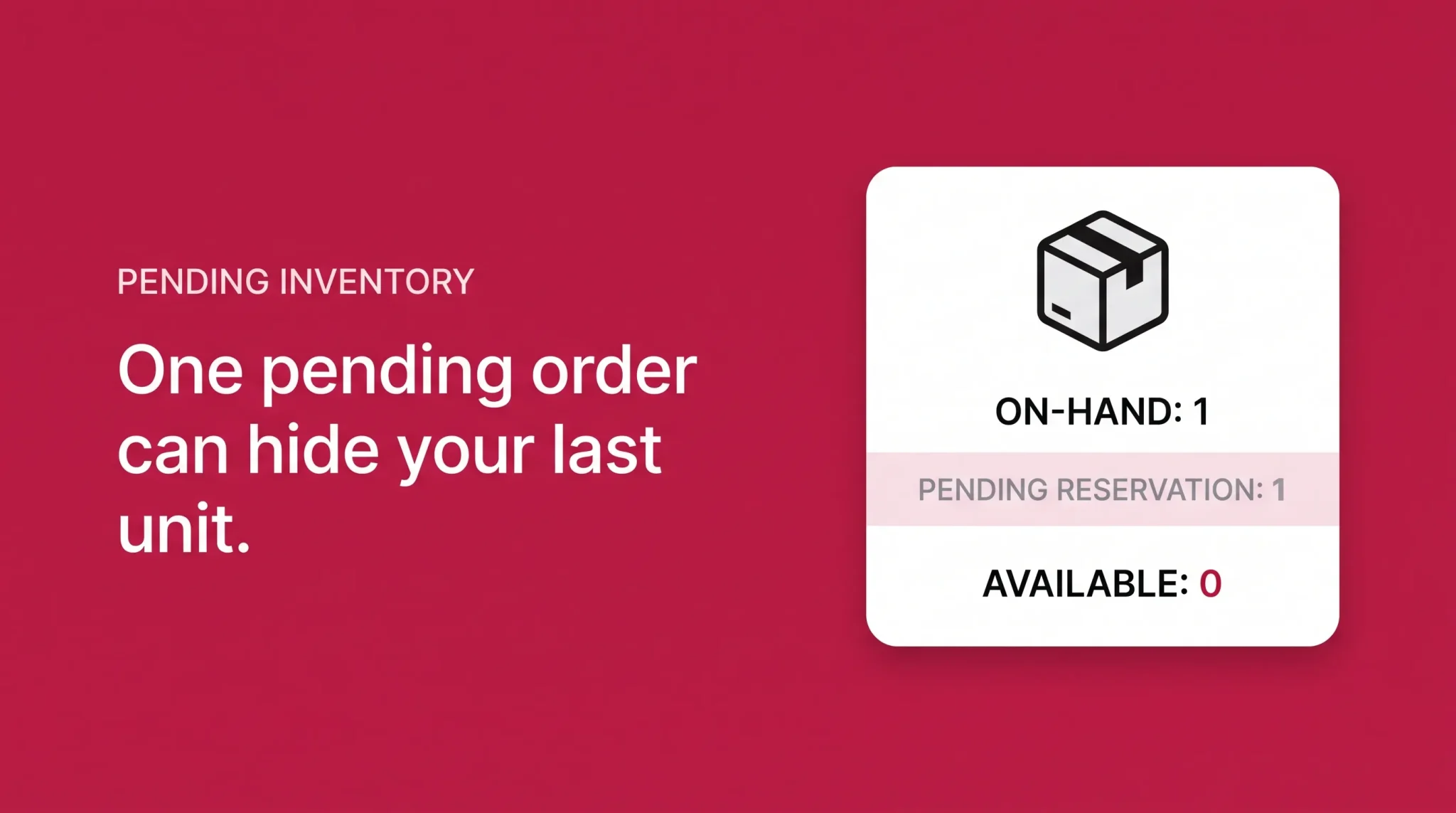
Pending orders reserve stock. The moment an order goes pending, the quantity is deducted from your available inventory in Manage Inventory.
On a listing with one unit left, that means your offer disappears from the product page until the pending order resolves or more stock arrives. A single unresolved pending order can take a listing out of circulation for days.
This also distorts demand signals. If you're reading sell-through rates off available inventory, pending orders make demand look stronger than it is, then release stock back when they lapse.
Where pending orders don't appear
Pending orders show on the Manage Orders page only. They do not appear in your Orders report or your Unshipped Orders report.
That separation is deliberate. Amazon keeps your reports focused on actionable orders. But it means any order count you pull from a report will be lower than the count on your Manage Orders screen, and neither number is wrong.
How to Find and View Open Orders in Manage Orders
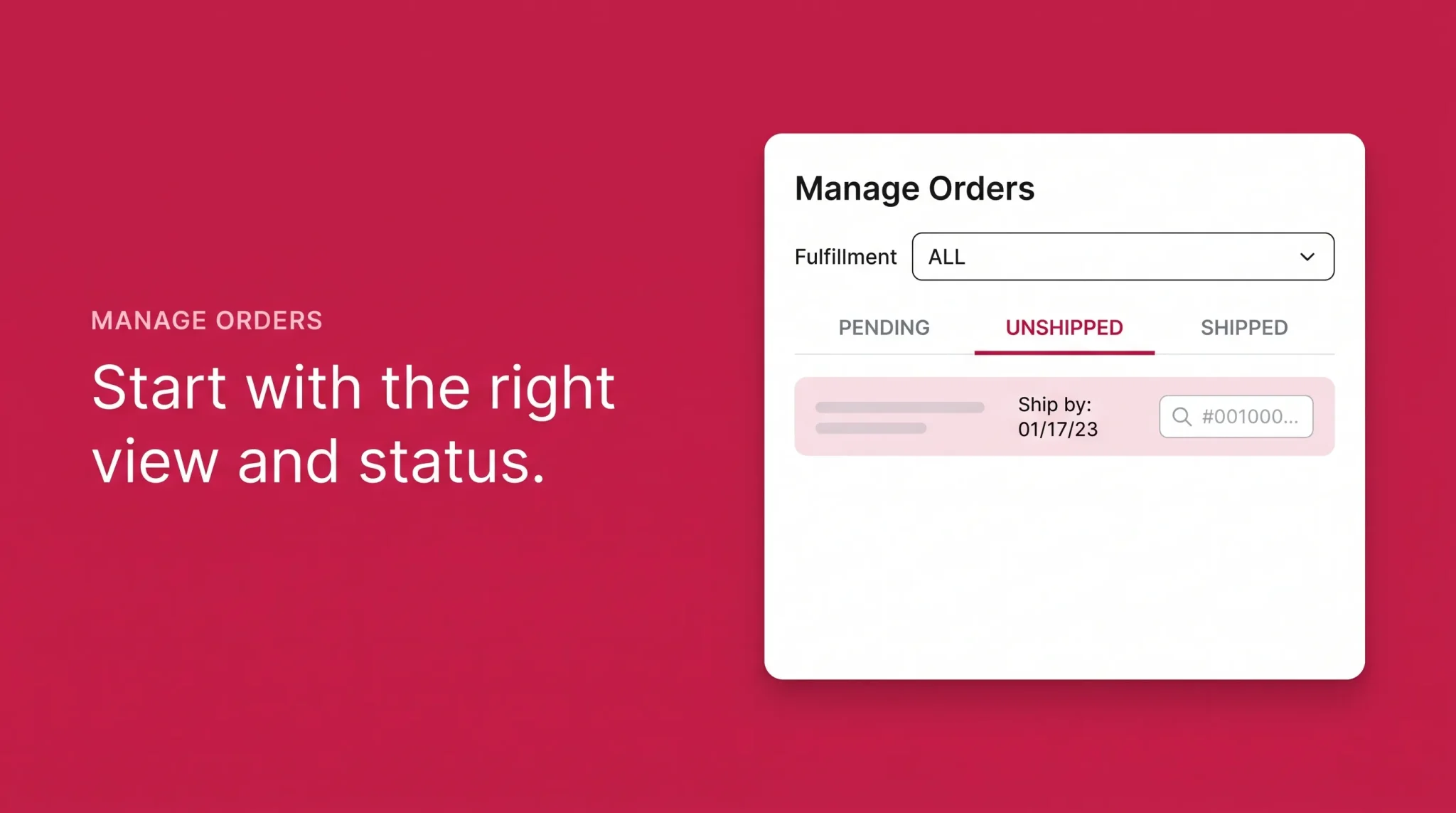
The Manage Orders page in Seller Central is the working surface for order management. Everything below assumes you're there via Orders → Manage Orders.
Step 1: Set the right fulfilment view
Manage Orders has separate views for View FBA orders and View Seller Fulfilled orders. If one is selected, you're only seeing that subset.
This is the number one reason sellers report that orders aren't showing up. The order exists; the view is filtered.
Step 2: Filter by status
The status tabs across the top — Pending, Unshipped, Shipped, Cancelled — are your triage tool. For daily work, start on Unshipped, sorted by ship-by date ascending, so the most urgent orders surface first.
Pending gets its own check, but as a monitoring pass rather than a work queue.
Step 3: Check your refinements
The "Refine by" panel on the left filters by sales channel, order type (including Subscribe & Save), and shipping attributes like signature confirmation. Over-refining hides orders you're actively looking for.
If an order has genuinely disappeared, reset every filter, widen the date range, and switch to the "All" fulfillment view before assuming it's a platform problem.
Step 4: Search precisely when you need one order
Order ID search returns exactly one result every time, which makes it the most reliable field on the page. The format is strict: three digits, seven digits, seven digits, separated by hyphens, like 123-1234567-1234567.
Get a digit wrong and you'll get zero results with no error message telling you why. Copy and paste rather than typing.
Advanced Search combines filters — all unshipped orders for one ASIN in the last seven days, for example — which is where the page becomes genuinely useful at volume.
Step 5: Use reports for anything beyond eyeballing
Manage Orders shows 25 orders per page by default. Past a few dozen orders a day, the screen stops being an analysis tool.
For volume work, use Orders → Order Reports to export a CSV and filter the order-status column offline. Professional sellers can also use Upload Order Related Files to confirm shipments, adjust, or cancel in bulk via template upload rather than clicking through orders one at a time.
Some sellers layer third-party order management software on top of this for multi-channel visibility. That's a separate decision from the workflow itself, and Seller Central handles single-marketplace order management fine on its own. If you are still learning where everything sits inside the account, the Seller Central dashboard guide helps with the navigation side.
The Daily Open Order Workflow
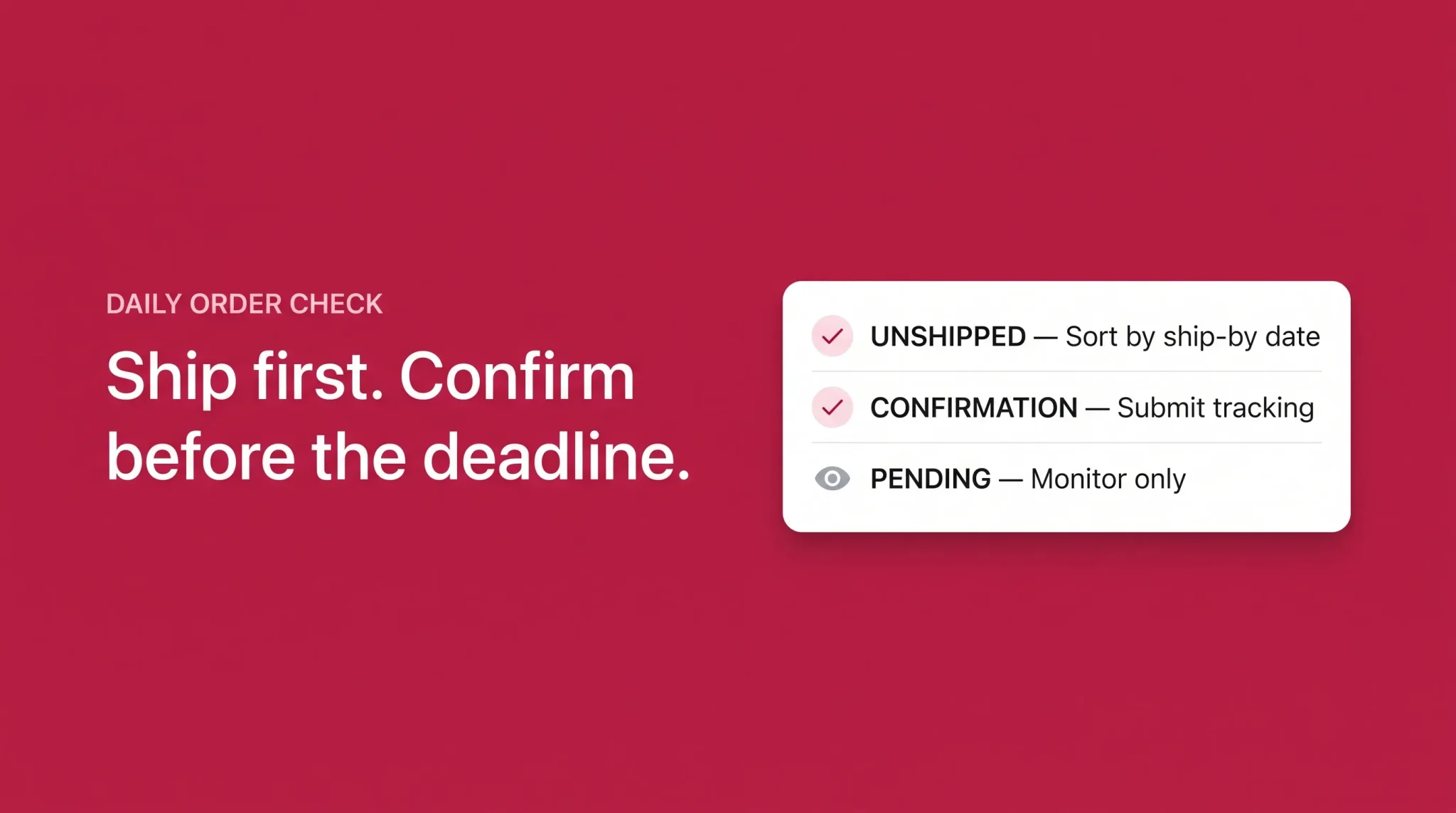
Order management on Amazon isn't complicated, but it is unforgiving about timing. This is the routine that keeps the queue clean.
Every day, in order:
Open Manage Orders and check the Unshipped tab first. Sort by ship-by date. Anything due today or overdue gets handled before anything else.
Confirm shipment on everything you dispatched yesterday. Select the order, click Confirm Shipment, and enter carrier and tracking. This is what stops the Late Shipment Rate clock.
Print packing slips and labels in a single batch. Manage Orders lets you print packing slips per order, and Buy Shipping generates labels with tracking that Amazon recognises automatically.
Scan the Pending tab. You're looking for two things: orders pending more than a day, and pending orders on low-stock listings that are suppressing your offer.
Check your inventory against pending reservations. If a pending order is holding your last unit, decide whether to send more stock rather than wait.
Review new customer messages tied to open orders. Amazon expects responses within 24 hours, weekends included.
Once a week, pull an Order Report and reconcile it against what you think shipped. Discrepancies show up here before they show up in your metrics.
The habit that matters most is confirming shipment promptly. Most late shipment problems aren't late shipments — they're on-time shipments confirmed late.
How Open Orders Feed Your Account Health
Every unshipped order is a live input into your seller metrics. The moment an order moves from Pending to Unshipped, four numbers start watching what you do.
Metric | What it measures | Amazon's target | Applies to |
|---|---|---|---|
Orders confirmed as shipped after the expected ship date, over 10- and 30-day windows | Under 4% | Seller-fulfilled only | |
Orders you cancelled before shipping | Under 2.5% | Seller-fulfilled only | |
Shipments with a valid, scannable tracking number | At least 95% | Seller-fulfilled only | |
Orders with negative feedback, a granted A-to-z claim, or a chargeback, over 60 days | Under 1% | All orders |
Thresholds can vary slightly by marketplace, and Amazon adjusts programme requirements periodically. Treat the numbers above as the published standard and check your Account Health dashboard for what applies to your account.
Two things follow from this table.
First, cancellation is expensive. Buyer-initiated cancellations don't count against you, but seller-initiated ones do. On low order volume, a handful of cancellations can push you past 2.5% quickly, because the denominator is small.
Second, confirmation timing is a separate discipline from shipping. LSR measures the confirmation, not the physical dispatch. If you ship on time but confirm the next morning, the metric records a late shipment.
FBA sellers are insulated from LSR, PFCR, and VTR, because Amazon controls fulfilment. ODR still applies. If you need the warehousing side of that model explained properly, the FBA and fulfillment centers guide covers it.
Cancelling an Open Order
Cancellation rules follow the status, not the request.
Pending orders cannot be cancelled by the seller. No button exists. If a buyer wants out during pending, they cancel through their own account or contact Amazon Customer Service.
Unshipped orders can be cancelled by the seller, but this is a last resort. It counts toward Pre-Fulfilment Cancel Rate regardless of the reason — including reasons outside your control, like a stock count error or damage found at packing.
Shipped orders cannot be cancelled. At that point you're into the returns and refunds process.
When you genuinely have to cancel, do it immediately rather than letting the ship-by date pass. A cancellation hurts less than a late shipment plus a cancellation plus likely negative feedback.
The better long-term fix is upstream: accurate inventory counts, buffer stock on fast movers, and handling time settings that reflect how quickly you actually ship rather than how quickly you'd like to.
Explaining Open Orders to Customers
A large share of "why hasn't my order shipped" messages are pending orders that the buyer can see and you cannot act on. Getting the explanation right saves the feedback score.
For a pending order:
"Thanks for reaching out. Your order is currently being verified by Amazon, which happens before it's released to me for shipping. I'm not able to dispatch it until that completes. If it's been longer than a day, Amazon Customer Service can look at the payment authorisation directly — that's the fastest route."
For an unshipped order still inside handling time:
"Your order is in my queue and scheduled to ship by [date]. You'll get a shipping confirmation email with tracking as soon as it's dispatched."
For a delayed order:
"Your order is going out on [date] and I'll send tracking as soon as it ships. Apologies for the wait."
Three rules make these work. Don't promise a ship date you can't hit. Don't blame Amazon in a way that sounds like you're dodging. And never offer to ship a pending order early as a goodwill gesture.
Common Open Order Problems and What to Do
Problem | What's happening | What to do |
|---|---|---|
Order pending for days | Payment authorisation unresolved; buyer needs to fix it | Wait, monitor stock impact, open a Seller Support case if it exceeds a few days |
Order not showing in Manage Orders | Fulfilment view or filters are too narrow | Reset filters, widen date range, switch to All view |
Order count doesn't match reports | Pending orders are excluded from Orders and Unshipped reports | Compare like for like; use Manage Orders for pending |
Listing disappeared with stock showing | A pending order reserved your last unit | Restock or wait for the pending order to resolve |
Buyer asks you to ship a pending order | Payment isn't cleared | Decline politely, redirect to Amazon Customer Service |
Shipment confirmed but LSR rose | Confirmation submitted after the expected ship date | Move confirmation to a fixed daily slot, before your carrier cutoff |
Buyer says they weren't charged | Amazon typically charges at dispatch, not checkout | Explain the authorisation-then-charge sequence |
Frequently asked questions
If the order shows as pending in Seller Central, the seller physically cannot ship it — Amazon hasn't released it. If it shows as unshipped, it's inside the seller's handling time and will dispatch by the stated ship-by date. Sellers are not permitted to ship pending orders even when asked.