 Raahim Sheikh
Key takeaways
FBM (Fulfilment by Merchant) means you store, pack, ship, and service orders yourself, rather than using Amazon's warehouses.
FBM avoids FBA's storage, fulfilment, and aged-inventory fees, but you absorb shipping, packaging, and (since February 2026) prepaid return labels.
FBA usually wins on small, light, fast-moving products; FBM usually wins on heavy, bulky, slow-moving, or low-margin products.
FBM listings don't get the Prime badge unless you qualify for Seller Fulfilled Prime, and that costs conversion.
The Buy Box favours FBA when price and seller metrics are otherwise equal.
It's a per-SKU decision: weight, velocity, margin, and whether you have your own logistics all determine which model wins for a given product.
Every Amazon seller faces the same fork in the road: let Amazon store and ship your products for you, or handle fulfilment yourself. The first is FBA, Fulfilment by Amazon. The second is Amazon FBM, Fulfilment by Merchant, and it's the model this guide is about. The mistake most sellers make is treating this as a one-time, whole-business decision, choosing a side and applying it to everything they sell.
The truth is that FBM and FBA aren't rivals you pick between once. They're two tools, and the sellers who get fulfilment right assign each product to whichever model fits it best. This guide explains what FBM is, how it works, what it actually costs in 2026, and then walks through a full FBA vs FBM comparison with a decision framework you can apply product by product, rather than defaulting to one model and hoping it's right.
What Is Amazon FBM (Fulfilment by Merchant)?
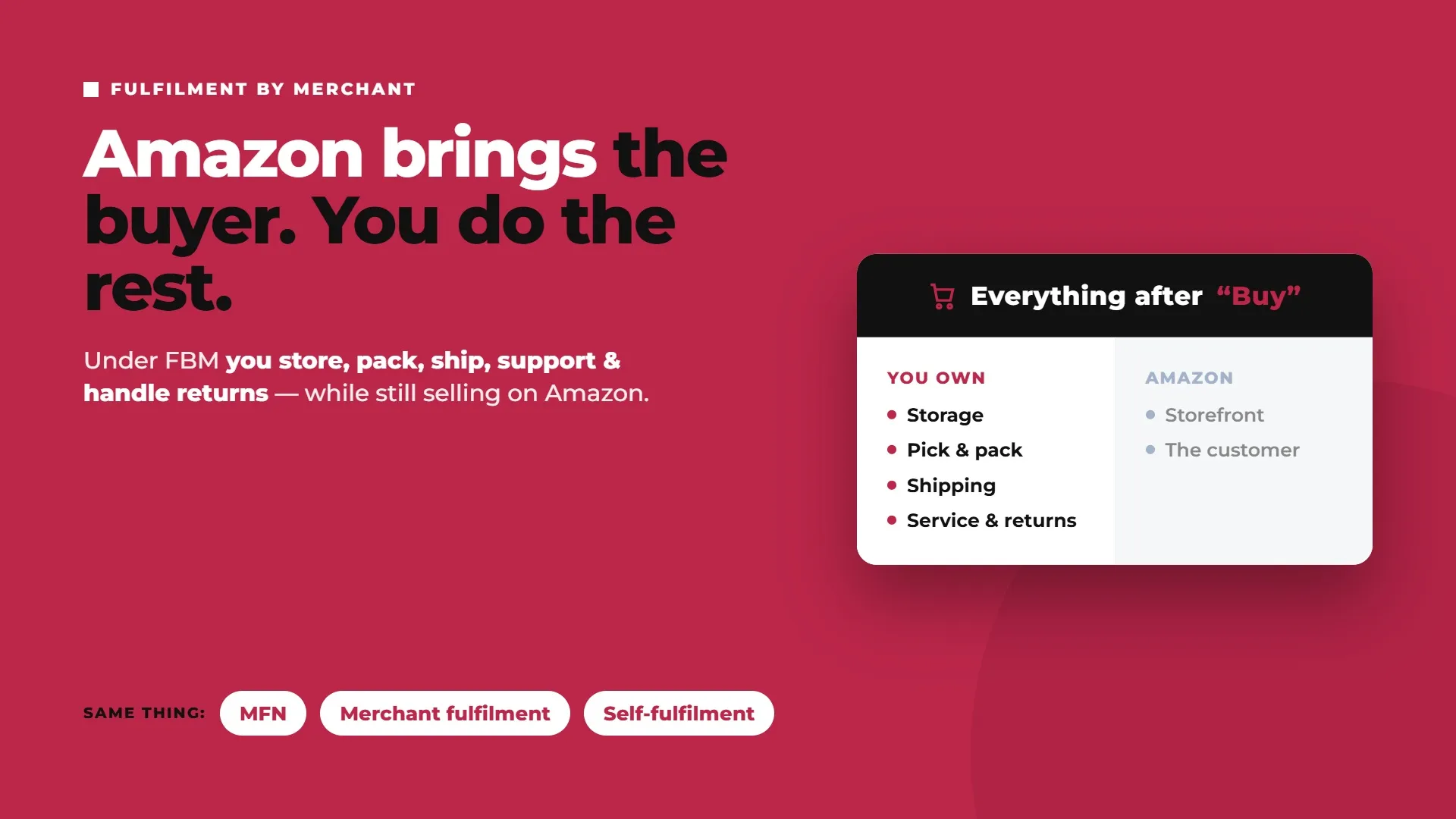
Amazon FBM is the fulfilment model where the seller handles the entire process from end to end: storing inventory, picking and packing orders, shipping them, answering customer service inquiries, and processing returns, all while still selling on the Amazon marketplace. Amazon provides the storefront and the customer; you provide everything after the "buy" button.
Before going further, it's worth untangling the terminology, because a lot of the words for this mean the same thing. FBM, MFN (Merchant Fulfilled Network, which is the term Amazon's own Seller Central interface uses), "merchant fulfilment," and "self-fulfilment" all describe the same arrangement: you fulfil the order yourself instead of handing it to Amazon. If you see any of those terms, they're pointing at the same model.
The one-line contrast to anchor everything that follows: under FBA, Amazon stores your inventory in Amazon fulfilment centres and ships your orders; under FBM, you do. And crucially, this isn’t an account-level switch. You can run FBA and FBM side by side on the same account, choosing the model per product, and most established sellers do exactly that.
Who actually uses FBM? A broad range of sellers, and not just small ones. Handmade and brand-led sellers use it to control packaging and the unboxing experience. Sellers of heavy or oversized goods use it because FBA's size-based fees make Amazon fulfilment uneconomic. Wholesalers and sellers with existing warehouse operations use it because they already have the logistics muscle. Sellers of slow-moving or seasonal inventory use it to avoid paying FBA storage on stock that sits. And plenty of sellers use it as a low-risk way to test a new product before committing inventory to Amazon's network. The common thread isn't seller size, it's that FBM fits the economics of a particular product or business better than FBA does.
How Does Amazon FBM Work?
The operational flow under FBM is straightforward, but every step is your responsibility:
You list the product as merchant-fulfilled (MFN) in Seller Central.
A customer places an order.
You pick and pack the order from your own location, or your third-party warehouse.
You ship it within the handling time you've committed to, using your chosen carrier.
You upload valid tracking so Amazon and the customer can follow the shipment.
You respond to any customer service inquiries, Amazon requires a response within 24 hours.
You process any returns.
Within FBM, you have a few ways to actually get orders out the door, and the right one depends on your volume and setup. You can ship entirely in-house with your own carrier accounts, which gives you the most control and, if you have good negotiated rates, often the lowest cost. You can use Amazon Buy Shipping to purchase discounted labels directly through Amazon, which also gives you tracking and some delivery-performance protection, a sensible default for sellers who don't have their own carrier contracts. Or you can outsource the physical fulfilment to a third-party logistics provider (3PL) or prep centre that stores your stock and ships on your behalf, which gives you FBM's cost and control benefits without personally packing every box.
For Shopify, Walmart, and other off-Amazon orders, Amazon Multi-Channel Fulfillment (MCF) is another option: Amazon ships those orders from the same FBA inventory pool, while FBM keeps fulfilment under your or your 3PL’s control.
That last option matters more than sellers often realise. "FBM" doesn't have to mean "you, personally, in a garage with a tape gun." A capable 3PL can hold your inventory in one or more locations, pick and pack to your specifications, and hit competitive delivery speeds, all while you retain the fee structure and branding control that make FBM attractive. For growing sellers, moving from self-packing to a 3PL is often what makes FBM scalable rather than a bottleneck.
The theme running through all of it: under FBM, delivery performance and service quality are entirely on you, and they feed directly into your account health metrics. Late shipments, missing tracking, and slow customer responses don't just annoy buyers, they put your selling privileges at risk. FBM is more control and often lower cost, in exchange for more responsibility.
Amazon FBM Fees and Costs in 2026
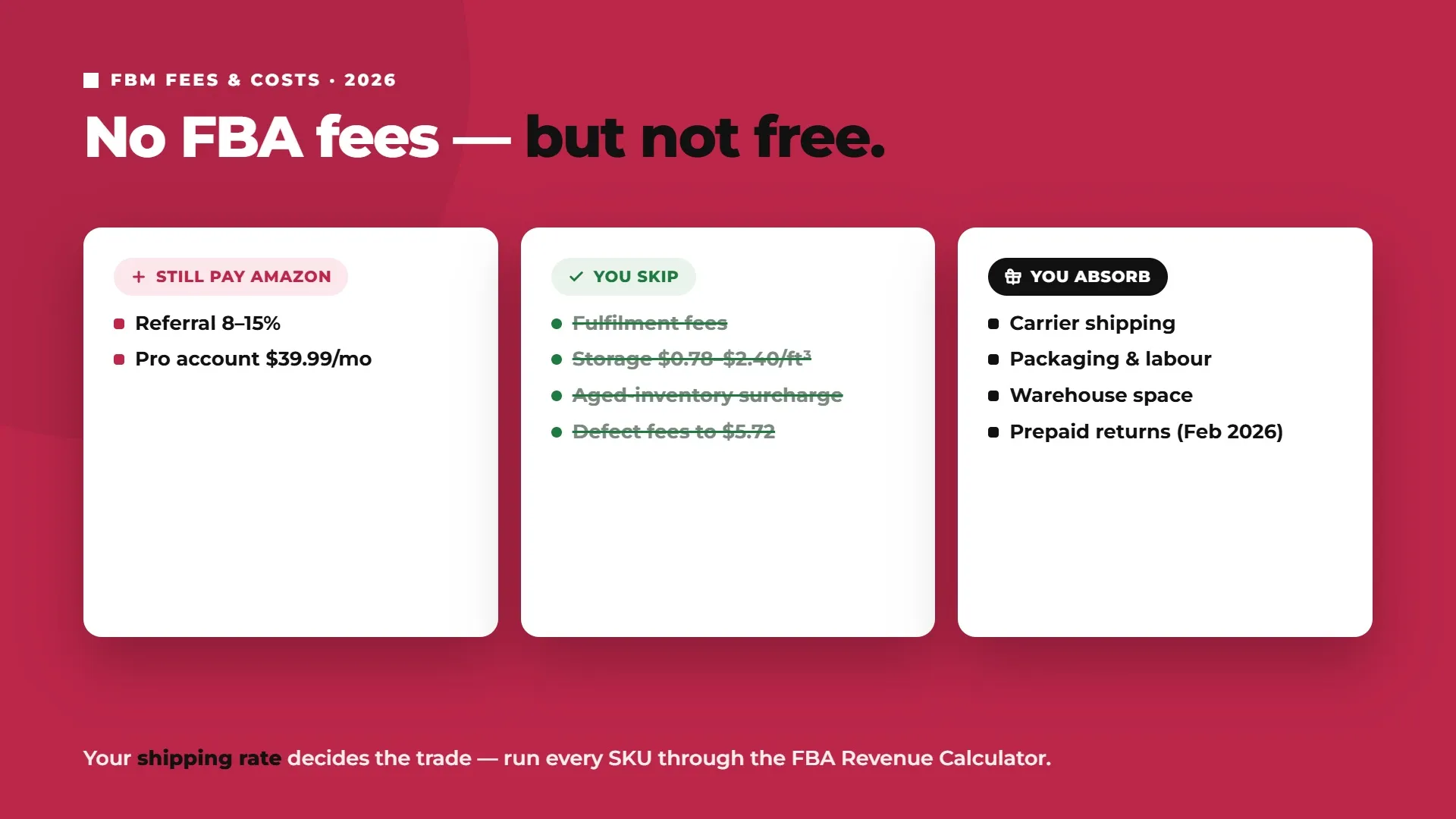
The most useful way to think about FBM cost is this: FBM has no Amazon fulfilment or storage fees, but that doesn't make it free. You're trading Amazon's fees for your own real costs, and whether that trade comes out ahead depends entirely on the product.
What you still pay Amazon
Some Amazon costs apply no matter how you fulfil. The referral fee, typically 8 to 15% of the sale price depending on category, is charged on every sale under both FBA and FBM (Amazon). If you're selling at any real volume you'll also want a Professional selling account ($39.99/month in the US). What FBM does not incur, and this is the whole point, is FBA's per-unit fulfilment fees, monthly storage fees, aged-inventory surcharges, or Amazon inbound placement fees and defect fees.
To put numbers on what you're avoiding: FBA storage alone runs $0.78 per cubic foot for standard-size items from January to September, rising to $2.40 per cubic foot during the October to December peak, and FBA's inbound non-compliance defect fees range from $0.32 to $5.72 per unit under the 2026 rate structure. None of that applies to FBM inventory sitting in your own warehouse.
For bulk or seasonal stock that still needs to feed FBA, Amazon Warehousing and Distribution (AWD) can provide upstream storage without moving the SKU fully into FBM.
What you pay yourself
Instead, under FBM you absorb your own fulfilment costs: carrier shipping, packaging materials, warehouse or storage space, and labour. And since February 2026, Amazon requires prepaid return labels on all FBM orders, a genuine new cost layer that merchant-fulfilled sellers didn't carry before (Feedvisor).
The single biggest variable in that list is your shipping rate. FBM's cost advantage lives or dies on what you pay carriers, a seller with strong negotiated rates or a nearby 3PL network can beat FBA comfortably on the right products, while a seller paying retail postage on small items usually can't. Your shipping cost is the number that decides whether FBM saves you money.
Use a calculator, per SKU
Because the answer changes with weight, dimensions, and your shipping rate, the only reliable way to decide is to run each product through Amazon's FBA Revenue Calculator, which compares Amazon's fulfilment cost against your own fulfilment cost side by side. Any serious FBA vs FBM decision should be made in that calculator, per SKU, not by gut feel. That's the correct tool behind every "amazon fbm calculator" or "fba vs fbm calculator" search, and it's the habit that separates sellers who optimise fulfilment from those who guess.
FBA vs FBM: The Complete Comparison
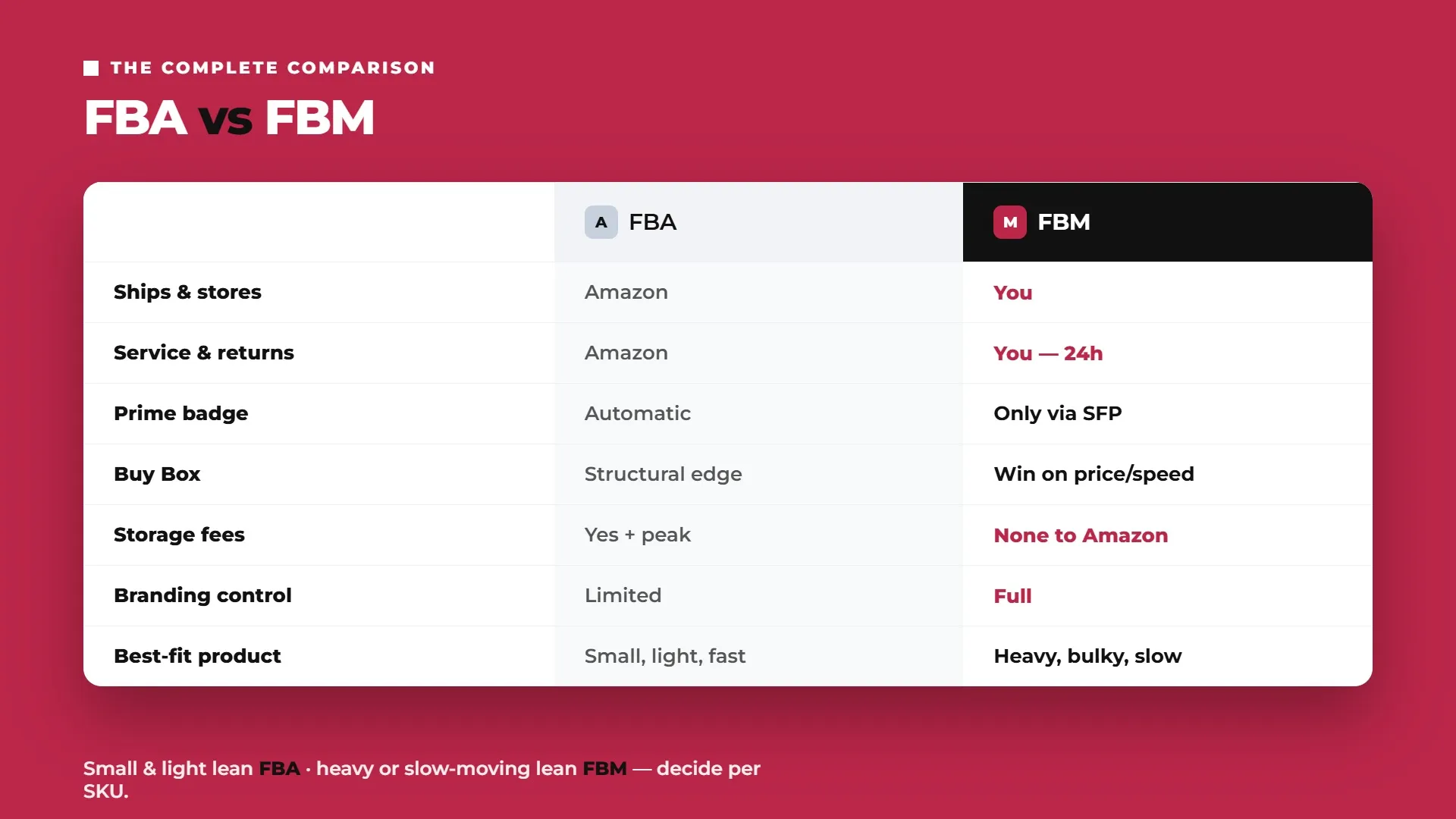
Here's the head-to-head. Read the table first, then the dimensions below it explain where the real trade-offs live.
FBA (Fulfilment by Amazon) | FBM (Fulfilment by Merchant) | |
|---|---|---|
Who stores inventory | Amazon's fulfilment centres | You (own warehouse or 3PL) |
Who ships | Amazon | You |
Customer service | Amazon | You (24-hour response required) |
Returns | Amazon | You (prepaid labels required since Feb 2026) |
Prime badge | Automatic | Only via Seller Fulfilled Prime |
Buy Box | Structural advantage | Must compete on price or speed |
Cost structure | Predictable per-unit fees | Your own shipping and handling costs |
Storage fees | Yes, plus peak surcharges | None to Amazon; your own storage |
Branding / packaging control | Limited | Full |
Best-fit product | Small, light, fast-moving | Heavy, bulky, slow-moving, or low-margin |
Cost
FBA charges predictable per-unit fees, but they scale badly with weight and size. FBM cost depends on your shipping rate. The pattern that holds across almost every catalogue: small, light items tend to favour FBA, because Amazon's fulfilment fee beats what you'd pay in retail postage, while heavy or oversized items tend to favour FBM, because Amazon's size-based fees and surcharges balloon on anything large.
The two endpoints are clear and reliable. A small, light, low-value item is usually cheaper through FBA. A large, heavy item, think 30-plus pounds, is usually dramatically cheaper through FBM, often by many dollars per unit, because you're not paying Amazon's oversized fulfilment fees. The middle, medium weight and medium margin, is a genuine gray zone where the answer flips from one SKU to the next, which is exactly why the per-SKU calculator habit matters.
One more cost factor sellers underestimate: time in storage. FBA fees aren't a single per-unit charge, they accumulate. A product that sells through quickly pays a fulfilment fee and little storage. A product that lingers pays storage month after month, plus aged-inventory surcharges once it crosses Amazon's age thresholds, and those charges compound quietly until a slow SKU that looked profitable on paper is losing money in the warehouse. FBM sidesteps that entirely, your storage cost is whatever your own warehouse or 3PL charges, with no ageing penalty, which is a big part of why slow movers so often belong in FBM regardless of their size.
The Prime badge and conversion
This is FBM's biggest hidden cost. FBA listings get the Prime badge automatically; FBM listings don't, unless you qualify for Seller Fulfilled Prime. Because Prime members filter search results by the badge and convert on it at much higher rates, a merchant-fulfilled listing typically converts meaningfully below a comparable FBA listing on the same product at the same price. When you model FBM's savings, you have to weigh them against that lost conversion, a product that's cheaper to ship FBM but sells far fewer units without the badge may not be a win. For sellers who want the badge while keeping their own fulfilment, the route is Seller Fulfilled Prime, which we cover in its own dedicated guide.
The Buy Box
With matching price and comparable seller metrics, FBA holds a structural advantage in winning the Buy Box, the default "Add to Cart" offer that captures the overwhelming majority of sales. An FBM seller competing against a comparable FBA offer often has to win on price or delivery speed to hold the Buy Box, because Amazon's algorithm weights fulfilment reliability heavily and trusts its own network. This doesn't make the Buy Box unwinnable under FBM, strong metrics and competitive pricing can carry it, but it's a headwind FBA sellers don't face.
Control
Where FBM wins outright is control. You choose the packaging, you can add branded inserts, you own the unboxing experience, and you're never at the mercy of Amazon's warehouse capacity or handling. For brand-led sellers building a direct relationship with customers, that control is a real, non-financial reason to choose FBM even when the fee math is close. FBA's convenience comes at the cost of a generic, Amazon-branded delivery experience.
When to Use FBM (and When to Use FBA)
The whole decision comes back to one principle: this is a per-product choice, not a company-wide one. The same seller can, and usually should, run FBA on some SKUs and FBM on others. Here's the framework.
Choose FBM when:
The product is heavy or oversized (roughly over 3 lbs, especially oversize items), where FBA's size-based fees balloon.
It's slow-moving (low monthly velocity), where FBA storage fees compound against you the longer it sits.
Margins are thin (roughly below 20%), where FBA's fees consume too much of the profit.
You already have warehouse or 3PL infrastructure to fulfil efficiently.
Brand and packaging control genuinely matter to your product.
Choose FBA when:
The product is small and light (roughly under 2 lbs) and sells at high velocity (100-plus units per month).
Margins are healthy (roughly 25% or more), with room to absorb FBA's fees.
Prime eligibility drives conversion in your category, as it does in most.
You have no fulfilment infrastructure of your own and don't want to build it.
The gray zone: medium weight (1 to 3 lbs) and medium margin (20 to 30%) is where you can't decide by rule of thumb. Run these SKUs through the calculator individually, because the answer genuinely varies product to product.
Factor | Leans FBM | Leans FBA |
|---|---|---|
Weight | Over 3 lbs / oversize | Under 2 lbs |
Monthly velocity | Low (under 40 to 50 units) | High (100-plus units) |
Margin | Below 20% | Above 25% |
Your logistics | You have a warehouse / 3PL | You have none |
Priority | Cost and brand control | Prime conversion and hands-off |
Pros and Cons of Amazon FBM
FBM's advantages are real, and so are its costs. Weighing them honestly is the point.
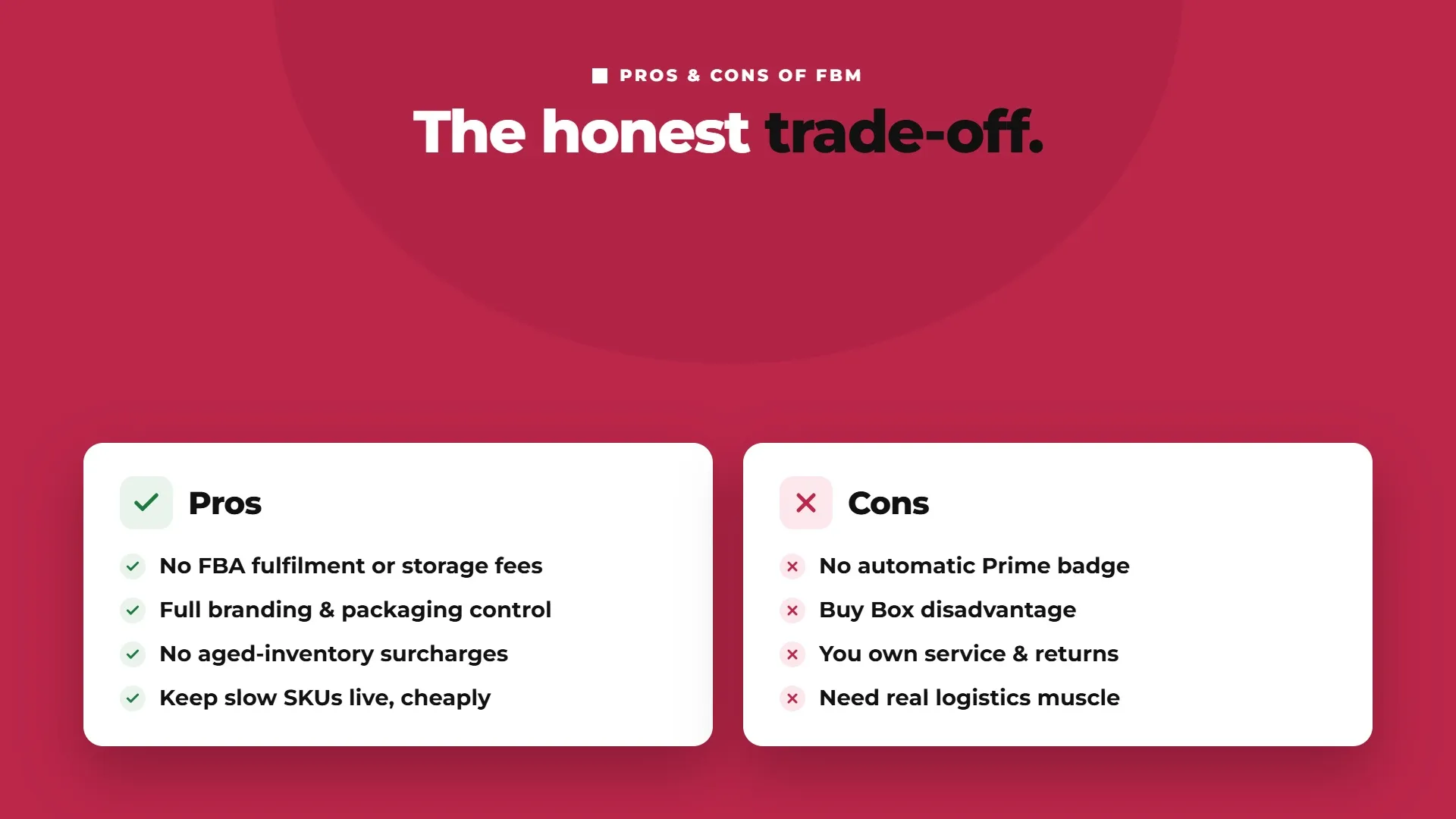
On the plus side, FBM means no FBA fulfilment or storage fees, which is a decisive cost advantage on heavy and bulky products. You keep full control of your branding and packaging. You avoid aged-inventory surcharges and inbound compliance penalties entirely. You have flexibility to keep slow-moving SKUs listed without paying storage on stock that isn't selling. And you're not dependent on Amazon's warehouse capacity, which can matter during peak-season restock limits.
On the other side, FBM listings don't get the automatic Prime badge, which lowers conversion. You face a Buy Box disadvantage against comparable FBA offers. You carry the full burden of customer service and returns, including the prepaid return labels now required since February 2026. And you need real logistics capability, either your own or a reliable 3PL, to hit the delivery and service standards Amazon expects, because your performance metrics are entirely in your hands. FBM rewards operational competence and punishes its absence.
FBM, Prime, and Customer Service
Two areas deserve their own treatment because they're where FBM differs most sharply from FBA.
Prime via FBM. The only way a merchant-fulfilled seller can display the Prime badge is through Seller Fulfilled Prime (SFP), the programme that lets you ship from your own warehouse while still showing Prime, provided you meet a strict set of performance requirements (fast delivery speeds, a high on-time delivery rate, weekend shipping, and more). SFP is powerful but demanding, and it isn't for every seller. Rather than repeat the full requirements here, see our dedicated Seller Fulfilled Prime guide for the complete picture on qualifying and whether it's worth it.
Customer service and returns. Under FBM, both are yours. You must respond to customer inquiries within 24 hours, and you manage the entire returns process, including providing the prepaid return labels Amazon has required on all FBM orders since February 2026. This contrasts sharply with FBA, where Amazon absorbs customer service and returns handling entirely, buyers contact Amazon, not you, and Amazon processes the return. That hands-off support is part of what you're paying for in FBA's fees, and part of what you take on when you choose FBM.
How to Get Started With Amazon FBM
If FBM is the right fit for some or all of your catalogue, here's the practical starting sequence:
Before finalising cartons, labels, and packing workflows, review the Amazon FBA packaging requirements as a compliance baseline, particularly if the same SKU may later move between FBM and FBA.
Create or confirm your Amazon seller account (Professional plan if you're selling at volume).
List the relevant products as merchant-fulfilled (MFN) in Seller Central.
Set realistic handling times you can consistently hit, under-promising and delivering beats the reverse.
Decide your fulfilment approach: in-house shipping, Amazon Buy Shipping for discounted labels and tracking protection, or a 3PL / prep centre.
Set up a returns process, including the required prepaid return labels.
Monitor your account-health metrics closely, late-shipment rate, valid tracking rate, cancellation rate, and order defect rate, since under FBM these are entirely your responsibility.
One of FBM's underrated advantages is flexibility: you can start a product on FBM and migrate it to FBA later if it takes off and becomes a fast-moving, small-parcel winner, or move a SKU from FBA to FBM if storage fees start eating its margin. Your fulfilment mix should evolve with your catalogue, not get locked in on day one.
Switching between FBA and FBM
Because the choice is per SKU and reversible, switching is a normal part of managing a catalogue, not a drastic move. Sellers commonly shift a product from FBA to FBM when it slows down and starts accruing FBA storage fees and aged-inventory surcharges out of proportion to its sales, or when a price war makes FBA's fixed fees untenable on the margin. They shift the other way, FBM to FBA, when a product's velocity climbs to the point where Prime conversion and hands-off fulfilment outweigh the fees. The practical caution when switching to FBM: make sure your fulfilment operation (or 3PL) is genuinely ready to hold the delivery and service standards before you flip a high-volume SKU, because the performance responsibility transfers to you the moment you do. Switching thoughtfully, one SKU at a time as its economics change, is exactly the per-product discipline this whole guide argues for.
The Bottom Line
FBM and FBA aren't a binary you choose once and live with forever. They're two tools, and the sellers who win at fulfilment assign each product to whichever one fits its weight, its velocity, its margin, and their own logistics capability. Small, light, fast-moving products with healthy margins usually belong in FBA. Heavy, bulky, slow-moving, or thin-margin products, especially when you have your own warehouse or 3PL, usually belong in FBM. And the medium cases in between deserve a real look in the calculator rather than a default.
The best move you can make is to stop asking "FBA or FBM?" as a company-wide question and start asking it per product. Talk to Flairox about building the right FBA and FBM fulfilment strategy for your catalogue, so every SKU sits in the model that actually makes it the most money.
Frequently asked questions
Amazon FBM (Fulfilment by Merchant), also called MFN or Merchant Fulfilled Network, is the model where the seller stores, packs, ships, and services orders themselves while selling on Amazon, rather than using Fulfilment by Amazon to handle those tasks.