Bilal Siddiqui
Key takeaways
You get five bullets. Write each around one decision-driving benefit, not a pile of specs, and front-load your two strongest.
Only the first ~1,000 bytes across all five bullets are indexed for search, so your best keywords have to appear early.
Mobile shoppers see roughly the first three bullets, truncated near 70–80 characters, so put a complete idea at the start of every line.
Follow the compliance rules: no emojis, no all-caps lines, no promotional language, and no prohibited claims. Amazon's scanner enforces these automatically.
Use the secondary keywords from your keyword map, placed naturally. Keyword stuffing hurts readability, ranking, and conversion.
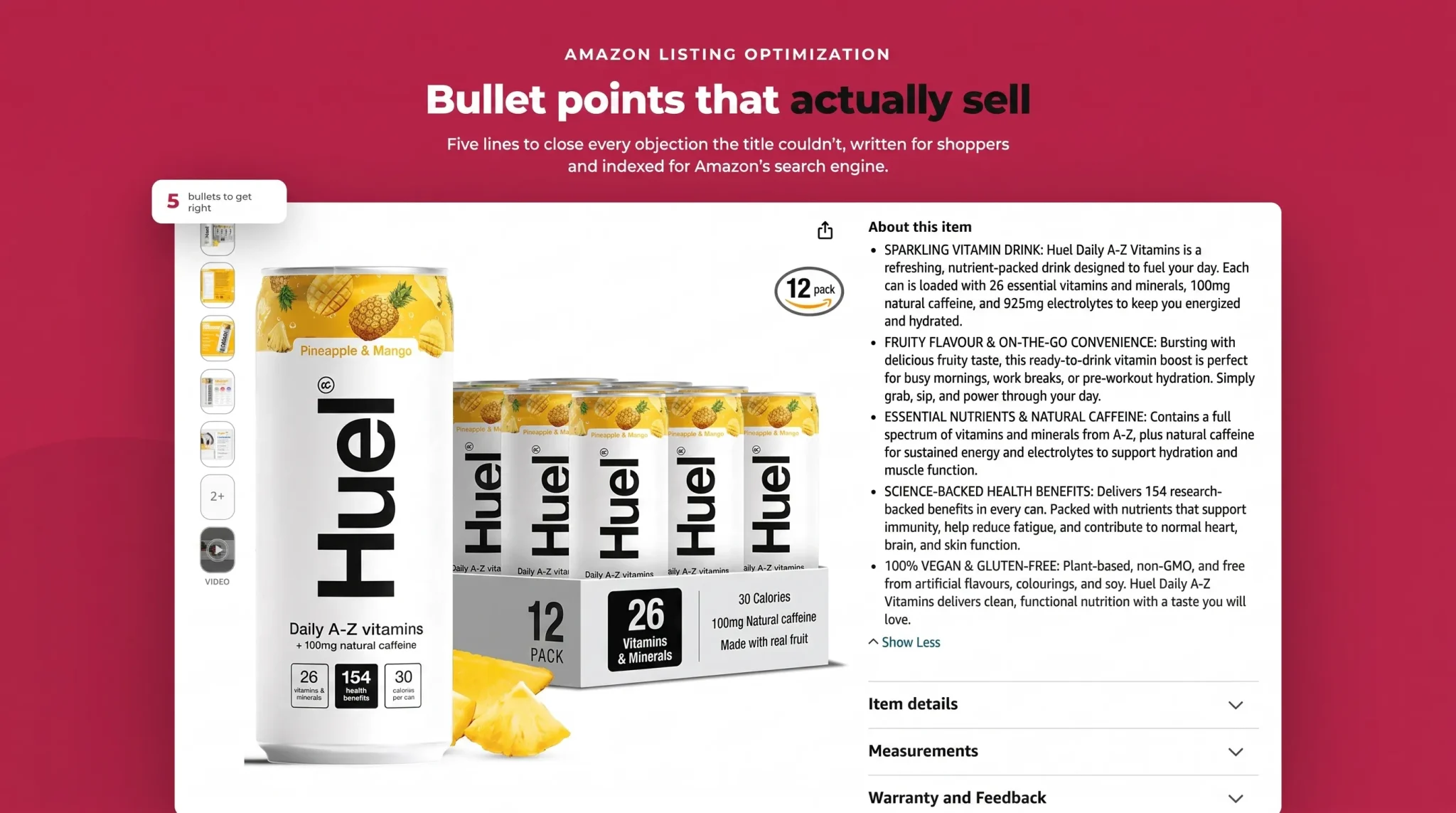
Your bullet points sit in the most valuable strip of text on the whole listing: right under the title, next to the price, above the fold. Amazon now labels this the "About this item" section, and it's often the last thing a shopper reads before they decide to buy or bounce.
Yet most sellers waste it. They either dump a list of specifications with no reason to care, or they cram in every keyword they can think of until the copy reads like a robot wrote it. Both approaches lose the sale. The 2026 shopper skims barely more than one bullet on mobile before jumping to the images and reviews, and Amazon's AI shopping assistant, Rufus, now reads your bullets too when answering shopper questions. Your bullets have to work for a distracted human, a search algorithm, and an AI, all at once.
This guide covers everything: the character limits and byte rules that actually matter, Amazon's guidelines and prohibited content, the writing formula that converts, how to place keywords without stuffing, and before-and-after examples you can copy. For finding and choosing the keywords themselves, we'll point you to our dedicated keyword guide rather than repeat it here.
What Are Amazon Bullet Points and Why They Matter
Amazon bullet points are the short, scannable lines in the "About this item" section of a product page. Most listings get five of them, and their job is to summarise the key product features and, more importantly, why those features matter to the buyer. Amazon has increasingly referred to this area as "item highlights," but the function is the same: a fast, benefit-led snapshot that helps a shopper decide.
They matter for two reasons at once. For the human shopper, bullets are where you close objections the title couldn't: what it does, who it's for, what makes it better, and what they can expect. For Amazon's search engine, the text in your bullets is indexed, which means the keywords you place there help determine which searches your product appears in. Get them right and they lift both conversion and ranking. Get them wrong and you leave money and visibility on the table.
Because bullets sit above the fold on desktop and high on the mobile page, they carry more weight than the longer product description that sits further down. They are prime real estate, and they deserve to be written with intent.
Amazon Bullet Point Character Limit and Rules
Before you write a word, know the technical constraints. They vary by account type and category, and there's one rule about indexing that most sellers miss entirely.
Account type | Bullets allowed | Recommended per bullet | Max per bullet |
|---|---|---|---|
Standard seller | 5 | ~200 characters | 255 (category dependent) |
Brand Registry seller | 5 | ~200 characters | Up to 500 (most categories) |
Vendor (Vendor Central) | 10 | ~200 characters | ~255 |
How Many Bullet Points You Get
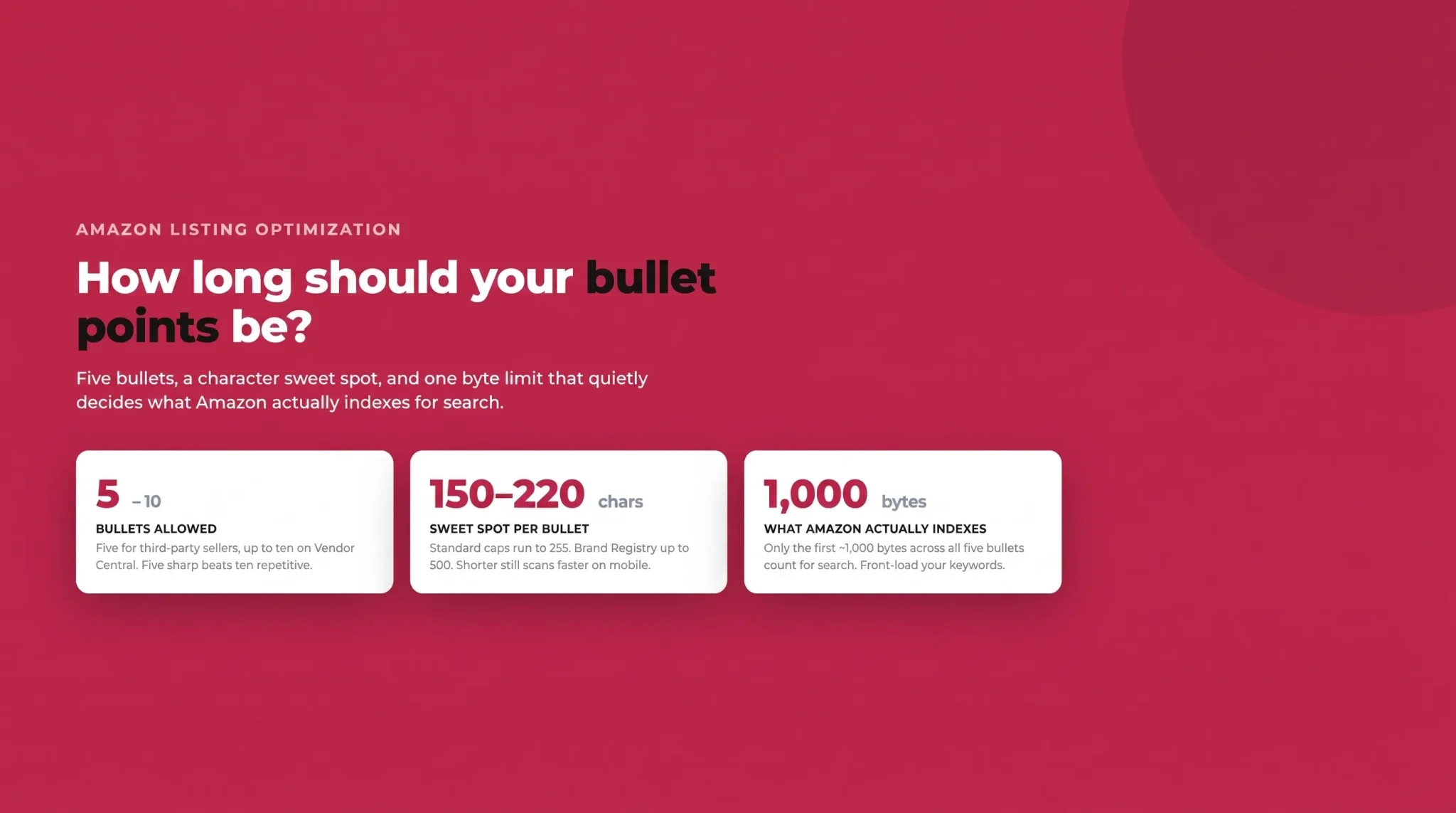
Third-party sellers get five bullet points. Vendors selling through Vendor Central get up to ten. Five is enough for most products if each one earns its place, so don't feel you need to pad. It's better to have five sharp, distinct bullets than ten repetitive ones.
The Character Limit
Here's where advice online gets contradictory, so let's be precise. Standard sellers should aim for around 200 characters per bullet, and depending on category the hard cap is often 255. Brand Registry sellers can technically use up to 500 characters per bullet in most categories. But "can" is not "should." Amazon recommends keeping all five bullets under roughly 1,000 characters combined so they don't get truncated on mobile, and shorter bullets are simply easier to scan. The practical sweet spot is 150 to 220 characters per bullet.
Category Differences
Not every category plays by the same rules. Apparel and some accessories categories enforce tighter caps, sometimes as low as 100 to 150 characters per bullet. Certain technical or industrial categories allow more. Always check the character limit for your specific category in Seller Central before you write, so you don't craft a perfect 400-character bullet that gets cut off or rejected.
The Byte Limit That Actually Matters for SEO
This is the rule almost nobody talks about. There's a difference between what shoppers see and what Amazon indexes for search. Customers can read everything you write in your bullets, but only the first ~1,000 bytes across all five bullets combined are indexed for ranking. A byte is roughly one character for standard English text. Any keyword that falls beyond that 1,000-byte window is visible to shoppers but contributes nothing to your search visibility.
The takeaway is strategic: your most valuable keywords need to appear early, ideally in your first two or three bullets, not buried in bullet five. Long, keyword-heavy bullets at the bottom of the list are wasted from an SEO perspective.
Amazon Bullet Point Guidelines and Prohibited Content
Amazon has tightened enforcement, and in 2026 much of it is automated. The scanner can reject non-compliant bullets, and Amazon may silently modify or remove content that breaks the rules without telling you. That makes compliance non-negotiable, and it makes checking your live listings a regular habit rather than a one-time task.
The core guidelines to follow:
No emojis or special symbols. The automated scanner rejects them.
No all-caps lines. A short capitalised lead-in label is a common convention, but full sentences or whole bullets in capitals get flagged.
No promotional or price language. Phrases like "sale," "free shipping," "best price," "#1," or "guaranteed" don't belong in bullets.
No prohibited claims. Amazon restricts unverified or sensitive claims. Common trip-wires include "eco-friendly," "environmentally friendly," "anti-microbial," "anti-bacterial," "made from bamboo," "made from soy," and medical or health benefits you can't substantiate.
No company or contact information. No website links, email addresses, phone numbers, or seller details.
No guarantee or warranty details stated as promotional hooks.
No repetition. Amazon now actively strips bullets that repeat ideas already in your title, description, or other bullets. Every bullet should add something new.
Following these isn't just about avoiding penalties. Clean, factual, well-structured bullets are exactly what converts a cautious shopper, so compliance and quality pull in the same direction.
How to Write Amazon Bullet Points That Convert
With the rules understood, here's the craft. Good bullets follow a repeatable pattern that serves the benefit first and the feature second.
The Winning Formula
Structure every bullet as: lead-in benefit + supporting feature or proof + why it matters. Open with the outcome the shopper cares about, back it with the specific feature or fact that delivers it, and make the relevance explicit. This order matters because shoppers buy outcomes, not specifications.
A short capitalised lead-in label (three or four words, not a full line) can help the eye jump between bullets, as long as it doesn't tip into an all-caps sentence that the scanner rejects.
Benefit First, Feature Second
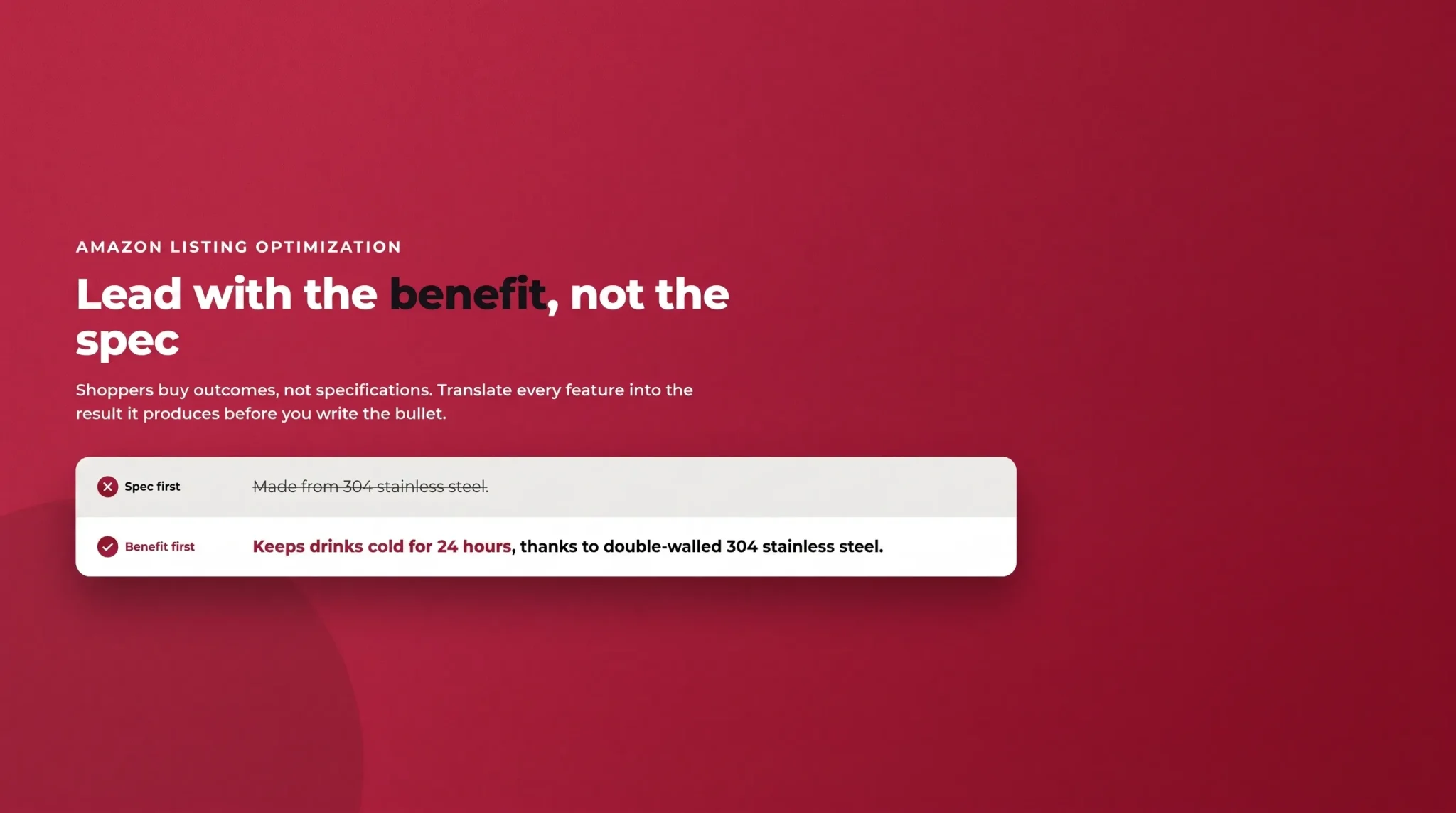
The most common mistake is leading with a spec. "Made from 304 stainless steel" tells a shopper nothing about their day. "Keeps drinks cold for 24 hours, thanks to double-walled 304 stainless steel" leads with the benefit and uses the spec as proof. Translate every feature into the outcome it produces before you write the bullet.
One Idea Per Bullet
Pick the five features most likely to drive the buying decision and give each its own bullet. Trying to pack three benefits into one line makes all of them forgettable. If you have more than five worthy points, prioritise ruthlessly. The bullets are a highlight reel, not a full spec sheet.
Order by Importance
Your first two bullets carry the most weight, both for the human (who may not read past them on mobile) and for the index (where early keywords count most). Lead with your single strongest selling point, follow with your second strongest, and let the later bullets handle supporting details, use cases, and reassurance.
Write for Scanning
Use short, active phrasing that a shopper can absorb at a glance. Keep sentences tight, avoid filler adjectives and vague superlatives, and make sure the first few words of each bullet stand on their own. If someone read only the opening of each bullet, they should still understand your product's five best qualities.
How to Use Keywords in Your Bullets Without Stuffing
Bullets are one of your most valuable indexed fields, but they only work for SEO when keywords are placed with restraint. This is where writing and keyword strategy meet, so it helps to be clear about where the keywords come from.
Finding, validating, and organising your keywords is a job of its own, and we won't repeat it here. If you haven't built a keyword map yet, start with our Amazon keyword research guide, which shows how to mine competitors, find long-tail terms, and sort everything into a primary, secondary, and backend map. The short version for bullets: your secondary keywords are the ones that belong here. Your primary term anchors the title, and true backend terms go in the search-term field, which leaves your bullets to carry the secondary cluster that broadens your reach and reinforces relevance.
With that map in hand, a few placement rules:
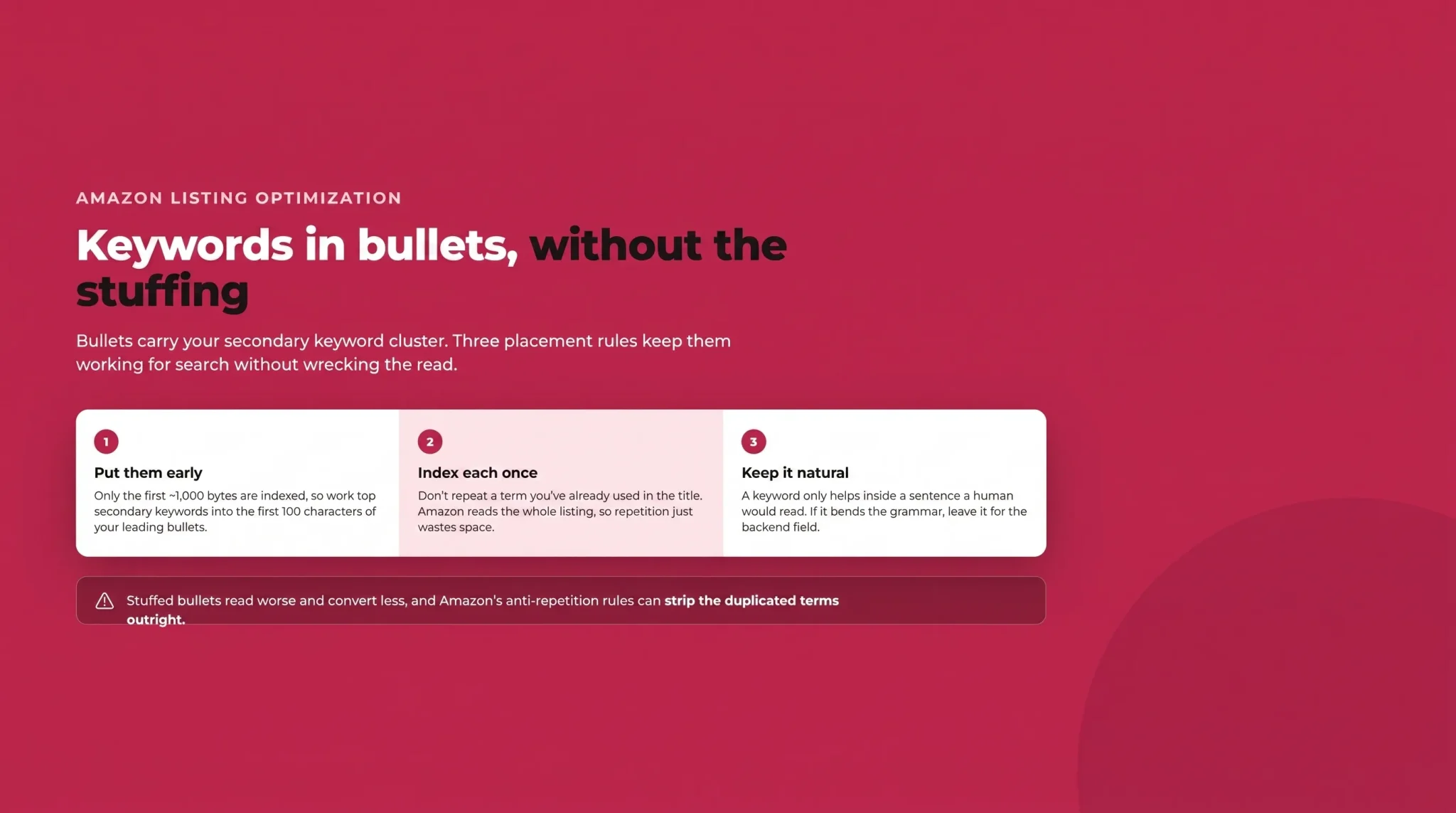
Put high-value secondary keywords early. Because only the first ~1,000 bytes are indexed, work your most important terms into the first 100 characters of your leading bullets.
Index each keyword once. You don't need to repeat a term you've already used in the title. Amazon reads the listing as a whole, so repetition wastes space and reads badly.
Keep it natural. A keyword only helps if it sits inside a sentence a human would actually read. If you have to bend grammar to fit a term, leave it out or move it to the backend field.
Why Keyword Stuffing Backfires
Cramming bullets with keywords used to be a tactic. Now it's a liability. Stuffed bullets read poorly, which drops conversion, and low conversion drags down your ranking regardless of how many keywords you packed in. Amazon's anti-repetition enforcement can strip the duplicated terms outright, and Rufus, the AI assistant, struggles to summarise a keyword salad into a helpful answer for shoppers. The modern winning move is fewer, well-placed keywords inside genuinely useful sentences.
Optimising Bullets for Mobile and AI Search
Two shifts have changed how bullets get read, and both reward the same discipline.
First, mobile. More than 70% of Amazon traffic is now mobile, and on a phone shoppers typically see only the first three bullets, each truncated to roughly 70 to 80 visible characters before a "read more" tap. Most shoppers never tap. That means the opening of every bullet has to deliver a complete, compelling idea on its own. Don't back-load the payoff; if your benefit only appears at character 180, mobile shoppers will never see it.
Second, AI. Amazon's Rufus assistant reads your listing to answer natural-language shopper questions like "is this good for travel?" or "will it fit a standard cup holder?" Clear, factual, benefit-led bullets give Rufus clean material to quote and paraphrase, which can surface your product in those AI-assisted answers. Vague, stuffed, or promotional copy gives it nothing useful. Writing for a human who skims turns out to be the same as writing for the AI that summarises.
Amazon Bullet Point Examples: Before and After
Principles are easier to apply with examples. Here are three weak bullets rewritten using the formula, based on a generic stainless steel water bottle.
Example 1: the spec dump
Before: "304 stainless steel, 500ml capacity, double wall, powder coated."
After: "STAYS COLD 24 HOURS – Double-walled 304 stainless steel keeps drinks ice-cold all day, so your water is still refreshing hours after you fill it."
The before is a parts list. The after leads with the benefit, uses the specs as proof, and closes with why it matters.
Example 2: the keyword stuff
Before: "Insulated water bottle stainless steel water bottle metal water bottle reusable water bottle for gym travel office school."
After: "LEAK-PROOF ON THE MOVE – A secure screw-top lid means no spills in your gym bag or backpack, making this insulated water bottle easy to carry from workout to office."
The before targets keywords at the expense of readability and would likely trigger repetition flags. The after keeps one natural secondary keyword ("insulated water bottle") inside a sentence a shopper would actually read.
Example 3: the vague claim
Before: "Best eco-friendly bottle, premium quality, you will love it, 100% guaranteed."
After: "FITS YOUR DAILY ROUTINE – The slim 500ml design slides into standard cup holders and bottle pockets, so it goes wherever you do without taking up space."
The before breaks compliance rules (prohibited "eco-friendly" claim, promotional language, a guarantee) and says nothing concrete. The after is specific, compliant, and useful.
Common Bullet Point Mistakes to Avoid
Even experienced sellers repeat the same errors:
Spec-dumping with no benefit, leaving the shopper to work out why they should care.
Keyword stuffing that reads badly and now risks being stripped by Amazon.
Repeating the title or the same idea across multiple bullets, which wastes slots and invites removal.
Vague superlatives like "premium," "amazing," or "best" that carry no information.
Back-loading the benefit so it gets cut off by mobile truncation.
Prohibited claims that get the bullet rejected or the listing flagged.
Uniform, samey bullets where every line has the same rhythm and length, making the section a grey wall of text.
DIY vs. Hiring an Amazon Copywriter
Plenty of sellers write their own bullets well, especially once they've built a keyword map and internalised the formula above. If you know your product and your buyer, and you're willing to edit ruthlessly, you can do this in-house.
There's a point, though, where a specialist earns their fee. A good Amazon SEO copywriter does more than write nicely: they translate a validated keyword map into compliant, benefit-led copy, balance human persuasion against indexing rules, and keep up with policy changes so your listing doesn't get quietly edited. For competitive categories, a crowded launch, or a catalogue too large to hand-write, that expertise pays for itself in conversion and ranking.
Turning Bullets Into a Conversion Asset
Your Amazon bullet points are not a spec list to fill in before publishing; they're one of the highest-leverage pieces of copy on your listing. Respect the character and byte limits, follow Amazon's guidelines, lead every bullet with a benefit, place your secondary keywords early and naturally, and design the opening of each line for a mobile shopper who skims. Do that, and your bullets will convince the human, feed the algorithm, and give Amazon's AI something useful to say about your product.
Flairox Listings
Turn Your Keywords Into Bullet Points That Convert
Create compliant, benefit-led Amazon bullet points backed by a validated keyword strategy and optimized for both search visibility and conversions.
Optimize Your Listing Free → ✓
Frequently asked questions
Third-party sellers get five bullet points; vendors get up to ten. Five well-written, distinct bullets are enough for most products.