 Raahim Sheikh
You've just lost more than half of your most valuable keyword space. With Amazon's title limit dropping to 75 characters from 27 July 2026, the titles you spent years building no longer fit, and the instinct is to panic about every keyword you're about to drop. Don't. A shorter title isn't automatically a weaker one. A tight, well-structured 75-character title can convert better than a 200-character keyword dump ever did, especially on mobile where most of your customers actually shop.
The catch is that you have to engineer it deliberately. Learning how to write an Amazon product title that survives the cut means knowing exactly what belongs in those 75 characters, what moves to the new Item Highlights field, and the order to make decisions in. This guide gives you the formulas, real before-and-after examples, and a repeatable process you can run across your whole catalogue.
The New Two-Field Structure
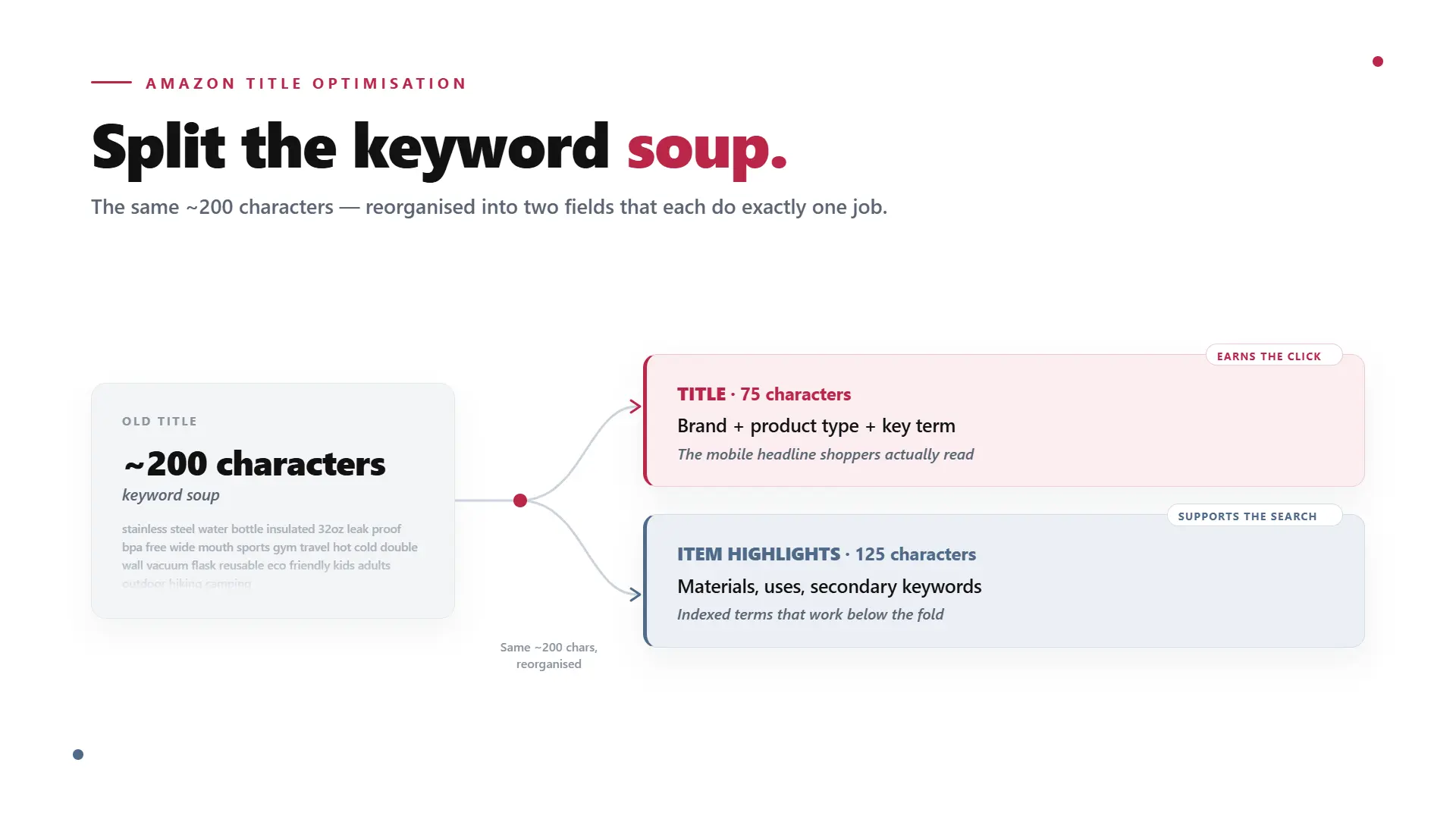
Before you rewrite anything, understand what changed structurally. Amazon split the old 200 characters of searchable title space into two fields that do different jobs.
The title field now holds 75 characters and has one purpose: tell a shopper, instantly, what the product is. Think of it as a mobile-first headline. Brand, core product, the one thing they're searching for. The Item Highlights field holds 125 characters, is searchable, and displays directly beneath the title in search results and on the product page. This is where the detail that used to clog the back of your title now lives, including materials, use cases, pack sizes, certifications, and secondary keywords.
Add them together and you still have roughly 200 characters of indexable content. You haven't lost search real estate. You've been told to organise it, with the title doing the selling and Item Highlights doing the supporting.
The Anatomy of a High-Performing 75-Character Title
Start With the Core Formula
A reliable structure that fits inside 75 characters is brand, then product type, then your primary keyword or differentiator, then size or variant. That typically lands between 45 and 65 characters, leaving you a small buffer for one extra qualifying detail. For example: "Brand Stainless Steel Water Bottle, Insulated, 750ml." It names the brand, says exactly what the product is, includes the differentiator buyers care about, and ends with the variant, all in well under 75 characters.
The goal isn't to use all 75 characters. It's to communicate the product clearly and include the keyword that actually drives clicks. If you can do that in 55 characters, do it in 55.
Front-Load Your Highest-Intent Keyword
Word order matters. Amazon's algorithm and your shopper both read left to right, and the earliest words carry the most weight, for relevance and for the part of the title that survives mobile truncation. Lead with brand, then put your single highest-intent keyword phrase as early as the sentence allows. In most categories, the best primary phrase is two to four words. Don't bury "insulated water bottle" behind three adjectives nobody searches for.
Budget Your Characters Before You Write
Count characters, including spaces, before you start writing, not after. It's easy to underestimate how fast the budget disappears. A brand name and a size variant alone can eat 25 to 30 characters before you've written a single descriptive word. "Stainless Steel Water Bottle" is already 29 characters with spaces. Map what's non-negotiable first, then spend what's left on the differentiator.
Two quick ways to claw back characters: use numerals instead of words ("2" not "two") and use standard unit abbreviations (cm, kg, ml, oz). These are Amazon-endorsed and can save you five to ten characters per title.
Step by Step: Rewriting Your Title in 6 Steps
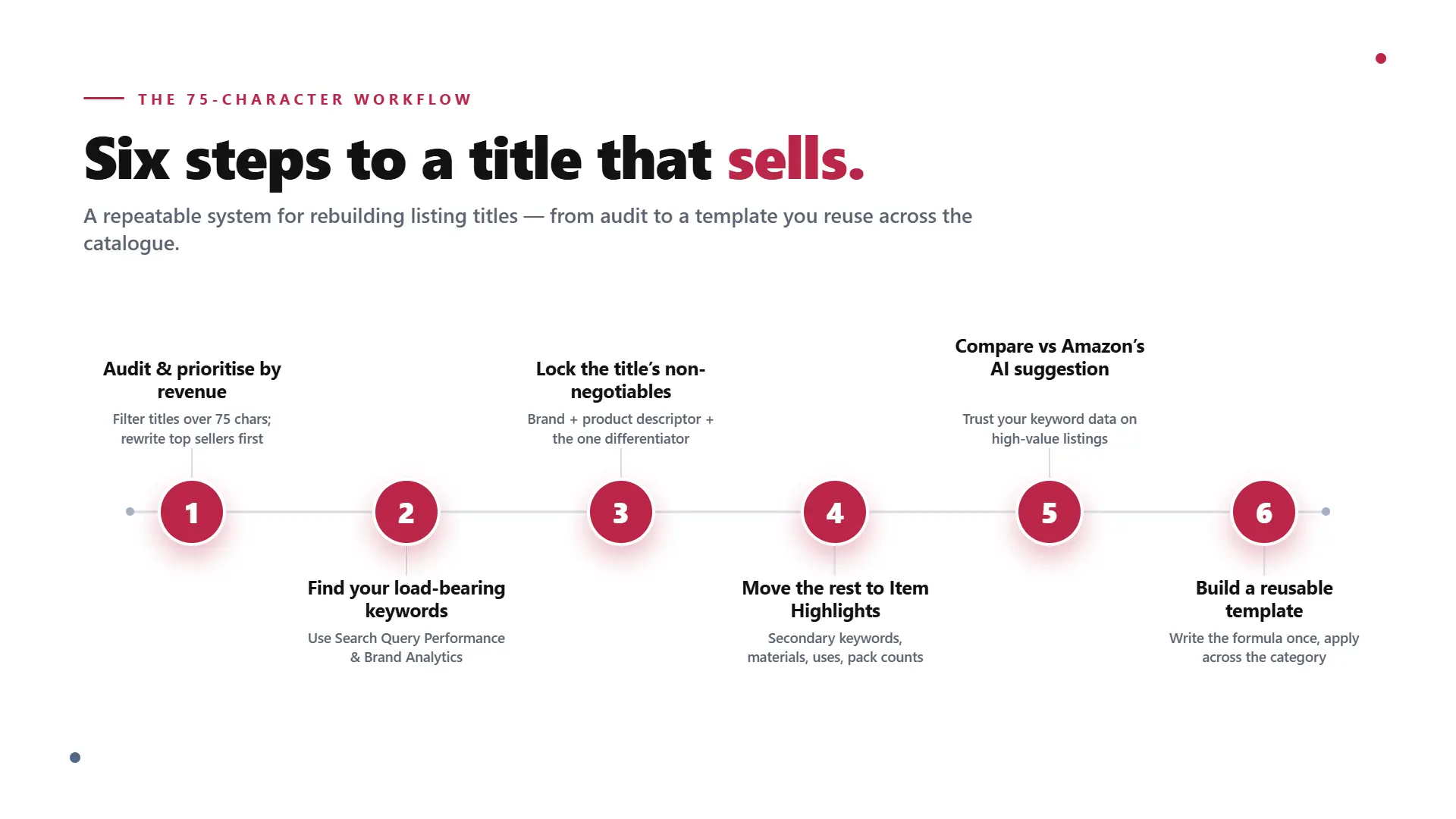
Step 1: Audit and Prioritise by Revenue
Export your catalogue and filter for titles over 75 characters. Sort by sales. Your top 20% of ASINs by revenue get rewritten manually. The long tail can lean on Amazon's AI suggestions if you run out of time, but your best-sellers should never be left to an algorithm.
Step 2: Find Your Load-Bearing Keywords
Before you cut a single word, work out which keywords are actually holding your rank. Use Search Query Performance and Brand Analytics to separate the terms driving impressions and sales from the ones just taking up space. You cannot safely shorten a top listing without knowing which keywords are doing the work. If you need a cleaner process, start with this Amazon keyword research system before editing your title.
Step 3: Lock the Title's Non-Negotiables
For each priority ASIN, decide the three things the title must contain: brand name, core product descriptor, and the one keyword or differentiator that drives the click. Write those down first. Everything else is a candidate for removal.
Step 4: Move the Rest Into Item Highlights
Secondary keywords, materials, certifications, use cases, pack counts, and the attributes shoppers filter by all move into the 125-character Item Highlights field. Treat it as a deliberate secondary keyword field, not a dumping ground for leftovers. Lead with the most valuable secondary terms in case it truncates.
Step 5: Compare Against Amazon's AI Suggestion
Pull Amazon's recommendation through Manage All Inventory, then Edit, then View enhancements, and compare it to your manual version. If they're close, your title was already well structured. If they differ sharply, that's useful information about how Amazon reads your product, but trust your keyword data over the algorithm on high-value listings.
Step 6: Build a Reusable Template
If you have multiple SKUs in the same category, write the formula once and apply it consistently, something like brand, then product type, then key benefit, then size or colour or count. A documented template lets your team or VAs produce compliant, consistent titles at scale once the structure is established. For a broader workflow, you can also use a full Amazon listing optimization SOP to control QA before publishing changes.
Before and After: Real Title Rewrites
Seeing the split in action makes it concrete.
Example | Original Title | New 75-Character Title | Item Highlights |
|---|---|---|---|
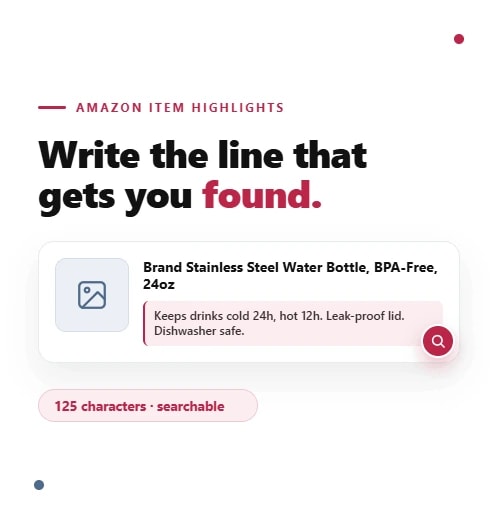
Consumer Product | "Premium Stainless Steel Insulated Water Bottle Keeps Drinks Cold 24 Hours Hot 12 Hours BPA-Free Leak-Proof Lid." | "Premium Stainless Steel Water Bottle, BPA-Free, 24oz" | "Keeps drinks cold 24 hours, hot 12 hours. Leak-proof lid. Dishwasher safe." |
Industrial or Hardware Product | The original title is not shown here, but the old format would usually try to force every material, standard, pack count, and use case into one long title. | "Brand M8 Stainless Hex Bolts, A2-70, 50 Pack" | "Marine-grade 304 stainless. DIN 933 fully threaded. Corrosion resistant for outdoor use." |
Same information, reorganised. The title sells; the highlights support. The shopper still sees the size, grade, and pack count at a glance, while the supporting detail sits one line below rather than buried in a wall of text.
Amazon's Title Rules and Formatting
Compliance isn't optional, and breaking these rules can get a listing suppressed. Bake them into your template:
Capitalise the first letter of each word, except short words like "and," "in," "with," and "for."
Use numerals, not spelled-out numbers ("4," not "four").
Spell out and abbreviate units of measurement consistently (cm, kg, ml, oz).
Write "and" instead of an ampersand, unless it's part of your brand name.
Leave out special characters and decorative symbols.
Keep prices, promotions, and shipping claims out of the title.
Don't include your seller name or subjective commentary like "amazing" or "top quality."
Avoid repeating words, with sensible exceptions for prepositions and conjunctions.
These formatting checks are part of the larger Amazon product detail page rules sellers should follow before saving listing changes.
Common Mistakes to Avoid
A handful of errors come up again and again:
Cutting blind. Removing keywords without checking which ones hold your rank, then finding out weeks later when your position drops.
Treating Item Highlights as overflow. Stuffing it with whatever didn't fit instead of choosing your strongest secondary terms.
Padding the title to hit 75 characters. If 55 characters reads better, use 55.
Leading with adjectives instead of the product noun. Shoppers need to understand what the item is before they care about the adjective.
Editing during peak traffic. Rewrite during quiet periods so any ranking wobble settles before it costs you sales, not the week of a major event.
Mobile visibility is one of the biggest reasons this change matters. If your title looks clean on desktop but gets messy on a phone, use this guide on optimizing Amazon listings for mobile users before publishing.
Your Pre-Publish Checklist
Run each rewritten listing against this before you save:
Title is 75 characters or fewer, including spaces.
Brand and core product type appear in the first few words.
Your highest-intent keyword is present and near the front.
Load-bearing keywords are preserved in the title or Item Highlights.
Item Highlights leads with your strongest secondary terms.
Numerals and unit abbreviations are used to save space.
No banned content: prices, promotions, symbols, seller name, or subjective claims.
Capitalisation and formatting follow Amazon's rules.
It reads cleanly on a phone screen, not just on desktop.
💡 Pro Tip: Protect Your Keyword Rankings
Rewrite Your Titles Before Amazon Rewrites Them
Shorter titles do not have to mean weaker rankings. Flairox Listings helps you identify priority keywords, compare competitors, and build cleaner Amazon-compliant listing copy without keyword stuffing.
Claim Your 2 Free Listing Optimizations →
Get Your Titles Ready the Right Way
Knowing how to write an Amazon product title for the 75-character era is one thing; doing it across hundreds or thousands of SKUs without losing rankings is another, especially against a deadline. The brands that come out ahead will treat this as a chance to build cleaner, more intentional listings rather than a fire drill.
That's exactly what we do. At Flairox, we optimise Amazon listings for growing brands, from keyword research and title structure to Item Highlights and ongoing rank tracking. Book an Amazon listing audit with Flairox and we'll rebuild your titles to be compliant, keyword-smart, and ready to convert. For broader title guidance, see our guide on Amazon product title optimization rules and examples.
Frequently asked questions
Focus on one primary keyword phrase, usually two to four words, placed near the front, plus the brand and core product type. Don't try to cram multiple keyword variations in. Secondary keywords belong in the Item Highlights field and your back-end search terms.