 Raahim Sheikh
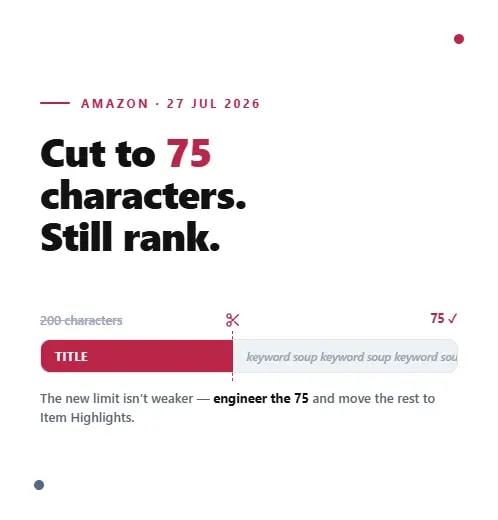
You've been told to "move your keywords to Item Highlights," but almost nobody has explained how the field actually works or how to write it so those keywords still pull their weight. With Amazon's 75-character title limit arriving on 27 July 2026, up to 125 characters of what used to live in your title now has a new home, and treating that home as a dumping ground is the fastest way to waste it.
Item Highlights is searchable, visible, and increasingly important to how shoppers find and compare products. Done well, it recovers much of the discoverability your shorter title gives up. Done lazily, it's just clutter. This guide covers exactly how to write Amazon Item Highlights: what the field is, what belongs in it, the formatting rules, and a repeatable way to build it across your catalogue.
What the Item Highlights Field Actually Is
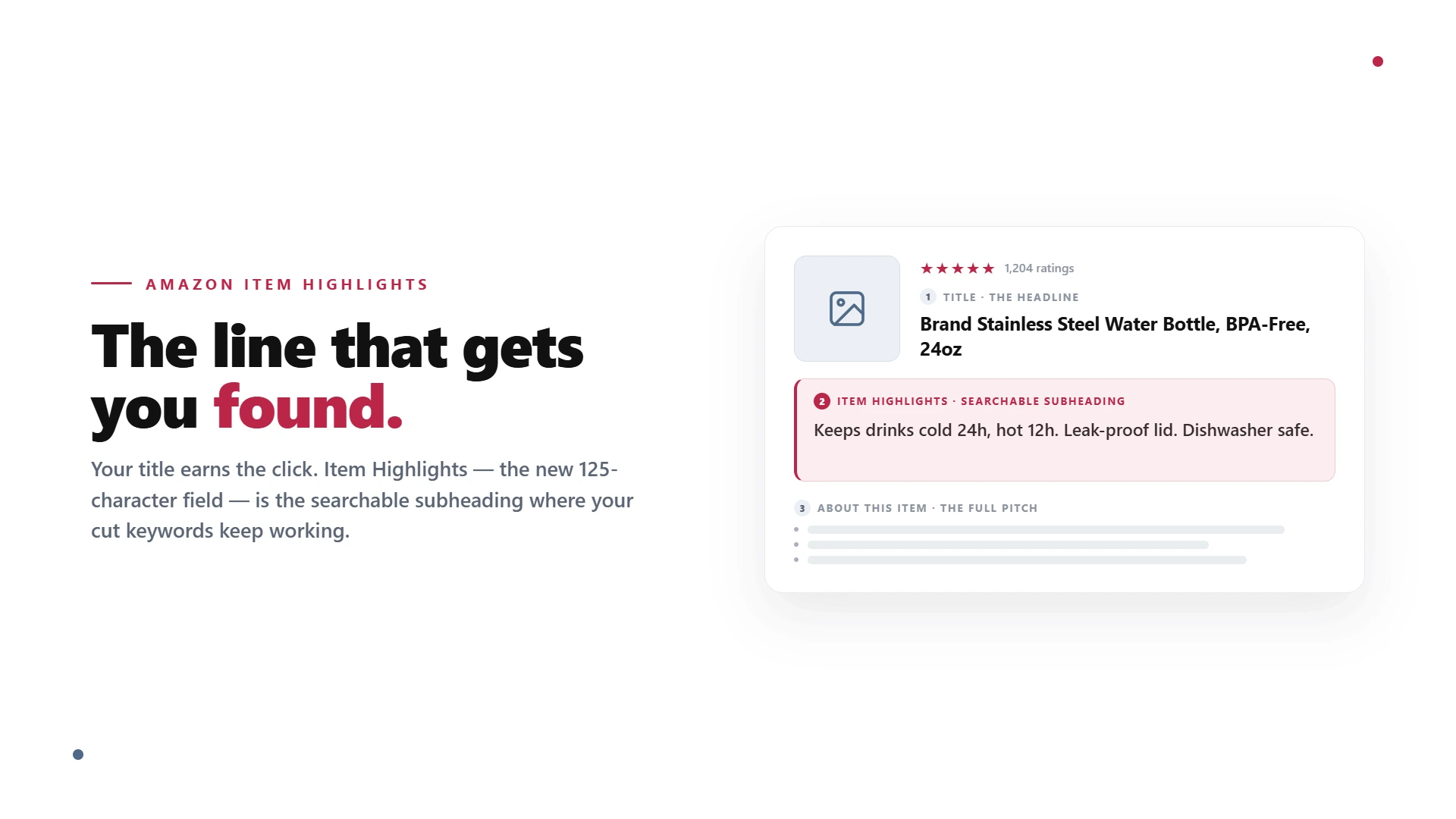
Item Highlights is a new field of up to 125 characters that Amazon introduced alongside the shorter title. It sits directly beneath the title in search results and on the product detail page, and crucially, its content is searchable. It is designed to carry the supporting detail that helps a shopper weigh one product against another: materials, recommended use cases, size and pack information, and comparison terms.
It helps to be clear about what Item Highlights is not. It is not your title, which now does one job: state what the product is in 75 characters. And it is not the same as your five "About this item" bullet points, which still exist on the detail page to sell features and benefits at length. Item Highlights is a shorter, structured, search-facing field that bridges the two. Think of the title as the headline, Item Highlights as the subheading that adds the qualifying detail, and the bullets as the full pitch further down the page.
What Belongs in Item Highlights, and What Doesn't
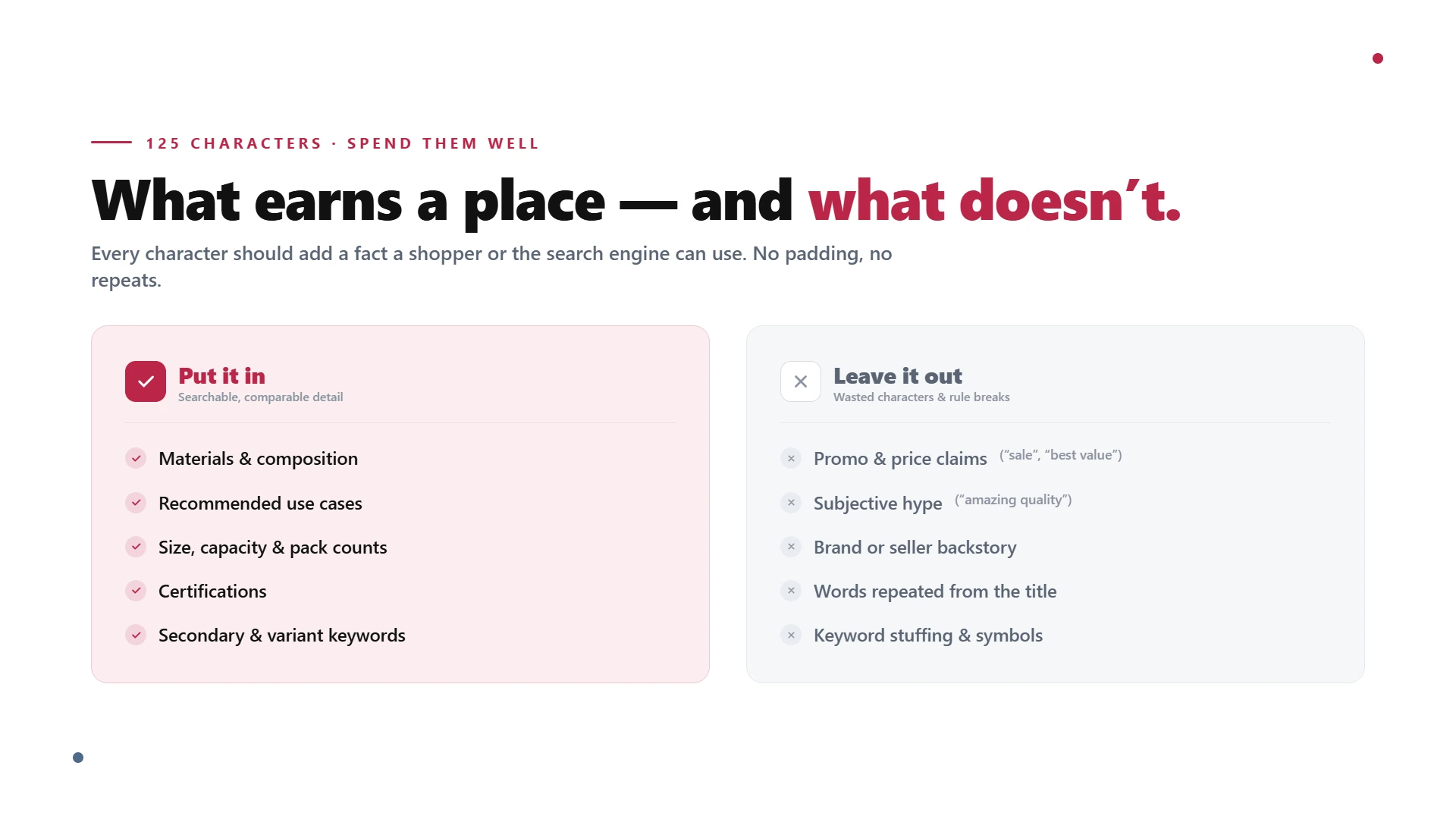
The job of this field is to hold the high-value detail that no longer fits in the title but still influences a buying decision or a search. That means materials and composition, recommended use cases, size, capacity and pack counts, certifications, and the secondary keywords that describe variants and audiences. These are the terms shoppers add when they refine a search, and the attributes they scan when comparing two similar products.
What doesn't belong is anything that breaks Amazon's content rules or wastes characters. Keep out promotional language and price claims like "sale" or "best value," subjective commentary like "amazing quality," your seller or brand backstory, and any repetition of words you've already used in the title. The field is small, so every character should add a fact a shopper or the search engine can use, not padding.
How to Write a High-Performing Item Highlights Field
Lead With Your Strongest Secondary Keyword
The field is searchable and can truncate on smaller screens, so put your most valuable secondary keyword phrase at the very start. If a shopper or the algorithm only reads the first few words, those words should be the ones most likely to win the match. Don't open with a generic adjective when you could open with the use case or material people actually search for.
Write in Tight Fragments, Not Full Sentences
You have roughly 125 characters, so write the way a spec sheet does: short, factual fragments separated by full stops or commas, not flowing prose. "Keeps drinks cold 24 hours, hot 12 hours. Leak-proof lid. Dishwasher safe." communicates four selling points in under 75 characters. A grammatically complete sentence would have spent the same space saying half as much.
Prioritise the Comparison Terms Shoppers Filter By
When a customer is choosing between two near-identical products, a handful of attributes decide it: capacity, material grade, compatibility, pack size, certification. Lead with those. Item Highlights is most powerful when it answers the exact question a shopper is weighing, because it shows up right where they're comparing.
Step by Step: Building Your Item Highlights
Run this process on each listing, starting with your best-sellers.
Step 1: Collect the Details You Cut From the Title
When you shortened the title to 75 characters, you set aside materials, use cases, sizes, and secondary keywords. That offcut is your raw material for Item Highlights.
Step 2: Rank That Detail by Value
Use your Search Query Performance and Brand Analytics data to identify which of those secondary terms actually drive impressions and conversions. The highest-value terms go in first. If you need a cleaner process for this, start with a proper Amazon keyword research system before editing high-value listings.
Step 3: Draft Within the 125-Character Budget
Write the strongest two to four fragments, leading with the top keyword or comparison term. Count characters, including spaces, as you go, and cut the weakest fragment if you run over.
Step 4: Check It Reads Cleanly on Mobile
Because the field shows beneath the title in search, read it on a phone. If the first few words don't make sense in isolation, reorder them.
Step 5: Compare Against Amazon's AI Suggestion
Pull Amazon's recommendation through Manage All Inventory, then Edit, then View enhancements. Use it as a sense-check, but trust your own keyword data over the algorithm on listings that matter.
Examples: Weak Versus Strong Item Highlights
Seeing the difference makes the rules concrete.
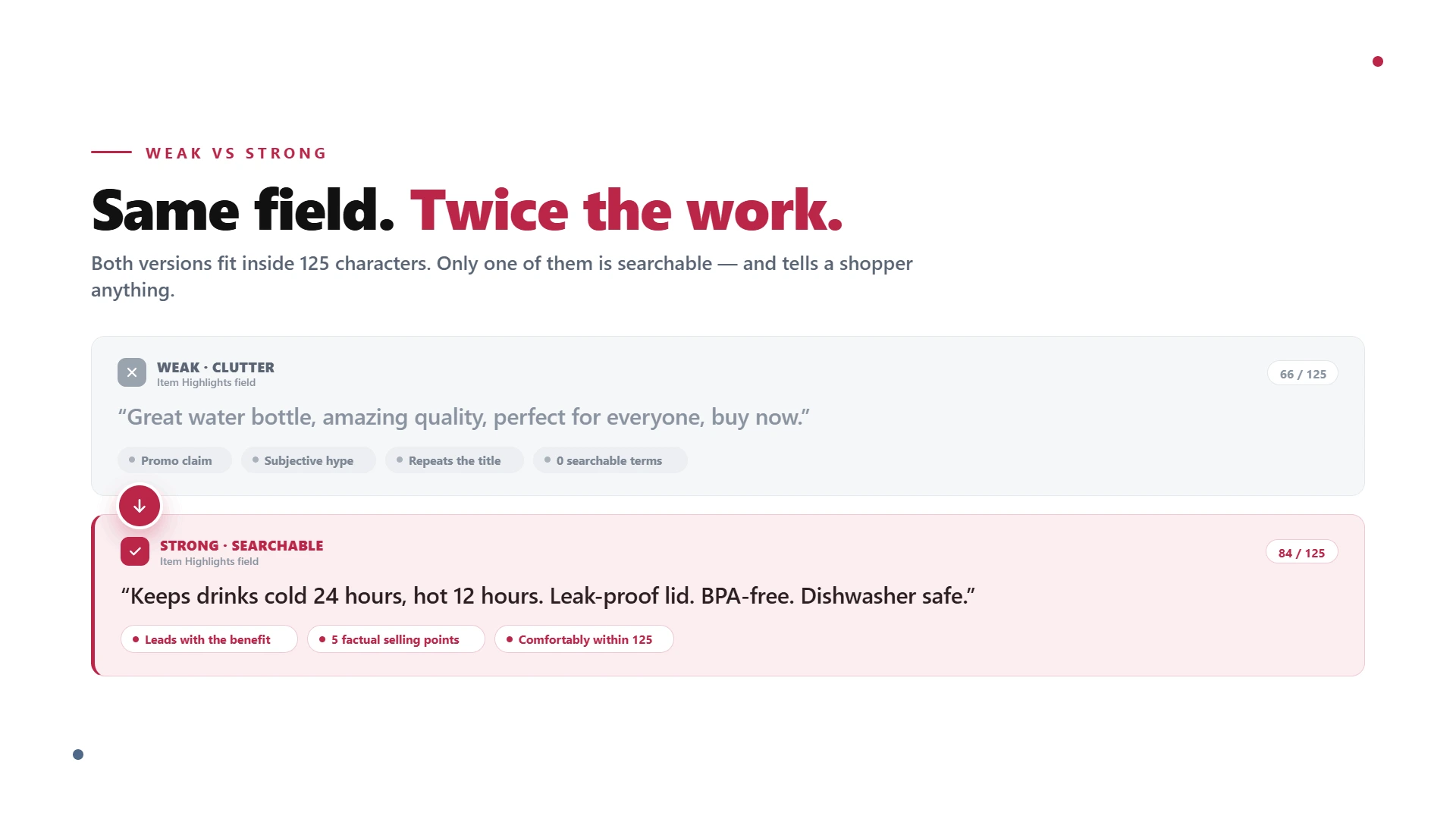
Consumer product (insulated water bottle). A weak version repeats the title and adds fluff: "Great water bottle, amazing quality, perfect for everyone, buy now." It breaks the promo and subjective-claim rules and includes no searchable detail. A strong version reads:
Optimized Version: "Keeps drinks cold 24 hours, hot 12 hours. Leak-proof lid. BPA-free. Dishwasher safe."
It leads with the benefit people search for, packs in four factual selling points, and stays well inside the limit.
Hardware product (stainless hex bolts). A weak version is vague: "High quality bolts for all your needs, great value pack." A strong version gives buyers the specs they compare on:
Optimized Version: "Marine-grade 304 stainless. DIN 933 fully threaded. Corrosion resistant. Pack of 50, M8 x 30mm."
Every fragment is a filterable attribute, which is exactly what a hardware buyer is scanning for.
Formatting and Compliance Rules
The same content standards that govern titles apply here, so build them into your template. Capitalise the first letter where it reads naturally and write in clear, factual fragments. Avoid ALL CAPS, emojis, and decorative symbols. Keep out prices, promotions, and shipping claims, along with subjective language like "amazing" or "best." Don't repeat words already used in your title, and don't keyword-stuff. Stick to information a shopper can verify, because Amazon's content moderation can flag promotional or unsupported claims, and a flagged field helps no one.
For the title side of the same compliance work, use this guide on Amazon product title optimization rules before publishing a full listing update.
Common Mistakes to Avoid
A few errors come up repeatedly:
Duplicating the title. Repeating words you've already used wastes the field and can trip Amazon's repetition rules. Use it for new information.
Treating it as overflow. Pasting in whatever didn't fit, in no particular order, rather than leading with your highest-value terms.
Writing full sentences. Flowing prose burns characters you can't spare. Fragments pack in more.
Burying the key term. Putting the most-searched attribute at the end, where truncation can hide it.
Adding promo or subjective claims. "Best value" and "amazing" add nothing searchable and risk a content flag.
Your Item Highlights Checklist
Run each listing against this before you save:
The field is 125 characters or fewer, including spaces.
Your strongest secondary keyword or comparison term comes first.
Content is written in tight, factual fragments, not full sentences.
It includes the materials, sizes, uses, or certifications shoppers compare on.
No words are repeated from the title.
No prices, promotions, symbols, emojis, or subjective claims.
It reads clearly on a phone screen, even if truncated.
💡 Pro Tip: Protect Discoverability
Rewrite Titles and Item Highlights Together
A shorter title does not have to mean weaker keyword coverage. Flairox Listings helps you prioritize title keywords, move secondary terms into Item Highlights, and keep the full listing compliant without keyword stuffing.
Claim Your 2 Free Listing Optimizations →
Get Your Listings Ready the Right Way
Knowing how to write Amazon Item Highlights is the other half of surviving the 75-character title change. The title earns the click; Item Highlights protects the discoverability and comparison detail your shorter title can no longer carry. Used well across a whole catalogue, the two fields together can leave your listings cleaner and more findable than the old keyword-stuffed titles ever were.
That's exactly what we do. At Flairox, we optimise Amazon listings for growing brands, rebuilding titles and Item Highlights around the keywords that actually drive rank and conversion. Book an Amazon listing audit with Flairox and we'll get your catalogue ready before the deadline. For the wider context, see our explainer on Amazon's 75 character title limit, and for the title side of the job, read how to write a 75-character Amazon title that still ranks.
Frequently asked questions
No. Item Highlights are a shorter, search-facing field that appears close to the product title, while bullet points are longer selling points on the product detail page. Item Highlights should carry concise comparison details like material, size, use case, certification, or pack count. Bullet points can explain features and benefits in more detail.