 Anum Zahid
Key takeaways
Amazon enforces strict product page content rules to protect shoppers and ensure consistency across listings.
Violating these policies can result in listing suppression, account warnings, or even suspensions.
This guide covers Amazon’s core PDP policies, common violations, and actionable tips to stay compliant and protect your seller account.
Introduction
Creating a compelling product detail page (PDP) on Amazon isn’t just about crafting catchy titles or uploading high-quality images. It's also about adhering to Amazon’s strict product detail page rules Amazon has established to maintain a trustworthy marketplace and ensure buyers receive accurate, clear, and relevant information. These product detail page rules Amazon enforces cover everything from product titles, bullet points, and descriptions to product images, pricing, and backend keywords. Sellers must avoid including promotional material, false product identification information, or alternative shipping offers that could mislead customers or harm the customer experience.
Violations of these rules—whether intentional or accidental—can result in serious consequences. From listing suppressions on an existing product detail page to full account suspensions, policy breaches can hinder your visibility and sales. Only the brand administrators or authorized users with brand registry branded ASIN privileges can make certain edits, emphasizing the importance of understanding who owns and controls the product detail page content.
In this guide, we’ll break down the most important product page policies, common mistakes to avoid, and how you can ensure full compliance for long-term success while leveraging page creation tools and the brand registry portal to maintain accurate and positive product listings.
What Are Amazon Product Detail Page Rules?
The Purpose of PDP Rules
Amazon’s product detail page rules serve a few key purposes:
Ensure accurate and consistent content that helps customers make informed buying decisions. This means every product detail page must present clear, truthful, and standardized information about the product, including its features, specifications, and benefits. Consistency across listings prevents confusion and builds customer trust, which is essential for positive customer reviews and repeat purchases. Adhering to these rules also helps sellers avoid penalties related to incorrect information or misleading claims, ensuring a smooth listing process and protecting their selling privileges on Amazon.
Adhering to product detail page rules Amazon enforces is vital for maintaining accurate and consistent listings. Sellers must ensure product titles, descriptions, bullet points, and images comply with Amazon’s standards, avoiding false information and promotional content. Only authorized users or brand administrators can edit certain brand registry ASINs. Monitoring buyer feedback and using tools like the brand registry portal helps maintain compliance and prevent listing suppressions or account suspensions. Understanding Amazon’s content contribution system ensures the correct information appears on the product detail page, protecting selling privileges and enhancing customer trust.
Create a uniform shopping experience where every product detail page (PDP) maintains a consistent and clear structure across the entire Amazon catalog. This uniformity helps customers easily compare products and make informed purchasing decisions, reducing confusion and enhancing overall satisfaction. By following Amazon’s product detail page rules Amazon enforces, sellers contribute to a trustworthy marketplace that prioritizes accurate detail page information and positive customer experiences. Maintaining compliance with these rules also supports smoother editing detail pages processes, whether updating an existing listing or creating product detail pages for new products. Consistent adherence to these standards benefits all contributing parties sales volume by ensuring that each product sold is represented fairly and transparently on a single detail page, ultimately protecting selling privileges and fostering long-term success on the platform.
By enforcing these standards, Amazon reduces customer confusion and enhances platform-wide quality.
Who Owns the Product Detail Page?
Amazon operates on a shared catalog model where a single ASIN (Amazon Standard Identification Number) corresponds to one universal product detail page shared by all sellers offering that product. Brand Registered sellers have greater control over the product detail page content and can use tools like A+ Content to enhance their listings. Non-registered sellers can contribute content as well, but their input might be overridden by higher-priority contributions, especially from brands or Amazon Retail. Amazon determines which listing content is displayed through a content contribution hierarchy based on data authority rather than seller size or duration, ensuring that the most accurate and authoritative information appears on the product detail page.
Key Amazon Product Page Guidelines You Must Follow
Title Guidelines
Product titles are one of the most heavily regulated parts of an Amazon PDP. Here are the best practices:
Keep titles under 200 characters. Keeping product titles concise and within the 200-character limit ensures they are fully visible across all devices and platforms. This helps customers quickly understand what the product is without being overwhelmed by lengthy or cluttered titles.
Use this recommended structure: Brand + Product Type + Key Features + Quantity. Following a standardized title format like Brand, Product Type, Key Features, and Quantity provides a clear and consistent way for shoppers to identify the product. This structure also improves search relevance and helps Amazon’s algorithms categorize your listing correctly.
Avoid promotional or subjective language such as “Best Seller,” “Top Quality,” or “Free Shipping.” Amazon prohibits the use of promotional claims or subjective terms in product titles because they can mislead customers and create an unfair advantage. Titles should focus on factual product information rather than marketing hype.
Capitalize the first letter of each word, but don’t use ALL CAPS or special characters like “!” or “$.” Proper capitalization improves readability and maintains a professional appearance on the product detail page. Avoiding all caps and special characters prevents your title from appearing spammy or aggressive, which can negatively impact buyer trust.
Amazon’s category-specific style guides provide additional guidance, so make sure to consult them regularly.
Bullet Points and Descriptions
Your bullet points and product descriptions should:
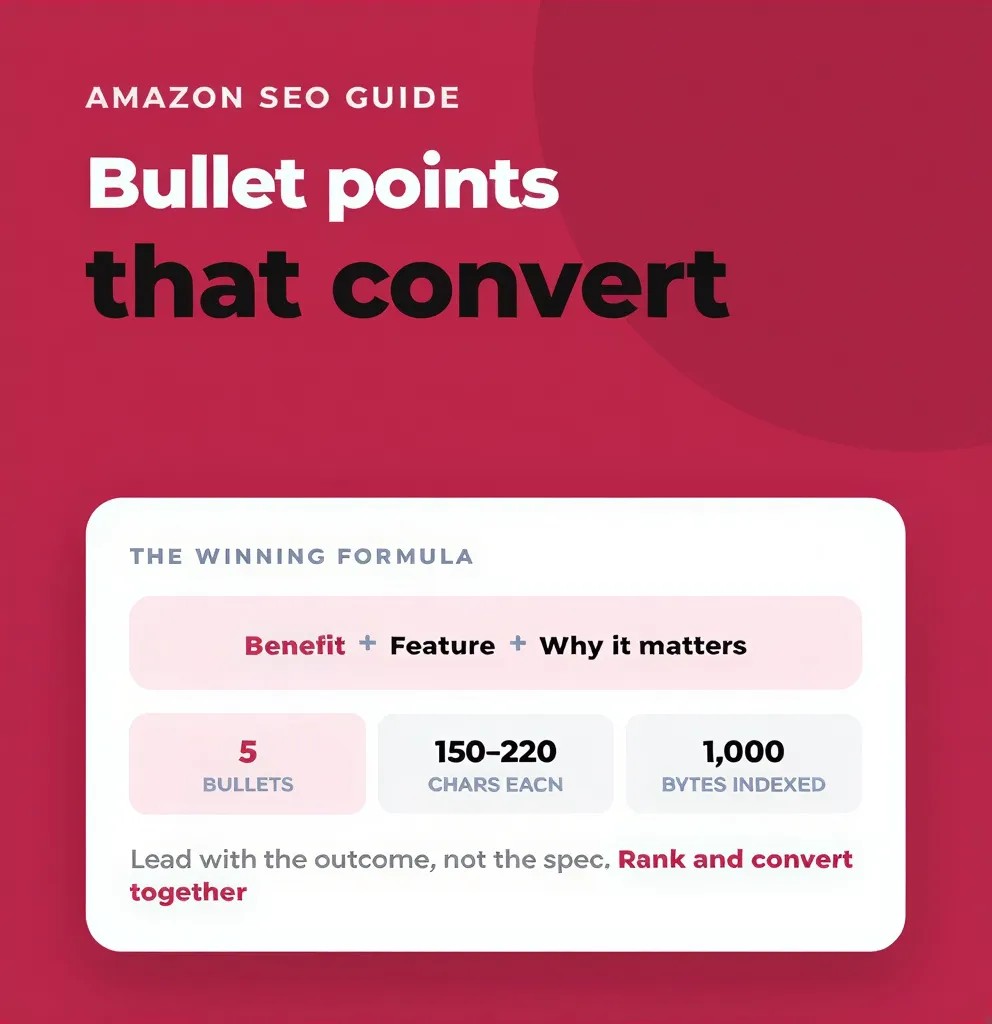
Use a maximum of 5 bullet points (depending on category).
Limiting your product detail page to a maximum of five bullet points helps keep the information concise and easy for customers to digest. Depending on the product category, this number may vary slightly, but adhering to this guideline ensures your listing remains clear and focused. This approach enhances the shopping experience, reduces negative customer experience, and aligns with Amazon’s product detail page rules Amazon enforces to maintain consistency across the marketplace.
Avoid HTML or JavaScript, except for <br> tags in descriptions.
Amazon prohibits the use of HTML or JavaScript in product listings to maintain consistency, security, and compliance with the single product detail page format. The only exception is the use of <br> tags in product descriptions, which allows sellers to format text with line breaks for better readability without compromising the page’s integrity. This rule helps prevent incorrect information or time sensitive information from being displayed improperly.
Clearly highlight product features, benefits, and use cases.
Your bullet points should effectively communicate the key features, benefits, and practical uses of the product. This clarity helps customers quickly understand what the product offers and how it can meet their needs, positively influencing their purchase decision. Providing accurate product detail information also supports a positive customer experience and reduces the risk of a to z claims or other disputes.
Avoid subjective phrases (e.g., “the best,” “amazing quality”) or keyword stuffing.
Using subjective or promotional language like “the best” or “amazing quality” is against Amazon’s policies because it can mislead customers and lead to listing suppression. Similarly, keyword stuffing reduces readability and can trigger Amazon's automatic system to block edits or suppress listings. Focus on factual, clear, and relevant information to maintain compliance, protect your selling privileges, and encourage authorized users to contribute accurate content.
Remember, concise and value-driven content performs better with both shoppers and Amazon’s algorithms.
Image Requirements
Images are a major component of PDPs, and Amazon has detailed guidelines to follow:
At least one main image with a pure white background (RGB 255, 255, 255).
Amazon requires that every product listing includes at least one main image that features a pure white background. This standard ensures a clean, distraction-free presentation of the product, allowing customers to focus solely on the item being sold. The specified RGB value (255, 255, 255) guarantees consistency across the platform and enhances the overall shopping experience.
Minimum resolution: 1000 pixels on the longest side for zoom capability.
To provide customers with the ability to closely examine product details, Amazon mandates that main images have a minimum resolution of 1000 pixels on the longest side. This high-resolution requirement enables the zoom function on product pages, which can significantly influence buying decisions by allowing shoppers to inspect the product's quality and features more thoroughly.
No watermarks, logos, text overlays, or borders on the main image.
Amazon strictly prohibits the use of watermarks, logos, text overlays, or borders on the main product image. These elements can detract from the product itself, create a cluttered appearance, and potentially mislead customers. Maintaining a clean and professional main image helps uphold Amazon’s standards for product presentation and ensures a consistent look across listings.
You can include lifestyle images, infographics, or close-ups in additional image slots.
While the main image must adhere to strict guidelines, sellers are encouraged to use additional image slots to upload lifestyle photos, infographics, or close-up shots. These supplementary images provide context, showcase product features, and highlight benefits, helping customers better understand the product and increasing the likelihood of purchase.
You can find Amazon’s image guidelines here.
Pricing and Promotions
Amazon prohibits false pricing practices. Follow these rules to stay compliant:
Ensure prices reflect real-time inventory and availability. It is essential that the prices displayed on your Amazon product detail page accurately represent current stock levels and availability. Displaying outdated prices can mislead customers, cause frustration, and potentially result in canceled orders, harming your seller reputation and customer trust.
Only show crossed-out prices if you're enrolled in a valid promotion. Amazon allows the use of crossed-out prices to indicate discounts, but only when you are running an authorized promotion. Misusing this feature by displaying false discounts can mislead shoppers and violate Amazon’s pricing policies, leading to listing suppression or penalties.
Don’t display fake MSRP or inflated discount claims to mislead buyers. Presenting a Manufacturer’s Suggested Retail Price (MSRP) that is artificially inflated to exaggerate discounts is strictly prohibited. Such deceptive pricing tactics undermine customer confidence and violate Amazon’s commitment to fair and transparent pricing, risking enforcement actions against your listings.
Misleading pricing not only leads to suppression but can also cause trust issues with customers.
Keywords and Backend Search Terms
Optimizing search terms is important, but it must be done responsibly:
Keep backend keywords within the 250-byte limit.
Amazon imposes a 250-byte limit on backend keywords to ensure efficient and relevant search indexing. Keeping your keywords concise and within this limit helps improve your product's visibility in search results without triggering Amazon's automatic filters. Overloading this field can lead to suppressed listings or reduced search performance, so it’s essential to carefully select the most impactful keywords.
Don’t include competitor brand names or trademarked terms.
Including competitor brand names or trademarked terms in your backend keywords is strictly prohibited. This practice can mislead customers and violate Amazon’s intellectual property policies, potentially resulting in listing suppression or account penalties. Focus instead on relevant, non-infringing keywords that accurately describe your product to maintain compliance and protect your selling privileges.
Avoid prohibited terms like “cheap,” “best,” or “free.”
Using prohibited terms such as “cheap,” “best,” or “free” in your backend keywords or product listings can trigger Amazon’s content filters and lead to listing suppression. These terms are considered promotional or subjective, which Amazon disallows to maintain a fair and trustworthy marketplace. Stick to factual, descriptive keywords that enhance searchability without violating content rules.
Proper keyword usage improves visibility without triggering Amazon’s content filters.
Common Product Page Rule Violations
Misuse of Titles or Brand Names
Inserting other brands' names into your product listings to hijack traffic is a serious violation of Amazon's product detail page rules. Such practices mislead customers and unfairly divert sales from legitimate sellers. Additionally, including phrases like “Amazon’s Choice” or “#1 Product” in your listings is strictly prohibited as these claims can deceive buyers and violate Amazon’s policies. Adhering to these guidelines helps maintain a fair marketplace and ensures a trustworthy shopping experience for all customers.
Prohibited Content
Amazon doesn’t tolerate content that is offensive or misleading. Sellers must avoid using adult, violent, or sensitive imagery and language to maintain a safe and welcoming shopping environment. Health claims are strictly regulated; any such claims must be substantiated and comply with FDA guidelines to prevent misinformation. Additionally, the use of emojis, all caps, or bold HTML tags inappropriately is prohibited, as these can detract from the professionalism and clarity of the product detail page. Adhering to these content standards helps ensure a positive customer experience and avoids potential listing suppressions or account penalties.
Image Rule Breaches
Watermarks, borders, and text overlays on the main image are strictly prohibited and will result in listing suppression, as they detract from the product's presentation and can mislead customers. Additionally, low-resolution or blurry images negatively impact the customer experience by making it difficult to assess product quality. Featuring multiple products in a single image without clear clarification can also confuse buyers, leading to potential dissatisfaction and increased returns. Adhering to Amazon's image guidelines is essential to maintain a professional and trustworthy product detail page that encourages positive customer engagement.
Inaccurate Product Descriptions
Any misrepresentation of features, specifications, or benefits on a product detail page is a serious violation of Amazon’s product detail page rules. It is crucial that the bullet points and descriptions are fully aligned and accurately reflect the actual product being offered. Providing truthful, clear, and consistent information not only helps maintain customer trust but also prevents potential listing suppressions or account penalties. Ensuring that all product details match the real product safeguards the buyer experience and supports compliance with Amazon’s policies.
What Happens If You Break the Rules?
Types of Enforcement Actions
Depending on the severity of the violation, Amazon may take the following actions:
Suppressed listings (ASIN-level) — When a listing is suppressed, the product becomes invisible in Amazon’s search results. This means potential customers cannot find or purchase the item until the issue is resolved, significantly impacting sales and visibility. Sellers must promptly address the cause of suppression by reviewing Amazon’s policies and correcting any violations to restore their product’s presence on the platform.
Detail edits blocked — In some cases, sellers lose the ability to update or change the content of their product listings. This restriction prevents necessary corrections or improvements, which can hinder product performance and customer trust. To regain editing privileges, sellers often need to resolve compliance issues or work with Amazon’s selling partner support team to lift the block.
Account warnings or suspension — Repeated violations or serious breaches of Amazon’s product detail page rules can lead to account warnings or even suspension. Suspended accounts lose selling privileges, which disrupts business operations and revenue streams. Maintaining compliance and promptly addressing any policy violations is crucial for protecting your Amazon selling account and ensuring long-term success.
Examples of Policy Violations
A wellness brand was suspended for making medical claims without clinical proof. This violation occurred because the brand presented unsubstantiated health benefits, which Amazon strictly prohibits to ensure customer safety and trust. Sellers must always provide credible evidence when making any medical or health-related claims to avoid suspension and maintain compliance with Amazon’s product detail page rules.
A toy seller had their listing suppressed due to non-compliant images featuring watermarks and text overlays. Amazon requires product images to be clear and free from any distracting elements such as watermarks, logos, or text overlays on the main image. Failure to adhere to these image guidelines can result in listing suppression, which negatively impacts product visibility and sales. Sellers should ensure all images meet Amazon’s specifications to prevent such issues.
How to Check for Violations and Stay Compliant
Use the Listing Quality Dashboard
The Listing Quality Dashboard in Seller Central is an essential tool for sellers aiming to maintain compliance with Amazon’s product detail page rules. It helps identify suppressed listings or content errors quickly, allowing sellers to prioritize which ASINs require immediate fixes. By tracking compliance metrics and monitoring listing performance, sellers can proactively address issues before they escalate into account warnings or suspensions. Regular use of this dashboard streamlines the offer listing process and supports the uploading of inventory files with accurate detail page information, ultimately enhancing product visibility and protecting selling privileges on Amazon. Access it easily via Seller Central to stay ahead of potential violations and maintain a positive customer experience.
Enroll in Amazon Brand Registry
Brand Registry provides more control over your listings, offering sellers a significant advantage in managing their product detail page on Amazon. With access to enhanced features such as A+ Content, the Vine Program, and Brand Analytics, sellers can create richer, more compelling product presentations that boost customer engagement and drive sales. Moreover, Brand Registry includes powerful tools like automated intellectual property protection and comprehensive content control mechanisms, helping to prevent unauthorized edits and maintain the integrity of your listings. This increased authority means that brands have more weight in content contribution decisions, reducing the risk of incorrect information appearing on the product detail page and ensuring that only authorized users can make changes. By leveraging Brand Registry, sellers can better protect their brand identity, improve the accuracy of product detail information, and enhance the overall customer experience on Amazon.
Learn more about it here.
Leverage Listing Tools
Use third-party tools to streamline listing audits:
These tools help you track keyword use, image compliance, suppressed ASINs, and more.
Best Practices to Avoid PDP Rule Violations
Follow Category Style Guides
Each Amazon category has a unique set of formatting expectations that sellers must carefully follow to ensure their listings meet Amazon’s standards. These Category Style Guides provide detailed instructions on how to structure product titles, bullet points, descriptions, and images to align with category-specific requirements. Adhering to these guidelines not only helps maintain consistency across the marketplace but also improves the chances of your product being featured prominently in search results. Before uploading or updating any listings, always consult the relevant Category Style Guide on Amazon Seller Central to avoid common pitfalls and ensure compliance with Amazon’s product detail page rules.
Keep Product Information Accurate and Updated
Maintain consistency across all fields to ensure compliance with Amazon’s product detail page rules. Align product titles, bullet points, and descriptions with the actual product specifications to provide accurate and reliable information to customers. Regularly monitor customer reviews, Q&A sections, and buyer feedback to identify and promptly resolve any inaccuracies or discrepancies. This proactive approach helps maintain a positive customer experience, reduces the risk of policy violations, and supports the long-term health of your seller account on Amazon.
Train Your Listing Team
Ensure your internal team follows compliance SOPs by creating detailed Standard Operating Procedures (SOPs) for product listings. These SOPs should clearly outline the steps and standards required to maintain adherence to Amazon's product detail page rules. Additionally, conduct periodic internal audits to proactively identify and address any potential violations before they result in listing suppressions or account penalties. Regular training and review sessions will help keep your team informed about the latest policy updates and reinforce the importance of compliance, ultimately protecting your seller account and enhancing the customer experience.
Review Amazon’s Policy Pages Regularly
Bookmark key resources to stay informed:
Amazon Product Detail Page Rules
How to Fix a PDP Policy Violation
Step-by-Step Resolution
Go to Seller Central and check for suppression alerts.
Review the flagged content against Amazon’s guidelines.
Make necessary edits via the “Edit Listing” tool.
If edits are blocked, contact Seller Support with evidence.
Monitor for reinstatement or follow up if needed.
Proactive Appeal Tips
When submitting an appeal:
Be concise and professional.
Provide clear evidence such as product packaging or certifications.
Avoid generic messages—tailor your appeal to the specific violation.
Tools and Resources to Help You Stay Compliant
Seller Central Listing Quality Dashboard – tracks errors and suppressed listings.
Amazon Brand Registry – provides brand control and listing protection.
Seller Assistant App – assists in real-time compliance monitoring.
EcomClips PDP Rules Guide – Read here
GOAT Consulting Compliance Blog – Learn more
Conclusion
Your Amazon product detail page is more than just a listing—it’s a storefront, a trust signal, and a core part of your brand presence. Staying compliant with Amazon’s product page policies ensures not only visibility and conversions but also long-term account health.
Treat compliance as a strategic investment, not a burden. With proactive audits, team training, and up-to-date knowledge of Amazon policies, you can stay ahead of violations and focus on what truly matters: growing your business.
Frequently asked questions
No. Referencing competitor brand names is a violation and can result in listing suppression.