 Raahim Sheikh
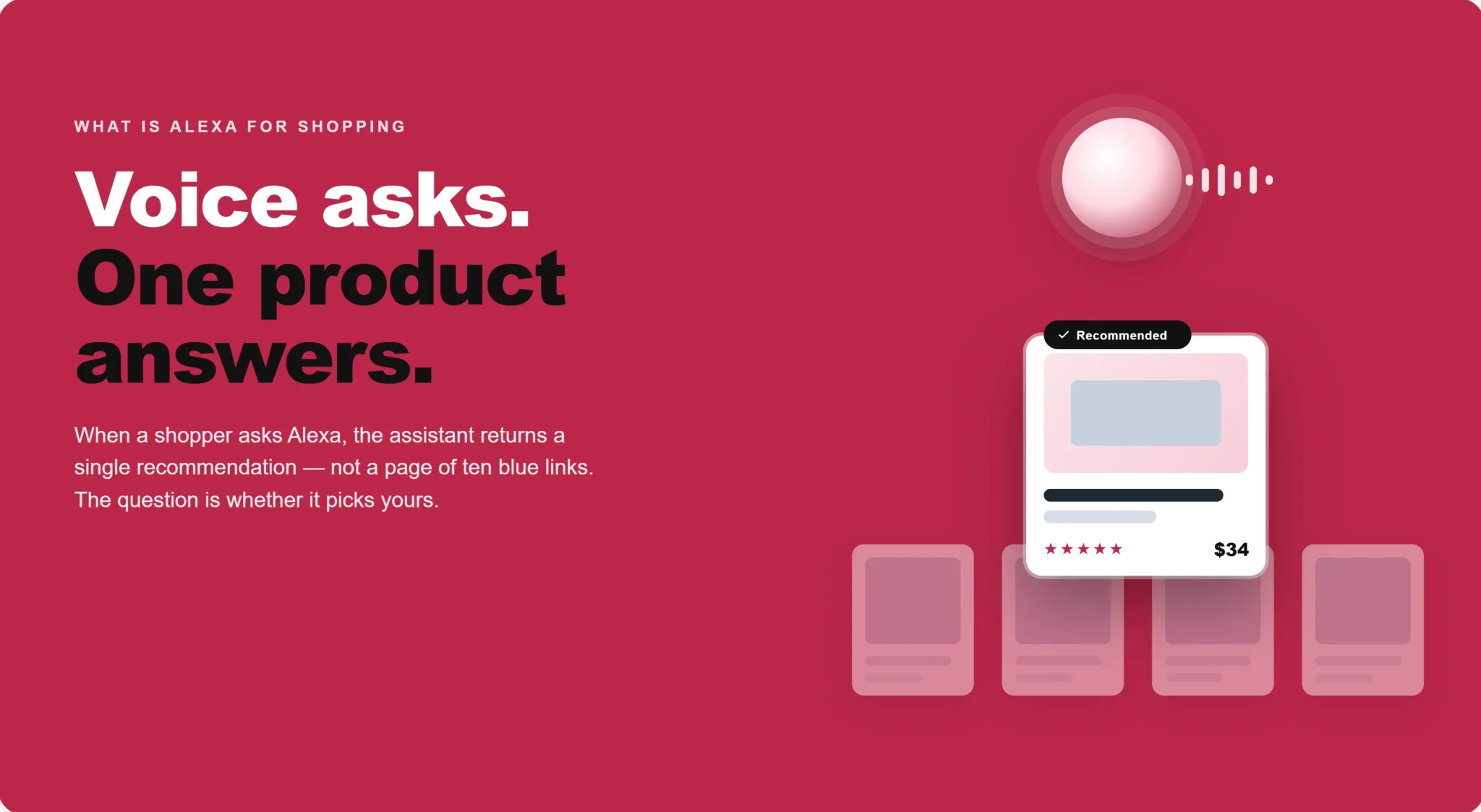
If your Amazon sales have started to wobble for no obvious reason (same keywords, same ad spend, same reviews), there's a good chance the change isn't on your listing at all. It's in how shoppers are finding products. A growing share of Amazon buyers no longer scroll a page of ten near-identical results. They ask a question and get one confident recommendation back. That recommendation is increasingly made by Alexa for Shopping, and if your listing isn't written for it, you're invisible at the exact moment a customer is ready to buy.
This guide explains what Alexa for Shopping is, why it matters for brands selling on Amazon, and exactly how to optimise your listings so the assistant recommends you instead of a competitor.
What Is Alexa for Shopping, Exactly?
Alexa for Shopping is Amazon's generative-AI shopping assistant, built directly into the Amazon app, the website, and Echo Show smart displays. Shoppers use it to ask natural-language questions, compare products, track prices, and get personalised recommendations, all without leaving Amazon.
If the name sounds new, the technology isn't. Alexa for Shopping is the rebranded and upgraded version of Amazon Rufus, the AI assistant that launched in beta in early 2024 and rolled out across the UK, Germany, France, Italy, Spain, Canada and India. On 13 May 2026, Amazon retired the Rufus name and merged it with Alexa+ to create a single assistant: Alexa for Shopping. Crucially, Amazon has confirmed that the underlying AI, the recommendation logic and the listing-optimisation principles all stayed the same. Only the name and the reach changed.
Two recent shifts make this unavoidable. Alexa+ has rolled out across major markets, including the US, Canada, Mexico and the UK (the first European market to get it, in March 2026), bundling the shopping assistant free into Prime. And smart-speaker ownership is now mainstream: well over half of households in markets like the US and UK own one, which means a large slice of your potential customers can now shop by voice as easily as by screen.
What Alexa for Shopping Can Actually Do
For the shopper, the assistant behaves less like a search box and more like a knowledgeable sales assistant. It answers product questions in plain English, such as whether a coffee maker takes reusable pods, and it compares two or more products in a category and explains the difference between them. It recommends products by use case, budget and personal context, so someone can ask what they need for a beginner home gym under £400 and get a tailored shortlist rather than a wall of results. It also surfaces up to a full year of price history, sets price-drop alerts, and reorders past purchases through conversation. In its newer agentic form, it can go a step further and build the cart or complete the purchase on the shopper's behalf.
Shoppers reach it by tapping the cursive "A" icon in the Amazon search bar, asking through the app, or speaking to an Echo Show.
Why Alexa for Shopping Matters to Amazon Sellers
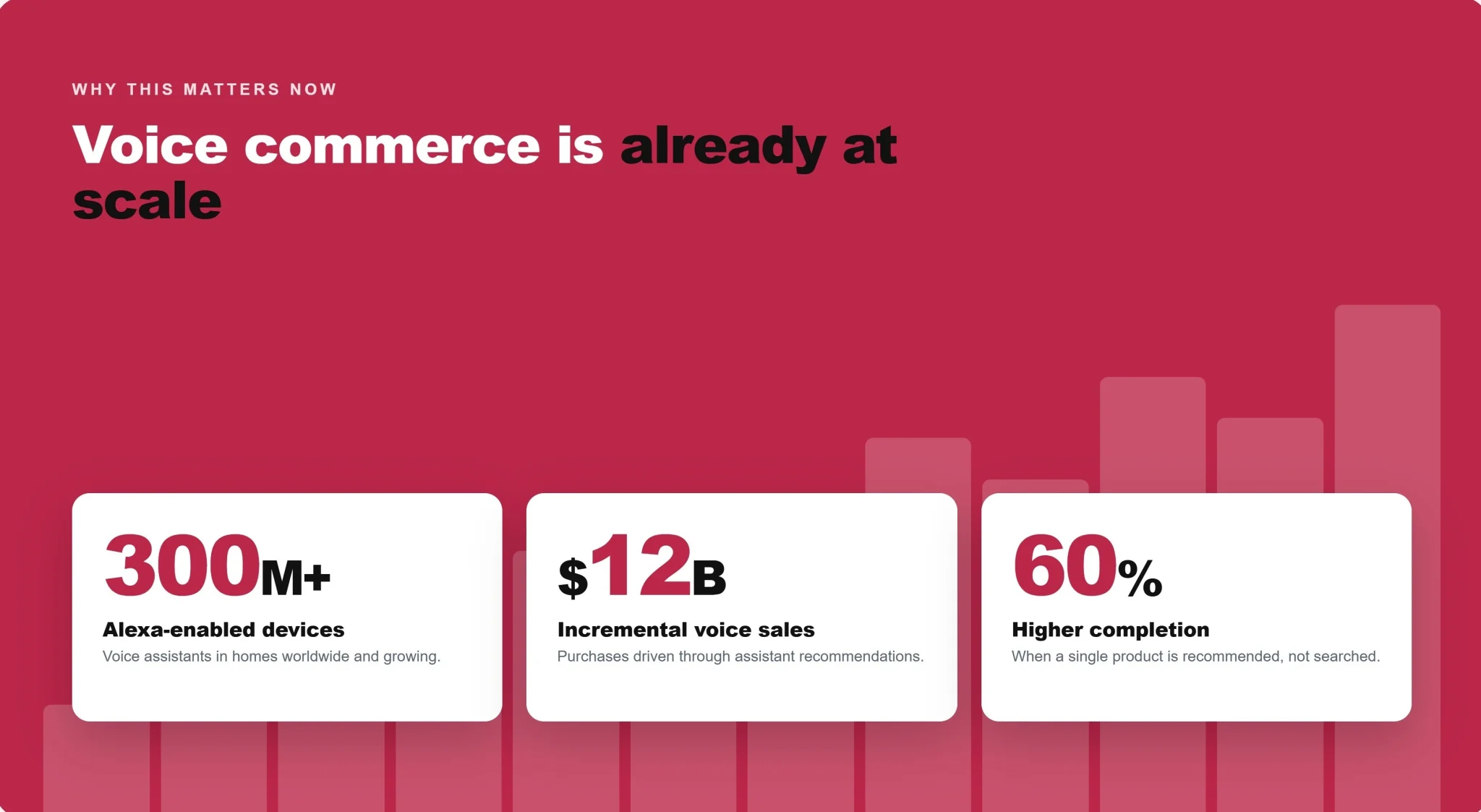
The scale is what makes this a board-level issue, not a nice-to-have. In its Q4 2025 earnings, Amazon reported that the assistant now reaches around 300 million active customers and is already driving close to $12 billion in incremental annualised sales. CEO Andy Jassy has cited a roughly 60% higher purchase-completion rate among shoppers who engage with the assistant versus those who don't, and during Black Friday 2025 it was involved in a reported 38% of Amazon sessions.
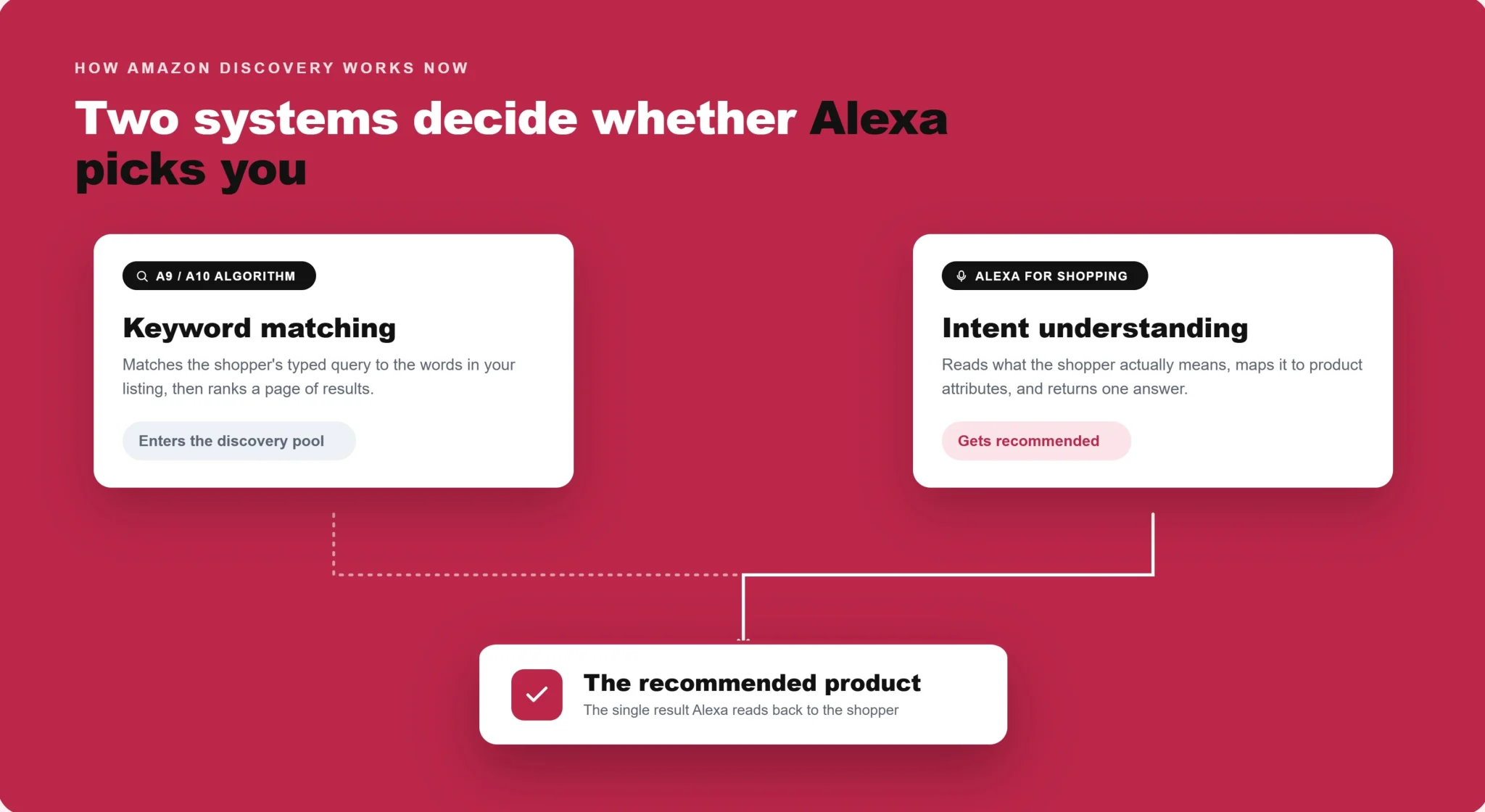
Here's the part that changes how you work: Alexa for Shopping does not replace Amazon's search algorithm; it runs alongside it. The A9/A10 algorithm still matches keywords and ranks results to decide which products enter the discovery pool. Alexa for Shopping then decides which of those products it actually recommends. In other words, A9/A10 gets you into the room; Alexa for Shopping decides who gets introduced to the customer.
The two systems read your listing very differently, and that difference is the whole game.
How Alexa for Shopping Reads Your Listing
Where A9/A10 matches keywords, Alexa for Shopping interprets intent. It's built on Amazon Bedrock and draws on several large language models, including Anthropic's Claude and Amazon's own Nova, but the parts sellers really need to understand are the systems that decide what it recommends.
The first is retrieval-augmented generation, or RAG. Before answering, the assistant pulls live content from your listing (your title, bullets, description, A+ Content, reviews and Q&A) and grounds its answer in that. If your content can't explain a feature, the assistant won't claim it on your behalf; it will recommend the competitor it can explain with confidence. Working alongside RAG is the COSMO knowledge graph, which maps products to real-world intentions. It understands that "quiet vacuum for a flat with a shedding dog" really means low noise level, compact size, pet-hair capability and good filtration, even when none of those exact words appear in the query or your listing.
On top of that, the assistant runs review sentiment analysis, reading your reviews and extracting recurring themes, so a product whose reviews repeatedly mention "easy to clean" gets surfaced for that need even if your copy never used the phrase. And since late 2025 it has applied account memory and personalisation, filtering recommendations by each shopper's history, which means two people asking the identical question can receive different answers.
The stakes here are not subtle. Independent research from Mars United Commerce and Profitero found the assistant consistently declines to recommend products rated below four stars, regardless of keywords or ad bids. Listing quality and review quality are now eligibility criteria, not tie-breakers.
The takeaway: your listing is no longer a keyword container. It's the source document an AI reads to decide whether it can confidently recommend you.
How Alexa for Shopping Builds a Recommendation
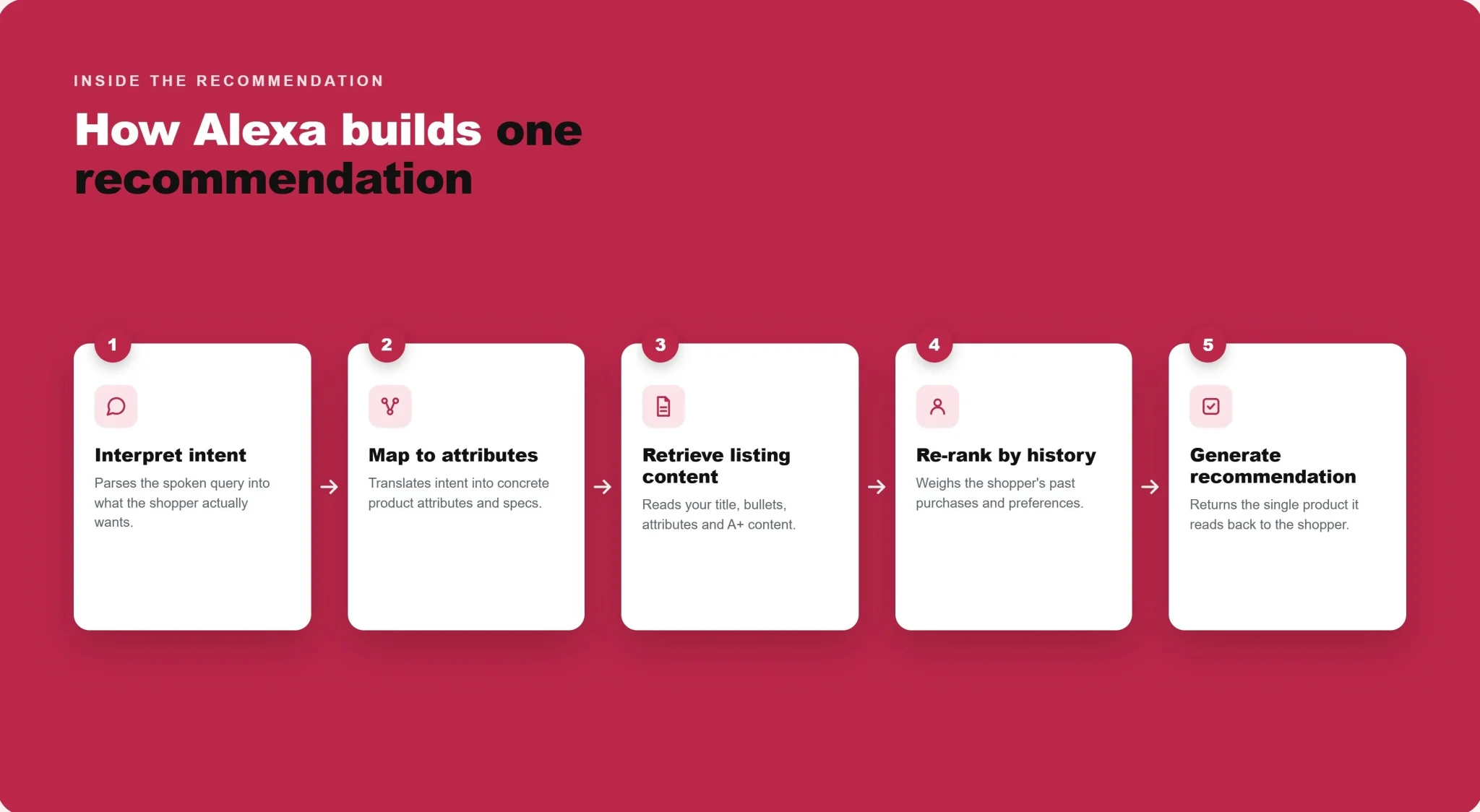
It helps to see the sequence. When a shopper asks a question, the language model first interprets the query and works out the underlying intent, not just the words typed. COSMO then maps that intent to relevant product types, attributes and use cases, and RAG retrieves live content from matching listings, reviews and Q&A to ground the answer in real data. The account-memory layer re-ranks the resulting shortlist against that individual shopper's history and preferences, and finally the assistant writes a natural-language reply, naming specific products and explaining why it chose them.
Every one of those steps reads your content. A gap at any stage, whether a missing attribute, a thin description or a weak review profile, is a reason for the assistant to recommend a competitor it understands better. Optimisation is simply the work of removing those gaps one by one.
What Still Works in Amazon SEO, and What No Longer Does
A common myth is that Alexa for Shopping makes traditional Amazon SEO obsolete. It doesn't. The two systems run in parallel, so the smart move is to keep what works for A9/A10 while adding what Alexa for Shopping rewards.
Most of the fundamentals still carry their weight. Keyword research and backend search terms still matter, because A9/A10 continues to drive a large share of discovery. Sales velocity and conversion rate remain proof of relevance to both systems, fast Prime fulfilment is still a ranking and recommendation signal, and competitive pricing feeds directly into any query where a shopper signals a budget. Review volume and a strong star rating count for more than ever, now functioning as an eligibility gate rather than a tie-breaker.
What no longer works is anything that games the system without improving the content itself. Keyword stuffing now backfires, because the assistant deprioritises listings it can't read as natural language. Thin descriptions leave gaps, and every gap is a reason the assistant can't recommend you. And bidding can no longer paper over weak copy, because ad placements still require a listing the assistant is able to explain with confidence.
The clean way to hold both in your head: A9/A10 decides whether your product enters the discovery pool, and Alexa for Shopping decides whether it gets recommended from it.
How to Optimise Your Amazon Listings for Alexa for Shopping
The good news is that optimising for Alexa for Shopping doesn't mean abandoning Amazon SEO; it means upgrading it. Here are the actions that matter, ordered by impact.
1. Fill Every Backend Attribute Field
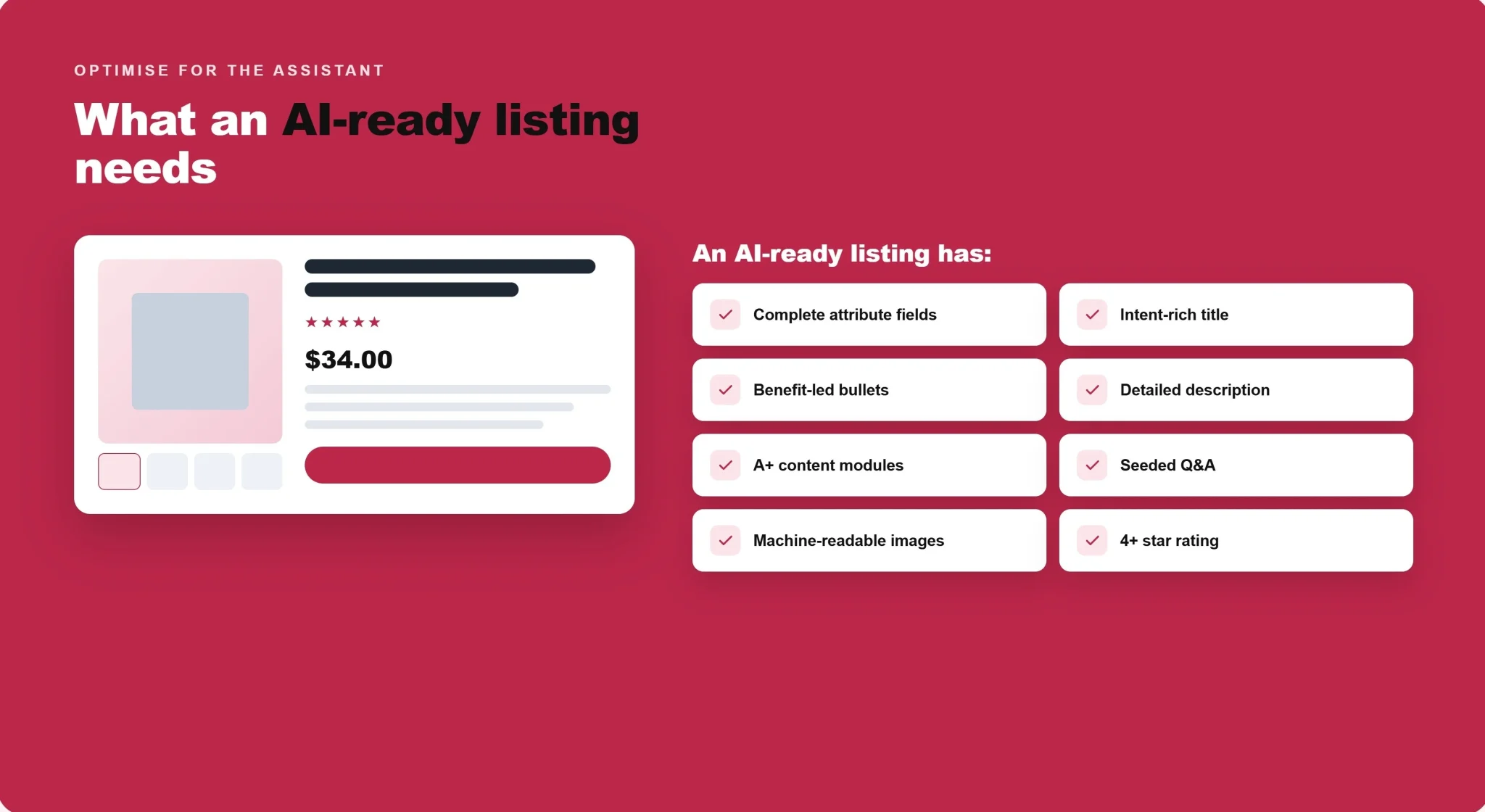
Start in Seller Central, not in your copy. For your top ASINs, complete every applicable attribute: item type, intended use, material, size, weight, compatibility, care instructions and every category-specific field your product qualifies for. COSMO uses these structured fields to map your product to shopper intent, so treat blank fields as active liabilities. Allow 7–14 days for changes to be processed. COSMO updates more slowly than A9/A10, so don't revert after a few days because you haven't seen movement.
2. Rewrite Titles for Meaning, Not Keyword Frequency
Alexa for Shopping reads your title first. Optimise for clear noun phrases it can match to intent.
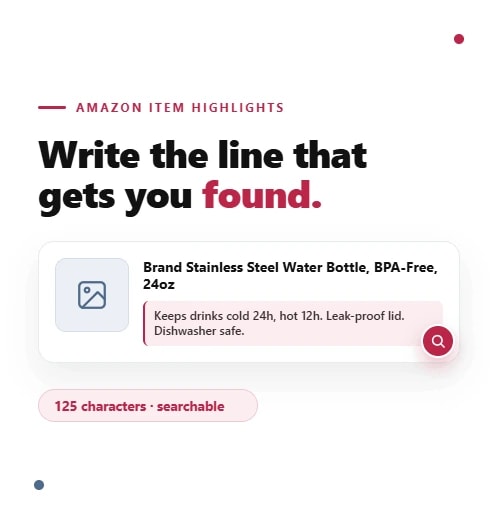
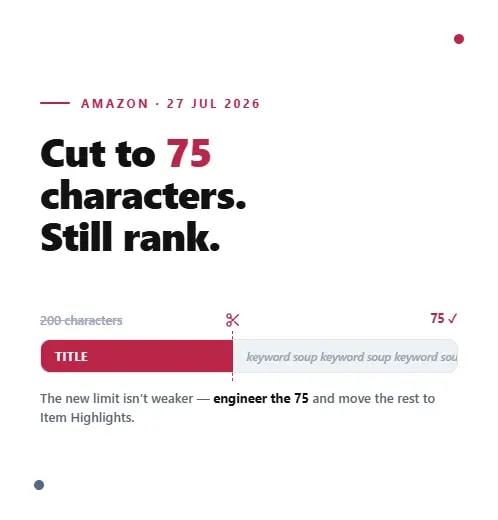
Instead of "Wireless Headphones Bluetooth Noise Canceling Over Ear Foldable Deep Bass for Running Gym," write "Over-Ear Wireless Headphones with Active Noise Cancellation, 30-Hour Battery, Multipoint Bluetooth, Foldable Design." The second version gives the assistant named concepts ("active noise cancellation," "multipoint Bluetooth") it can match to queries like "headphones that work with multiple devices." Keep your primary keyword inside the first 80 characters (mobile truncates there), and write it so it reads naturally aloud.
3. Turn Bullet Points Into Answers
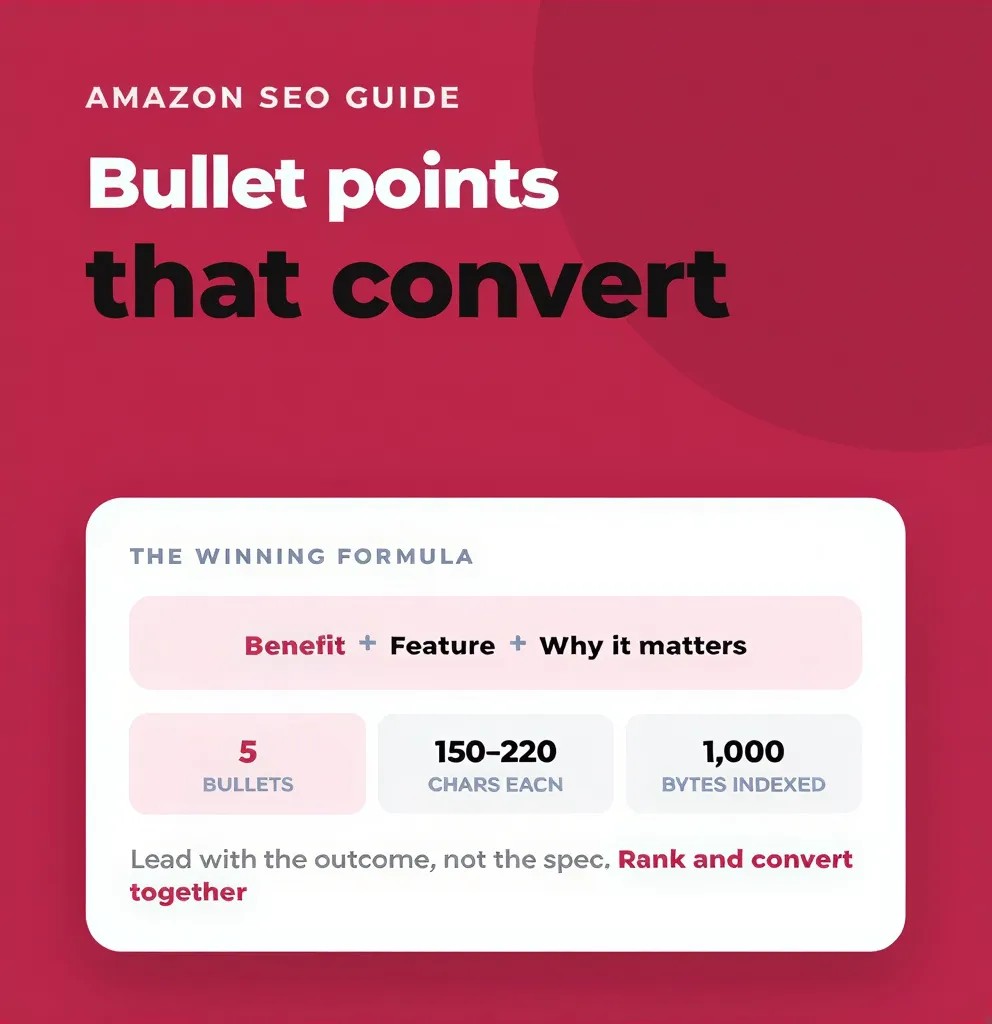
Each bullet should answer one question a buyer would ask the assistant. A reliable structure is outcome → feature → use case.
Instead of "Waterproof design," write: "IPX7 waterproof to 1m for 30 minutes, built for hikers and trail runners in wet weather." That gives the assistant the context to recommend you when someone asks for "a GPS watch for hiking in bad weather." Aim for five bullets, each addressing a distinct question, with no repetition.
4. Use the Description as a Knowledge Document
You get up to 2,000 characters and most brands use a fraction of them. This is where you cover the secondary use cases, compatibility specifics, experience-level guidance ("suitable for beginners, no calibration required"), care details and what's in the box. Write it conversationally, as if answering a detailed customer question. This is the long-tail content the assistant draws on for nuanced queries.
5. Rebuild A+ Content for AI, Not Just Aesthetics
Alexa for Shopping reads and cites your A+ Content. Prioritise modules it can use: comparison charts (for "what's the difference between X and Y?" queries), use-case narrative sections ("Designed for the home baker who needs…"), FAQ modules in natural question-and-answer format, and feature-explainer images with descriptive captions. Remember the assistant "sees" images using computer vision and OCR, so captions should describe what a feature does, not just list keywords.
6. Seed Your Q&A Section Proactively
The customer Q&A section is one of the most direct inputs the assistant uses, yet most brands treat it as reactive support. Identify the 10–15 questions customers most often ask in your category (mined from competitor reviews, your support inbox and existing Q&As), and answer them clearly on your own listings before customers have to ask.
7. Protect Your Star Rating and Review Themes
Because the assistant filters out sub-four-star products and reads review language for use cases, your review strategy is now an SEO strategy. Stay above four stars, resolve recurring complaints quickly, and pay attention to the phrases satisfied customers use; they become the queries you get matched to.
A practical tactic: read your own reviews and pull out the recurring phrases buyers use to describe benefits ("quiet," "easy to assemble," "great for small spaces"). If a benefit shows up repeatedly in reviews but never in your copy, add it to your bullets and description so both the algorithm and the assistant have it in writing, not just inferred from sentiment.
8. Write Images That Machines Can Read
The assistant doesn't only read text. It "sees" your images using computer vision and OCR, which means a claim is only as strong as your ability to show it. If your product page says "leak-proof" but no image demonstrates it, the assistant treats the claim as weak. Convert key selling points into infographic-style images with short text overlays, dimension callouts, and in-use scenes that prove the feature exists. Treat alt text and on-image captions as data the assistant indexes, not decoration.
How to Measure Your Alexa for Shopping Performance
There's no native dashboard that reports "recommendations by Alexa for Shopping" yet, so measurement is about proxy signals rather than a single metric. Watch for movement in organic sessions and conversion rate after you complete attributes and rewrite copy, allowing 7 to 14 days for COSMO to reprocess. Test the assistant yourself: ask it the intent-based questions your buyers would ask ("best beginner option under £50," "which of these is quietest") and note whether your product surfaces and how accurately it's described. If the assistant misstates a feature or omits one, that's a direct instruction to fix the relevant part of your listing. Track your star rating against the four-star threshold, and monitor whether competitors are being recommended for queries you should own. Treat this as an ongoing loop, not a one-off audit, because the assistant re-reads your listing every time it answers.
The Bottom Line for Amazon Brands
Alexa for Shopping isn't a passing feature. It's now the layer that sits between hundreds of millions of shoppers and your product, and it rewards listings that read like genuinely helpful answers rather than keyword lists. Get your attributes complete, your copy intent-led, your A+ Content structured and your reviews strong, and you become the product the assistant can confidently recommend. Ignore it, and you'll keep paying for clicks that the AI quietly routes elsewhere.
The brands that win on Amazon over the next two years will be the ones that treat every listing as a source document for an AI that reads like a human. The work is detailed, ongoing, and exactly the kind of thing that's easy to deprioritise when you're running a business.
Frequently asked questions
Yes. Amazon rebranded Rufus as Alexa for Shopping in May 2026 and merged it with Alexa+. The AI and recommendation logic are unchanged.