Bilal Siddiqui
Hello. I am here to help you build your software stack. Choosing software is difficult when every company promises the exact same results. You do not need fifty subscriptions. You just need the right tools for your specific problems.
Today, we will look at listing tools by use case. This method stops you from buying duplicate features. When you compare amazon listing tools, you should look at the exact job they do instead of staring at long feature lists.
I have built this listing optimization tools list to help you decide fast. We will divide the options into clear categories. These amazon tools comparison buckets make your decisions simple and logical.
If you are looking for tools for listing workflow, you are in the exact right place. We will review 25 options grouped by their main purpose. Let us start.
How This List Is Organized So You Can Shortlist Fast
One Tool Per Job Mindset
Do not buy software based on a generic features page. Adopt a one tool per job mindset. A tool that tries to do everything usually does nothing perfectly. Choose specific Amazon FBA tools that solve your immediate problems.
Use-case Buckets Explained
I use amazon tools comparison buckets to organize my thoughts. These buckets group software by the primary problem they solve. When you look at tools for listing workflow, this method saves you money and time. You only look at the category you actually need.
How To Avoid Tool Overlap
To avoid tool overlap, you must define your current bottleneck. If you already use Jungle Scout for finding search terms, do not buy another Amazon keyword tool just for search volume. Look closely at what Amazon Seller Central tools you already have before you buy a subscription.
Keyword Research And Expansion Tools
Best For Discovery And Filtering
Finding search terms is the first step in Amazon listing optimization. You need accurate data to rank well. For discovery and filtering, tools like DataDive and Keyword Tool Dominator are excellent. They help you find exactly what buyers type. SellerSprite and ZonGuru are also strong options if you need a dedicated Amazon keyword finder.
When To Use For One SKU Vs Many
You must decide when to use a tool for one SKU versus an entire catalog. If you manage an Agency workflow, you need bulk tools that handle hundreds of products. If you only have five products, a single SKU search is enough.
Export Quality Indicators
Always check the export quality indicators. An Amazon SEO tool must allow you to export clean CSV files. If the export requires two hours of manual formatting, the software is wasting your time. Clean data exports are a strict requirement.
Competitor And Market Insight Tools
Use For Gap Spotting And Positioning Clues
You cannot optimize a product in a vacuum. You must look at the broader market. Use these tools for gap spotting and positioning clues. A good tool helps you see where competitors are weak. You can find out if they ignore Amazon B2B buyers or if their Amazon pricing strategy is vulnerable.
What Evidence To Extract
What evidence should you extract? Look for search term gaps and review complaints. Do not just look at their numbers using an Amazon sales estimator. You need qualitative data, like finding out if they use the Amazon Vine Program properly to get early reviews.
Common Misuses To Avoid
There are common misuses to avoid. Do not copy a competitor exactly. If you copy their listing, you also copy their mistakes. Use tools to gather intelligence, but write your own unique copy.
Rank Tracking And Visibility Monitoring Tools
When Tracking Is Worth It
Tracking your position is crucial for providing good Amazon SEO services. You must know when tracking is worth it. Do not track thousands of words. Track the terms that actually generate sales. An Amazon keyword tracker should focus on your top 20 converting terms per product.
Noise Reduction Features To Look For
Look for noise reduction features. You do not need an alert every time a rank changes by one single spot. Good Amazon SEO tools filter out standard daily fluctuations so you can focus on real trends.
Alert Behavior Basics
Understand alert behavior basics. Set up your Amazon stock alerts and rank alerts so they only notify you when a significant drop occurs. This protects your time and prevents panic.
💡 Pro Tip: Automate Your Content And Voice
Beat Your Top 5 Direct Competitors
Do not rely on generic generation tools. Flairox Listings identifies your top 5 direct competitors to find exact missing keywords. It analyzes customer reviews and detects your unique brand tone from your website to write fully Amazon-compliant titles, bullets, and descriptions. Get the data accuracy of top software with safe, automated content output. Your first 2 listing optimizations are completely free.
Claim Your 2 Free Optimizations With Flairox Listings →
Indexing Verification And Suppression Detection Tools
What Indexing Checks Can And Cannot Prove
If you are not indexed, you do not exist. Indexing tools are vital for survival. You must understand what indexing checks can and cannot prove. A tool can tell you if Amazon recognizes your search term. It cannot guarantee that Amazon will show your product on page one.
When You Need Manual Confirmation
There are times when you need manual confirmation. If a tool reports a suppression, go to the website and search for the ASIN yourself. Always verify the bad news before you start making wild changes.
Common Triggers To Watch
Watch for common triggers. Sudden changes in categories, Amazon ungating issues, or missing Amazon GTIN exemption details can cause immediate search suppression. Monitor these technical details closely.
Content QA And Rule-Checking Tools
Formatting And Length Checks
Quality assurance stops you from making expensive mistakes before you publish. Formatting and length checks are basic requirements. Your software must warn you if your title exceeds the strict character limit.
Duplicate And Missing Elements
Check for duplicate and missing elements. A good QA tool will highlight if you used the exact same word ten times. It will also remind you if you forgot backend search terms entirely.
Risk Flags For Compliance
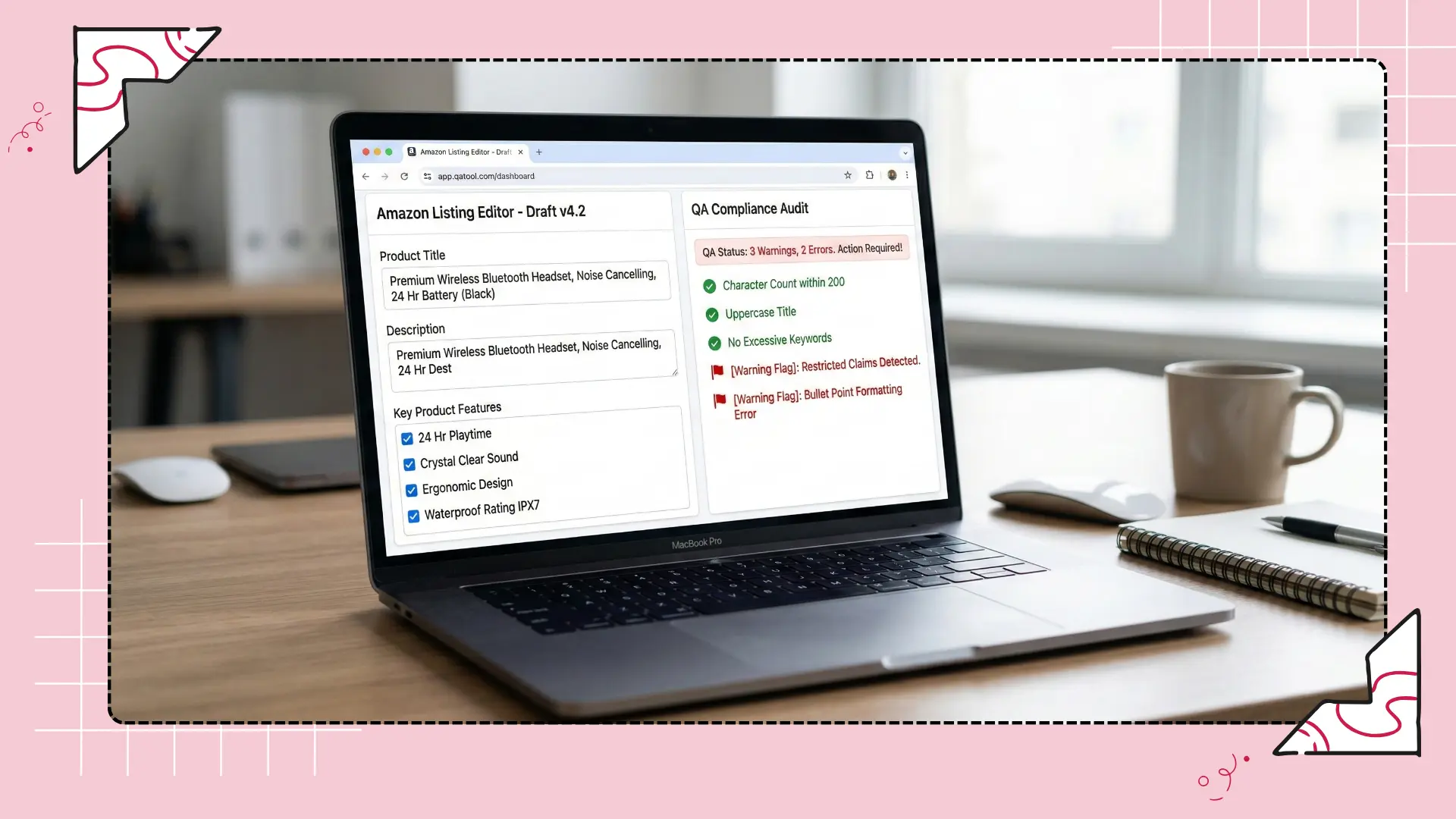
Risk flags for compliance are mandatory. If you accidentally make a prohibited claim, Amazon will remove your product. Tools that flag restricted keywords protect your business from sudden suspensions.
Creative Workflow And Asset Management Tools
Briefing, Feedback, Approvals
Images and videos convert traffic into sales. Managing these assets requires specific software. You need tools for briefing, feedback, and approvals. If you use an Amazon Virtual Assistant or a design team, clear communication stops costly delays.
Asset Library And Reuse
An asset library and reuse system saves money. If you have a great lifestyle image, you should be able to find it easily for your Amazon DSP campaigns or A+ content modules.
Version Control Essentials
Version control essentials prevent public errors. You must know which image is the final approved version before you upload it to the platform.
Bulk Operations And Catalog Editing Tools
Batch Edits And Safeguards
When your catalog grows, you cannot edit products one by one. You need scale. Batch edits and safeguards are critical. If you need to update pricing across Amazon Global Selling regions, bulk tools do this in minutes. However, they must have strict safeguards to prevent accidental mass deletions.
Change Logs And Rollback
Change logs and rollback features act as a reliable Audit Trail. If an update ruins your sales velocity, you must be able to restore the previous version instantly.
Collaboration Limits To Watch
Watch out for collaboration limits. Ensure your software allows multiple users without locking the system or overwriting data. This is especially important for Amazon Vendor Central users with large internal teams.
Analytics And Reporting Tools For Ongoing Iteration
Weekly Summary Exports
After you optimize, you must measure the results. Tools like Sellerboard and SellerApp help you analyze performance accurately. Set up weekly summary exports. You need a regular rhythm to see if your optimization is actually working.
Dashboards Vs Raw Data
Understand dashboards versus raw data. Dashboards give you a quick visual update on performance. Raw data, often pulled via the Amazon SP-API, allows you to dig deep into the numbers when a problem occurs.
Stakeholder-Friendly Outputs

Create stakeholder-friendly outputs. If you report to a manager or a client, your tool should generate clean, simple PDF reports. They do not want to see complex, confusing spreadsheets.
How To Choose 3 Tools From 25 Without Regret
Pick The Bottleneck First
You have seen the options. Now you must choose. Pick the bottleneck first. If your biggest problem is finding words, buy a keyword tool. If your problem is accidental changes, buy an audit tool.
Use A Short Trial Script
Use a short trial script. Test the software with real data for three days. If it is confusing or slow, cancel the trial immediately.
Decide Based On Outputs, Not Features
Decide based on outputs, not features. A tool with fifty buttons is useless if the final report is messy. Buy the tool that gives you the exact answer you need to make a decision.
Frequently asked questions
You generally need three core tools. You need one for keyword research, one for daily rank tracking, and one for bulk editing or backup. Buying more than three usually creates overlapping features and wastes money.