Bilal Siddiqui
If you are an Amazon seller, your listing is your storefront, your salesperson, and your closer, all wrapped in one. But listings do not age like wine; they age like milk.
What worked last year can become a risk as policies evolve, categories shift, competitors improve their creative, and shopper behavior changes. Amazon’s search experience keeps evolving, and “set it and forget it” is one of the fastest ways to quietly lose market share.
This is not just another tips article. This is a Cornerstone Audit Framework: a structured methodology to diagnose why an ASIN is not growing, why rankings slipped, why conversion softened, or why visibility became unstable. Whether you use a toolset or simple spreadsheets, this guide walks you through a forensic process to identify the real bottlenecks and produce a prioritized fix list you can actually execute.
How to use this audit:
Audit one ASIN at a time. Expect 60 to 90 minutes per ASIN for a first pass. Your output is not “a better listing” yet, it is a ranked list of issues: what is broken, what is risky, what is missing, and what to fix first. Do not start rewriting everything immediately. First, diagnose. Then optimize.
What a Listing Audit Is
Most sellers confuse auditing with optimizing. They open the listing, spot a typo, change a word, and call it “optimization.” That is not an audit; that is reactive maintenance. An audit is a structured diagnosis, built on evidence, with clear pass/fail checks and a prioritization system.
Audit vs. Optimization vs. Monitoring
To scale, you must separate these three workflows:
The Audit:
Frequency: Monthly or Quarterly (or anytime you suspect a structural problem).
Goal: Diagnostic. You are looking for fractures: keywords that stopped indexing, a category mismatch, suppressed visibility, conversion erosion, or a competitor shift that changed the game.
Mindset: “Don’t fix yet. Just find it.”
Optimization:
Frequency: As needed (based on what the audit reveals).
Goal: Improvement. This is the execution phase: rewriting the title, rebuilding the bullet structure, updating images, cleaning backend fields, improving A+ Content, and tightening the offer.
Monitoring:
Frequency: Daily or Weekly.
Goal: Stability. You are watching for sudden changes: Buy Box loss, price changes, stockouts, listing edits, review spikes, competitor moves, or unexpected visibility drops. Monitoring does not replace an audit; it tells you when to run one.
When to Perform a Deep Audit
Do not wait for a crisis. Schedule deep audits during these lifecycle moments:
The “Honeymoon” End: 30 to 45 days after a new launch. Did momentum continue, or did the listing stall?
The Plateau: Sales have been flat for 60 to 90 days despite effort (content updates, promotions, or higher ad spend).
The Drop: Organic rank for your top keywords slid meaningfully and stayed down.
The Suppression: The listing is active but unsearchable, or visibility is inconsistent across keywords.
Review Shift: Your rating dropped (or recurring complaints changed). That is a conversion emergency in slow motion.
A deep audit is what stops you from “randomly trying tactics” and instead forces you to diagnose the actual constraint.
The Audit Inputs You Need Before You Start
You cannot audit what you cannot measure. Before you look at a single pixel of your listing, open your data sources. A professional auditor starts with a simple “data room”: the facts that describe what shoppers did, what Amazon is showing, and where the listing is leaking demand.
Product Reality Check
Be brutally honest. Amazon is a comparison engine, and it rewards clarity, relevance, and conversion, not wishful thinking.
Value Proposition: Is your product objectively better in a way shoppers care about? If you sell a generic garlic press for $15 and a close substitute sells for $9 with similar reviews, no amount of SEO can permanently mask that gap. Your audit must account for price-to-proof.
Avatar Definition: Who is this for? “Everyone” is the wrong answer. Example: a heavy-duty yoga mat targets fitness pros and frequent users, not casual stretchers. Your audit should judge the listing against that specific customer and their objections, not against a vague average shopper.
Reality check question: If a shopper lands on your listing in 5 seconds, do they immediately understand what the product is, who it is for, and why it is worth choosing?
Competitors and Keywords
You need a control group. Auditing in isolation creates false conclusions because Amazon is relative: you win or lose compared to what else is on page one.
The Reference Set (pick 3 to 5 competitors):
Direct: Similar price and similar feature set (your true rival).
Aspirational: The market leader (best seller or most established listing).
Fast mover: A newer listing gaining traction quickly (not necessarily the best product, but proof that the market is responding).
Keyword Bank: Build a benchmark list of keywords these competitors show up for. You are not copying blindly; you are building a map of shopper language and demand. Your audit uses this list to find gaps: missing relevance, missing attributes, missing use cases, or missing intent modifiers.
Data to Pull
Log into Seller Central and pull the data that describes visibility and behavior:
Business Reports (By ASIN): Focus on Sessions and Unit Session Percentage.
Sessions: traffic volume.
Unit Session Percentage: conversion rate (how often sessions turn into purchases).
If Sessions are stable but Unit Session Percentage is falling, you likely have a conversion or expectation problem. If Sessions are falling, you likely have a visibility problem.
Brand Analytics / Search Term Data: If available, use it to understand which search terms matter and whether your share is shrinking. Treat it as directional insight, not magic. It helps you spot where demand is and which terms are slipping.
Returns signals: If returns are rising, your listing may be overselling, unclear, or attracting the wrong shopper. Returns are a content problem as much as a product problem.
Voice of the Customer / customer experience signals: If customer experience signals are poor, it may reflect recurring issues that hurt conversion and, in some cases, visibility. The audit should treat this as a serious warning light.
At the end of this section, you should know: traffic trend, conversion trend, return/complaint trend, and the keywords that matter most.
Step 1: Indexing and Discoverability Checks
If a customer types “running shoes” and Amazon does not display your product for relevant terms, nothing else matters. You are invisible. This is the technical layer of the audit: can Amazon correctly understand and surface your product?
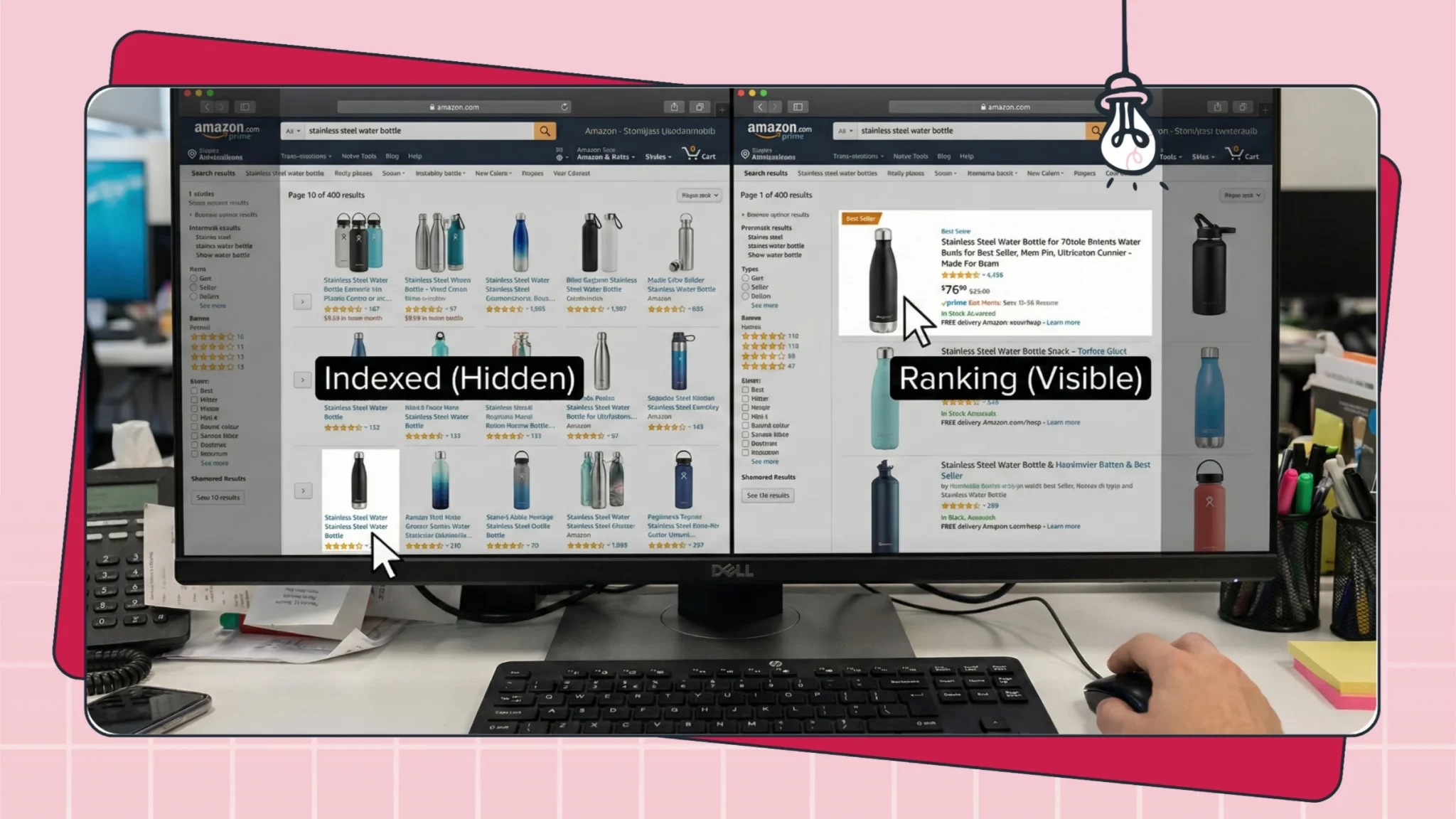
Two definitions (keep these straight):
Indexing means Amazon associates your listing with a keyword in its database.
Ranking means where you appear for that keyword compared to others.
You cannot rank if you are not indexed.
Basic Indexing Test Workflow
Start simple. Do not overcomplicate this.
The Manual Test:
Copy your ASIN (example: B012345678).
Go to the Amazon search bar.
Search: ASIN + keyword (example: B012345678 garlic press).
What results mean:
If your listing appears, you are likely indexed for that keyword.
If no relevant result appears, you may not be indexed, the keyword may be mismatched, or your listing may have a visibility restriction. Treat this as a critical finding to investigate further.
Common reasons indexing fails:
The keyword is not truly relevant to the product category or attributes.
The listing fields do not clearly support the keyword (title/bullets/attributes).
Variation structure causes a child ASIN to be weakly associated.
The listing has a suppression or quality flag.
The audit goal is not to “force indexing.” The audit goal is to identify why Amazon cannot confidently match your product to the search intent.
Variation Pitfalls
Variation structure is one of the most common silent leaks, especially in apparel, multi-packs, flavors, sizes, and compatibility products.
The problem: Amazon may index the parent and one strong child properly, while another child is weakly indexed or inconsistently visible for core terms. This can look like “random sales” or “missing sales,” but it is often a structure and relevance issue, not just demand.
What to audit:
Test indexing at the child ASIN level, not just the parent.
Confirm each child has clean, accurate attributes (size/color/flavor/material).
Confirm the child’s visible copy and backend fields do not contradict the child’s specifics.
Important caution: Do not blindly copy the same keyword set across every child. That often wastes space, reduces relevance precision, and can confuse indexing. Instead, keep the shared core terms consistent, and let each child carry the specific modifiers that match that variation (color, size, pack type, compatibility).
Outcome you want: A variation family that covers the category cleanly, with each child clearly aligned to its own attributes and intent.
Category and Browse Path Sanity Checks
Category mismatches are a silent killer because Amazon’s system uses category context to interpret relevance and to decide which shoppers should see your product.
Scenario: You sell beard oil but the listing appears under a mismatched category path.
Impact: Your ranking can weaken because Amazon’s system may interpret your product as less relevant to the shopper audience you actually need. Ads can also become less efficient because the listing context is off.
Audit step: Check the “breadcrumb” category path on the listing page.
Pass: The browse path matches the true shopper intent and product type.
Fail: The browse path looks generic, incorrect, or unrelated.
Action if it fails: Document it as a Severity 1 or Severity 2 issue depending on impact. Category adjustments can be sensitive, so treat it as a controlled change with clear before/after measurement.
Step 2: Keyword Coverage Audit
Now that you are technically discoverable, audit your vocabulary. Are you speaking the language of the shopper in the fields that matter? Keyword coverage is not stuffing. Keyword coverage is ensuring the listing reflects how buyers search, filter, compare, and decide.
💡 Pro Tip: Stop Manual Keyword Digging
Steal Your Top 5 Competitors' Best Keywords
Auditing is hard work. Flairox Listings makes it instantly easier. Our AI identifies your 5 most relevant direct competitors, finds the high-volume keywords you are missing, and automatically rewrites your listing to match your brand voice all while staying compliant.
Get 2 Free Optimized Listings Now →
Mapping Primary and Secondary Keywords
Your keyword strategy should behave like a pyramid:
Roots: The simplest phrase that describes the product. Example: “protein powder.”
Attributes: Modifiers that narrow intent. Example: “whey isolate chocolate.”
Long-tail / intent: Use-case and buyer-intent phrases. Example: “low carb protein shake for weight loss.”
Audit task: Take your top root keywords and the most important attribute phrases. Use Ctrl+F on the listing page and check whether they appear naturally in the title and bullets. If your primary root term is absent from your title and bullets, that is a fundamental relevance gap.
But do not fall into a trap: Presence is not enough. Your usage must match intent. For example, “running shoes” placed on a casual sneaker listing does not help if the product is not truly built for running. Relevance beats repetition.
Field Roles
Not all fields are created equal. A clean audit respects the role of each field:
Title: High-impact. Must contain your primary roots and the top differentiating attributes, written in a human-readable way.
Bullets: High-impact. Best for benefits and objections, while naturally integrating secondary and intent phrases that did not fit in the title.
Attributes / structured fields: Critical for filters and browse behavior (size, material, compatibility, unit count). If you skip attributes, you can disappear when shoppers apply filters.
Backend search terms: The cleanup field. Use it for relevant leftover terms that did not fit naturally in front-end copy, and avoid repeating what is already clearly present.
Audit check: If you see your main keyword repeated across title, bullets, and backend, that is usually wasted space. The goal is coverage and precision, not duplication. Use backend space for true additions: synonyms, alternate phrasing, and relevant long-tail intent that you could not place without harming readability.
Duplicate and Stuffing Red Flags
Modern Amazon search heavily rewards clarity and shopper behavior. Keyword stuffing usually harms both.
The stuffing test: Read your title out loud. If it sounds robotic, repetitive, or unnatural, shoppers feel it too, and conversion suffers. A weak conversion signal can eventually weaken visibility.
Bad example (stuffed): “Garlic Press Stainless Steel Garlic Crusher Garlic Mincer Ginger Press Garlic Chopper Kitchen Tool Best Garlic Press.”
Better example (clear + relevant): “Stainless Steel Garlic Press and Ginger Crusher - Easy-Squeeze Handle, Professional Grade Mincer.”
The audit does not demand a perfect copy yet. It demands that you can identify whether the listing communicates naturally while covering the correct keyword intent.
Step 3: Content and Clarity Audit
You have confirmed your product can be discovered (Step 1) and your keywords are reasonably covered (Step 2). Now audit the human experience. Traffic without conversion is vanity. Your listing must convince a skeptical shopper to buy quickly, with minimal friction, and without creating confusion that leads to returns.
This step is about clarity: do shoppers instantly understand what the product is, what it does, and why it is worth choosing?
Title Readability Rules
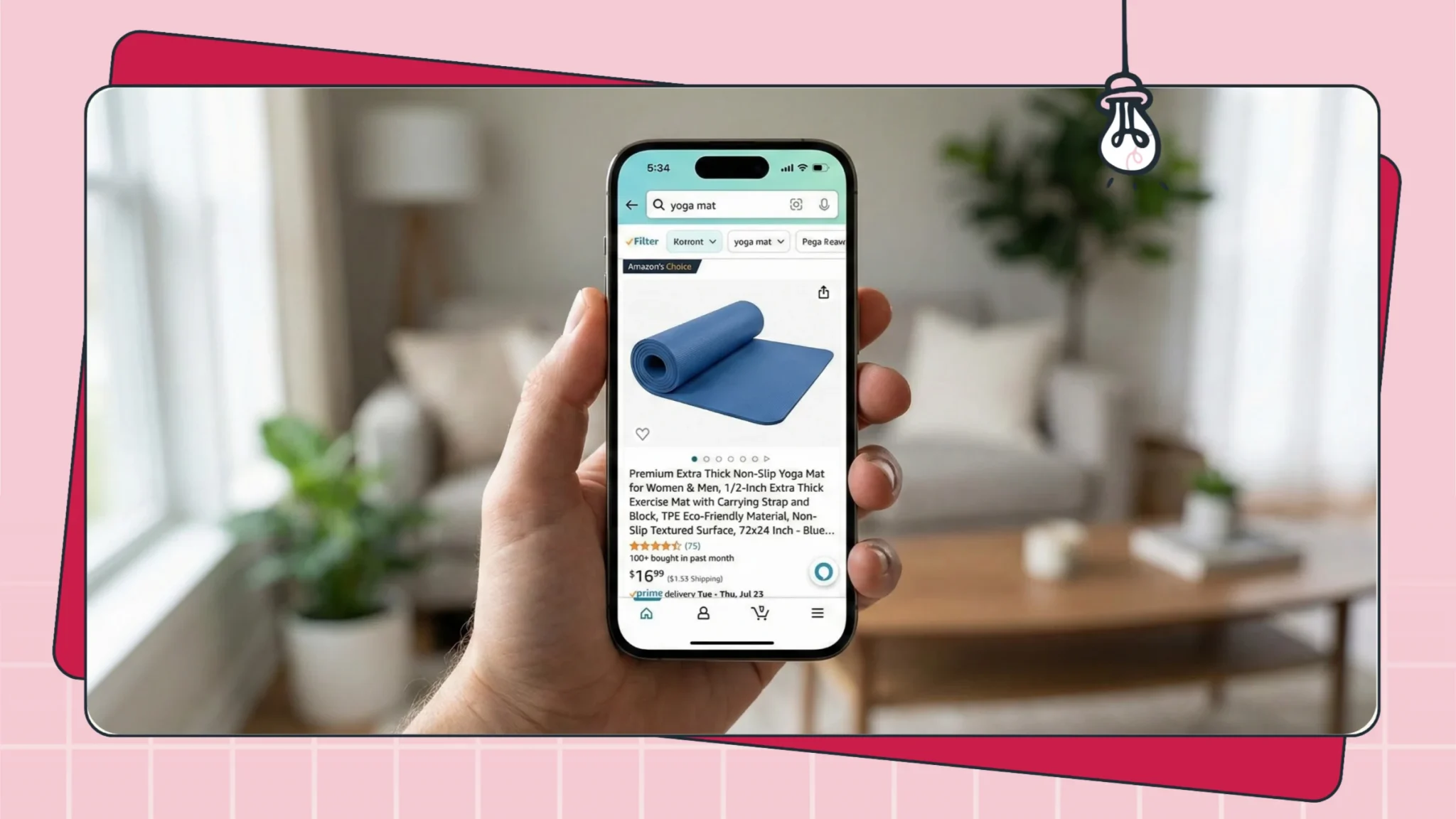
Your title has two distinct jobs:
The SEO job: signal relevance for core product terms and top attributes.
The CTR job: earn the click in search results by making the product instantly understandable.
If the title is unreadable, you may still get impressions, but you lose clicks and trust. If it is readable but missing the core product meaning, you may get clicks from the wrong shoppers and suffer conversion and returns.
The mobile audit (crucial):
A large share of Amazon shopping happens on mobile. Titles often truncate earlier on mobile than on desktop, which means your first words carry most of the decision-making weight.
Audit test: Look at the first 70 to 90 characters of your title. Ask:
Do I know what the product is without scrolling?
Are the most important decision modifiers near the front (pack count, compatibility, size, material, key feature)?
Does the title lead with clarity, not with vague branding?
Fail example: “BrandName Premium Series X Gold Edition Professional Grade Widget for…” (This forces the shopper to decode. Many will not.)
Pass example: “Organic Cotton Baby Sheets (Fitted, 2-Pack) - Soft, Breathable, Deep Pocket…” (This communicates product + key decision factors immediately.)
Mini checklist (title clarity)
Product type is obvious in the first phrase.
Top attribute modifiers appear early (when they materially affect purchase decisions).
No robotic repetition of the same keyword.
The title reads like a human sentence, not a keyword list.
Bullets for Objections, Benefits, Proof
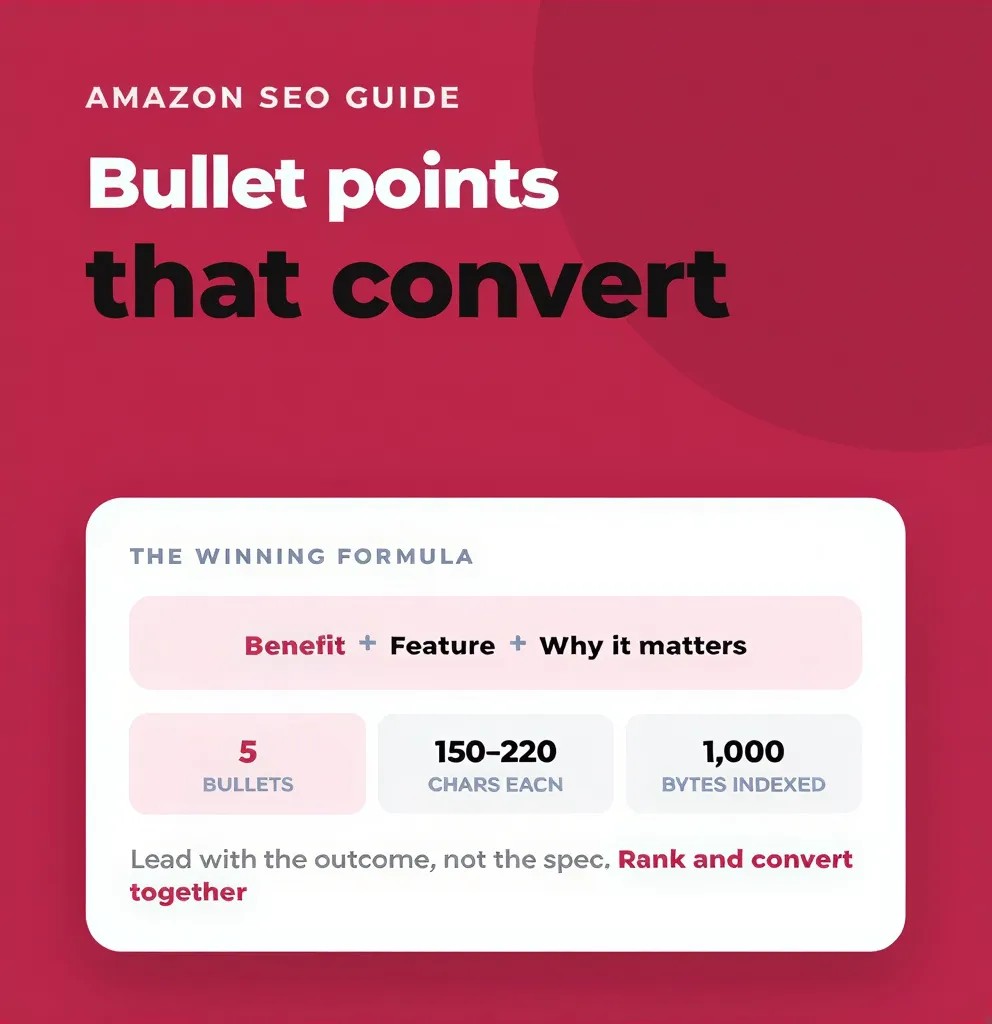
Most sellers write bullets as spec lists. Buyers do not buy specs; they buy outcomes and reduced risk. Your bullets are the fastest place to handle objections that stop conversion.
Audit your bullets with a simple lens: each bullet should answer “So what?” and make the buyer feel safer.
The wall of text check: If bullets are long, dense, and multi-idea, they will be skipped. On mobile, they often become painful to scan.
A practical bullet structure audit:
Bullet 1 (the hook): Does it confirm the main use case instantly?
Bullet 2 and 3 (the value): Do you explain why your design/material/process is better in a way a beginner understands?
Bullet 4 (the objection crusher): Do you address a recurring negative review complaint (yours or competitors)?
Bullet 5 (the trust): Do you reduce risk with clear support, instructions, or reassurance (without risky absolute guarantees)?
Objection-first example: If competitors get complaints like “it breaks easily,” and your product is reinforced, your bullets should explicitly address durability with concrete language (materials, build quality, testing, or usage guidance). The audit is not about adding hype, it is about answering the reason shoppers hesitate.
Mini checklist (bullets)
One main idea per bullet.
Benefits and outcomes are clear, not implied.
At least one bullet handles the most common objection.
Claims are specific and safe (no medical or impossible promises).
Bullets match the true product reality (to prevent returns).
Images and A+ Impact Checks
Images are a major conversion driver because they reduce uncertainty faster than text. The audit goal is to ensure your visuals communicate: what it is, how it works, what is included, scale/size, and why it is better, all without confusion.
The Main Image Audit:
Your main image is the click decision. If you lose clicks, you lose everything downstream.
Audit checks:
Background: clean and compliant (usually plain white).
Frame fill: the product is large enough to be recognized instantly.
Clarity: edges are crisp, the product is not “muddy” or low-detail.
Interpretability: in one glance, shoppers can identify the item and what they get.
The squint test: Step back from your screen and squint. If the product becomes a blob, your click-through rate will suffer.
The Secondary Image Audit:
Your gallery must do jobs text cannot do quickly:
Lifestyle: show the product in use by a person who resembles your target customer context (and shows scale).
Infographic: replace paragraphs with visuals: key dimensions, compatibility list, what is included, and how it works.
Proof: show materials, build details, or outcome-relevant visuals that back your value proposition.
Clarity: for packs/bundles, make the quantity and included parts obvious to reduce returns.
Mini checklist (gallery)
At least one clear lifestyle use case image.
At least one infographic that answers a high-friction question.
Quantity/size is unambiguous (especially for multi-packs).
Visuals match the listing claims (no overpromise).
A+ Content (EBC) Audit:
A+ Content does not replace the core listing, it reinforces it. Think of it as the place to build trust, explain, and keep shoppers from bouncing to competitor listings.
Audit focuses:
Does A+ repeat the same information, or does it add clarity and proof?
Does it address comparison and differentiation without vague fluff?
Does it stay readable on mobile (short sections, clear headings, not a wall of text)?
If you have a comparison chart, does it clearly guide shoppers to the right SKU?
A+ is not mandatory for every listing, but when used correctly, it can reduce objections and improve conversion consistency.
Step 4: Compliance and Policy Risk Audit
This is the most dangerous part of the audit. A weak title hurts sales. A compliance mistake can disrupt visibility, trigger content suppression, or create account risk. Treat this step as a safety audit: the goal is to catch risky phrases and patterns before they create instability.
Important note: Policy rules can vary by category and marketplace, and enforcement can be inconsistent. That is exactly why you audit for risk patterns proactively.
Claims Risk Categories
Scan your Title, Bullets, Description, A+, and even image text for high-risk claim categories. Most compliance problems come from a small set of repeated patterns.
High-risk categories to scan:
Medical or disease claims: words that imply treating, curing, preventing, or diagnosing. Safer alternatives usually focus on general support language, comfort language, or non-medical outcomes, depending on category.
Guaranteed results and absolutes: “guaranteed,” “never,” “always,” “100% effective,” “instant results.” These are often risky because they overpromise and can be interpreted as misleading.
Unverifiable superlatives: “#1,” “best,” “fastest,” “most effective,” unless properly substantiated and allowed for your category.
Sensitive claims categories: weight loss promises, “pain relief” style wording, or anything that implies a regulated outcome.
Misleading comparisons: claiming equivalence or superiority without proof, or implying endorsements that do not exist.
Audit rule: If you cannot clearly support the claim in a way that would survive scrutiny, rewrite it into a factual, descriptive statement focused on features and user experience.
Mini checklist (claims)
Remove disease-treatment language.
Remove absolute guarantees and unrealistic promises.
Replace superlatives with specific, testable product details.
Ensure claims match the actual product and packaging.
Restricted Terms Patterns to Scan
Certain words can trigger heightened review or category flags depending on the product type. The goal is not to be paranoid. The goal is to remove unnecessary risk language that does not actually help conversion.
Common risky patterns:
Antimicrobial or antibacterial style wording (especially in cleaning or hygiene categories).
“Kills germs,” “sanitizes,” “disinfects,” “repels,” or other strong efficacy language.
Claims about safety for children or babies in ways that imply regulatory compliance you cannot prove.
Audit action: Ask a simple question: does this word increase conversion enough to justify the risk? Most of the time, you can communicate the same benefit with safer wording focused on usability or design (for example: “easy to clean,” “odor resistant,” “designed for everyday use,” depending on the product).
Common Suppression Triggers
Not every violation leads to suppression, but certain issues frequently cause visibility disruption. Your audit should check for these because they can destroy performance even if everything else is strong.
Common triggers to check:
Main image compliance issues: prohibited overlays, badges, or elements that violate image rules for your category.
Title format issues: overly long titles, repeated phrases, or unnatural formatting that gets flagged.
Pricing/offer anomalies: sudden large price jumps or unusual pricing patterns that can affect Buy Box visibility and conversion.
Audit behavior: Check your listing as a shopper would (incognito if possible). If the listing looks odd, incomplete, or inconsistent, treat it as a warning. Then confirm in Seller Central whether there are any listing quality alerts or content issues.
Mini checklist (suppression risk)
The main image looks compliant and clean.
The title is readable and not excessive.
Offers and prices look consistent with category expectations.
No obvious content flags or missing critical attributes.
Step 5: Conversion Blockers Audit
You have traffic. You are visible. You are not taking obvious policy risks. But shoppers still are not buying. This step finds friction. Conversion blockers are usually not mysterious. They are almost always one of a few repeatable patterns: price-to-proof mismatch, unclear offer, weak trust, missing information, or poor expectation setting that creates returns.
The Top 10 Reasons Shoppers Do Not Buy
Walk through this checklist honestly. The point is not to blame the listing for everything. The point is to identify which part of the buyer’s decision is breaking.
Price: Are you materially more expensive than the reference set without a clear, believable value add?
Delivery speed: Is your offer meaningfully slower than competitors for the same intent?
Review count: Do you have too little social proof for a risk-sensitive category?
Review rating: Are you below the “comfort zone” for your category (and are recent reviews trending negative)?
Confusing variations: Is it hard to pick the right size/color/pack, or does the variation naming create doubt?
Missing info: Shoppers have a key question and you did not answer it (fit, compatibility, dimensions, ingredients, what’s included).
Poor images: Shoppers cannot see texture, scale, ports, or how the product works.
Generic listing vibe: No clear differentiation, no brand trust, no proof, no story.
Q&A neglect: Unanswered questions create the impression of a dead or unreliable seller.
Hidden costs or offer surprises: Shipping costs, add-ons, or unclear “what arrives” can kill conversion and increase returns.
The audit goal here is to map conversion friction back to a fix: “What is unclear?” “What is missing?” “What feels risky?” “What feels overpriced for the proof on page?”
Price and Offer Checks
Your offer is part of your listing. Many sellers treat price and promotion as separate from content. Shoppers do not.
Coupon and promotion visibility: A coupon badge can increase clicks because it communicates value instantly in search. If competitors are using coupons aggressively, and you are not, your CTR and conversion can suffer even if your content is stronger.
Subscribe and Save (for consumables): If you sell replenishable products, subscription options can reduce friction for repeat buyers and improve lifetime value. It is not mandatory, but it is a meaningful lever in certain categories.
Bundle clarity: Returns often happen because a shopper thought they were buying a multi-pack and received a single unit (or the opposite). Your main image and first line of the title should make pack count unambiguous. If you sell a 3-pack, the listing must scream 3-pack visually and verbally.
Mini checklist (offer clarity)
Price is explainable versus reference set (proof on page matches premium).
Promotions are consistent with category norms (not random).
Pack count and included items are unmissable.
Variation naming makes selection easy, not risky.
Review and Q&A Mining Basics
Your customers tell you how to sell to them. Reviews and Q&A are the highest-quality voice-of-customer source because it is written in buyer language and tied to real objections.
The negative review audit (do this even if your own reviews are good):
Read competitor 1-star reviews. You are not reading for drama. You are reading for repeated pain points. If a competitor has recurring complaints like “handle gets too hot,” and your product solves that, your listing should explicitly communicate it with proof language and visuals.
Your audit action:
Identify 3 recurring competitor complaints.
Identify which ones you solve.
Update your bullets and images to address those objections directly.
This is how you steal demand without guessing.
The Q&A audit:
Look at the first page of Q&A. If the same question appears repeatedly, it is a sign your listing is missing critical clarity. Answer the question. Then take the most common question and turn it into a graphic in your image gallery. That single change often lifts conversion because it removes a key uncertainty.
Mini checklist (VOC mining)
Top objections are identified (from reviews and Q&A).
At least one bullet addresses the biggest objection.
At least one image answers the highest-friction question.
Language matches buyer phrasing, not internal jargon.
Step 6: Prioritization and Action Plan
You have likely found 20 to 50 issues. If you try to fix everything at once, you will get overwhelmed, or worse, you will break something that was working. You need triage: a system that tells you what to fix today, what to fix next week, and what to save for later.
Severity Scoring (Impact vs. Effort)
Assign every issue a score using a simple 1–3 severity system. The goal is speed and clarity, not perfection.
Severity 1: The Bleeding (Immediate Action)
Triggers: Suppression, clear policy risk, incorrect category/browse path, main keyword de-indexed, broken main image, offer problems that kill conversion (Buy Box loss, out-of-stock risk).
Action: Fix within 24 hours. These issues are actively costing you money every hour.Severity 2: The Blockers (High Priority)
Triggers: Missing secondary keywords that matter, unclear bullets, weak differentiation, confusing variation structure, lack of key images, missing attributes that affect filters, poor expectation setting causing returns.
Action: Fix within 7 days. These cap growth and create instability.Severity 3: The Boosters (Optimization)
Triggers: Video improvements, A+ structure upgrades, additional lifestyle photography, expansion into new long-tail clusters, testing offer framing once basics are clean.
Action: Fix within 30 days. These improve efficiency and scale.
What to Fix First If Rankings Are Dropping
If you are in a freefall, ignore boosters. Focus on the two fundamentals: relevance and conversion.
Triage sequence:
Check indexing: Are you still indexed for the keyword you dropped for?
Check the offer: Did price, coupon, availability, or Buy Box status change?
Check conversion signals: Did reviews shift, did a competitor change their offer, did your main image change?
Check recent edits: If you made major changes and performance worsened, consider reverting the most disruptive change and stabilizing before moving forward.
Rank drops are rarely fixed by random keyword stuffing. They are fixed by restoring relevance, confidence and conversion performance.
Action Plan Templates
Copy these sprints into your project tool. Keep them simple. Keep them measurable.
The 7-Day Rescue Sprint (for failing listings):
Day 1: Fix suppression and obvious compliance risks.
Day 2: Audit and improve title clarity (mobile-first).
Day 3: Fix main image clarity and compliance.
Day 4: Improve offer clarity (pack count, included items) and add a sensible promotion if competitors are using one.
Day 5: Rewrite bullets for clarity, benefits, and top objections.
Day 6: Clean backend and attributes (remove duplicates, fill critical structured fields).
Day 7: Re-check indexing and track conversion trend.
The 30-Day Growth Sprint (for stable listings):
Week 1: Deep keyword gap analysis versus competitors and update keyword map.
Week 2: Improve image set (lifestyle + infographic + proof).
Week 3: Upgrade A+ Content for clarity, differentiation, and product comparisons where relevant.
Week 4: Strengthen review velocity and reduce objections with VOC-driven content changes.
Audit Checklist
Print this out or copy it into a doc. This is your master control list.
1) SEO and Discovery Audit
Indexing: Primary keyword is indexed using ASIN + keyword sanity checks.
Category: Browse path matches the true product intent and shopper expectation.
Title: Product type and top attribute are clear early; no robotic repetition.
Backend: Backend search terms add unique relevant coverage and do not repeat obvious front-end keywords.
Variations: Each child ASIN is audit-tested for indexing and has accurate attributes.
Attributes: Key structured fields are filled correctly (size, material, unit count, compatibility, color) to support filters.
2) Content and Visual Audit
Main image: Clean, compliant, instantly recognizable, and not visually “muddy.”
Gallery: Includes at least one lifestyle use-case image and one infographic that answers a key question.
Pack clarity: Quantity and what is included are visually obvious to prevent returns.
Title readability: Reads like a human sentence and communicates what it is and why it matters.
Bullets: One idea per bullet, benefits and outcomes clear, and at least one objection handled directly.
A+ Content: Adds clarity and trust, stays readable on mobile, and avoids fluff.
3) Compliance and Risk Audit
Claims: No disease-treatment language, unrealistic promises, or risky absolutes.
Restricted wording: Avoid unnecessary efficacy language that increases risk for the category.
Image compliance: Main image avoids prohibited overlays, badges, and distracting elements.
Title hygiene: Title is readable and not excessive in length or repetition.
Listing quality: No obvious content flags, missing required information, or misleading statements.
4) Conversion and Offer Audit
Price-to-proof: Price matches the proof on page relative to the reference set.
Buy Box and availability: Offer is stable; no obvious friction (stockouts, major delays).
Promotions: If competitors use coupons, you have a rational response (coupon, bundle, or stronger value proof).
Reviews: Recurring complaints are identified and addressed in bullets/images; expectations are set.
Q&A: Important questions are answered and the top question is addressed in content or visuals.
Quick Checklist / Summary
Don’t guess. Use data (traffic, conversion, returns, reviews) to find the real bottleneck. Audit first. Identify whether the problem is discovery (SEO/indexing) or conversion (clarity/trust/offer). Fix compliance and suppression risks before chasing growth. Optimize mobile-first: titles and images must communicate instantly on a small screen. Then iterate: fix the critical issues, wait, measure, and only then move to the next batch.
The Next Step
Stop reading and start auditing. Open Seller Central, pull Sessions and Unit Session Percentage for your top ASIN, and compare it to your reference set. If traffic is down, start with Step 1. If traffic is stable but conversion is weak, start with Step 3 and Step 5. Your job is not to “make the listing prettier.” Your job is to remove the constraint that is blocking growth.
Frequently asked questions
A deep amazon listing audit is best done quarterly for stable products, and more frequently when you are launching, scaling aggressively, or seeing instability. If you are new, do a lighter check weekly (visibility, reviews, offer, and major changes) and schedule a deeper pass once you have enough data to diagnose trends.