Bilal Siddiqui
Key takeaways
An ASIN identifies a shared product, while a seller SKU identifies your individual offer. Deleting a SKU removes your offer but does not delete the ASIN, detail page, or reviews.
Always search Amazon’s catalog before creating a new ASIN. If the exact product already exists, add your offer instead of creating a duplicate detail page.
Build variation families only when products differ through an approved variation theme, such as size or color. Different models, functions, bundles, or product types should not be grouped together.
Amazon catalog errors usually relate to product identity, brand authorization, required attributes, category approval, or variation structure. Use the complete error message and processing report to identify the correct layer.
Verify GTINs, exact brand values, product types, and parent-child relationships before submitting changes. Correct the smallest confirmed issue and resubmit once instead of repeatedly uploading the same data.
A Seller Central inventory row makes an ASIN, a SKU, an offer, and a product detail page look like one object. They are not. The ASIN identifies a product inside Amazon's shared catalog. The SKU identifies one seller's offer inside one account. The detail page is what the customer sees, assembled by Amazon from contributions several parties may have made.
Most catalog errors are operation problems rather than error-message problems. A seller thinks they are editing a listing when they are trying to change shared product identity, or thinks they are adding a variation when they are claiming an offer on a child ASIN that already exists. The code is Amazon saying the operation does not match the object.
One catalog, several data layers
Amazon catalog management is the work of keeping product identity, offer data, and relationship structure correct and separate. The word "listing" causes most of the trouble, because sellers use it for the product detail page, the ASIN, the parent and child ASINs, the seller SKU, the seller offer, the GTIN, the FNSKU, the catalog contribution, and the parent-child relationship. Each is changed by a different action, and deleting one does not delete the others.
Almost every catalog task is one of four operations, which gives you a single diagnostic question:
Is the seller creating a product identity, attaching an offer to an existing product, changing shared catalog information, or repairing a relationship between existing products?
Creating identity means a new product enters the catalog and receives an ASIN. Attaching an offer means the product exists and you are adding price, quantity, condition, and fulfillment data. Changing shared information means contributing to data that is not exclusively yours. Repairing a relationship means adjusting how existing ASINs sit in a family. Each has different permissions and error codes.
The catalog objects, side by side
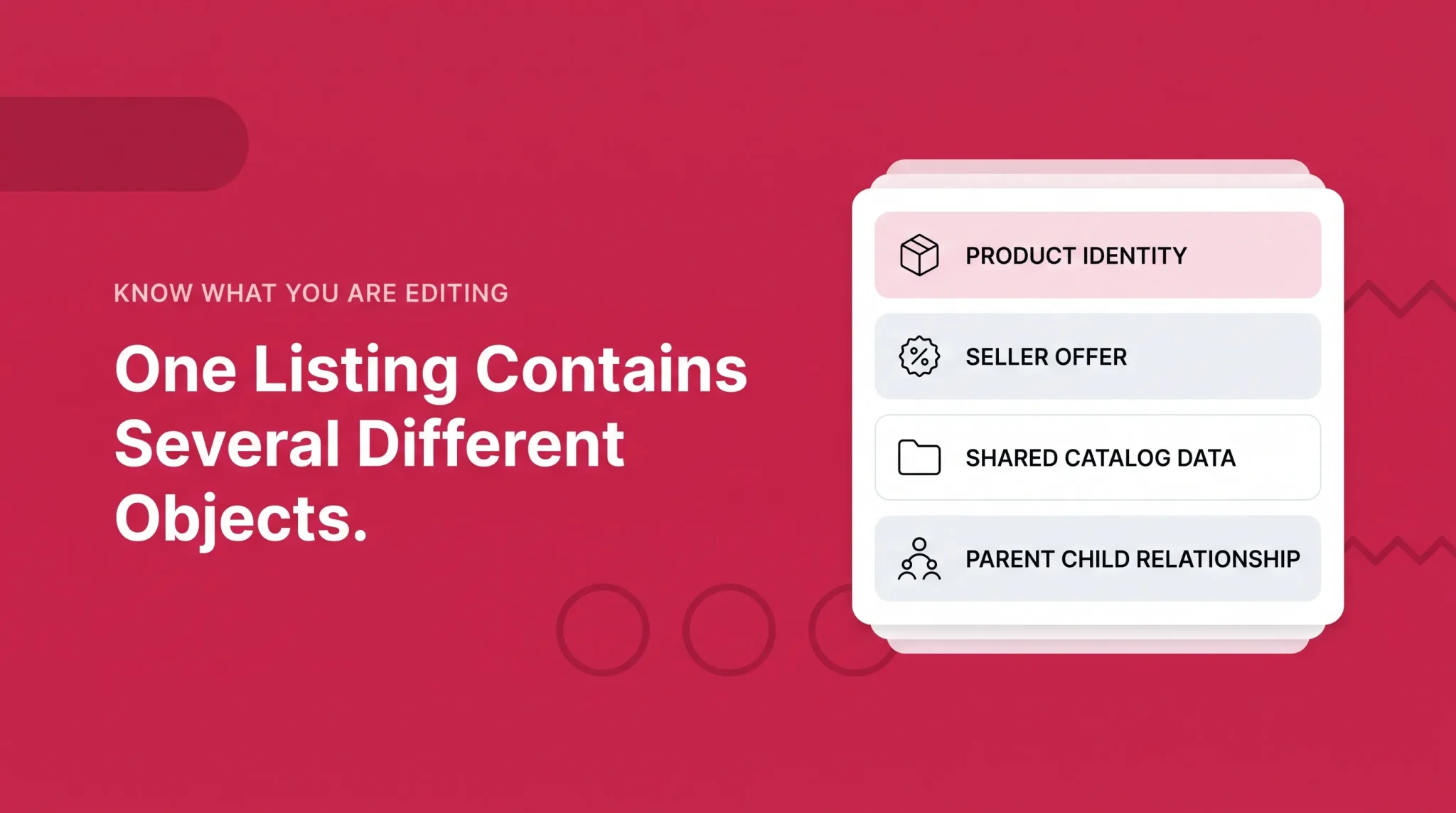
Catalog object | What it identifies | Who manages or contributes to it | Buyable? | Common confusion |
|---|---|---|---|---|
Product detail page | The customer-facing representation of a product | Amazon, using catalog data and contributions from trusted sources | Only through a seller offer | Assumed to be owned by whoever created it |
ASIN | A product's identity inside Amazon's catalog | Amazon assigns it; sellers contribute data around it | Not by itself | Treated as a seller inventory code |
Parent ASIN | A variation family container | Amazon, structured by seller submissions | No price, quantity, or offer | Assumed to hold stock or a Buy Box |
Child ASIN | One product variation | Amazon assigns it; the seller supplies its data | Yes, once an offer exists | Assumed to inherit everything from the parent |
Seller SKU | One offer record inside one selling account | The seller | Through its offer | Assumed that deleting it removes the product |
Offer | Price, quantity, condition, fulfillment for one seller | The seller | Yes | Confused with the detail page |
GTIN | The product outside Amazon: UPC, EAN, JAN, ISBN | The brand, manufacturer, or GS1 | No | Assumed interchangeable with an ASIN |
FNSKU | FBA inventory tied to a seller's offer | Amazon | No | Treated as catalog identity |
The higher up a change sits, the more shared it is, and the harder it is to alter on your own.
Existing ASIN or new ASIN?
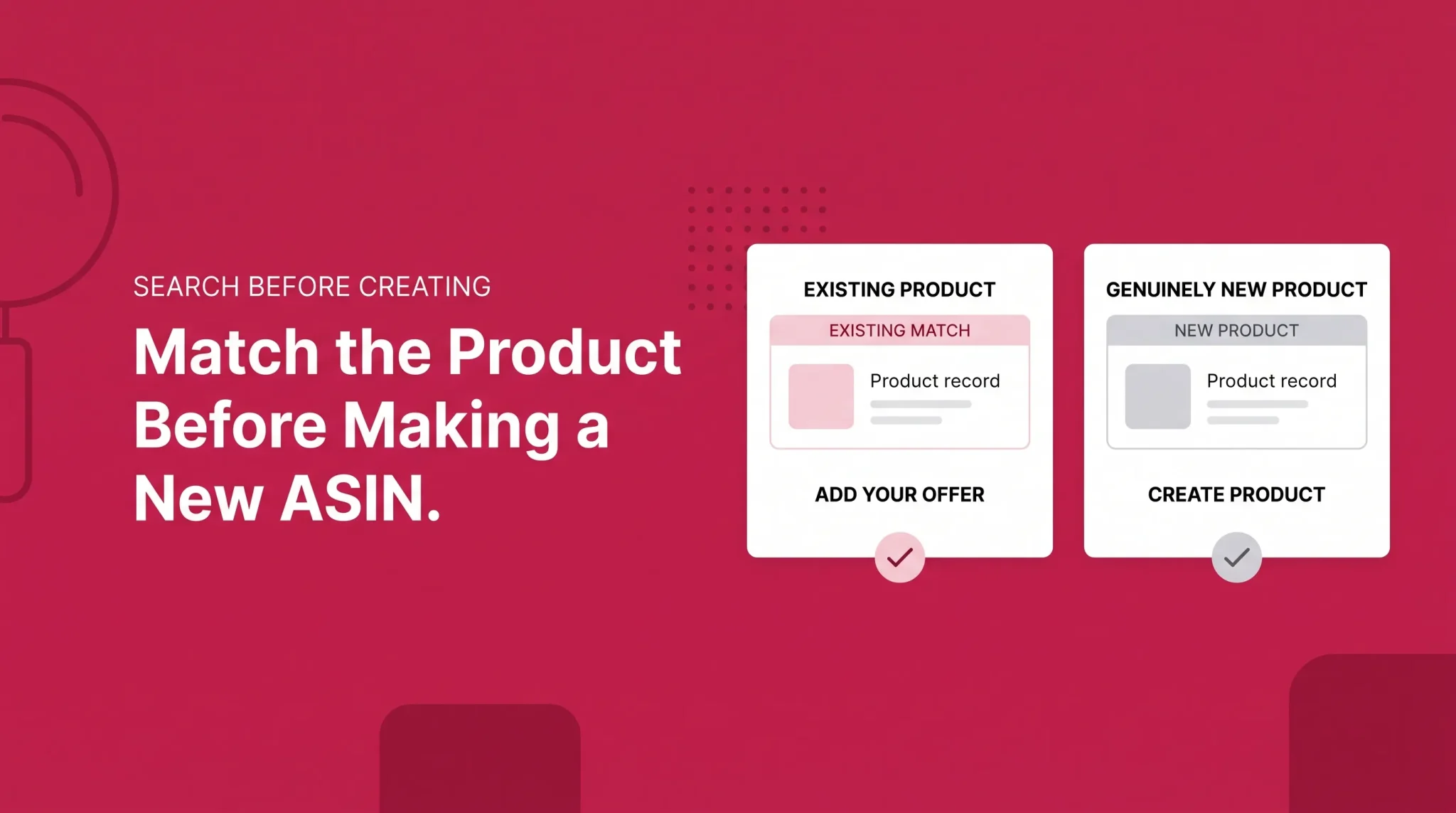
This decision prevents the most damage, and it happens before anyone touches a template.
Search Amazon's catalog for the exact product first. Verify brand, model, product identifier, size, pack quantity, and packaging against what you have in hand. If the existing record is the same product, add your offer to that ASIN. Create a new ASIN only when the product is genuinely not represented.
Amazon's ASIN creation policy treats duplicate detail pages as a violation, and creating one can restrict or remove ASIN creation privileges. The remedy for genuine duplicates is a merge request, not a second page. Newer accounts also have a weekly capacity for new ASINs that expands with sales history, which explains some otherwise baffling creation failures.
Be blunt about what does not justify a new ASIN. Not a different SKU, not FBA rather than FBM, not another seller already being on the listing, not preferring your own page, and not wanting reviews separated from a competitor's. A new ASIN may be appropriate when the product is materially different: a different brand, model, manufacturer-created pack quantity, bundle contents, edition, formula, or compatibility. Category rules vary, so check your product type's requirements rather than treating these as blanket permissions.
A common case: a reseller enters a UPC, Amazon returns a match, and the brand value on that ASIN reads differently from the packaging in hand. The right question is whether the matched ASIN is actually the same product. If it is, the discrepancy is a catalog accuracy issue to raise with evidence. If it is not, the identifier is probably wrong or reused. Neither answer is "make a new one."
ASIN, SKU, GTIN, and FNSKU
An ASIN is a ten character identifier Amazon assigns to a product in its catalog. Sellers do not create ASINs directly. They submit product data, and Amazon either matches it to an existing record or generates a new one. An ASIN is not an inventory code and does not belong to the account that first submitted it.
A seller SKU is the opposite: defined by the seller, scoped to one account and marketplace, and used for inventory, fulfillment routing, and reporting. Several sellers can offer the same ASIN under different SKUs. If Amazon rejects a SKU as already associated with a different product, the documented fix is to delete the started listing and recreate it with a unique SKU, which has no effect on the ASIN.
A GTIN identifies the product outside Amazon, with UPC, EAN, JAN, and ISBN as its formats. Amazon validates identifiers against GS1 records, which is the most important thing to know about them. An identifier that does not match GS1 information, or one previously used for a different product, will fail matching however correct the rest of the submission is.
An FNSKU distinguishes FBA inventory tied to a seller's offer. It sits at the inventory layer, not the catalog identity layer. So deleting a SKU removes your offer record; it does not delete the ASIN, the detail page, the reviews, or anyone else's offers.
Brand names, Generic products, and catalog approvals
Four approvals get collapsed into one in everyday conversation. Brand Name Approval is permission to use an unregistered brand value in catalog creation. Brand Registry is a separate program tied to trademarks, brand roles, tools, and protections. Brand selling approval is permission to sell offers for a restricted or controlled brand. ASIN creation approval is permission to create new detail pages for a brand.
These solve different problems. Brand Name Approval does not grant Brand Registry tools, Brand Registry does not automatically resolve every selling or ASIN creation restriction, and approval to sell an existing ASIN is separate from approval to create a new one for that brand.
Exact matching matters more than sellers expect. Brand spelling, case, punctuation, and spacing must match the approved value, and Amazon may require branding to be permanently affixed to the product or packaging, evidenced by real photographs rather than digital renders. Where branding is not printed on the item, as with some apparel and jewelry, an attached tag usually serves. Brand name approval may apply across countries once granted, but category approvals, product type requirements, and selling permissions can still differ by marketplace.
Genuinely unbranded products use "Generic" as the brand value. That is a real designation with consequences, not a workaround. Amazon notes that a seller who later decides to brand a product may have to recreate Generic listings from scratch to associate them with the brand. Generic listings also carry protections that surprise people: error 5885 can occur when a seller attempts to update, add an offer to, or copy another seller's Generic detail page.
So do not use Generic temporarily, do not enter a placeholder brand, do not treat converting Generic to a brand as a routine edit, do not put your seller account name in the brand field unless it appears on the product, and do not enter a compatibility brand as the product's brand.
When the product has no GTIN
Some products genuinely have no manufacturer-issued identifier. Amazon handles this through a GTIN exemption, requested inside the listing flow rather than on a standalone page.
Search first to confirm the product does not already exist. Select Create a new listing, then I don't have a product ID. Where the workflow offers the exemption, use Apply now and submit the product name, the exact brand value or Generic where genuinely appropriate, and real photographs of the product and its packaging. What you submit must match what you later use in the listing, because a mismatch in brand value or product type is a common reason an exemption appears not to apply.
An exemption is not Brand Registry, Brand Name Approval, approval to sell a restricted brand, category approval, ASIN creation approval, proof of intellectual property ownership, or permission to create duplicate products. It also does not replace a real identifier where one exists, so buying cheap or recycled UPCs to avoid the process only moves the problem downstream into matching conflicts.
How shared catalog contributions work
In most categories, multiple sellers offer the same product through a single detail page. Shared catalog information may include brand, manufacturer, model, product type, product identifiers, title, images, structured attributes, and variation relationships. Seller offer information includes the SKU, price, quantity, condition, fulfillment channel, and handling and shipping settings. The first group is contested. The second is yours.
This explains a behavior that frustrates sellers constantly: a submitted value is accepted, sits in the backend, and never appears on the customer-facing page. Nothing failed. Amazon automatically evaluates contributions and trusted data sources when determining what appears, and something else was selected. It also means nobody permanently owns a detail page. Brand Registry improves a brand's standing and unlocks tools, but it is not absolute control over every displayed attribute, and a change that matters usually needs evidence rather than repetition.
Identity attributes such as brand, model, product identifier, and pack quantity are treated far more conservatively than descriptive fields. Changing them casually can trigger matching conflicts, suppressions, or incorrect merges. And not every unwanted change is a hijacker: an incorrect attribute from another contributor, an invalid variation relationship, an unauthorized seller on your offer, and an IP infringement are four different problems.
Product types and required attributes
Product type determines which attributes exist, which are required, which variation themes are valid, and where the product sits in browse structures. Item type keyword, category, and browse node are related but not interchangeable.
Choosing the wrong one causes problems that surface later and rarely look like classification issues: missing fields, themes that will not validate, suppressed listings, odd browse placement, or compliance requests for information the product does not need. Migrating afterwards is awkward. Choose the type that genuinely describes the product, and never pick one to dodge a required attribute or a category approval.
Parent-child variation structure
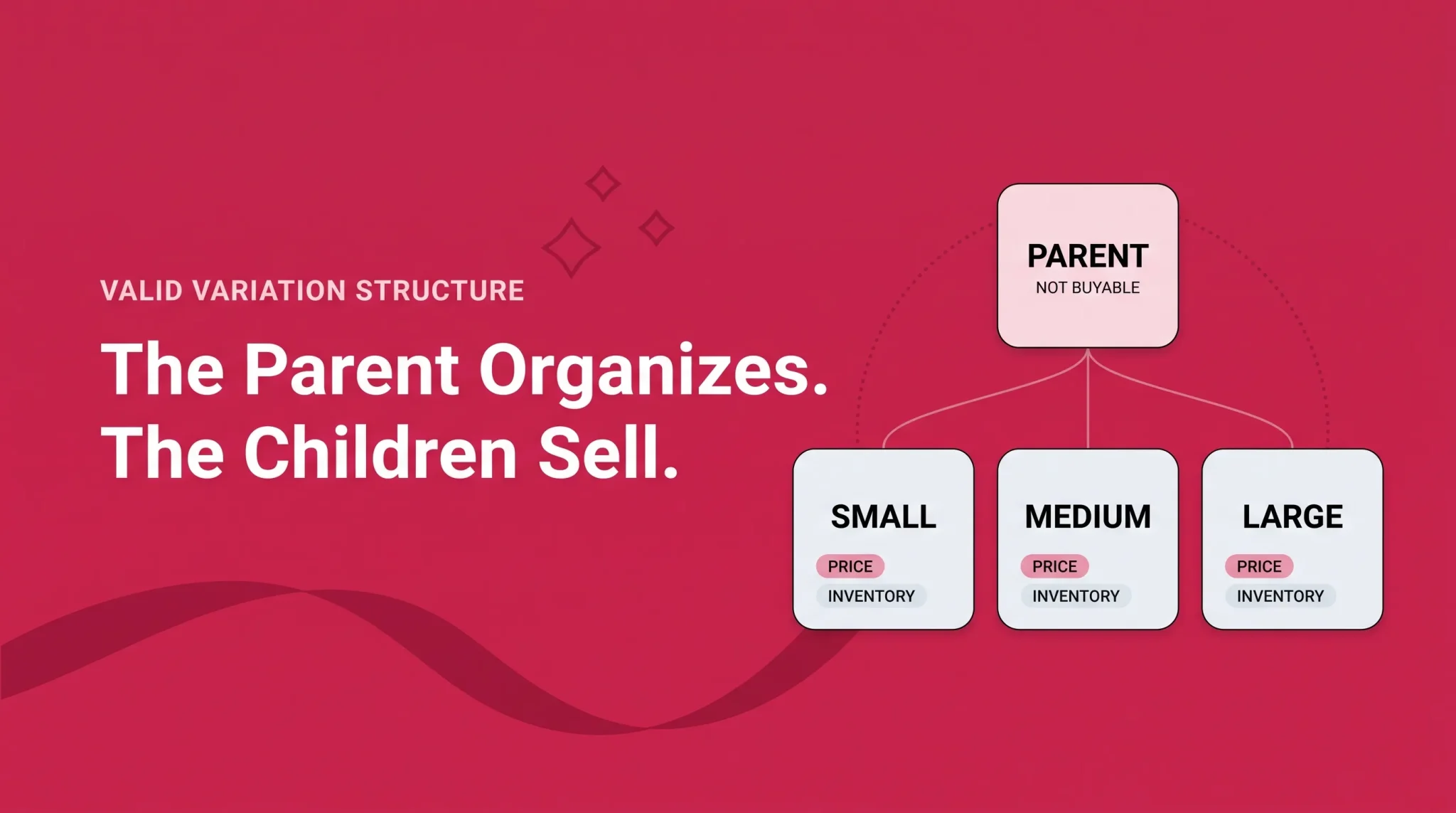
A variation family has three parts. The parent is a non-buyable container with no price, no quantity, and no fulfillment offer; its job is to organize the family. Each child is a real product with its own ASIN, seller SKU, offer and inventory, variation attribute value, and product identifier where one is required. The variation theme defines the approved way children differ, is specific to product type and marketplace, must be consistent across the family, and changes as Amazon updates its templates.
Products belong together when they share the same brand and product type, have fundamentally similar titles, serve the same function and customer purpose, and differ only through approved variation attributes. A shirt in approved sizes and colors qualifies. Bedding in approved dimensions qualifies. A compatible part across approved fitment options qualifies.
They do not belong together because they are commonly purchased together, because one is an accessory to the other, because they are different models with different functions, because they are bundles with different contents, because they are different product types, because they are separate generations, or because they sit at different performance levels. A laptop bag and a backpack are two products.
Amazon also removed themes it considered redundant during 2025, marking the affected ones as "Deprecated: Do Not Use" in the product template. Existing valid families may continue to operate, but deprecated themes should not be used in new submissions, and updating an older family may require moving to a supported theme. Availability differs by category and marketplace, so check the latest Product Spreadsheet for your product type rather than a list from a previous year.
Review sharing under the current 2026 rules
Amazon changed how reviews are shared across variations in 2026, rolling it out by category between February and May. The old assumption that every child in a family shares every review is no longer accurate.
Reviews may continue to be shared when variations differ in minor ways that do not affect core functionality: color or pattern, size or dimensions where function stays the same, pack size or quantity, secondary scent where scent is not the main feature, and fitment for different compatible models.
Reviews may not be shared when the difference materially changes the customer experience. That covers performance, power, functional specifications, platform or ecosystem, product generation or model, bundle contents, primary flavor, primary scent, material where function changes, design where customer use materially differs, and intended user or use case.
Notice how closely that second list tracks the things that should never have been variations in the first place. Amazon is applying one similarity test to two problems.
Eligibility follows from the variation structure and the theme, and Seller Assistant can help check whether a family qualifies. If a family groups products with significant differences under an inconsistent structure, review sharing can stop across the family rather than only for the mismatched child. Correcting the theme so it reflects the real difference can allow eligible reviews to be shared again. Two caveats: review sharing does not determine Best Sellers Rank, and building a family is not a growth tactic that guarantees ranking or conversion benefits.
Creating and maintaining variations using the current workflow
The current method sits inside Add Products. Go to Add Products, search using the Search or Product IDs tab, open the relevant product, and select View variations. From there you choose one of two paths, download the pre-filled spreadsheet, complete the required fields, and upload it.
Those two paths are the four-operation question in miniature. Add new variants creates genuinely new child products, or connects valid standalone products into an existing family. Add offer to selected variants creates your own offer against child ASINs that already exist. Choosing the wrong one is how sellers end up with duplicate children, upload failures, or a structure they did not intend. If the variant already exists, you want the offer path.
Amazon has announced that the Variation Wizard will retire by the end of August 2026, so treat it as the legacy tool rather than the route to learn. The blank form suits a single family of up to 250 child ASINs, while the product spreadsheet is better for multiple families or regular variation work. Bulk upload can support up to 4,000 child ASINs in one submission.
Amazon's current guidance as of August 2026 allows a maximum of 4,000 child ASINs under one parent, and systems cannot display more than 4,000 children on a detail page. These limits may change. Staying inside the technical limit is not the same as being manageable, though: large families load slowly, are harder to edit, are painful to audit, and tend to hide a broken child until something else surfaces it.
Lifecycle changes need the same care. Closing an offer leaves the SKU. Deleting a SKU leaves the ASIN. Removing a child relationship leaves both ASINs standing. Deleting a parent relationship dissolves the family without deleting its children. Removing an ASIN from the shared catalog is not a seller action at all. Which of these is available depends on who manages the family, the current tool, the submission method, and whether Amazon hosts the relationship internally. A child can belong to only one parent, so if it is already assigned elsewhere, remove the existing relationship and let it clear rather than submitting the new one repeatedly.
Error triage by root cause
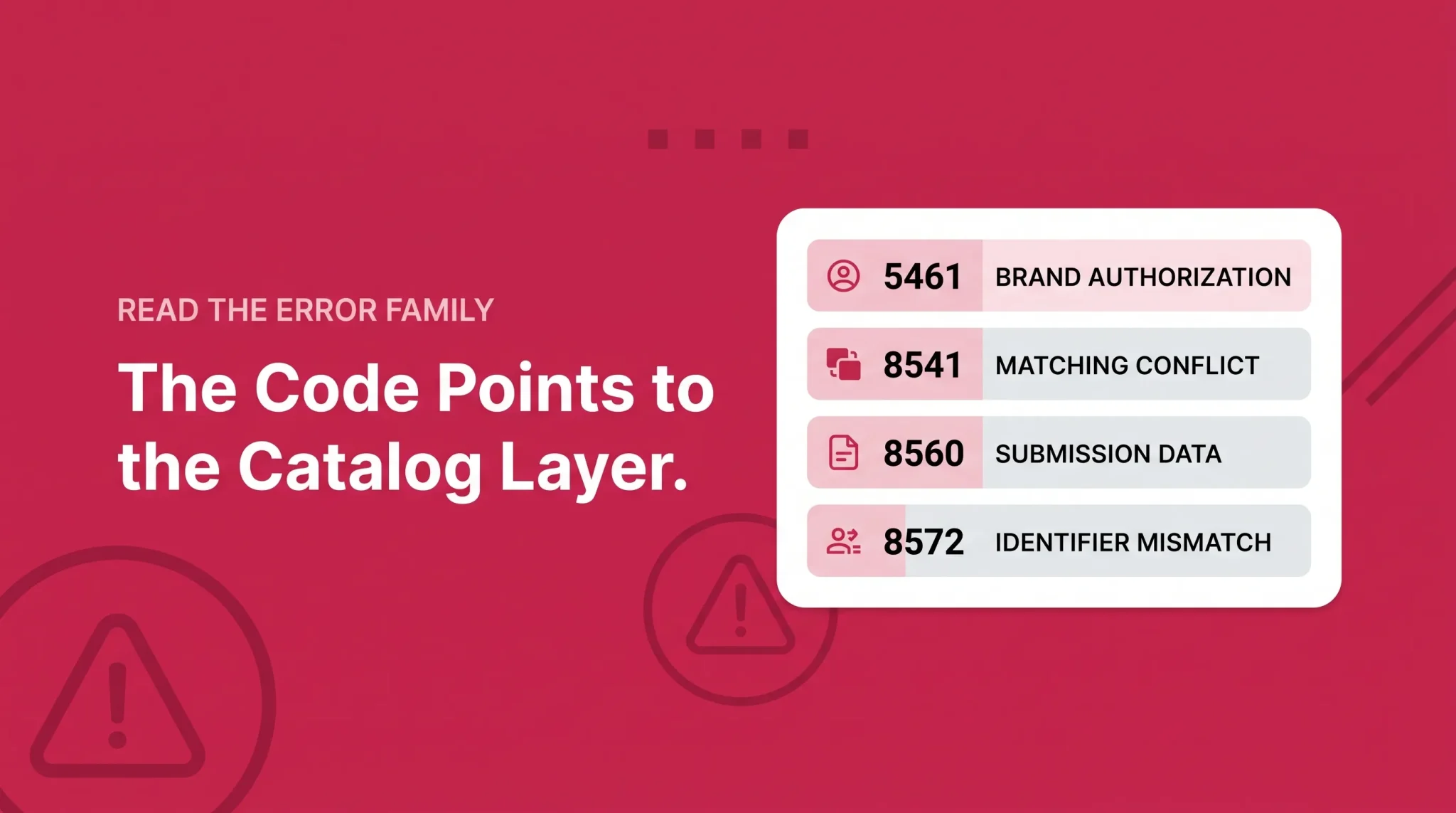
Error or family | What it usually signals | First check | Do not do |
|---|---|---|---|
5461 | Not approved to create a new ASIN for this brand | Brand spelling, Brand Registry account association, Selling Applications, then the application link in the error | Assume you cannot sell the brand |
5664, 5665, 5668 | Generic value problem, unapproved brand name, or missing identifiable brand | Whether the product is genuinely unbranded, and the exact approved brand value | Assume Brand Registry is the only route |
8541 | The product ID matches one existing ASIN, but your data conflicts with it | Whether the matched ASIN is actually your product | Change identity attributes to force acceptance |
8542 | The product ID maps to several ASINs and none match your data | Whether the identifier is correct | Guess at an ASIN to make it pass |
8560 | Broad submission validation failure | Error text, processing report, identifier, required fields, product type, exemption, brand spelling | Treat it as one problem with one fix |
8572 | The identifier does not match the product or brand data Amazon can validate | GS1 record, brand value, product identity, manufacturer or brand documentation | Create or reassign an identifier for another brand |
8007, 8016, 8032 | Missing or invalid parent, inconsistent variation data, or a child already linked to another parent | Parentage fields, theme consistency, existing parent assignment | Re-upload the same relationship repeatedly |
8026 | Not approved for the category or product context | Selling Applications | Change the product type to route around it |
Errors cluster into families, and the family tells you which layer you are in.
Four of these deserve a note.
5461 means the account is not approved to create a new ASIN for that brand. It does not mean you cannot add an offer to an existing approved ASIN, and mistaking one for the other sends people down the wrong path for days. Check the brand value character by character, confirm your Brand Registry and selling accounts are associated, follow the application link, and monitor Selling Applications. Amazon currently documents that creation can take up to 24 hours to become available after approval, and some brand approvals come with a limited 96-hour ASIN creation window that is communicated in the approval itself.
8541 and 8542 are both matching conflicts, separated by how many candidates Amazon found: one existing match your data contradicts, or several ASINs your data matches none of. The first decision is not a data question. Is Amazon's suggested ASIN actually the same product? If yes, align to the catalog. If no, investigate the identifier.
8560 is a family rather than a single fault, covering invalid or missing values, identifier format problems, missing required fields, the wrong template or product type, and exemptions that do not apply to the submission as sent. The processing report narrows it.
8572 means the identifier does not match the product or brand data Amazon can validate. Verify the GS1 record, the exact brand value, and the product identity, and gather manufacturer or brand documentation where required. A GS1 certificate alone does not resolve every case, because the brand value has to match the record.
A repeatable troubleshooting workflow
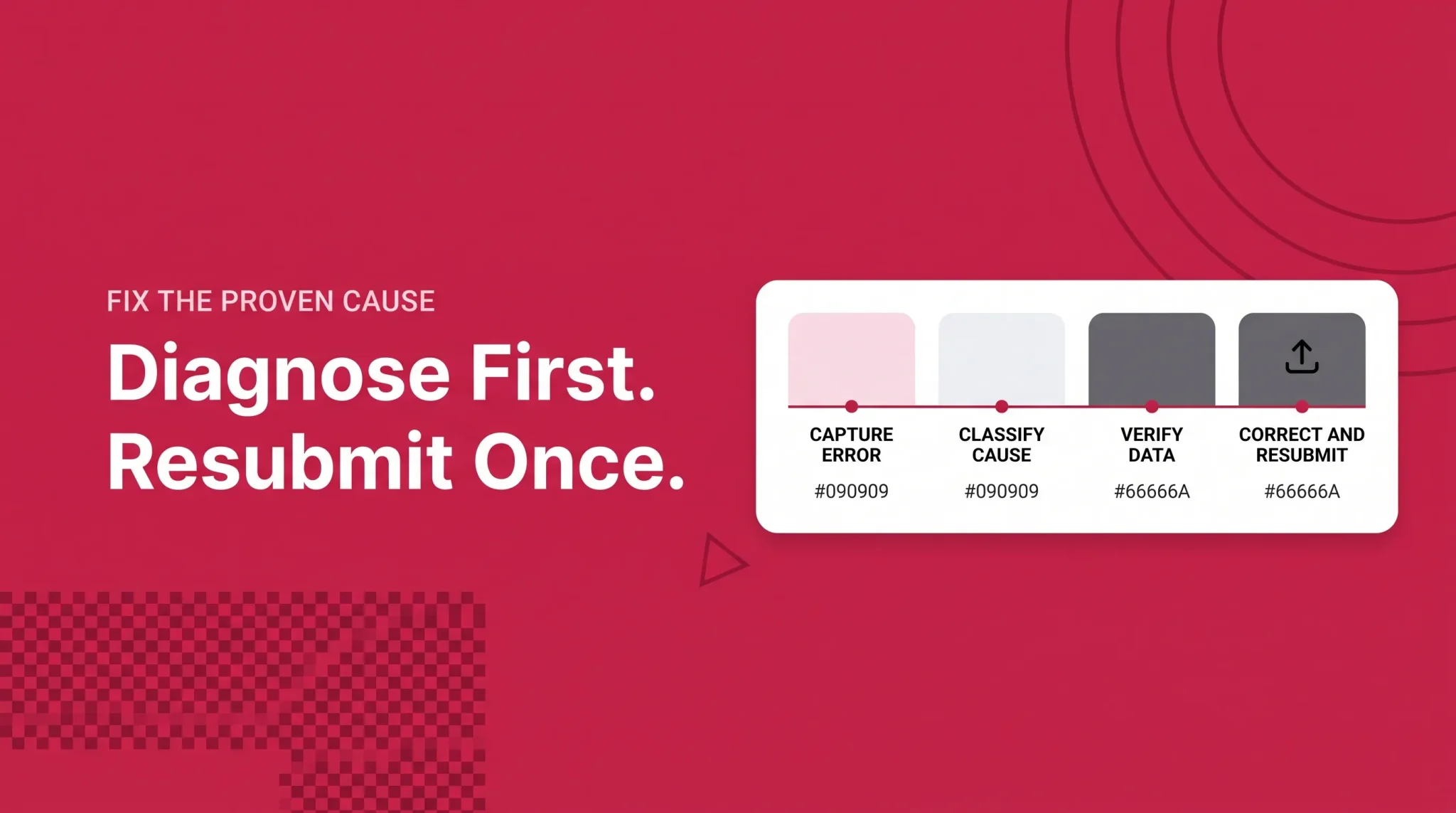
Work the same sequence every time. It is slower on the first error and much faster on the tenth.
Capture the complete error text and code, not a paraphrase
Record the SKU, ASIN, product ID, marketplace, and submission method
Download the processing report
Record the batch ID
Classify the issue as product identity, brand authorization, product type or required data, category approval, or variation relationship
Confirm whether the product already exists in Amazon's catalog
Verify the GTIN and the exact brand value
Verify the product type and its required attributes
Verify the variation theme and the parent-child fields
Check Selling Applications and Fix Your Products
Correct the smallest proven problem
Resubmit once
Allow the current documented processing period
Escalate with specific evidence only when the above is exhausted
What not to do matters as much. Do not upload repeatedly hoping something changes, do not open several cases about one issue, do not delete and recreate an ASIN before you understand the cause, do not alter identity data to bypass an error, and do not invent identifiers.
Catalog maintenance and change monitoring
Most catalog problems are prevented upstream rather than fixed downstream. Search before creating, keep records of what was approved and when, and check back after Amazon processes anything. Suppressed listings, families that stop displaying, attributes that quietly change, and contributions that never appear are things you find by looking rather than by being told. Pulling a Category Listings Report periodically and comparing it against what you expect surfaces most of it.
Catalog hygiene checklist
Search the catalog before creating any new ASIN
Verify brand, model, identifier, size, and pack quantity against the physical product
Use valid GS1 or manufacturer-issued product identifiers
Confirm the exact approved brand value, including case and spacing
Keep GTIN exemption records separate from brand approval records
Select the correct product type before completing attributes
Complete every required attribute for that product type
Use a currently supported variation theme for the category and marketplace
Keep parent and child data consistent across the family
Maintain a SKU to ASIN map for every marketplace
Download and keep processing reports
Record batch IDs, case IDs, and approval dates
Preserve product and packaging photography as evidence
Review variation families and review sharing eligibility
Monitor suppressed listings and unexpected catalog changes
Common catalog mistakes
The same handful of errors cause most of the damage. Creating a second detail page because the first is inconvenient. Treating an ASIN as owned by whoever created it. Assuming Brand Registry settles every authorization question. Grouping products into a family because they sell well together rather than because they are the same product in different forms. Editing identity attributes to get past an error. Deleting a SKU and expecting the ASIN and its reviews to go with it. Re-uploading the same file after each rejection without reading the processing report. Buying recycled identifiers and then spending months on the conflicts they cause. Every one of these comes from working at the wrong layer.
If you are still setting up, the seller account setup guide covers selling plans and registration, and the Seller Central dashboard guide covers daily navigation. For a new product, the product launch strategy guide covers sequencing once the structure is sound. A Virtual Bundle is a separate program rather than a variation or a physical multipack, covered in the seller programs guide.
Where a catalog review helps
If the same errors keep reappearing across a catalog, the cause is usually structural rather than tactical. Flairox can review catalog structure and identify what is actually breaking: ASIN and SKU mapping, variation family diagnosis, brand and identifier conflicts, and processing report review. If your listings keep failing for reasons nobody has explained, that is a good place to start.
Frequently asked questions
An ASIN identifies a product inside Amazon's catalog and is assigned by Amazon. A SKU identifies one seller's offer inside their own account and is created by the seller. Several sellers can list the same ASIN under different SKUs.