Bilal Siddiqui
You want your products to rank high and sell fast. To do that, you need the right system. Many sellers buy random software and hope for the best. That approach wastes money.
Instead, you need a structured amazon seller tools stack. Building a listing optimization tool stack requires mapping tools to specific tasks. I will show you how to organize your amazon tools for listings by workflow stage.
This way, you build a practical toolkit without guessing what to buy first. We will cover exactly what you need from research to monitoring.
Start By Mapping Your Listing Workflow Stages
Your workflow must guide your software choices. Do not buy tools first and figure out the process later. The core stages are research, build, QA, publish, and monitor.

Tools save time on heavy data lifting. Humans must decide on context and strategy. Do not expect software to write the perfect sales pitch without your input.
Let us look at a simple stage-to-outcome map.
Research: Find terms that drive traffic.
Build: Write copy and align design assets.
QA: Catch errors before they cause harm.
Publish: Push updates to the platform safely.
Monitor: Track changes in rank and health.
Keyword Discovery Layer For Relevance Coverage
You must know what buyers type into the search bar. This is your keyword discovery layer. An Amazon keyword tool helps you with seed expansion. You start with one core word and find hundreds of variations.
Competitor extraction: Lets you see what works for others.
Clustering: Group these words by intent and search volume to stay organized.
Filters: You cannot use every word you find. You need filters to remove irrelevant terms quickly.
Export formats: You need software that exports data cleanly to a spreadsheet or your main Amazon SEO tool.
Listing Build Layer For Copy And Structure Output
Once you have your words, you must build the listing. This layer handles drafting titles, bullets, and descriptions. A good Amazon listing optimization tool enforces field constraints. It warns you if your title is too long.
It also provides formatting support for readable text. You must consider managing variants carefully. Tools should handle parent-child needs without mixing up the data. This keeps your seller tools for optimization organized and efficient.
⚙️ Streamline Your Build Layer
Automate Copy and Structure with Flairox
Instead of jumping between disconnected research and drafting tools, Flairox Listings integrates your targeted keyword data directly into a unified drafting environment, enforcing character limits and formatting rules automatically.
Explore Flairox Listing Optimization →
Creative Production Layer For Image And Asset Flow
Words alone do not sell products. You need a creative production layer. This part of your stack handles briefing designers and collecting feedback. It must include strict version control so you do not upload old images by mistake.
You also want a central asset library. This allows for simple asset reuse across different SKUs. Finally, you need simple approval routing. A clean workflow ensures the right manager approves the main image before it goes live.
QA Layer To Catch Errors Before Publish
You must never publish blindly. The QA layer exists to catch errors before publish. Your software should check character limits automatically. It must highlight duplicates and flag missing fields.
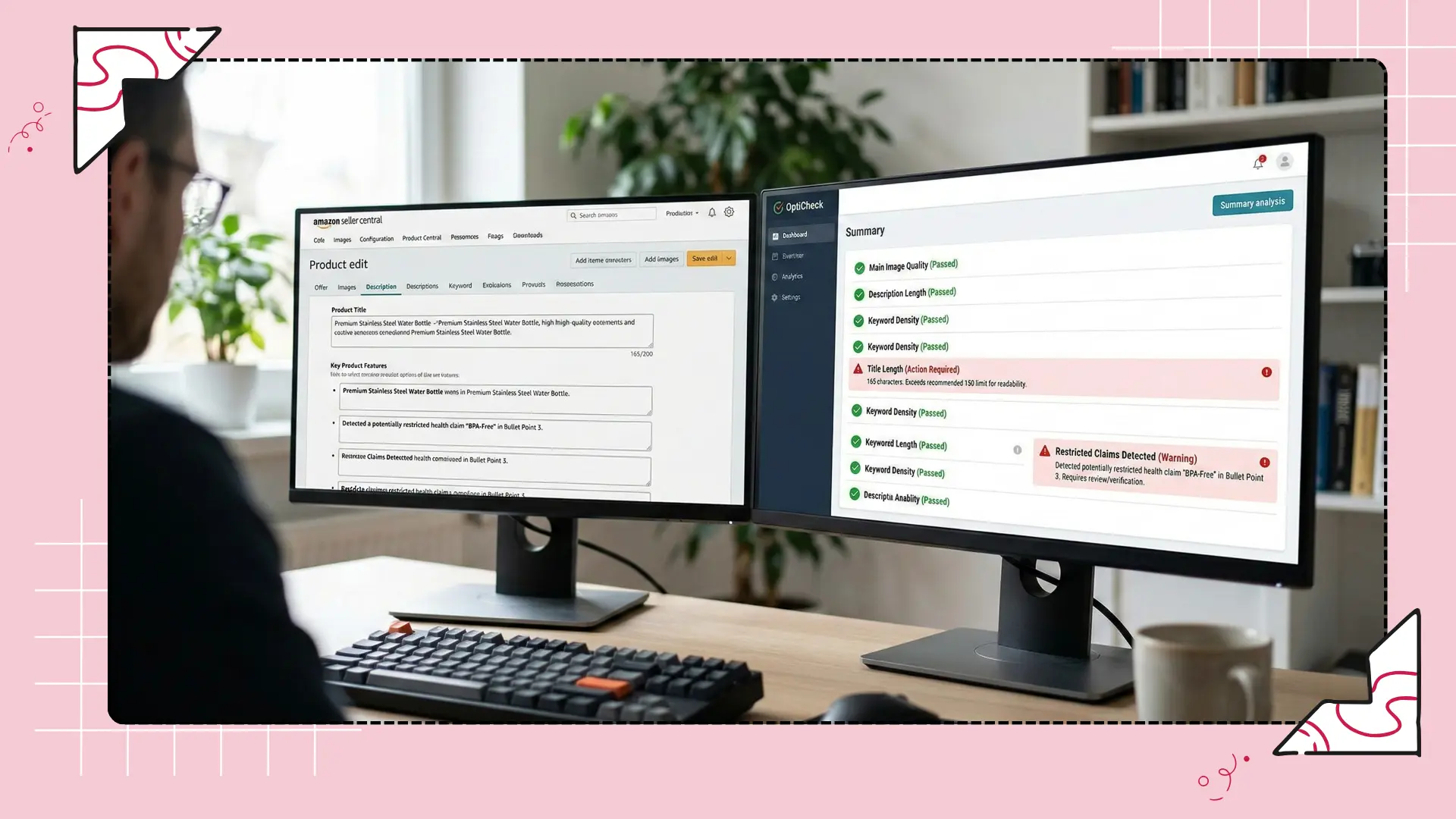
Amazon has strict compliance rules. Your stack must identify risk terms and compliance flags. If you sell restricted items, you must manage Amazon ungating requirements safely. Finally, run consistency checks across variations. Ensure all child items share accurate information.
Publishing Layer For Bulk Edits And Controlled Rollouts
Pushing updates one by one is slow. The publishing layer manages bulk edits and controlled rollouts. You need tools that allow batch edits and scheduling. Many systems use the Amazon SP-API for direct, reliable connections.
You also need rollback readiness. If an update breaks your page, you must revert it instantly. Your tools must provide change logs that show exactly what was edited. Safe release sequencing means you update a small batch of products before changing your whole catalog.
Monitoring Layer To Protect Rankings And Listing Health
Your work does not end when you hit publish. The monitoring layer protects rankings and listing health. An Amazon keyword tracker is essential here. You must watch for rank movement and indexing loss.
You also need to catch suppression signals immediately. Tools like Sellerboard or SellerSprite can help track performance, but you must focus on the alerts. You need alerts that matter versus noise. Do not let your system send an email for a minor rank drop. Lastly, rely on change detection after updates to verify your edits are active.
Reporting Layer For Sellers And Clients
You must prove that your work is effective. The reporting layer is for sellers and clients. It provides weekly snapshot metrics and an action summary. You need to tie your edits to real sales data.
Good reporting allows commenting on changes and results. If you provide Amazon SEO services, you need shareable exports and dashboards. This shows stakeholders the value of your best tools for listing workflow.
Stack Setups By Team Size And Complexity
You do not need every tool on day one. Let us look at stack setups by team size and complexity.
Recommended Stack Configurations
Solo seller minimum stack: Focus on an Amazon keyword finder and a basic monitor. You can manage the rest using free Amazon Seller Central tools.
Brand team stack with approvals: You need asset libraries and strict QA layers. Approvals become mandatory to protect the brand identity.
Agency stack with multi-account governance: An agency workflow requires tight permissions. You need multi-account governance to protect client data and prevent accidental edits across different brands.
Frequently asked questions
You need a tool for keyword research, a drafting platform for copy, a QA checker for compliance, and a tracking monitor. This complete setup ensures you cover relevance, readability, and ongoing performance safely.