Bilal Siddiqui
Key takeaways
Buy with Prime adds a Prime checkout and delivery option to a DTC website while Amazon handles fulfillment, eligible returns, and post-order support.
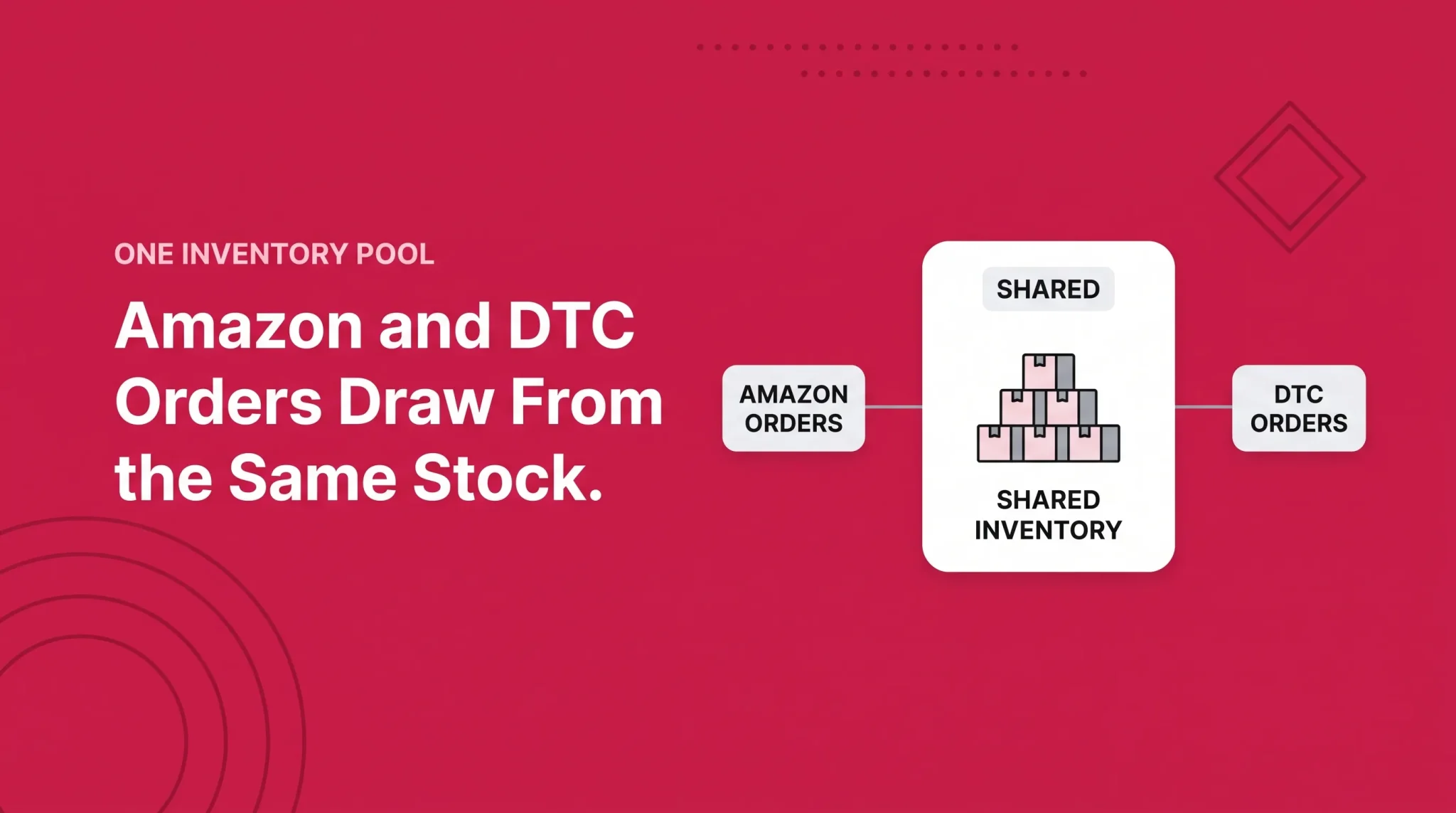
Every Buy with Prime order is fulfilled through Amazon MCF using inventory stored in Amazon fulfillment centers. Amazon marketplace and DTC orders may therefore compete for the same stock.
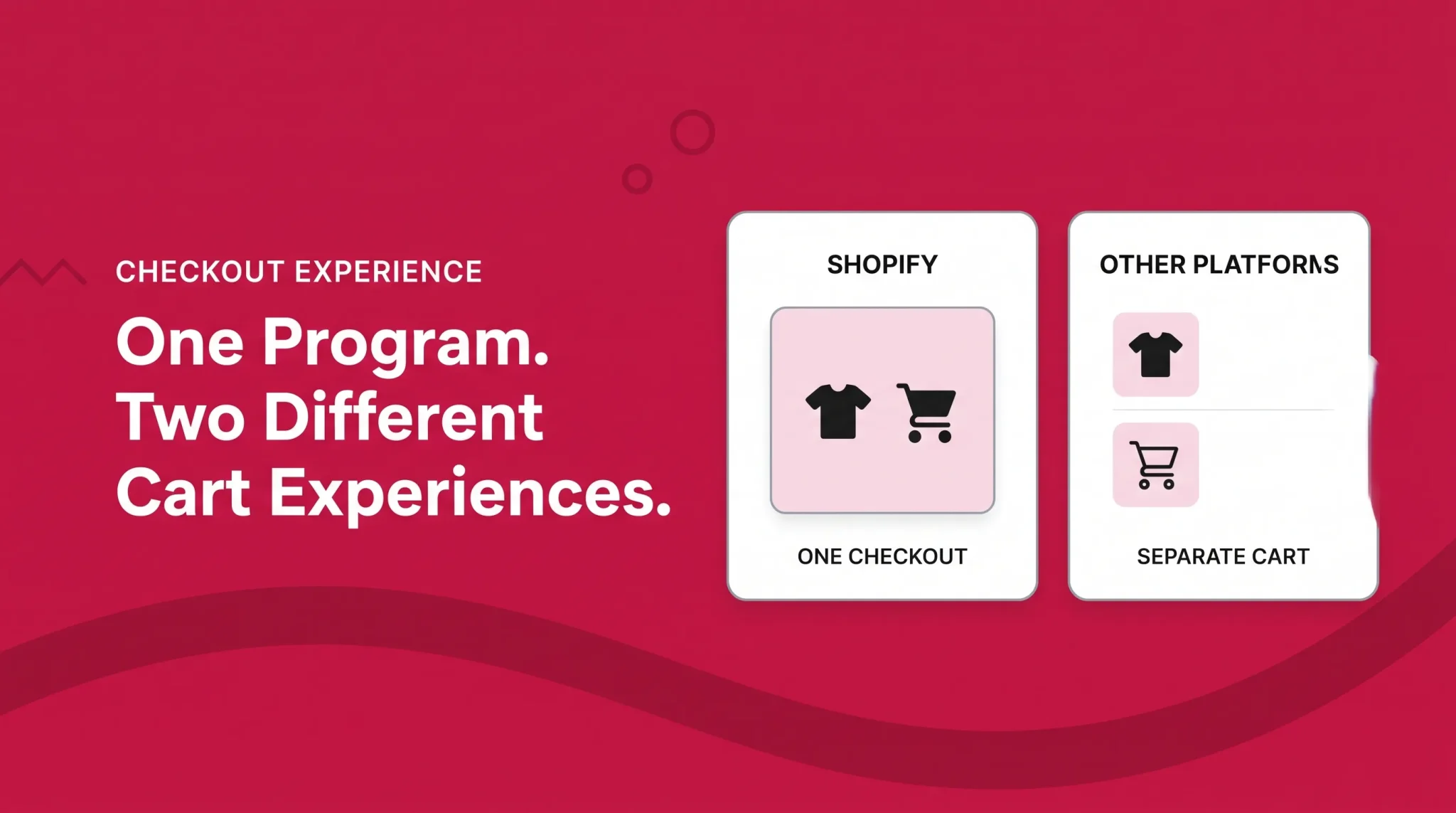
Shopify offers an integrated cart and checkout experience, while most other platforms use a separate Buy with Prime cart and redirect customers to an Amazon-hosted checkout.
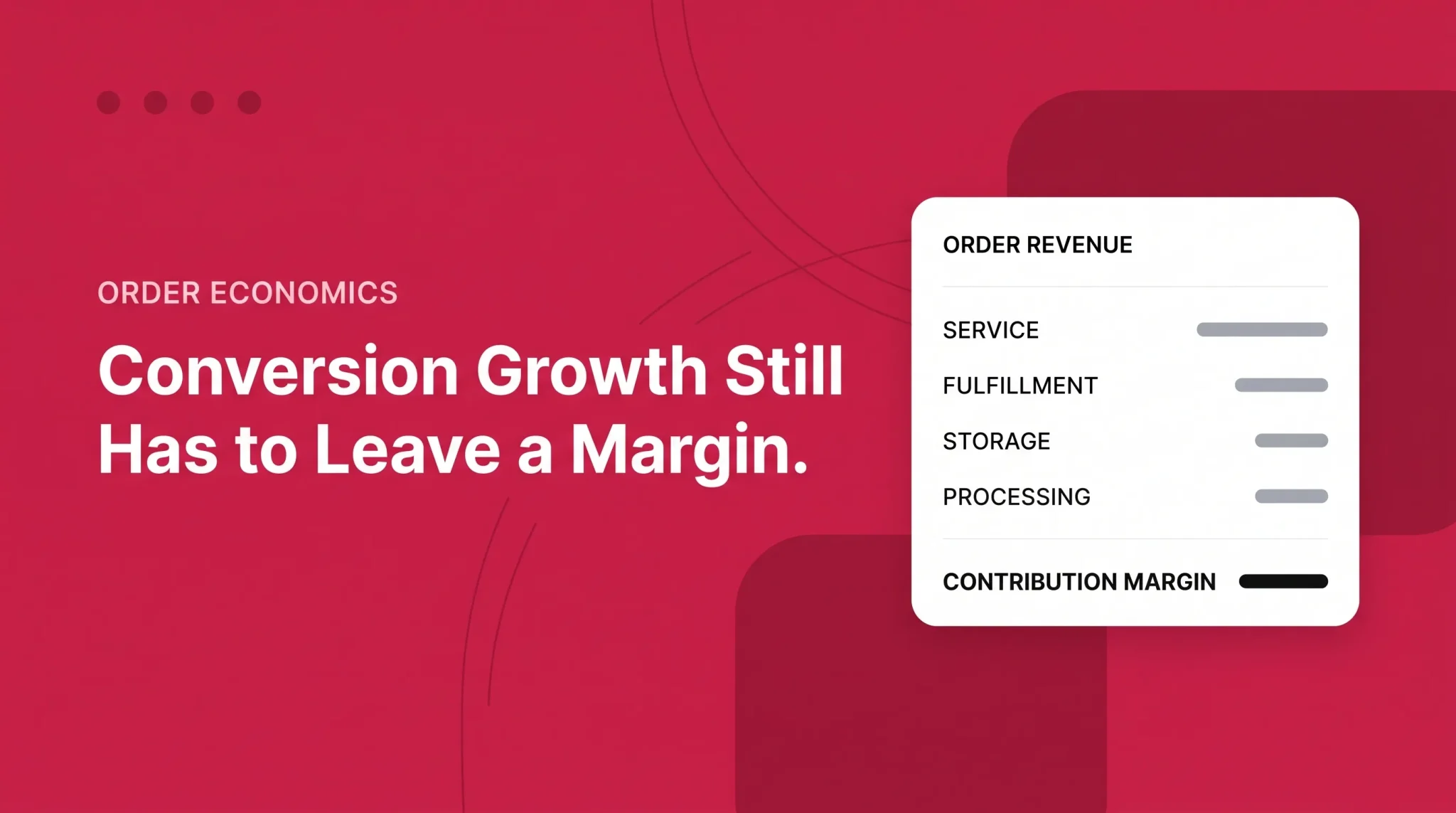
Evaluate the complete fee stack, including the 3% service fee, fulfillment, storage, payment processing, returns, and the 3.5% logistics surcharge.
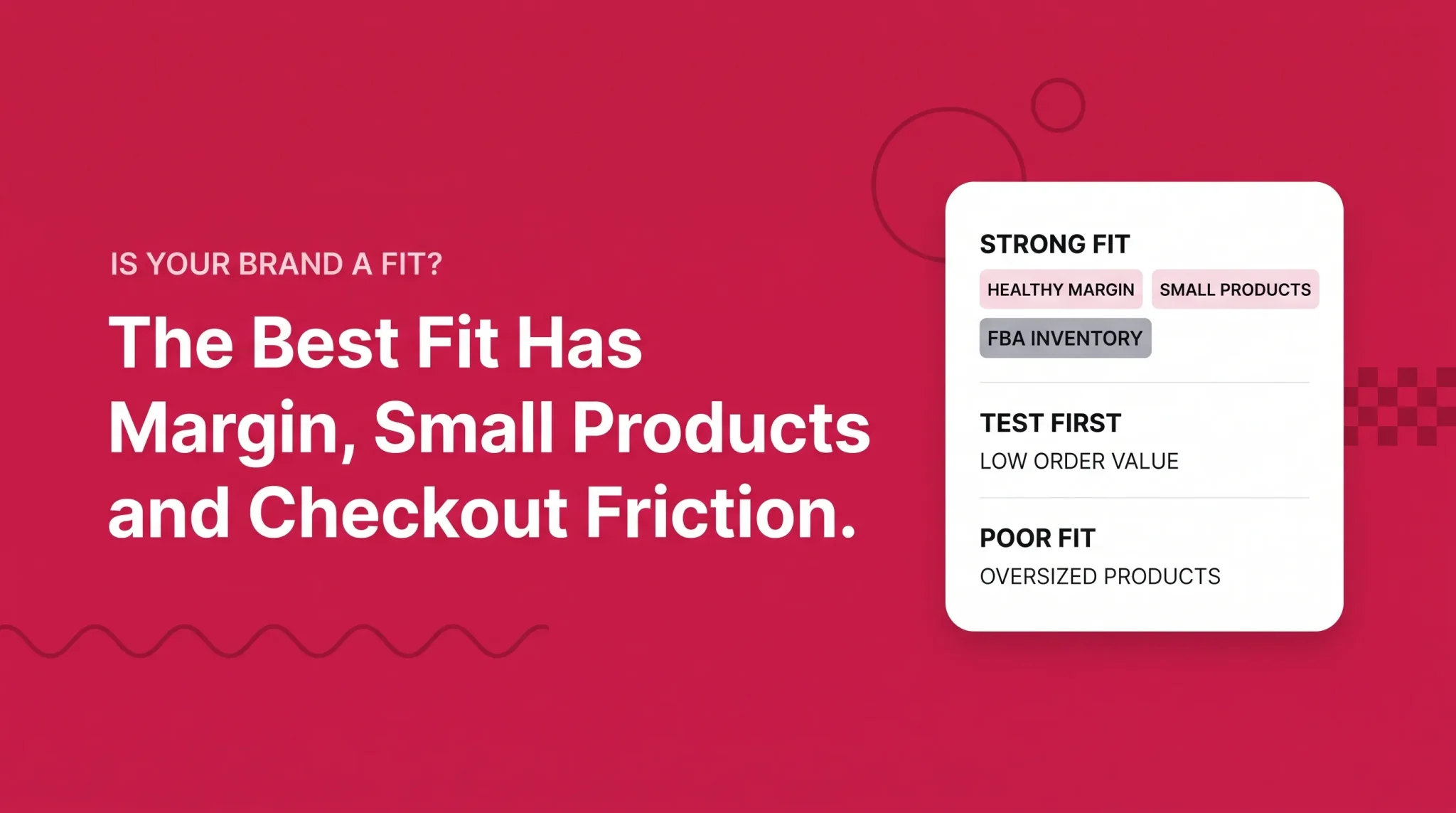
Measure success through contribution margin, not conversion rate alone. Buy with Prime is strongest for eligible, lightweight, healthy-margin products where checkout trust is a genuine barrier.
Most brands evaluating Buy with Prime frame it as a conversion decision. Add a Prime badge, borrow some of Amazon's credibility, watch checkout completion improve. That framing is not wrong, but it is incomplete enough to produce a bad decision.
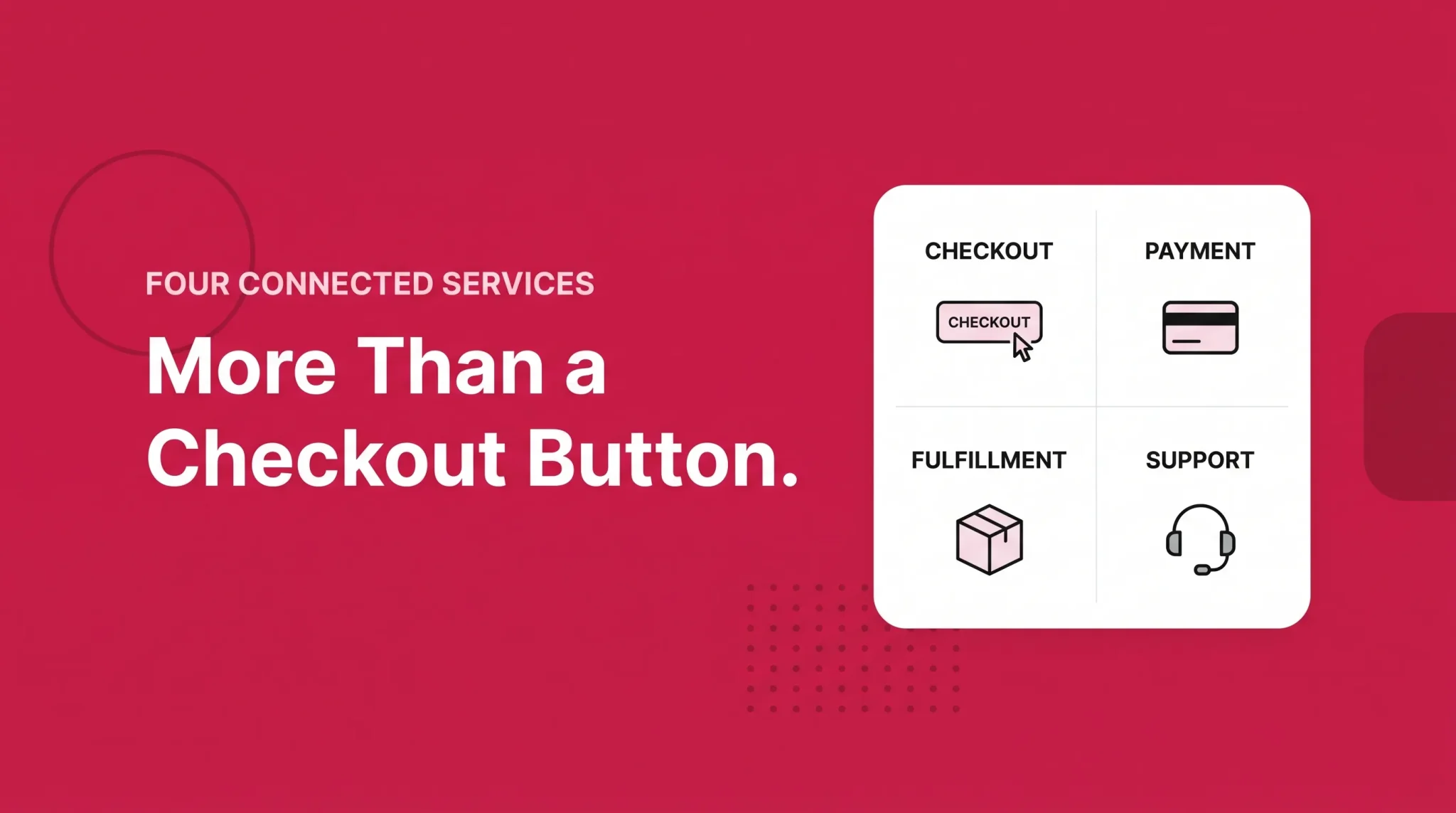
Buy with Prime is a checkout decision, a fulfillment decision, a returns decision, a customer service decision, and a cost decision, arriving together as one installation. Turning it on means Amazon fulfills those orders, sets the return policy for them, answers the post-order questions about them, and charges a stack of per-order fees against them. Some of that is a clear gain. Some of it is control you are handing over, and the trade only works at certain margins, product sizes, and audience profiles.
This guide covers what the program actually does on a merchant's own site, how the cart and checkout behave differently depending on your platform, where the inventory comes from, what an order costs under the current US rate card, who handles customers after the sale, and how to tell whether your store is a fit. It is written for US-based DTC operators, Shopify merchants, and Amazon sellers weighing an off-Amazon rollout.
What Buy with Prime Adds to a DTC Store
Buy with Prime lets a US merchant show a Prime delivery promise on eligible products on their own website, and lets Prime members check out using the shipping and payment details already stored in their Amazon account. Amazon then fulfills the order, handles eligible returns, and provides post-order customer support.
The most common confusion is treating it as one thing. It is four, and keeping them separate is the difference between a workable evaluation and a mess.
Buy with Prime is the shopper-facing layer: the Prime badge and delivery promise on eligible products, the checkout path, the post-order tracking and returns pages, and Buy with Prime Assist.
Amazon Multi-Channel Fulfillment (MCF) is the logistics service underneath. Every Buy with Prime order is picked, packed, and shipped by MCF from inventory sitting in Amazon fulfillment centers.
Fulfillment by Amazon (FBA) fulfills your Amazon.com marketplace orders. It is not the same service as MCF, though the two draw on the same physical inventory pool, which is where the operational benefit and the operational risk both come from.
Amazon Pay verifies that the shopper is an active Prime member and surfaces their stored Amazon shipping and payment details. On non-Shopify implementations it also processes the payment. On Shopify it does not, though it still has to be activated.
Two more pieces sit alongside these. The Amazon MCF and Buy with Prime app for Shopify is the platform integration most merchants will actually install, and it behaves differently from the non-Shopify path in ways covered below. Reviews from Amazon is a separate feature that displays your Amazon.com ratings and reviews on your own product pages, with its own eligibility requirements.
A few things Buy with Prime is not. It is not a second marketplace listing. It is not a replacement for your existing checkout; Amazon is explicit that it adds a path for Prime members rather than removing the one you already have. It is not the same as running MCF on its own. And it is not globally available. The program is currently limited to businesses with a US-based entity authorized to do business, serving US shoppers. MCF operates in a number of other countries; Buy with Prime does not follow it there.
What You Actually Need to Qualify
The baseline requirements, common to every implementation:
A US-based business entity.
Your own ecommerce site. Amazon says the program is designed to work with most ecommerce providers, which is not the same as every provider being equally supported.
A Professional Seller Central account, used to import your Amazon catalog information into your Buy with Prime catalog.
Inventory physically stored in Amazon fulfillment centers, fulfilled through MCF. This is mandatory, and your products have to satisfy FBA eligibility requirements and product restrictions.
Site-wide compliance. Your entire site, including products that do not offer Buy with Prime, must comply with the Buy with Prime Acceptable Use Policy. Products that do offer it must additionally comply with the Buy with Prime product policies.
Here is the point most guides get backwards: you do not need to be actively selling on Amazon.com. Amazon states this directly, and merchants who do sell there are not required to hold price or selection parity with their marketplace listings. What you need is a Professional Seller Central account and inventory inside Amazon's fulfillment network. Those are different things, and conflating them has talked plenty of brands out of a program they were eligible for.
The exception worth knowing is Reviews from Amazon. That feature requires a US entity, enrollment in Amazon Brand Registry, and active Amazon.com listings that are collecting reviews. Reviews appear read-only on your site; shoppers cannot submit new ones through your store. So a merchant who uses Buy with Prime without selling on Amazon.com can run the core program but cannot display Amazon reviews, because there are no listings for them to come from.
What Changes in the Shopper Journey
On an eligible product page, a Prime member sees the Prime badge and a delivery estimate alongside the Buy with Prime option. That estimate is the first substantive change: it is a specific date rather than a shipping-method dropdown, and it is backed by Amazon's network rather than your carrier mix.
When the shopper proceeds, Amazon Pay confirms their Prime status and pulls in the shipping and payment details stored on their Amazon account. They are not typing a card number into a site they may not have bought from before. For a brand with low unaided awareness, that is the mechanism doing most of the work, and it is worth being precise about why: the friction being removed is not form-filling, it is the moment a first-time buyer decides whether to trust an unfamiliar checkout with their card.
After the order is placed, the post-order experience runs on Amazon's rails. The shopper gets order confirmation and tracking, can view the order inside their Amazon account under Buy with Prime Orders, and can start an eligible return from there or from the confirmation email. Returns follow Amazon's Prime returns policy, which means label-free and box-free drop-off where available, or a printed UPS or USPS label, with instant refunds on some items at the point of drop-off.
Shoppers who are not Prime members are not blocked. Your normal checkout stays in place and works exactly as it did. If a non-member selects the Buy with Prime path, they see a prompt offering to start or resume a Prime membership, which activates immediately and returns them to checkout. You can deactivate that prompt in the merchant console if you would rather not surface it.
One constraint on branding: you cannot customize the customer-facing order details page. If you upload a logo to the merchant console, it appears on shopper emails, and that is roughly the extent of the visual control you have over the post-order surface.
How the Cart and Checkout Work
This is where most published guidance is wrong, and where the practical differences are large enough to change your platform decision.
There are two distinct cart products with confusingly similar names. They are mutually exclusive, and which one you get depends entirely on how you install.
The Shopify Integrated Cart
Through the Amazon MCF and Buy with Prime app for Shopify, Prime-eligible products and other products fulfilled by MCF sit together in your existing Shopify cart. The shopper adds what they want and completes one transaction through Shopify Checkout. They stay on your domain, inside your theme, in the checkout you already configured.
Behind that single transaction, fulfillment can split. Where items in the cart cannot ship together, the order breaks into multiple shipments, and Shopify's split shipping surfaces that to the shopper at checkout. Amazon's documentation uses exactly this example: a Prime item in a mixed cart displaying as shipping separately from the rest.
The pricing behavior is worth understanding before you model anything. When your integration includes the integrated cart, fulfillment fees are calculated on the total number of units Amazon is fulfilling, pooling Buy with Prime and MCF units rather than counting each service separately. Amazon's own worked example: a two-unit order containing one MCF unit and one Buy with Prime unit prices both units at the two-unit rate. Since per-unit fulfillment fees drop steeply as unit count rises, this is where the multi-unit savings Amazon advertises come from. It also means you need products activated on both MCF and Buy with Prime to access it.
Two constraints gate eligibility on Shopify, and both disqualify real stores:
Your site must not be using Shopify shipping scripts that modify shipping method or shipping rates. Amazon does not support them.
You need a compatible order management system, one that can handle Shopify's split shipping feature and multiple SKU locations. The app adds a separate shipping location under each SKU to hold Buy with Prime inventory, and your OMS has to read those location identifiers correctly or you will get double fulfillment.
One more Shopify-specific behavior: if a shopper mixes Prime and non-Prime items and you run a free-shipping threshold, both item types count toward the threshold, and you cannot opt out of Prime items counting.
The Separate Buy with Prime Cart on Other Platforms
Outside Shopify, you install Buy with Prime checkout, which is delivered through two JavaScript snippets, one of which goes in your site header. The cart you get is a different product.
The Buy with Prime cart operates independently of your site's own cart. Only Buy with Prime eligible products go into it. Anything else goes into your normal cart and through your normal checkout. Shoppers effectively have two carts on the same page, and Amazon confirms that the Shopify app does not support this cart at all, because the two approaches are alternatives rather than layers.
Checkout also behaves differently. Selecting Buy with Prime sends the shopper to an Amazon-hosted checkout, and after the purchase completes they are redirected back to your site. Your own checkout is untouched and still handles everything else.
To be clear about what this is not: the non-Shopify experience is not the integrated cart. Describing it that way sets a merchant up to install on WooCommerce or BigCommerce expecting one unified cart and instead discover a second cart icon and an off-site checkout redirect. If a single-cart experience matters to you, that is an argument for Shopify specifically, not for Buy with Prime generally.
Salesforce Commerce Cloud has its own dedicated integration track with its own behavior, which is worth checking directly if that is your platform.
Whichever path you take, two catalog details decide whether the experience works. Your Buy with Prime SKU and price must match your site catalog, and the product must be Amazon-fulfilled with non-zero inventory in fulfillment centers. SKU or price drift is the most common cause of a Buy with Prime offer behaving oddly. And if you ever remove the button code without properly deactivating the product, Amazon warns that the checkout URL stays reachable, so orders can still come through.
Where the Inventory Comes From
Every Buy with Prime order is fulfilled by MCF from inventory you have sent into Amazon fulfillment centers. There is no version of this program where you keep fulfillment in house or with your existing 3PL. For the mechanics of MCF as a standalone service, including its own fee structure and setup, see our Amazon MCF guide.
The gate to be aware of is product eligibility. Buy with Prime products have to satisfy FBA eligibility requirements and product restrictions, which pulls in Seller Central's restricted products list, FBA product restrictions, dangerous goods rules, expiration date requirements, and meltable inventory rules. A catalog that sells fine on your own site can be partially or entirely ineligible here, and that is worth checking SKU by SKU before you model anything else.
If you already run FBA, the same inventory pool serves your Amazon.com orders and your Buy with Prime orders. That is the operational upside, and it is real: one stock position, one set of inbound shipments, no second warehouse relationship to manage.
It is also the operational risk, and the two are inseparable. Marketplace demand and DTC demand draw down the same units. A promotion or a ranking improvement on Amazon.com can quietly consume the stock backing the delivery promise you are advertising on your own site, and neither channel's dashboard shows you the combined picture on its own. Decide your allocation rule and your monitoring approach before launch, not after the first stockout.
Two smaller points that matter more than they sound. MCF ships in unbranded packaging, so if your unboxing is part of the product, Buy with Prime orders will not deliver it. And on reimbursements, Amazon covers units lost or damaged at its facilities or by its carriers, but not customer-damaged returns, not defective or recalled units, and not refunds you issue yourself without Amazon's authorization.
What a Buy with Prime Order Costs
Buy with Prime is not free, and the fee stack is the reason a program that helps conversion can still hurt profit. All figures below are for the United States and reflect Amazon's dated 2026 rate card, effective January 15, 2026, plus a surcharge that took effect later. Fees change; verify against Amazon's current Buy with Prime pricing before you commit.
Prime service fee. 3% of the Buy with Prime order value excluding tax, with a $0.30 minimum per order under the 2026 rate card. This is a meaningful improvement for low-ticket products, since the minimum was $1.00 under the previous card.
Fulfillment fee. Charged per unit, varying by product size tier, weight, and the number of units in the order. Under the 2026 card it starts at $5.60 for a single-unit order of a small standard item weighing 4 oz or less, and falls substantially as unit count rises. The card also added a new Small Bulky size tier as of January 15, 2026.
Fuel and logistics surcharge. A 3.5% surcharge applied to fulfillment fees, not to the sale price of your items. It took effect for Buy with Prime in the US on May 2, 2026, following its April rollout on FBA. Amazon has not announced an end date.
Payment processing. This depends entirely on your implementation. On non-Shopify implementations using Amazon Pay, the fee is 2.4% of order value plus $0.30 per transaction. On the Shopify app, Amazon Pay's payment processing fee does not apply, and Shopify's own payment service fees apply instead. Merchants comparing quotes across implementations frequently miss this.
Storage. Billed under FBA monthly inventory storage rates, based on the daily average cubic feet your inventory occupies, and varying by product size and time of year. Storage is the only one of these charged before you make a sale.
Seasonal peak. Amazon applies an annual holiday peak fulfillment fee, with dates and amounts published ahead of each season. Check the current Buy with Prime rate card for the applicable window rather than assuming last season's figures carry over.
Returns are included in the fulfillment fee rather than billed separately. And you cannot recover any of this from the shopper: Amazon's Service Terms prohibit charging shoppers a fee to use their Prime benefits, including for delivery or returns.
Working the numbers on a real order
The only useful way to evaluate this is against a specific order. The structure:
Order revenue
- product cost
- Prime service fee (3%, $0.30 minimum)
- fulfillment fee (size tier x units, plus 3.5% surcharge)
- allocated storage
- payment processing
- returns allowance
- customer acquisition cost
- operating cost
= estimated contribution margin
A hypothetical worked example, using invented figures to show the mechanics rather than to set a benchmark. Assume a two-unit order at $65, large standard size tier at 8 oz or less, on a non-Shopify implementation using Amazon Pay, under the 2026 US rate card:
Line Item | Amount |
|---|---|
Order revenue | $65.00 |
- product cost (2 units at $9.00) | 18.00 |
- Prime service fee (3% of $65.00) | 1.95 |
- fulfillment fee (2 units at the two-unit tier rate) | 8.88 |
- fuel and logistics surcharge (3.5% of $8.88) | 0.31 |
- allocated storage (hypothetical) | 0.40 |
- payment processing (2.4% of $65.00 plus $0.30) | 1.86 |
- returns allowance (5% of revenue, hypothetical) | 3.25 |
= margin before acquisition and operating cost | $30.35 |
- customer acquisition cost (hypothetical) | 20.00 |
= estimated contribution margin | $10.35 |
Your actual numbers will differ, and probably by a lot. The size tier, the units per order, your product cost, your return rate, and your acquisition cost all move this materially, and on the Shopify implementation the payment processing line changes entirely. Run it on your own SKUs before drawing conclusions. What the exercise reliably shows is where the sensitivity lives: at this order value the fulfillment fee and acquisition cost dominate, and a thinner margin or a heavier product closes the gap fast.
The question is not whether Buy with Prime lifts your conversion rate. It is whether the additional orders it produces carry enough contribution margin to cover the fee stack applied to every order it touches, including the ones you would have won anyway.
That distinction matters because the fees apply to all Buy with Prime orders, not only incremental ones. A shopper who would have completed your native checkout, and instead chooses the Prime path, now costs you the service fee and the fulfillment fee. The order-level fee detail is visible in the merchant console and, in more depth, through your Seller Central payment reports.
On what Amazon reports about performance: Amazon has published a figure of a 16% average increase in revenue per shopper, drawn from its own A/B testing across 167 merchants, with data collected from July 2023 through June 2024. The test measured the average increase in revenue generated when Buy with Prime was available as a purchase option compared with when it was not, over the same period. That is a merchant-level average from Amazon's own research, not a forecast for any individual store, and Amazon has not published the distribution behind it. Treat it as evidence that the mechanism can work, not as a number to put in a forecast.
Returns, Support, Customer Data, and Consent
Post-purchase is where Buy with Prime differs most from what merchants expect, in both directions.
Buy with Prime Assist is the default customer service for Buy with Prime orders. It is automatically active, costs nothing additional, and provides 24/7 live chat with human representatives for post-order questions: order status, shipment tracking, returns. Merchants who would rather run their own support can contact merchant support to opt out, and merchants who keep it can configure which email address other inquiries route to.
The limit is precise and easy to miss. Buy with Prime Assist does not handle pre-order questions. Anything before the purchase, product fit, sizing, ingredients, compatibility, comes to you, at the customer service email on your account, which defaults to the account owner's address unless you set an alternative in the merchant console. A Get support button also appears by default on post-order pages, running a guided workflow that either resolves the question or sends you a message.
Here is the distinction to hold onto if you also run MCF for other orders: plain MCF orders generally leave customer service and refunds with the merchant, because the order and payment happened outside Amazon. Buy with Prime orders use Buy with Prime's own post-order support and returns framework. Same warehouse, same inventory, different responsibilities depending on which path the order came through.
On returns, you take on obligations rather than shedding them entirely. You must follow the Prime returns policy for Buy with Prime items and incorporate it into your own published return policy, which means return eligibility and windows for those items are set by Amazon's rules rather than yours. You are also required to communicate eligibility to shoppers before and after purchase: items that cannot be returned need to be marked as such near the product, and eligible items should be indicated as eligible.
Cancellations stay with you. Customers contact you directly, you check in Seller Central whether fulfillment can still be stopped, and a successful cancellation there triggers an automatic refund and notification to the customer. Amazon also requires that shoppers can see current order status across a defined list of states, from confirmed and shipped through delivered, delayed, lost, and refund issued.
Amazon shares shopper name, email address, shipping address, and phone number for Buy with Prime orders. You can use that information in any manner consistent with your own privacy policy and applicable law. That is more than the "limited customer data" framing this program usually gets.
But access is not consent, and the gap between them is where merchants get into trouble.
A Buy with Prime order does not automatically subscribe anyone to your email or SMS marketing. Receiving an address at checkout is not the same as receiving permission to market to it. Klaviyo, one of the supported email integration partners, describes Buy with Prime as an opt-out consent platform in its own documentation, meaning shoppers who provide an email through this flow have not been given an explicit opportunity to consent to marketing, and Klaviyo marks those profiles as never subscribed. That is Klaviyo's interpretation of how the data arrives into its platform rather than a statement of Amazon policy, but it is the practical situation your email program will encounter. If you want a marketing list out of these orders, you need to earn consent separately.
There is also a specific sharing restriction. You may not share information identifying shoppers as Prime members with any third party, except solely for the purpose of providing a service to you. Prime status is not a data point you can pass freely into an ad platform or a data partnership.
Amazon receives information too, and its documentation is specific about what. It stores your account, catalog, inventory, and pricing information, Buy with Prime order information, and engagement data covering how often shoppers view products offering Buy with Prime and how often they start, complete, or abandon a Buy with Prime checkout. It states it does not collect information from orders on your site containing no Prime items, with a carve-out for Prime-ineligible items sitting in the same order as Prime items, so it can show the item count in the shopper's Amazon order history. Amazon also states that it prohibits using non-public information from Buy with Prime to make sourcing, inventory, or pricing decisions for its own retail business, or for merchandising and personalization in the Amazon store.
The accurate summary: Amazon does not own your customer, and you do not receive unrestricted rights over the data.
Where Buy with Prime Fits and Where It Does Not
Decision area | Without Buy with Prime | With Buy with Prime | Merchant implication |
|---|---|---|---|
Checkout | Fully merchant-controlled | Additional Prime path alongside your existing checkout | Shopify keeps shoppers in Shopify Checkout. Other platforms redirect to an Amazon-hosted checkout and back |
Delivery promise | Set by your carrier mix | Prime one to two day promise on eligible items | The promise is credible, and it is Amazon's to keep or miss |
Fulfillment | Your warehouse, a 3PL, or FBA for marketplace orders only | MCF, mandatory | No opting out, and FBA product restrictions become a gate on your DTC catalog |
Payment | Your processor | Shopify Payments, or Amazon Pay off Shopify | Fee treatment differs by implementation, which changes the per-order math |
Returns | Your policy | Amazon's Prime returns policy, incorporated into yours | You lose discretion over return eligibility and windows on those items |
Post-order support | You | Buy with Prime Assist, 24/7, post-order only, no extra cost | Pre-order questions still land on you |
Inventory | Wherever you chose | Amazon fulfillment centers, pooled with FBA | One less warehouse decision, and marketplace demand now competes for the same units |
Fees | Your own stack | Prime service fee, fulfillment fee, storage, payment processing, 3.5% surcharge | Every Buy with Prime order carries a different cost basis than a native order |
Customer data | Collected directly | Name, email, address, phone shared with you; Amazon collects order and engagement data | Access is not consent, and Prime status cannot be shared onward |
Brand control | Full | Prime branding rules, unbranded packaging, non-customizable order pages | A real cost where packaging and post-purchase are part of the product |
Three hypothetical profiles, offered to show how the variables interact rather than as claims about any actual brand.
A strong fit. A consumer electronics accessory brand with a $65 average order value, already running FBA, products in the small standard size tier, a solid volume of Amazon reviews, and a Shopify store with no shipping scripts. Prime penetration in its audience is high, and its analytics point to first-purchase hesitation as the drop-off point rather than traffic or price. The fee stack is absorbable at that order value, the integrated cart pulls multi-unit orders into a lower per-unit fulfillment rate, and because the products are listed on Amazon.com and Brand Registered, Reviews from Amazon is available too.
A marginal case. A supplement brand at a $32 average order value, built around subscriptions. Buy with Prime can help the first order, but the subscription itself cannot run through it, so the benefit applies to a narrow slice of the business while the fees apply to every order that uses it. The sensible move is a test on acquisition SKUs only, measured on contribution margin rather than conversion rate, with no sitewide rollout until the margin math holds.
A poor fit. A home goods brand selling oversized and fragile products, where branded packaging is central to the customer experience, the existing checkout already converts well, and the Shopify store runs shipping scripts driving a tiered rate table. That is two hard blocks, the shipping scripts and the product profile, plus two soft ones. The answer here is no, and no amount of Prime trust changes it.
Limitations to Evaluate Before Installation
Hard eligibility blocks. A non-US entity ends the conversation. So does a catalog that fails FBA product restrictions. On Shopify, shipping scripts that modify method or rates, or an OMS that cannot handle split shipping and multiple SKU locations, are equally final until resolved.
Fee sensitivity. At low order values or thin margins, the combination of a 3% service fee, a per-unit fulfillment fee, payment processing, and the 3.5% surcharge can consume the contribution the additional orders were supposed to produce.
Product profile. Oversized, heavy, fragile, perishable, meltable, restricted, or customized products either fail eligibility or price badly.
Brand control. Unbranded packaging, non-customizable order pages, and Amazon-set return terms are the standing cost of the arrangement.
Amazon dependency. Fulfillment, the delivery promise, returns, and post-order support all move onto Amazon's infrastructure and Amazon's fee schedule. The May 2026 surcharge is a useful reminder that the cost base is not yours to control. If reducing Amazon dependency is a strategic goal, this program moves in the opposite direction.
Checkout that already works. If your native checkout converts well, checkout is not your bottleneck, and you are paying a per-order fee to solve a problem you do not have.
A Pre-Launch Checklist
Confirm you have a US-based business entity. This is a hard gate.
Confirm or open a Professional Seller Central account.
Check every candidate SKU against FBA product restrictions, dangerous goods rules, expiration requirements, and meltable inventory rules.
Price a real order end to end: revenue, product cost, the 3% service fee, the fulfillment fee at your actual size tier and unit count, the 3.5% surcharge, storage, payment processing, and a returns allowance.
On Shopify, audit for shipping scripts that modify method or rates, and confirm your OMS handles split shipping and multiple SKU locations.
Decide your inventory allocation rule between marketplace and DTC demand before launch, since both draw from one pool.
Update your published return policy to incorporate the Prime returns policy, and add return-eligibility messaging to product and checkout pages.
Set the customer service email that pre-order questions will route to, and decide whether to keep Buy with Prime Assist or opt out.
Confirm your entire site, not only Prime-eligible products, complies with the Acceptable Use Policy.
Review your privacy policy against the shopper data you will receive, and set up separate marketing consent capture.
Define your success metric before launch. Contribution margin per order, not conversion rate.
Launch on a subset of SKUs rather than sitewide.
Whether Buy with Prime works for your brand comes down to numbers you already have: your Shopify setup and whether it clears the shipping-script and OMS conditions, your catalog economics, your product size tiers and what they cost to fulfill, how your existing checkout performs today, and what contribution margin survives the fee stack. If you would like help working through that evaluation before you commit, our Shopify team can model it against your actual catalog, or you can book a call to talk it through.
Frequently asked questions
It is an Amazon program that lets a US merchant offer Prime delivery, checkout, returns, and post-order support on their own ecommerce site, with orders fulfilled by Amazon from inventory held in its fulfillment centers.