Bilal Siddiqui
Key takeaways
Restricted keywords are words or phrases that violate Amazon product description rules.
These words can hide your listing from search results.
Always avoid false medical claims, pesticide words, and extreme guarantees.
Review all parts of your listing, including your amazon backend keywords.
Selling on Amazon is a great way to grow a business. But to stay safe, you need to know the rules. Many sellers look for an amazon restricted keywords list to avoid mistakes. Amazon does not have one master list of exact words that are always banned. Instead, they have rules about what you can and cannot say. Using the wrong words can lead to listing suppression or account suspension. This guide will show you what amazon restricted keywords are and how to keep your listings safe.
What Are Amazon Restricted Keywords
Amazon restricted words are terms that make false, illegal, or unsafe claims. They are not the same as restricted products. A restricted product is an physical item you are not allowed to sell without special permission. A restricted keyword is a word you are not allowed to use when describing your item.
If you use Amazon prohibited words, Amazon might remove your text, hide your product, or suspend your account. Context matters here. The word "safe" is fine for a plastic cup. But calling a weight loss pill "100% safe" can trigger a review.
Why Amazon Restricted Keywords Matter
Sellers search for this topic because they want to avoid trouble. When you use amazon banned keywords, you risk your business.
Listing Suppression: Amazon bots scan listings constantly. If they find Amazon forbidden words, they will hide your listing. Customers will not be able to find your product.
Content Rejection: If you try to update your listing with amazon prohibited claims, the system will block the update.
Account Suspension: Repeated rule breaking can lead to losing your seller account entirely. You will then have to file an amazon appeal to get it back.
Where Restricted Words Can Cause Problems
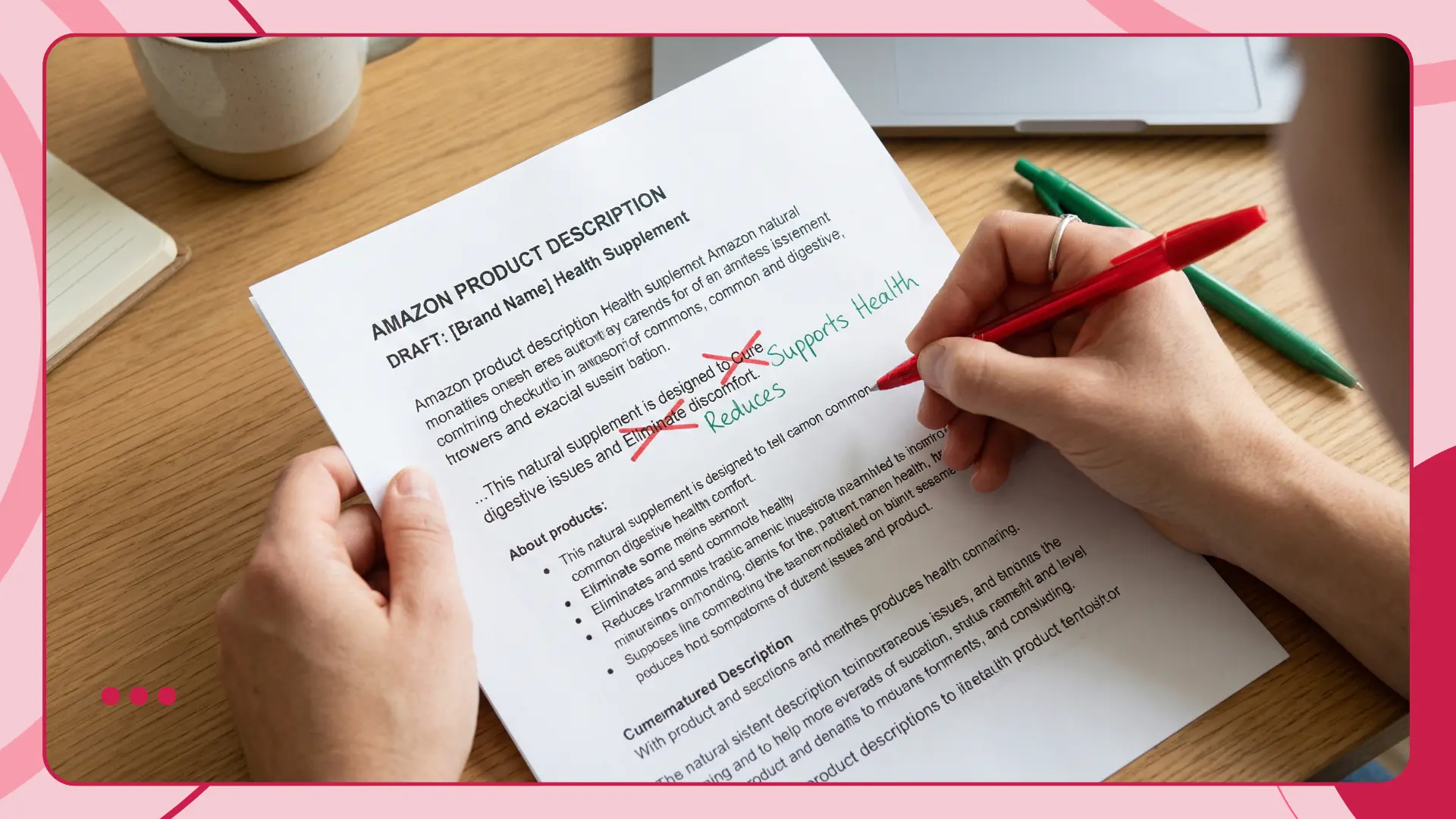
You must follow the rules everywhere on your listing. Do not put amazon banned words in any of these places:
Product Title
Bullet Points
Product Description
A+ Content
Amazon Backend Keywords
Amazon Ads
Common Types of Restricted Keywords
Most amazon prohibited keywords fall into specific groups. Here are the main types to watch out for.
Promotional Language
Amazon wants your listing to describe the product facts. Do not use words that sound like a loud advertisement. Avoid claiming your product is the absolute best.
Guarantee Language
You cannot promise outcomes that you cannot prove. Absolute guarantees often trigger listing reviews.
Medical or Disease Claims
Unless you are selling an approved drug, you cannot claim your product cures or treats a disease. The FDA and Amazon strictly monitor these words.
Amazon Pesticide Keywords
This is a huge trap for sellers. Amazon flags words like "antibacterial," "antimicrobial," or "disinfectant." If you use these amazon forbidden keywords on a normal product, Amazon will think it is a pesticide. They will take your listing down.
Environmental Claims
You must have proof if you use green claims. Words like "eco-friendly" or "100% biodegradable" need official certification.
Offensive Language
Do not use any hateful, racist, or generally offensive words anywhere in your listing.
Amazon Restricted Keywords List by Category
While there is no single official amazon restricted words list, here are common examples of words that cause trouble.
Promotional Words: Best seller, top rated, number one, deal of the day, cheap.
Guarantee Words: 100% guaranteed, full refund, money back, permanent results.
Medical Words: Cures, treats, prevents, heals, cancer, tumor, virus.
Pesticide Words: Antibacterial, kills bugs, anti-mold, non-toxic, pesticide.
Green Words: 100% eco-friendly, fully compostable.
Flairox Listings
Write Better Listings Without Risky Claims
Create Amazon titles, bullet points, descriptions and A+ Content with an AI-assisted workflow that checks for policy risks while keeping your product messaging clear and consistent.
Optimize Your Listing Free → Content Check Scanning ! ✓ POLICY REVIEW Passed ✓ ✓
Bad Phrases and Safer Alternatives
You can still highlight the benefits of your product safely. Use this table to replace risky phrases with safer wording.
Risky Wording | Safer Wording |
|---|---|
100% Guaranteed to work | High quality materials |
Cures joint pain | Supports joint health |
Number 1 Best Seller | Popular choice for buyers |
Antibacterial and anti-mold | Easy to clean and wash |
100% Eco-friendly | Made with recycled plastic |
How to Check Your Listing Before Publishing
Use this simple checklist to review your work before you hit save.
Did I remove all promotional words from the title?
Did I avoid promising a cure for any disease?
Did I check for accidental pesticide words like "anti-mold"?
Are my green claims backed by real certifications?
Are my amazon backend keywords free from competitor brand names?
Did I stick to the amazon product description rules?
What to Do If Amazon Suppresses Your Listing
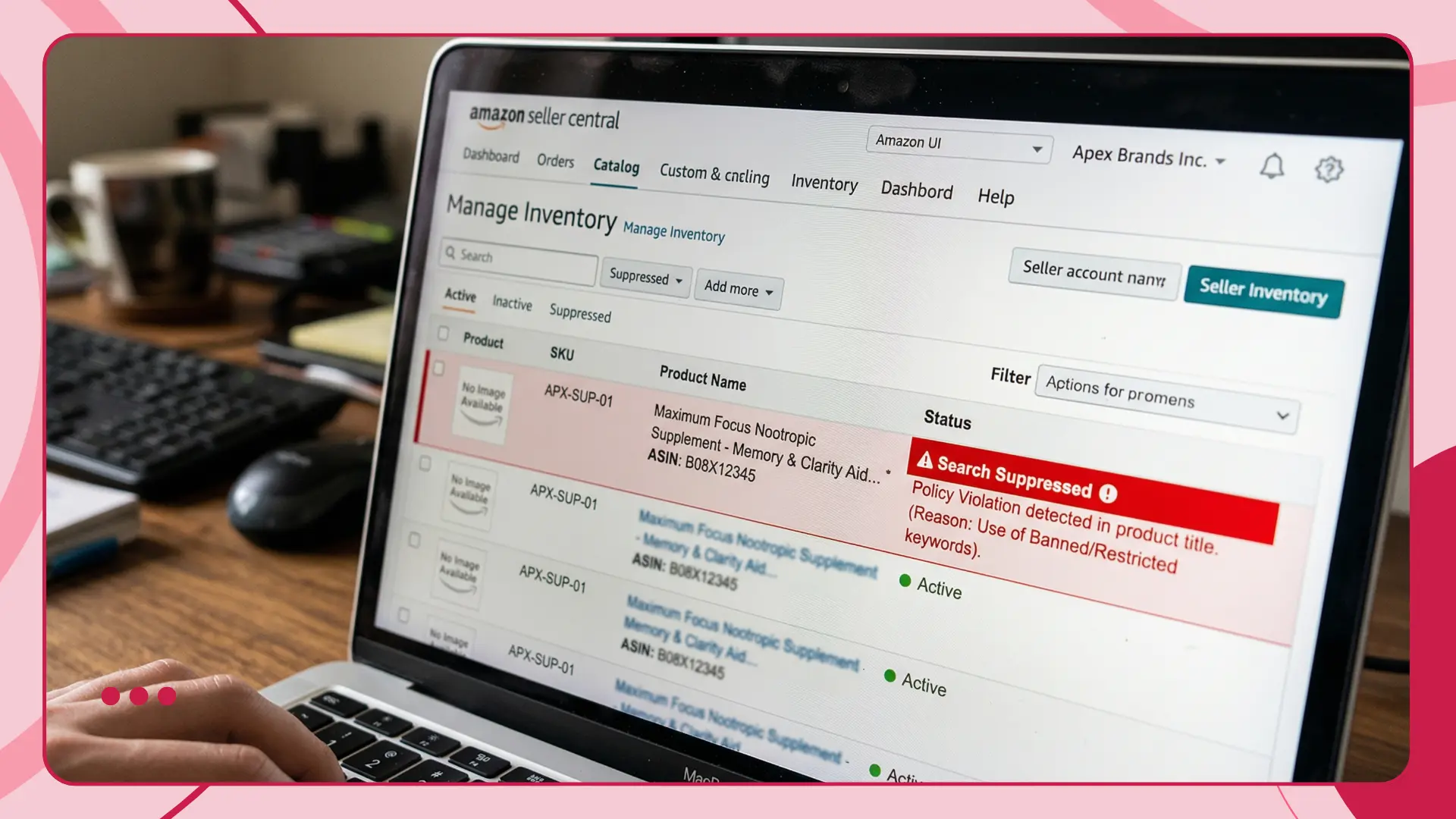
Sometimes you make a mistake. If your listing gets hidden because of restricted words, do not panic. Follow these steps.
Check your Seller Central dashboard for warnings.
Find the exact phrase causing the issue.
Edit your title, bullets, description, and backend search terms.
Remove the prohibited phrase completely.
Save your changes and wait 24 hours.
If the listing stays hidden, you may need to submit a formal amazon appeal.
Conclusion
Writing a safe listing does not have to be hard. By understanding the common types of restricted words, you can avoid frustrating delays. Always review your content against the amazon product description rules. Stick to the facts, highlight your product features, and keep your claims realistic. This approach will keep your seller account safe and help your business grow smoothly.
Frequently asked questions
They are words or phrases that break Amazon rules. They usually involve false claims, medical promises, or unwanted promotional text.