Bilal Siddiqui
This guide will show you everything you need to know about using an Amazon Wish List. We will cover how to build your own list, how to find lists created by your friends or family, and how to manage your privacy settings. You will learn the exact steps for both desktop and the mobile app.
What Is an Amazon Wish List?
An Amazon Wish List is a digital collection of products you want to buy later or receive as gifts. It acts as a personal shopping organizer. You can use it to track items you are interested in, build a registry for a special event, or share gift ideas with your family and friends.
Instead of adding items to your shopping cart and leaving them there, a wishlist keeps your desired items saved safely in your account.
How Does an Amazon Wish List Work?
The process is very simple. As you browse products on Amazon, you can save items to your list with a single click.
Once your items are saved, you can organize them, move them to different lists, or delete them. You have full control over who can see these items. You can keep your list completely private for your own reference. Alternatively, you can make your amazon wishlist public or share a direct link with specific people.
When someone buys a gift from your shared list, Amazon automatically updates the list to show the item has been purchased. This prevents duplicate gifts.
How to Find an Amazon Wish List by Name
If a friend or family member has created a public list, you can search for it directly.
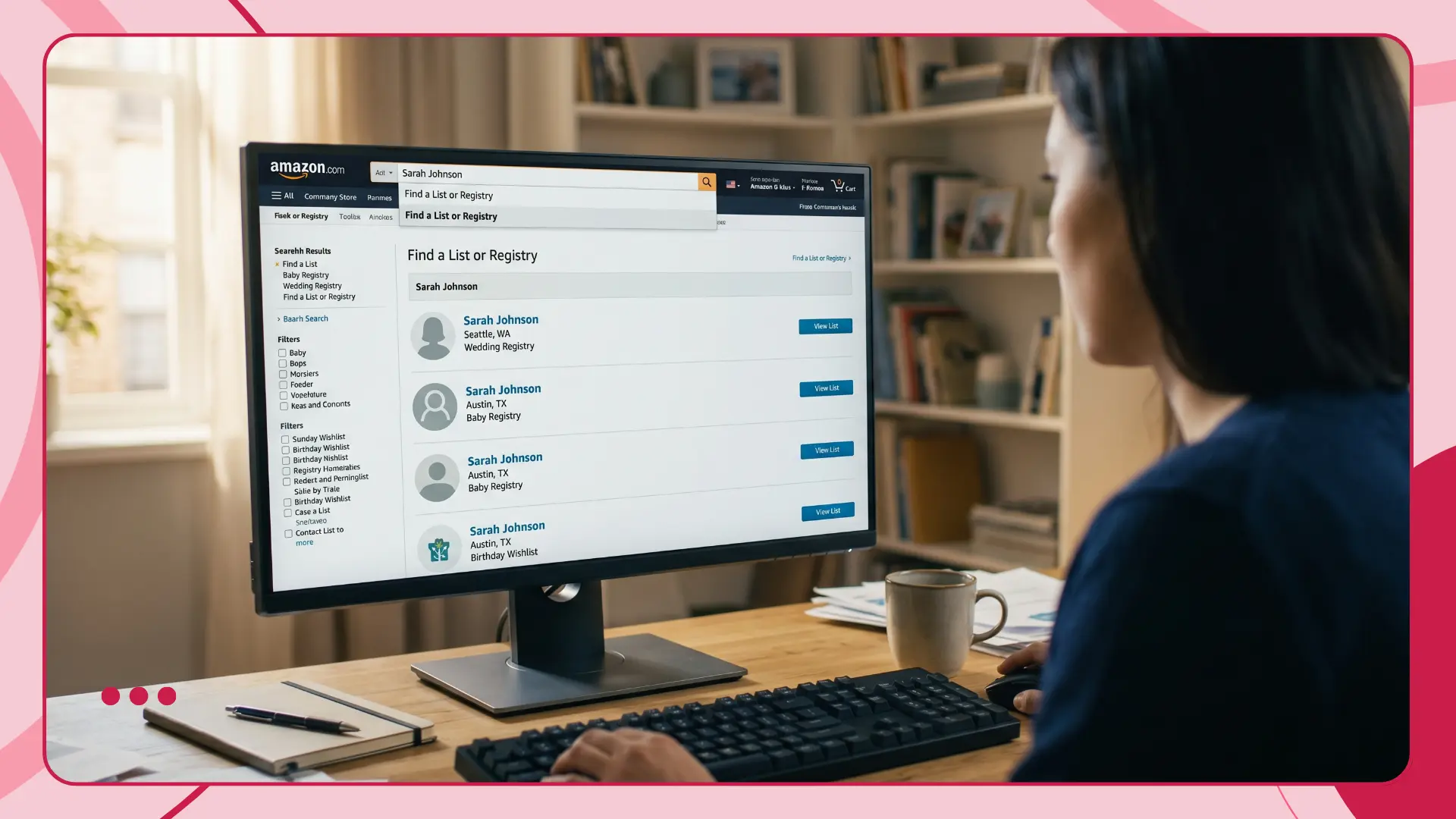
Here is how to find Amazon Wish List by name on a desktop computer:
1. Open Amazon and hover over "Account & Lists" at the top right of the screen.
2. Click on "Find a List or Registry" from the drop-down menu.
3. Type the person's name or email address into the search bar.
4. Click search.
If their list is set to public, their name will appear in the search results. Click on their name to view the items they have saved.
How to Find a Wishlist on the Amazon App
Searching for a list on your phone is just as easy. Here is how to find a wishlist on Amazon app:
1. Open the Amazon app on your phone.
2. Tap the profile icon at the bottom of the screen.
3. Tap "Your Lists" near the top.
4. Tap the "Find a List" tab or use the search bar.
5. Enter the name or email address of the person you are looking for.
6. Tap search to see the results.
How to Find an Amazon Wish List Without a Link
Many people ask how to find an Amazon wish list without a link. The answer depends on the privacy settings of the list owner.
If the owner made their list public, you can use the "Find a List" search tool mentioned in the steps above. You just need their exact name or email address to do an amazon wishlist search.
If the list is set to "Shared" or "Private", you cannot find it through the search tool. In those cases, you absolutely need the direct link from the creator. If you cannot find the list by searching their name, simply ask the person to send you their link.
How to Create an Amazon Wish List
You can create multiple lists for different occasions. Here is how to handle your amazon wishlist create process.
On a desktop computer:
1. Hover over "Account & Lists" at the top right.
2. Click "Create a List".
3. Enter a name for your new list.
4. Click the "Create List" button.
On the Amazon App:
1. Tap your profile icon at the bottom.
2. Tap "Your Lists".
3. Tap the "Create a List" button at the top right.
4. Name your list and tap "Create List".
How to Add Items to an Amazon Wish List
Once your list is created, you can start filling it up. To add to Amazon wishlist, simply browse the website or app as you normally would.
When you find a product you like, look on the right side of the screen below the buy box. You will see an "Add to List" button. Click this button. If you have more than one list, Amazon will let you choose which list to save the item to.
How to Share an Amazon Wish List Link
Sharing your list is the best way to get the gifts you actually want. Here is how to share your amazon wishlist link:
1. Go to your lists page and open the list you want to share.
2. Click the "Send list to others" or "Invite" button at the top of your list.
3. Choose the option to "View Only" if you just want people to buy items. Choose "View and Edit" if you are building a list together with someone else.
4. Click "Copy Link".
5. Paste this link into an email, text message, or social media post.
Amazon Wish List Privacy Settings Explained
Privacy is important. Amazon gives you three privacy options for every list you create.
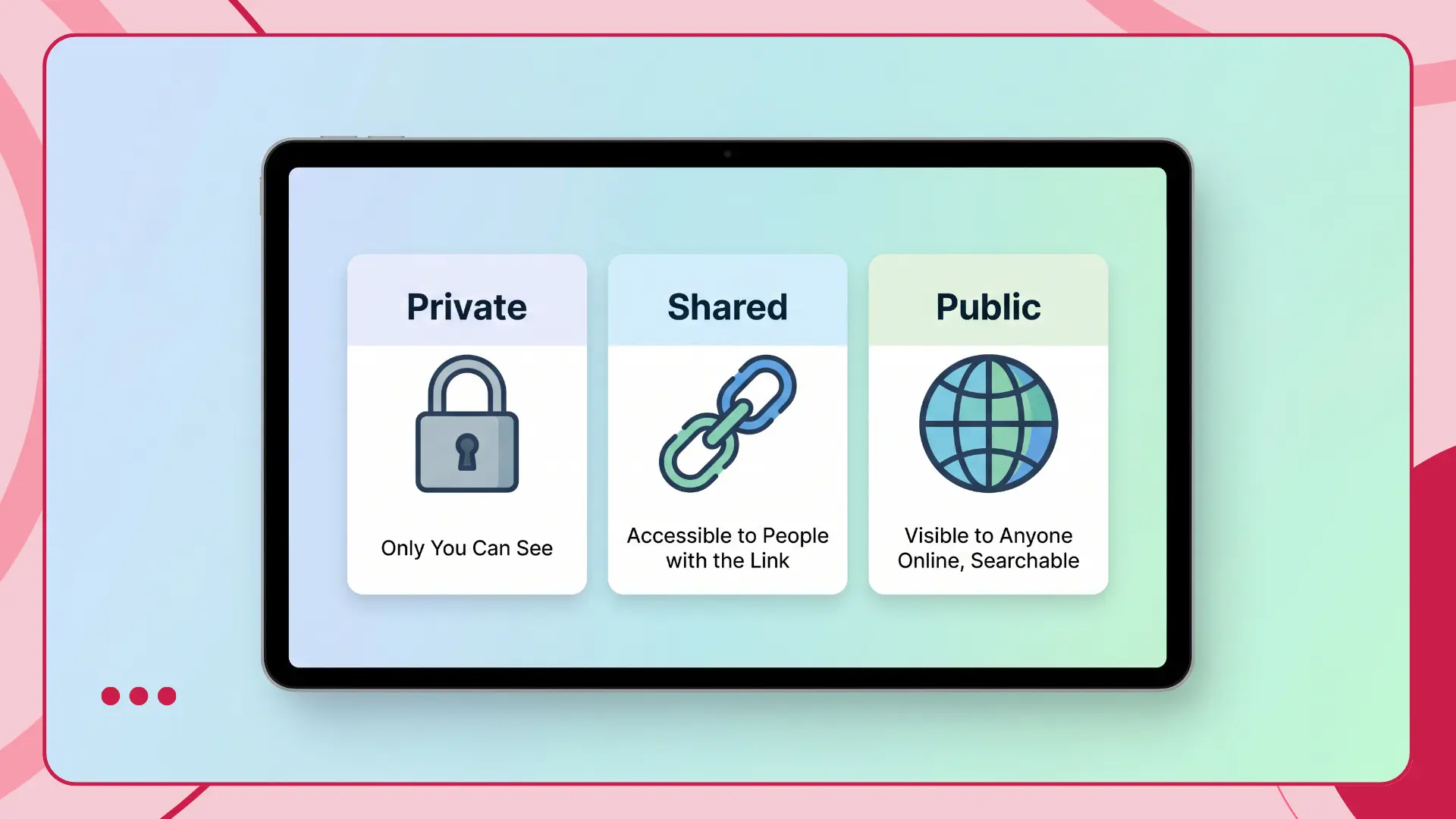
Private: Only you can see this list. It will not show up in any public search results. This is the default setting for new lists.
Shared: Only people who have the direct link can see this list. It remains hidden from public search results.
Public: Anyone can search for this list using your name or email address. This makes your amazon wishlist public for the world.
To change your settings, open your list, click the three dots menu at the top right, select "Manage List", and change the privacy drop-down menu.
Common Amazon Wish List Problems
Sometimes things do not work perfectly. Here are a few common issues.
List Not Showing in Search: If you search for someone and cannot find them, their list is likely set to Private or Shared. Ask them for the direct link.
Link Not Working: If a shared link leads to an error page, the owner may have deleted the list or changed their privacy settings back to Private.
Items Not Adding to List: Make sure you are logged into your Amazon account before clicking the add button on a product page.
Flairox Listings
Make Your Product Worth Saving
Create stronger titles, bullet points, descriptions, product images and A+ Content with AI, giving shoppers a clearer reason to notice, trust and save your product.
Optimize Your Listing Free → Product Listing ♥ ♥ Added to Wish List ✓
Quick Amazon Wish List Checklist
Use this quick checklist to manage your lists effectively:
Name your list clearly based on the event.
Check your privacy settings under "Manage List".
Add a shipping address to your list settings so gifts go to the right place.
Copy the "View Only" link before sharing it with friends.
Search for friends using the "Find a List" tool.
Conclusion
An Amazon Wish List is a great tool for saving your favorite products and organizing gift ideas for special occasions. Whether you want to amazon wishlist find for a friend or share your own link, the process is quick and user-friendly. Just remember to check your privacy settings and ensure your shipping address is attached to your list.
Frequently asked questions
Yes. You can use the "Find a List or Registry" tool under your account menu to search for someone by their name or email address.